
Overview
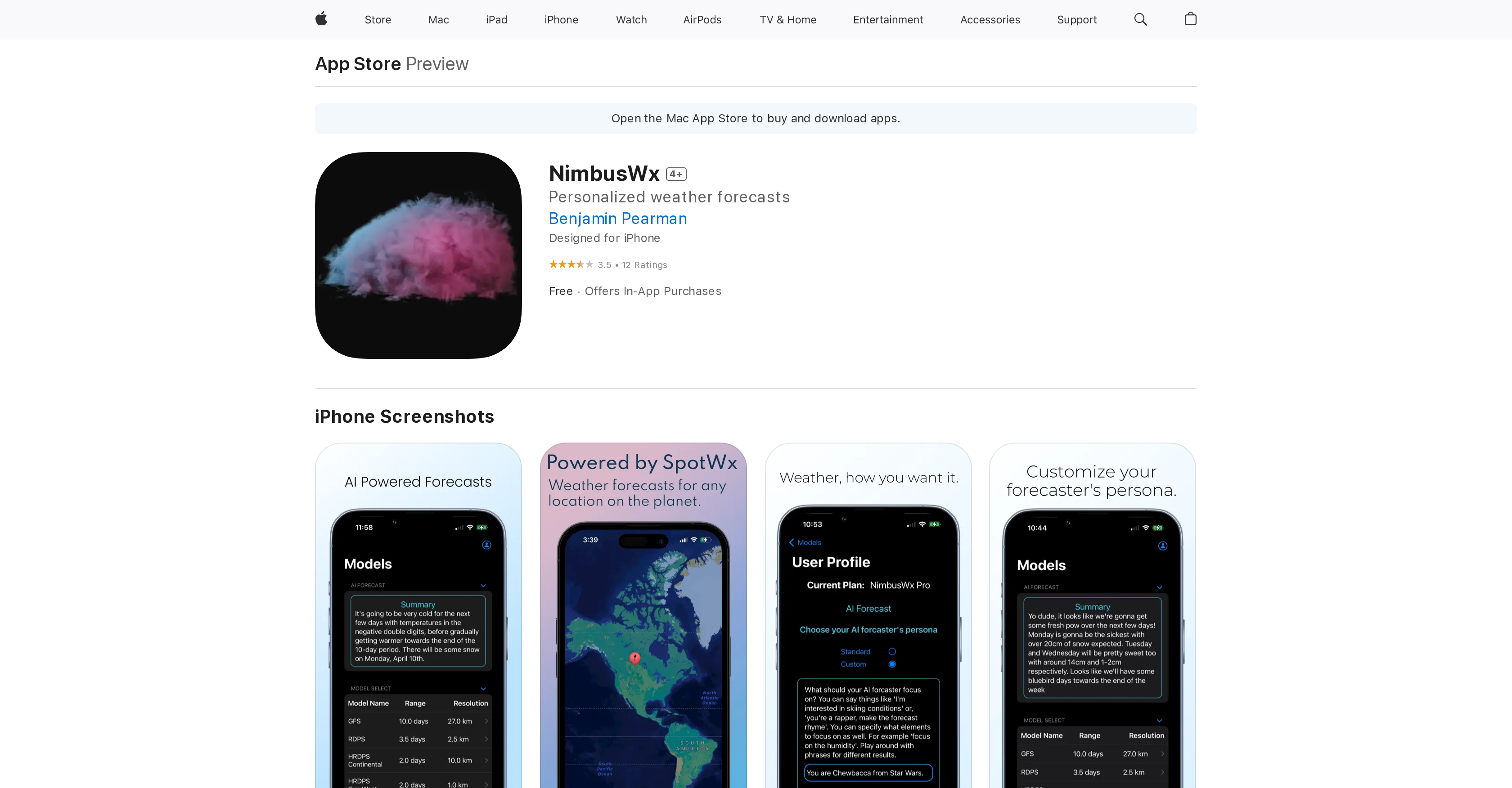
- Access raw weather model data typically locked behind desktop software, visualized in a user-friendly format for professional-grade spot forecasting
- Select any coordinates on Earth to view and compare multiple weather models including GFS, HRRR, NAM, and RAP for hyper-local accuracy
- Save your favorite locations for instant, one-tap access to forecasts, leveraging the mobility of your device for on-the-go planning
- Control exactly which weather data you see with a customizable AI forecaster, tailoring forecasts to your specific activity or interest
- View advanced weather metrics like simulated altitude and spatial/temporal resolution, details normally inaccessible without expert software
Pros & Cons
Pros
- Available on App Store
- Real-time weather updates
- Numeric weather data visualization
- Raw weather data access
- Potentially professional-grade forecasts
- Selection of coordinates globally
- Model's simulated altitude
- Spatial/temporal resolution
- Advanced weather metrics
- Favorite places saving feature
- Multiple model availability
- Powered by SpotWx
- Designed for Apple devices
- Compatible with iOS, macOS, visionOS
- Offers in-app purchases
- Constant upgrades and improvements
- GFS, RDPS, HRDPS, GDPS, NAM, HRRR, RAP models
- Developed by industry expert
- Personalized weather forecasts
- Human-friendly visual format
- Free basic version
- Data security - no data collection
- Small app size
- Multiple language support
Cons
- Lacks weekly forecasts
- No direct Apple integration
- Limited feature information
- No desktop version
- Limited data available
- Requires In-App Purchases
- Doesn't display days of week
- Ineffective topographic mapping
- Lacks cancel subscription option
- Missing data update timestamp
Reviews
Rate this tool
Loading reviews...
❓ Frequently Asked Questions
NimbusWx is a personalized weather forecasting app designed for iPhone. It visualizes numeric model data from weather computers used by industry experts, providing users with raw and advanced weather metrics. NimbusWx is powered by SpotWx website and OpenAI.
NimbusWx does not specify if it can provide real-time weather updates. However, as a comprehensive weather forecasting tool that employs advanced weather metrics and multiple weather models, it is likely to have the capability of providing real-time or near-real-time weather data.
NimbusWx has special features like customizable AI weather forecaster enabling users to control the type of weather data they want to know about. It allows users to select any coordinates on Earth and view multiple weather models for those coordinates. Saved locations for quick viewing and advanced weather metrics are also part of its features. It provides model's simulated altitude, spatial and temporal resolution.
Yes, NimbusWx allows users to select any coordinates on Earth for weather forecasting.
NimbusWx provides raw weather data which includes advanced metrics and multiple weather models like GFS, RDPS, HRDPS Continental, HRDPS 1km West, GDPS, NAM, HRRR, and RAP.
SpotWx is a website used by professionals world over for weather forecasts. NimbusWx is powered by SpotWx and it visualizes the numeric model data employed by SpotWx, thereby transforming raw data into a user-friendly visual format.
NimbusWx is different from other weather apps as it gives access to raw weather data that are typically unattainable without specific desktop software. Also, it enables users to visualize numeric model data in a user-friendly format, thereby creating professional-grade forecasts.
NimbusWx's advanced weather metrics include the visualization of numeric model data from weather computers, model's simulated altitude, spatial and temporal resolution, among other features that are normally inaccessible without specific software.
NimbusWx provides various weather models including GFS (Global Forecast System), RDPS (Regional Deterministic Prediction System), HRDPS Continental (High Resolution Deterministic Prediction System), HRDPS 1km West, GDPS (Global Deterministic Prediction System), NAM (North American Mesoscale Model), HRRR (High-Resolution Rapid Refresh), and RAP (Rapid Refresh).
Yes, NimbusWx allows users to save their favorite places for fast viewing.
The customizable AI weather forecaster on NimbusWx gives users control over the type of weather data they want to know. This encourages personalization and potentially more accurate forecasting based on individual user preferences.
NimbusWx visualizes numeric weather data by transforming the raw data obtained from weather computers into a human friendly visual format allowing users to make forecasts like professionals.
NimbusWx is not directly related to Apple's product line or services. However, it is designed for iPhone and available on the Apple App Store, showing compatibility with Apple's iOS devices.
User reviews and ratings for NimbusWx on the App Store indicate a mix of experiences, with an overall rating of 3.5 out of 5 from 12 reviews. Some users appreciate its concept and potential, while others suggest room for improvement. Feedback includes requests for adding specific features and improving the visual representation of the data.
Yes, NimbusWx forecasts can be customized using the AI weather forecaster feature of the app. Users can control what type of weather data they want to know about and also how the forecaster behaves.
NimbusWx is available for free on the App Store but it also offers in-app purchases. An 'All Access' purchase is available at $1.99.
According to its privacy policy, NimbusWx does not collect any data from its app.
NimbusWx is compatible with iPhone requiring iOS 16.0 or later, and Mac requiring macOS 13.0 or later and a Mac with Apple M1 chip or later. It also requires visionOS 1.0 or later for Apple Vision.
NimbusWx is powered by OpenAI for its customizable AI weather forecaster. This enables users to control the type of weather data they want to know about and alters the behavior of the forecaster, rendering the tool functionally versatile.
Yes, NimbusWx can be used without specific desktop software. It turns raw data into a human friendly visual format which can be viewed on iPhone and iPad devices.
Pricing
Pricing model
Freemium
Paid options from
$1.99
Billing frequency
One-time