Overview
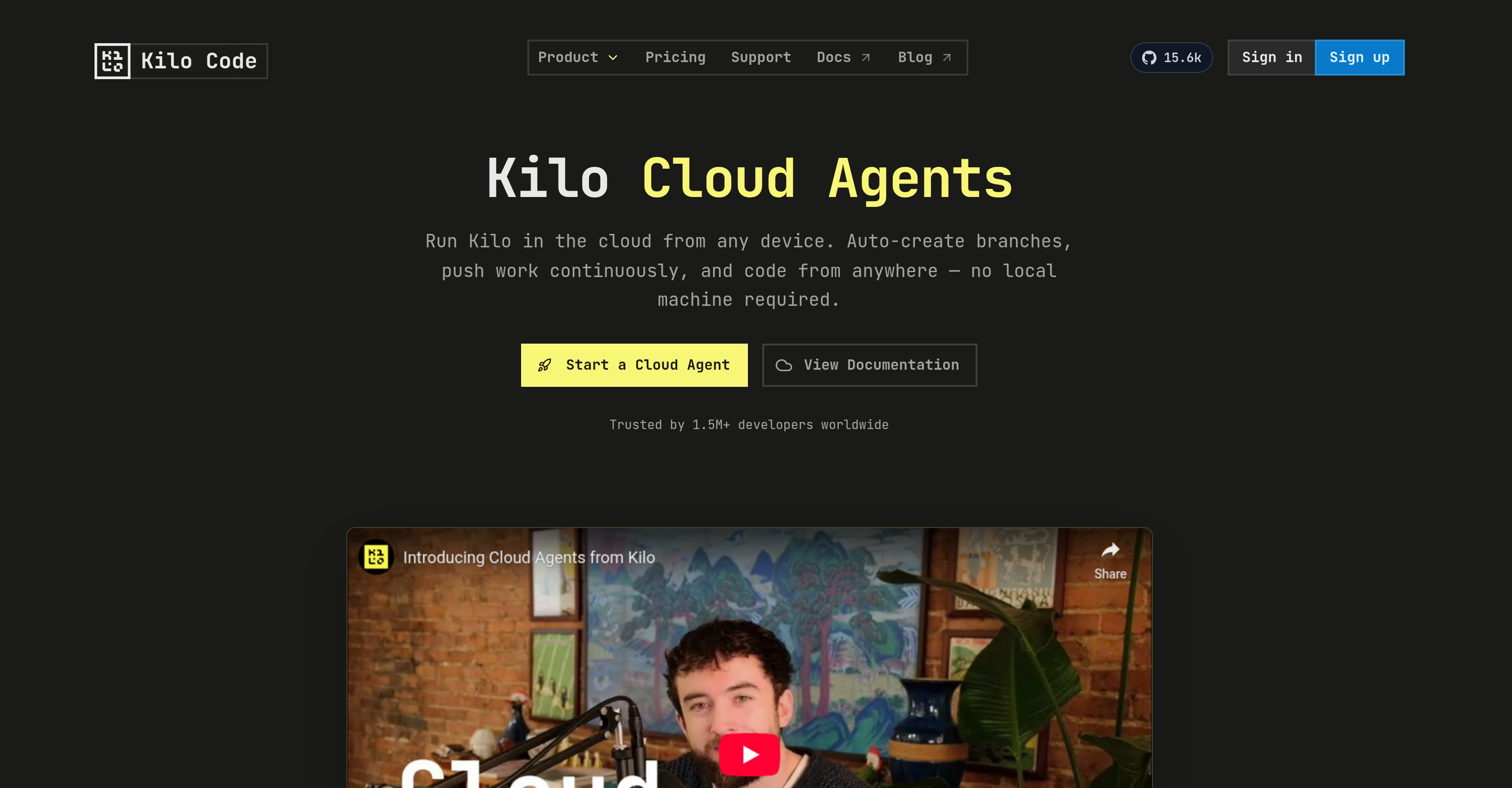
- Start coding instantly from any device without local setup using pre-configured, isolated Linux containers with tools like Node.js and git.
- Never lose work with automatic branch creation and continuous auto-committing that pushes changes after every message.
- Switch seamlessly between cloud and local environments with session portability that lets you restore sessions locally or resume them in the cloud.
- Offload large-scale refactoring and technical debt cleanup by running automated refactors autonomously in the cloud.
- Explore and understand unfamiliar codebases effortlessly with full repository access and project-level skills stored in .kilocode/skills/.
- Maintain personalized workspaces using reusable environment profiles, injected environment variables, and custom startup commands.
- Integrate with external workflows using webhook triggers that initiate cloud agent sessions via HTTP requests and customizable prompts.
- Optimize resource usage with ephemeral containers that spin down during inactivity and automatically respin when needed.
Pros & Cons
Pros
- Cloud-based coding platform
- Supports remote coding
- Auto-creation of branches
- Continuous work pushing
- Isolated container environments
- Automatic branch management
- Data Loss Prevention
- Configurable startup commands
- Custom environment variables
- Ephemeral container environments
- Multiple session locations
- Automated session saving and committing
- Distributed system support
- CI/CD Integration
- DevOps friendly
- GitHub Integration
- GitLab Integration
- Supports webhook triggers
- Offers reusable environment profiles
- Supports remote software debugging
- Codebase exploration functionality
- Support automated refactoring
- Architecture mode brainstorming
- Project level skill support
- Restorable coding sessions
- Flexible coding environments
- Code automation capability
- Automatically spins down inactive containers
- Auto-respins containers when needed
- Integrated development tools
- Enables coding from any device
- Startup commands run automatically
- Secrets injection at session start
- Offers local session restore option
- Sessions support auto-commit and push
- Prevent data loss with continuous pushes
- Supports HTTP request initiations
- Customizable prompt templates
- Organized and isolated workspace
- Linked account setup for GitHub, GitLab
- Simple and straightforward setup process
- Workable on multiple coding tasks
- Automatic environment provision at session start
- Preinstalled Linux containers
- Integrated apt package manager
- Shared container instance for Agent chats
- Supports project-level .kilocode/skills/ storage
- Automated environment spinning based on activity
- Offers API keys and config flags
- Environment shaping configuration options
- Automated all-in-one coding platform
Cons
- Sessions deleted after a week
- Limited pre-installed dev tools
- Requires GitHub or GitLab
- No advertised version control
- No direct database integration
- Relies on external integrations
- Ephemeral containers can disrupt workflow
- Potential delays in respinning containers
- Distributed systems not directly mentioned
- No clear multi-language support
Reviews
Rate this tool
Loading reviews...
❓ Frequently Asked Questions
Kilo Cloud Agents is a cloud-based artificial intelligence coding tool. It allows developers to code from any device by providing each user with an isolated container preinstalled with common development tools. The tool offers unique features such as automatic branch creation and continuous work pushing.
Kilo Cloud Agents works by providing each user with an isolated container that has common development tools preinstalled. Upon initiation of a session, the user's repository is cloned, a unique branch is created, startup commands are run, and environment variables are set. Every message within a session leads to automatic committing and pushing of changes. It also uses ephemeral containers designed to spin down after user inactivity and spin back up when needed.
Yes, with Kilo Cloud Agents, you can code from any device. It is a platform designed to operate universally, creating an opportunity for developers to freely interact with their code and sessions from various locations without a hitch.
Kilo Cloud Agents offer several unique features. These include the auto-creation of branches, continuous pushing of work, use of isolated containers pre_installed with common development tools, and automatic committing and pushing of changes. The platform also features ephemeral containers that spin down after inactivity and respin when needed, enabling session and code portability.
In Kilo Cloud Agents' isolated containers, pre_installed tools include common development utilities such as Node.js, git, gh CLI, glab CLI, among others. These tools are readily available for each user in their unique workspace at the beginning of a session.
Kilo Cloud Agents handles continuous pushing of work through an intelligent mechanism where every messaging activity within a session leads to automatic committing and pushing of changes. This ensures work is seamlessly updated and nothing is lost.
Ephemeral containers in Kilo Cloud Agents are designed to spin down after periods of user inactivity and then spin back up when needed. These containers contribute to resource efficiency and ensure seamless session continuity, allowing developers to work with their code and sessions from multiple locations.
Yes, Kilo Cloud Agents permits customization with environment variables and startup commands. This flexibility allows developers to shape their workspace according to project requirements, fostering a personalized development environment.
Kilo Cloud Agents can be used for a variety of tasks such as remote debugging, codebase exploration, brainstorming projects, and managing automated refactors. Its features cater to diverse coding needs, making it a versatile tool for different development scenarios.
Connectivity and integration play central roles in Kilo Cloud Agents. These attributes ensure collaborative harmony in the development environment and streamline code management tasks. They contribute to the platform's portability, making it a useful resource for both individual developers and development teams.
Yes, Kilo Cloud Agents supports multiple development teams. Its design emphasizes connectivity and integration, which are essential in a team-based development environment. Each developer within a team can have their isolated containers, enabling collaboration while maintaining individual work spaces.
Yes, Kilo Cloud Agents can be used to explore codebases. This capability allows developers to navigate and understand unfamiliar codebases effortlessly, enhancing their efficiency.
In Kilo Cloud Agents, the process of running startup commands begins when a session is started. After the user's repo is cloned and a unique branch is created for the session, the defined startup commands are automatically run. This process initializes the workspace setup at the beginning of each session.
Yes, Kilo Cloud Agents offers automatic saving and committing. This feature is linked to every messaging activity within a session. It ensures seamless continuity and preservation of work, effectively eliminating the chances of work getting lost.
Kilo Cloud Agents can manage automated refactors by running these tasks autonomously in the cloud. Through this feature, Kilo Cloud Agents can help offload technical debt cleanup, batch updates, and large-scale refactors.
Yes, Kilo Cloud Agents can be used for brainstorming projects. It provides a unique workspace for each session that can be customized as per the requirements of your project, making it an ideal platform for ideation and planning.
Yes, Kilo Cloud Agents is useful for remote debugging. Its unique set of features and tools, combined with the ease of access from anywhere, makes it an ideal tool for diagnosing and fixing issues without the need for a local development setup.
In Kilo Cloud Agents, the repository cloning process happens when a session begins. The system clones the user's repo, creates a unique branch for the session, and then initializes the workspace with startup commands and environment variables.
If you lose connectivity while using Kilo Cloud Agents, your work is unaffected because the platform continuously pushes your work following every message. Furthermore, due to the efemeral nature of the containers, inactivity leads to them spinning down and they respin once activity resumes. Hence the program has built-in mechanisms for preserving work data during connectivity hitches.
Kilo Cloud Agents primarily serves to facilitate coding from any device. It is a cloud-based, AI-driven coding tool that offers developers an isolated, pre-configured workspace for each session. It is designed for various coding needs such as remote debugging, codebase exploration, automated refactoring, and brainstorming in architecture mode.
Key features of Kilo Cloud Agents include isolated Linux container environments, automatic branch management, reusable environment profiles, webhook triggers, project level skills, session portability and restorable sessions. It also provides environment variables injection, automatic refactoring, code automation, and integration with GitHub or GitLab. For team collaboration, it supports shared container instances for each agent's chat.
Kilo Cloud Agents utilizes auto-committing and continuous pushing of changes to prevent data loss. When a session begins, the user's repository is cloned and a unique branch is created for the session. Every message or update automatically commits and pushes changes, ensuring work is saved and updated.
The ephemeral nature of containers in Kilo Cloud Agents plays a significant role in resource optimization and seamless user experience. These containers spin down during inactivity and spin back up when required. This design ensures no unnecessary resource utilization, providing efficiency and cost-effectiveness. Moreover, the inactive sessions can be accessed via CLI even after deletion following inactivity beyond seven days, providing flexibility and data security.
Kilo Cloud Agents can be configured by first connecting with GitHub or GitLab and selecting the desired repository. Developers can then add environment variables, secrets, and optional startup commands to shape their workspace. With the help of Agent Environment Profiles, configurations can be saved and reused. Environment customization allows for the creation of a unique workspace suited to specific project or development needs.
Kilo Cloud Agents can prove useful in various scenarios such as remote debugging and codebase exploration, where developers can explore and understand unfamiliar codebases. Its automated refactoring feature is particularly beneficial for large-scale refactors and tech debt cleanup. Additionally, it supports architecture mode brainstorming, allowing design and planning on the go with full access to the repository.
Kilo Cloud Agents handles auto-committing and pushing changes through its automatic branch management system. This process functions by cloning the user's repository at the beginning of a session, and creating a unique branch. All changes and updates automatically commit and push to the unique branch, ensuring continuous version control and preventing data loss.
The Auto Branch Management feature in Kilo Cloud Agents enables the platform to auto-create branches and push work continuously. It automatically clones the user's repository and creates a unique branch at the beginning of a session. This auto-branching guarantees organized and isolated work, enhancing version control and lowering the risk of conflicts. It further facilitates uninterrupted workflow and data redundancy.
The environment variables and startup commands in Kilo Cloud Agents allow customization of the user's workspace. These input parameters are injected into the isolated container at the beginning of a coding session. Environment variables can store vital data like API keys and configuration flags. Startup commands generally involve functions such as installing dependencies, bootstrapping tooling, or running setup scripts.
The isolated container in Kilo Cloud Agents comes preinstalled with common development tools such as Node.js, git, gh CLI, and glab CLI among others. Developers can also install additional packages with apt, giving them a comprehensive toolkit for development right from the start of a session.
The integration of Kilo Cloud Agents with GitHub or GitLab is facilitated by linking the user's account via the Integrations tab, allowing Cloud Agents to access the repositories. The selected repository gets cloned into an isolated container and a unique branch is created for each session, enabling coding straight from these platforms.
Yes, the sessions of Kilo Cloud Agents are restorable locally. This feature gives developers seamless flexibility between environments by enabling them to resume local sessions in the Cloud Agent and vice versa.
'Session Portability' in Kilo Cloud Agents refers to the ability to restore sessions locally and to resume local sessions in the Cloud Agent. This flexibility means developers can switch between different environments seamlessly, effectively managing their workflow from anywhere and from any device.
Webhook triggers in Kilo Cloud Agents initiate cloud agent sessions via HTTP requests. These triggers assist in integrating with external services and automation workflows, using customizable prompt templates to instigate specific actions or tasks according to the user's needs.
The setup process for Kilo Cloud Agents involves four simple steps: connecting to GitHub or GitLab by linking the account through the Integrations tab, selecting a repository for the Cloud Agents to access, configuring the environment by adding variables, secrets, and startup commands, and finally, initiating the coding session with Kilo Cloud Agents.
'Project Level Skills' in Kilo Cloud Agents refers to an automatic availability feature where skills stored in .kilocode/skills/ are available when a repository is cloned. These skills give the agent specialized knowledge about the project, leading to tailored assistance and improved productivity.
Automatic refactoring in Kilo Cloud Agents works autonomously in the cloud, enabling developers to offload tech debt cleanup, batch updates, and large-scale refactors. This feature aids in maintaining code quality and consistency while reducing time and effort required for manual refactoring.
'Architecture Mode Brainstorming' in Kilo Cloud Agents allows developers to design, plan, and brainstorm on the go, with full access to their repositories. This feature is particularly beneficial for conceptualizing new features, improvements, or architectural changes without being hindered by the need for a local machine or specific location.
Pricing
Pricing model
Free Trial
Paid options from
$19/month
Billing frequency
Monthly
Refund policy
No Refunds
Related Videos
Kilo Agent Manager: Run Multiple AI Agents in Parallel That Work
Code With Nathan•2.5K views•Dec 23, 2025