Overview
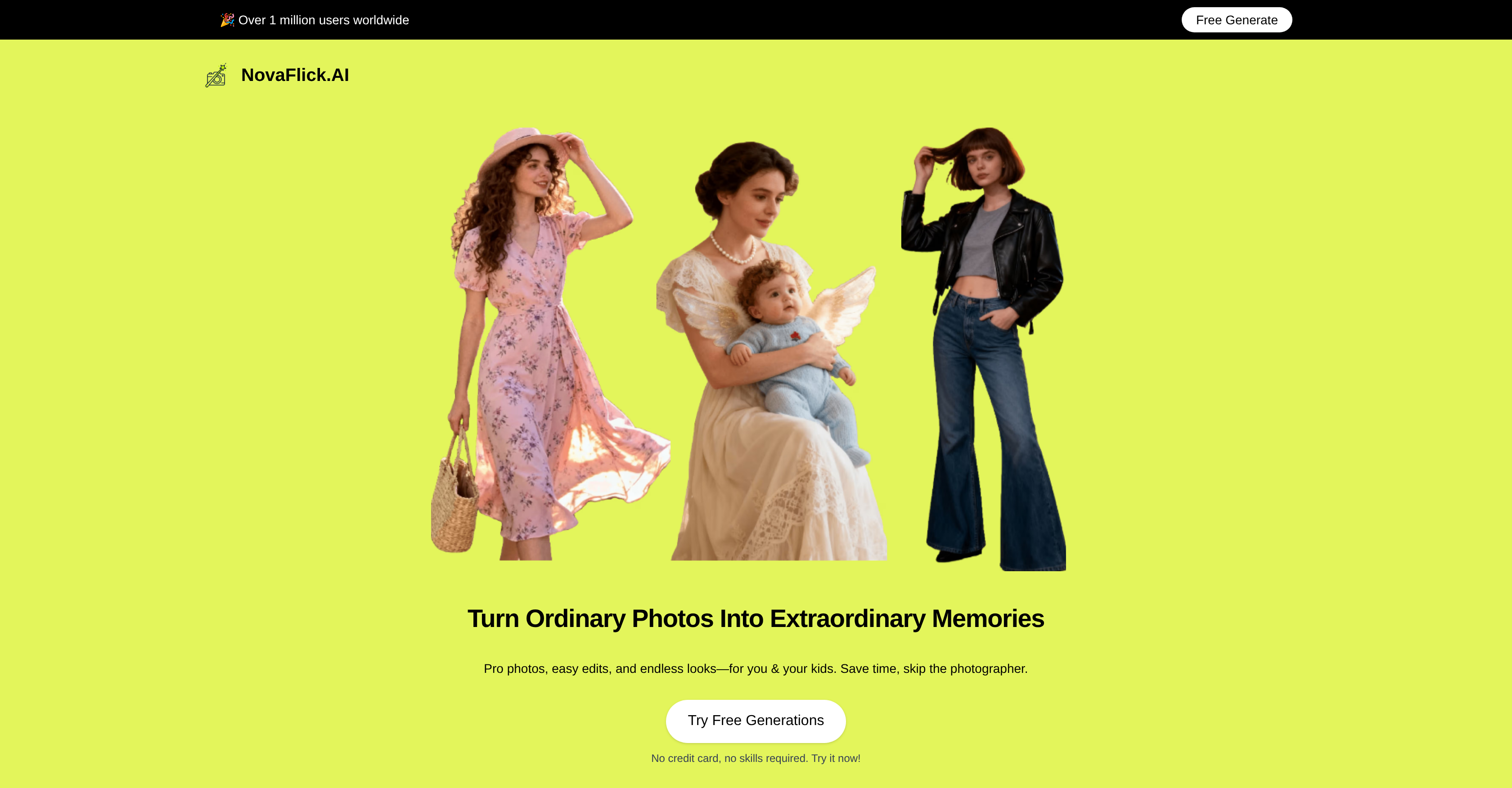
- Fix blurry photos instantly with AI-powered blur correction that transforms unclear shots into sharp, shareable images
- Remove unwanted people or objects completely using AI Synthesis to create perfect group photos and ideal memories
- Transform regular selfies into professional studio-quality portraits with AI Portrait enhancement that fixes lighting and details
- Visualize how clothes will look on you before buying with AI Try-On that combines your photo with any outfit image
- Apply artistic styles like vintage or cartoon to any photo instantly using AI Style Transfer to create unique digital art
- Replace messy backgrounds with clean, aesthetic alternatives in one click using AI background replacement
- Edit photos professionally without technical skills through an intuitive interface designed for complete beginners
- Keep your photos completely private with secure processing that never stores images without your permission
Pros & Cons
Pros
- Professional-quality edits
- User-friendly interface
- Style transfer function
- Background replacement
- Fixes blurry photos
- Personalized dressing recommendation
- Enhances image quality
- Generates creative looks
- Spot remover
- Ensures user privacy
- Ideal for busy individuals
- Doesn't require editing experience
- Optimized for social media creators
- Versatile photo editing
- One-click edits
- Removes unwanted spots
- Generates multiple style simulations
- Tailored user preferences
- Convenient virtual try-on
- Fixes common photo issues
- Accelerates editing workflow
- Encourages creativity
- Custom background editing
- Removes unwanted elements
- Promotes secure photo sharing
- Handles high-quality images
- Multi-function design tool
- Recommended look feature
- Option to add/remove individuals
- Transforms ordinary photos
- Unlimited online design possibilities
- Smart, creative toolset
- Ideal for non-tech-savvy users
- Enhances image output
- Online design capability
- Ability to try trends
- Safe, private platform
- Adjustment for lighting conditions
- Quick results delivery
- Ability to manipulate scene
- Precision photo tune-up
- Look renewal without purchasing
- Customizable style preferences
Cons
- Limited style transfer options
- No downloadable app
- Doesn't support batch editing
- Potential unrealistic image synthesis
- No indicated support for RAW formats
- Faces required for try-on feature
- Insufficient image enhancement tools
- No built-in tutorials or guides
- No offline access
- Free version limitations not stated
Reviews
Rate this tool
Loading reviews...
❓ Frequently Asked Questions
NovaFlick operates by leveraging artificial intelligence to edit, generate, and design images. It enables users to seamlessly transform regular photos into visually stunning pieces of art. Features such as AI portrait and style transfer, background replacement, and blur correction are incorporated to enhance the quality of photos. Users can upload a photo and perform a myriad of edits including removing unwanted elements, changing aesthetic feels, performing professional-quality touch-ups and more.
AI Style Transfer in NovaFlick is a feature that uses artificial intelligence to apply different visual styles to a user's photo. It helps in creatively altering the aesthetic of the image by transforming regular photos into different styles such as vintage, minimalist or even cartoon.
NovaFlick's AI Portrait works by using artificial intelligence to enhance and modify portraits. It takes ordinary photos and transforms them into studio-quality shots, capable of fixing features such as blurs and unfavorable elements in the backgrounds.
Yes, NovaFlick offers blur correction as one of its features. It can effectively fix blurry photos, transforming them into sharp and clear images.
The AI Try-On feature in NovaFlick allows users to visualise potential outfit choices by simply uploading a picture of themselves and the clothing item they desire. The AI then generates a visualization of what the user would look like wearing the chosen clothing.
To replace the background of a photo with NovaFlick, users can utilize the AI-powered background replacement feature. This function allows elements in the background to be easily eliminated and replaced with a chosen aesthetic or style.
AI Synthesis in NovaFlick provides the ability to add or remove individuals from photos. This offers flexibility in creating perfect memories or scenes by manipulating the elements in an image.
NovaFlick is very user-friendly for beginners. Despite the advanced AI-powered features, the platform has been designed for intuitive use, making it perfect even for individuals with little or no experience in photo editing.
Yes, NovaFlick is well suited for professional photo editing. It offers seamless edits and professional-quality touch-ups, all powered by advanced AI. This makes it a comprehensive and versatile tool for all aspects of photo editing and design.
Yes, you can generate AI art with NovaFlick. The tool's AI-powered functions like style transfer allow for the creation of unique and creative pieces of art.
Yes, NovaFlick's AI Synthesis feature allows for both addition and removal of individuals from photos. This means that you can manipulate images to create ideal memories or scenes.
Creating ideal memories with NovaFlick is achieved through a combination of its various features, including AI portrait and style transfer, background replacement, and AI Synthesis, which allows for the addition or removal of individuals in photos.
NovaFlick helps in visualizing potential outfit choices through its AI Try-On feature. Users can upload a photo of themselves and a desired item of clothing, and the AI will generate an image showing how the combination looks.
No, NovaFlick does not require any specific technical abilities. It is designed to offer an intuitive and user-friendly interface, making professional-quality photo editing accessible to all.
NovaFlick can transform your regular photos into art using its AI-powered functions. Users can boost the quality of their photos, creatively alter the aesthetic or clean up unwanted elements in the background using features like AI Portrait, Style Transfer, and others.
Yes, NovaFlick can boost the quality of your photos. It offers features like AI portrait and style transfer, background replacement, and fixing of blurry photos, all deployed to enhance the quality and aesthetic appeal of the photos.
To use NovaFlick's AI Try-On feature, you would need to upload a photo of yourself and a photo of the desired clothing item. The AI then combines both images, producing a visualization of how you would look in the chosen outfit.
Yes, NovaFlick can aid in designing online. In addition to being a photo editor and image generator, it is also a design tool, allowing users to create and design visuals with ease.
NovaFlick offers various design tools powered by artificial intelligence. These include AI portrait and style transfer, background replacement, and the AI Try-On feature. Users can make use of these tools to create unique and professional-quality designs.
While it is clearly mentioned that NovaFlick is a free AI photo editor, image generator, and design tool, the website does not specify whether it has any premium features for additional functions or benefits.
NovaFlick is an artificial intelligence-powered photo editing, image generation, and design tool. It takes regular photos and transforms them into pieces of art by providing seamless edits and professional-quality touch-ups. Features include AI portrait creation, style transfer, background replacement, blurriness fixup, and an AI Try-On feature for visualizing outfit choices.
NovaFlick's AI Photo Editor enhances the quality of photos by correcting common photo issues such as blurriness, messy backgrounds, and unwanted spots. Using artificial intelligence, this feature ensures that photos are cleaned up and enhanced without the need for professional photo editing skills.
Absolutely, ANYONE can use NovaFlick, regardless of their photo editing skills. It's designed for users with various skill levels, from complete beginners to advanced users. Its user-friendly interface makes it easier for individuals with no technical abilities to navigate and use the platform effectively.
Yes, NovaFlick offers an AI Synthesis feature which provides the option to add or remove individuals from photos. It gives users the flexibility to create their ideal memories or scenes by manipulating the number of individuals present in the pictures.
NovaFlick enhances the quality of photos by using artificial intelligence to carry out seamless edits and corrections. Functions like the AI Portrait and Image Quality Improvement help greatly in enhancing the clarity, color, and overall quality of the images you upload on their website.
Yes, NovaFlick is designed to be very user-friendly, and is easy to use even for individuals who may not be tech-savvy. Its intuitive interface and simple operational features ensure that the user experience is smooth, making it a tool that anyone can use to create stunning visuals from ordinary photos.
The Style Transfer feature of NovaFlick allows users to apply different aesthetic styles to their photos, effectively transforming their photos into various creative looks. Users can choose from a range of trends and the AI technology then applies that chosen style to the user's photo.
Yes, NovaFlick provides outfit or dressing recommendations through its AI Try-On feature. By uploading a photo of themselves and a desired item of clothing, the tool provides a recommended look that's tailored to the individual's preferences, using advanced AI algorithms.
NovaFlick can indeed be used to change the background of a photo. One of its capabilities includes Background Editor, which allows users to remove messy or unwanted elements in an original photo's background and replace it with a more suitable or appealing backdrop.
Yes, NovaFlick can be used for professional-quality touch-ups. With state-of-the-art functionalities like AI Portrait and Image Enhancer, it provides users with the ability to make professional-standard modifications to their photos, all without requiring professional photography skills.
NovaFlick helps in creating visually appealing designs by offering a range of advanced editing and enhancement features powered by AI. These include style transfer for altering aesthetics, AI portrait for turning photos into professional-looking images, and an AI Try-On for visualization of potential outfit choices.
NovaFlick is indeed suitable for social media creators. Its AI-powered photo editing and designing features can help these creators enhance their content in a quick and easy way. Whether it's fixing a blurry image, changing the background, or trying on a new style for a photo, NovaFlick can make all of these tasks effortless.
The 'AI Synthesis' feature in NovaFlick is designed to add or remove individuals from photos. This feature is particularly useful when a user wants to generate an ideal memory or scene. For example, if someone couldn't be present for a group photo, AI Synthesis can add them into the scene.
Yes, NovaFlick can potentially replace traditional photo editing software. It offers a wide range of editing capabilities that can enhance, transform, and create stunning visuals. Its ease of use combined with its sophisticated AI technologies like style transfer, and AI portrait creation could offer a more convenient and efficient alternative to traditional software.
Your photos are secure when using NovaFlick. On their website, they ensure user privacy by providing a secure platform for editing and sharing photos. They promise never to store photos without your permission, and you have the option to delete them anytime.
Yes, NovaFlick can be used to generate AI art. By leveraging its AI-powered features like Style Transfer, it can transform ordinary photos into stunning artworks, applying different styles and aesthetics according to user preferences.
NovaFlick stands apart due to its array of AI-powered features. The AI Photo Editor helps enhance and correct pictures. The Style Transfer introduces a unique aesthetic to each photo. The AI Portrait tool turns regular photos into professional-quality images. The AI Try-On creates personalized dressing recommendations and the AI Synthesis allows for adding or removing people from images. All of these features operate via a user-friendly interface with the user’s privacy being a top priority.
NovaFlick respects users' privacy by ensuring a safe and secure environment for photo editing. They promise to never store photos without user permission, and photos can be deleted by users at any time. User privacy is a top priority for NovaFlick, providing peace of mind for users as they edit and enhance their photos.
Pricing
Pricing model
Free Trial
Paid options from
$9.99/month
Billing frequency
Monthly
Refund policy
No Refunds