NovaKit CLI
Overview
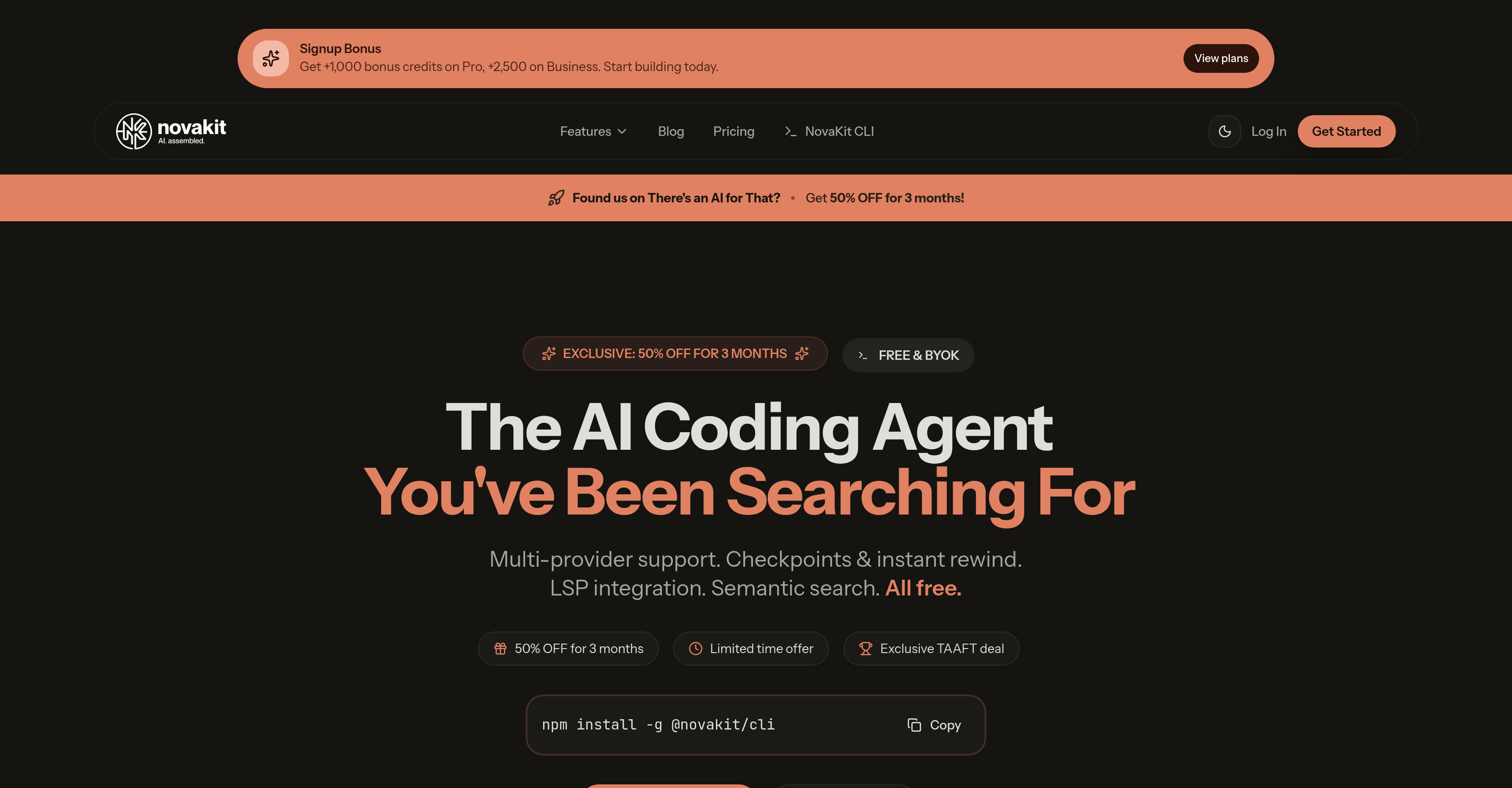
- Eliminate vendor lock-in and use the best AI model for each task with multi-provider support for GPT-5, Claude, Copilot, Gemini, Groq, and OpenRouter.
- Maintain complete control over AI-generated code with instant rewind to undo any change at the push of a button.
- Navigate and understand complex codebases instantly using semantic search across a vector-indexed codebase for precise, contextual results.
- Integrate AI assistance directly into your existing editor workflow with full Language Server Protocol (LSP) support for go-to-definition and hover info.
- Choose how you work with dedicated Agent, Review, and Plan modes to execute, inspect, or strategize code changes.
- Start for free and use unlimited AI by bringing your own API keys, or use your existing GitHub Copilot subscription seamlessly.
Pros & Cons
Pros
- Multi-provider support
- Checkpoints and instant rewind
- Compatibility with existing GitHub Copilot
- Language Server Protocol integration
- Semantic search feature
- Three operating modes (Agent, Review, Plan)
- Easy to install
- Personal API key support
- Bundled multi-model access
- Keyboard-first design
- GPT-5, Claude, Copilot, Gemini, Groq, OpenRouter support
- Better code understanding and navigation
- Individual and team use support
- Supports instant code modifications
- Integration with existing tools
- Seamless workflow transition
- Free own API keys usage
- Enhanced control over coding process
- Workflow efficient for developers
- Programming process streamlining
- Flexible and efficient features
- Vector-indexed codebase for context
- Simple command to install
- Doesn't require subscription
- Tool lives in user's terminal
- Discount offers available
- Bonus credits on Pro, Business plans
- No API key management needed for Pro plan
- Team plan includes shared workspace
- Code modification with Esc+Esc
- Compatibility with Claude code
- Review mode for batch changes
- MCP extensibility support
- Coding smarter design
- Easy switch model with Ctrl+L
- Easy connect provider with Ctrl+O
- Cycle modes with Shift+Tab
- Command palette access with '/'
- File attachment feature
- Customized provider connection
Cons
- Command line interface only
- Limited to specific LLMs
- Requires personal API keys
- Reliant on GitHub Copilot subscription
- No GUI option available
- Premium features require subscription
- Code modifications not automatic
- Interactions are keyboard-first only
- Installation requires terminal command
- No Extended support documentation
Reviews
Rate this tool
Loading reviews...
❓ Frequently Asked Questions
NovaKit CLI is an artificial intelligence coding agent designed to streamline and enhance the efficiency of the coding process. It resides in the user's terminal and offers features for proficient programming in a digital environment.
NovaKit CLI offers numerous features to streamline coding processes. These include multi-provider support, checkpoints and instant rewind functionality, Language Server Protocol (LSP) integration, and semantic search. It provides the ability to undo any changes made by AI instantly, enhancing users' control over the coding process.
Multi-provider support in NovaKit CLI enables users to connect different lower level machine (LLM) providers. This feature eradicates the concept of vendor lock-in, offering more flexibility when choosing the AI assisting in coding, hence enhancing adjustment to a provider that best suits user’s needs.
NovaKit CLI's main features include multi-provider support, checkpoints and instant rewind, Language Server Protocol (LSP) integration, and semantic search feature. It also offers three modes: Agent, Review, and Plan and is designed with a keyboard-first approach. The tool can be used with existing GitHub Copilot subscriptions, and users have the option to start with their own API keys free of charge.
NovaKit CLI's instant rewind functionality works by allowing users to undo any AI-made changes at the push of a button. This provides an additional level of control over the coding process, allowing users to easily correct or revert changes as they see fit.
Yes, NovaKit CLI can integrate with the Language Server Protocol (LSP). This integration enables the delivery of convenient functionalities like go-to definitions, finding references, and hover information, making coding more efficient.
The semantic search feature of NovaKit CLI involves a vector-indexed codebase for context. This feature enables more precise and efficient searches within the codebase, providing users with the most appropriate contextual results.
With NovaKit CLI's multi-provider support, users can tap into different LLM providers. This includes providers like GPT-5, Claude, Copilot, Gemini, Groq, and OpenRouter.
NovaKit CLI is equipped with three usable modes: Agent, Review, and Plan. These modes have been baked in to accommodate varying use cases and preferences, considering the diversity of user needs in coding environments.
The 'keyboard-first' approach in NovaKit CLI's design aids in providing a more fluid and faster coding experience. It allows for efficient navigation and execution of commands, making it a preferred choice for users who prioritize direct keyboard interaction over other interfaces.
Yes, NovaKit CLI is completely compatible with existing GitHub Copilot subscriptions. It provides a seamless integration allowing users to utilize the tool without the need for additional setup.
Yes, users can start using NovaKit CLI with their own API keys free of charge. This encourages user flexibility and the ability to jumpstart their experience with NovaKit CLI without initially incurring extra costs.
NovaKit's bundled multi-model access is a packaged offering which, for ease of usage, comprises access to various LLM providers mentioned on their website. It promotes convenience by eliminating the need for individual API key management.
Premium plans for NovaKit CLI offer additional benefits and features enhancing the functionality of the tool. Although the specific features provided under premium plans are not stated, they inferentially might include advanced versions of the basic features or entirely unique capabilities for advanced users.
Yes, NovaKit CLI offers a signup bonus. New users can receive +1,000 bonus credits on the Pro plan, and +2,500 bonus credits on the Business plan.
NovaKit CLI is currently offering 50% off for 3 months as part of an exclusive discount deal. New users can avail of this exclusive TAAFT discount by using the provided discount code 'TAAFT50'.
Users can get started with NovaKit CLI by installing it using npm in the terminal. After installation, users connect a provider (for example, GitHub Copilot) and can then commence coding aided by the AI.
NovaKit CLI is compared with other similar AI coding agents by its array of features, its compatibility with various providers, its reasonable pricing, and user-friendly approach. While specific competitor names are not given, NovaKit CLI stands out within this tool category. It offers checkpoints, rewind functionality, semantic search, LSP integration, and multi-provider support, alongside being economical and available for free forever with BYOK (Bring Your Own Keys), with the option for premium plans at exclusive discounts.
NovaKit CLI streamlines coding processes by providing a range of features that enhance productivity and maintain the flow of work. These features include multi-provider support, checkpoints, and instant rewind functionality, thus letting developers undo any AI-made changes instantly. These amenities, coupled with Language Server Protocol (LSP) integration and a semantic search feature, make coding a much smoother and effective process.
The key features of NovaKit CLI are multi-provider support, checkpoints and instant rewind functionality, Language Server Protocol (LSP) integration, semantic search, along with three unique modes including Agent, Review, and Plan mode. It also offers support for existing GitHub Copilot subscriptions and a keyboard-first approach for intuitive use.
Multi-provider support of NovaKit CLI refers to its ability to facilitate access to different lower-level machine (LLM) providers. Users are not tied to one specific vendor and can leverage different AI models, including GPT-5, Claude, Copilot, Gemini, Groq, and OpenRouter.
NovaKit CLI's instant rewind functionality allows users to undo any modifications made by the AI immediately. It's as simple as hitting a button. This feature gives users full control over their coding process.
Integration with Language Server Protocol (LSP) offers a set of convenient functionalities like go-to definitions, finding references, and hover information. It enhances the interaction with the source code, and as a result, reduces the time spent on coding tasks.
Yes, NovaKit CLI can provide instant context to a codebase via its semantic search feature. This allows for a vector-indexed search through the codebase, enhancing code understanding and navigation.
NovaKit CLI offers three modes to accommodate various use cases and preferences. Agent Mode adapts and acts on user's commands, Review Mode lets users inspect AI suggestions before they are implemented, and Plan Mode enables users to oversee the AI's planning of code prior to implementation.
Yes, NovaKit CLI supports a keyboard-first approach. This design decision complements the coding process, making it more natural and efficient for the users.
NovaKit CLI is compatible with existing GitHub Copilot subscriptions. Users can use their current subscription with GitHub Copilot, thereby providing an effortless transition along with the added benefits of NovaKit.
To start using NovaKit CLI with your own API keys, you need to install the tool using the command 'npm install -g @novakit/cli'. Afterwards, you can connect your chosen provider by logging into it via the command 'novakit auth login -provider ', where 'provider' is your provider of choice.
NovaKit CLI's premium plan offers additional benefits such as more monthly credits, access to multiple AI models, and no hassle of API key management. Depending upon the chosen plan, users can also get bonus credits on sign-up.
NovaKit CLI's multi-provider support leverages different AI models, including GPT-5, Claude, Copilot, Gemini, Groq, and OpenRouter. This means that users can switch between different LLM providers depending upon the project's need.
Installing NovaKit CLI is a straightforward process. All it requires is running a single command in the terminal: 'npm install -g @novakit/cli'.
NovaKit CLI offers users several features that can streamline the coding workflow. The multi-provider support and the seamless integration with existing systems let users maintain their current workflow. Integration with Language Server Protocol (LSP) and semantic code search functionality aid in better navigation and understanding of the code. The various modes - Agent, Review, Plan - allow users to choose how they want to work with the AI.
Yes, NovaKit CLI has the capability of supporting unlimited AI usage by allowing you to bring your own API keys, thereby bypassing any restrictions on use.
Bundled multi-model support in NovaKit CLI means that users get access to numerous AI models under one roof. This lets developers take advantage of multiple AI technologies without any added complexity.
NovaKit CLI can integrate with your existing coding system smoothly. The tool is well-designed to work with your current system and streamline tasks. Moreover, the multi-provider support lets you use the platform of your choice without vendor lock-in.
With NovaKit CLI's multi-provider support, users can benefit from the flexibility and freedom of using different lower-level machine (LLM) providers. It allows users to leverage a range of AI models, including GPT-5, Claude, Copilot, Gemini, Groq and OpenRouter, depending on their needs and preferences.
For more detailed information on NovaKit CLI functionality and usage, you can explore NovaKit's official website. Additionally, the comprehensive documentation that comes with the tool will provide an in-depth, step-by-step guide on how to effectively use this AI coding assistant.
Pricing
Pricing model
Freemium
Paid options from
$12/month
Billing frequency
Monthly
Refund policy
No Refunds