
Overview
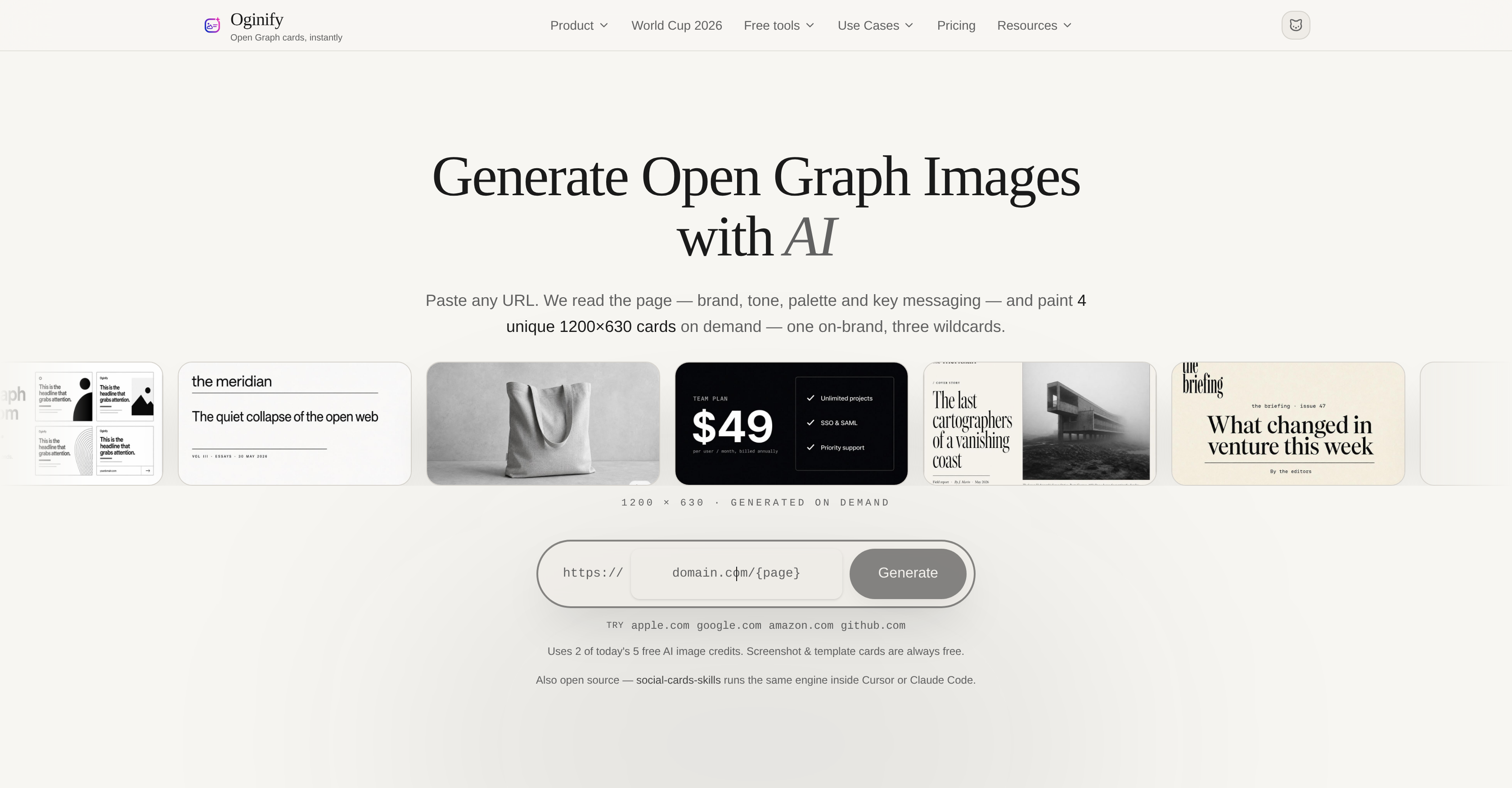
- Publish social share previews that match your brand instantly by pasting any URL into Oginify, which auto-detects tone, palette, and key messaging to generate on-brand Open Graph images.
- Explore creative alternatives alongside your main card with three wildcard variants that open up unexpected visual styles for your social media previews.
- Skip design work and signup entirely—Oginify produces four 1200x630 PNG social share cards autonomously, ready for immediate download.
- Achieve consistent branding across every shared link as Oginify reads your webpage’s colors, logo, and messaging to create one image that perfectly aligns with your existing visual identity.
- Choose between hands-off managed generation or independent operation, giving you full control over how your Open Graph images are created.
- Compare Oginify’s brand-aware output against generic generators to see how uniquely tailored previews outperform template-based social cards.
- Generate share images for any content type—homepages, articles, SaaS products, e-commerce listings, blogs, or dev tools—with the AI adapting to visual styles from brutalist to Swiss design.
Pros & Cons
Pros
- Generates 4 images simultaneously
- Direct PNG download functionality
- No signup needed
- Auto-detects brand elements
- Option for managed SaaS
- Based on social-cards-skills
- Generates specific website-branded image
- Generates 'wildcard' image variations
- Processes any URL
- Generates images on-demand
- Utilizes web scraping
- Provides brand recognition
- Visual aesthetics analysis
- Automated content generation
- Allows customization
- Promotes web development
- E-commerce friendly
- Offers developer tools
- Designed for various styles
- Option to self-manage
- Provides comparison to generators
- Generates custom Open Graph images
- Suitable for various websites
- Automates design work
- Uses URL parsing
- Extracts Tagline
- Palette Inference
- Detects Page Type
- Inference of Page Tone
- Produces 'wildcard' image variants
- Contains ready-to-use image
- Executes brand matching
- Recycles 'unliked' images
- No manual design work
- No account installation
- Generates images in seconds
- Creates share image
- Multiple use-case functionality
Cons
- Only four image variants
- No signup could limit features
- Only outputs PNG format
- No option for volume generation
- Can't control image styling
- No stated speed of generation
- No option genre customization
- Limited to web scraping capabilities
- Brand elements only auto-detected
- No API provided
Reviews
Rate this tool
Loading reviews...
❓ Frequently Asked Questions
Oginify is a specialized tool that utilizes AI technology to generate Open Graph images. It analyzes the content, tone, palette, and key messaging of any URL inputted by the user to generate four unique Open Graph images. It is designed for autonomous operation, requiring no signup or design work from the user.
Oginify works by taking a URL inputted by the user and using its AI engine to read and analyze various aspects of the page such as its content, tone, palette, and key messaging. Based on this analysis, it creates four distinct Open Graph images, one that matches the branding of the website and three creative alternatives, also known as 'wildcards'.
Oginify generates four distinct 1200x630 Open Graph images on demand—one corresponding to the branding of the website while the other three are creative variants or 'wildcards'.
An Open Graph image refers to the image representation associated with web content on social media. It is essentially a visual summary of the webpage content that is displayed when the URL is shared on platforms such as Facebook or Twitter.
No, Oginify does not require any design work from the user. The tool is wholly autonomous and capable of generating Open Graph images immediately after receiving a URL.
'Autonomous operation' in the context of Oginify means the tool operates independently without needing any human intervention. It autonomously analyzes the webpage and generates Open Graph images based on its findings.
'Wildcards' in the context of Oginify refer to creative variations of Open Graph images that the tool generates. These variations present alternative representation options for the user and add an element of surprise or creativity beyond the standard branding.
Oginify matches the branding of a webpage by using its AI engine to analyze and understand the brand's elements such as its colors, logo, tone, and key messaging. This analysis informs the creation of one of the Open Graph images that aligns with the webpage's existing branding.
To use the images generated by Oginify on your webpage, download them directly as PNG files. Then, paste the Open Graph and Twitter tags into the head tag of your webpage's HTML.
Yes, Oginify can be run independently. While it is also available as a managed Software as a Service (SaaS), users have the option to operate it independently without any requirement for management.
'Social-cards-skills' in the context of Oginify refers to the MIT-licensed specification upon which Oginify is based. This specification dictates how the tool generates and displays social media graphics from any URL.
Oginify is ideally used when one needs to quickly generate unique and creative share images for their webpage without going through the hassle of sign-up processes or design work. It's particularly beneficial for creating visual assets that match the brand specifics of the webpage.
No, Oginify does not require a signup. Users can paste any URL and generate Open Graph images instantly.
The fact that Oginify is based on an MIT-licensed spec signifies its reliance on open source standards. It allows for transparency, validating the reliability and robustness of the underlying technology by the wider developer community.
Yes, Oginify generates the Open Graph images as PNG files which can be directly downloaded.
Oginify's AI engine reads and analyzes content, tone, palette, and key messaging of a webpage by interpreting the structure, language, visual identity, and overall presentation found on the page. It uses this analysis to create Open Graph images that accurately represent the webpage's intent and brand.
Tweet tags are meta data from Open Graph protocol which Twitter uses to define the image and text to display when a webpage is shared. After generating images using Oginify, these tags can be pasted into your webpage's HTML head tag to display the generated image when your webpage's URL is shared on Twitter.
Yes, Oginify provides direct download of generated images as PNG files immediately upon creation.
Yes, one of the key features of Oginify is that it automatically detects the brand elements of a webpage. As part of its analysis, it identifies the brand's colors, logo, tone, and key messaging which informs the generation of Open Graph images.
When Oginify is referred to as a managed SaaS (Software as a Service), it means that the tool is hosted, maintained, and updated on a server by the provider. Users need not worry about the technical aspects of running the tool and can instead focus on using it to generate Open Graph images.
Oginify generates Open Graph images by analyzing the content, tone, palette, and key messaging of a webpage. It reads and interprets the brand elements of the given URL and then produces four distinct images, one matching the brand of the website and three 'wildcards' offering creative variations.
To use Oginify, a user simply has to paste a URL into the tool. Oginify's AI engine then analyzes the webpage and creates four unique Open Graph images. These images can be directly downloaded as a PNG file without any need for sign-up.
Oginify generates four unique Open Graph images from a single URL. These images are distinct, with one being specifically styled to match the branding of the original website while the other three are 'wildcards', offering creative alternatives that may vary in style and design.
Oginify generates four Open Graph images from a single URL.
No, there's no sign-up process to use Oginify. The tool can be used directly by simply pasting the URL into Oginify.
Oginify has a built-in algorithm that reads and interprets the webpage to auto-detect the brand elements. It identifies the brand's tone, palette, and key messaging to match the branding in one of the generated images.
'Wildcard' images in Oginify refer to three of the four images generated from a single URL. These images serve creative variations that differ from the main image tailored to the brand of the original webpage.
The images generated by Oginify can be downloaded in PNG format.
The images generated by Oginify can be used by pasting the Open Graph and Twitter tags into the page's head. This way, they can serve as share images for your webpage.
'social-cards-skills' is an MIT-licensed spec on which Oginify is based. It shares the same functionality that powers Oginify. Users can manage the process themselves, have the cards painted for them, or compare against generic generators using this open-source tool.
Oginify can handle a variety of website content such as homepages, articles, different types of websites including SaaS, e-commerce, blogs or developer tools. It adapts to the visual style of the webpage, ranging from brutalist to Swiss.
Oginify offers a variety of visual styles while generating images. It adapts to the style of the webpage, which can range from brutalist to Swiss design.
Oginify offers a more flexible and automated service as compared to generic generators. It creates four unique images rather than just one and auto-detects brand elements, whereas generic generators generally rely on templates.
The dimensions of the images generated by Oginify are 1200x630 pixels.
Oginify can be used for free, but it also offers a paid option for $0.99 per image. It provides the option to tip, suggesting it operates on a freemium model.
Yes, Oginify is available as a managed SaaS and can also run independently. Users have the option to let it paint the cards for them or run it themselves.
Yes, Oginify can be used independently. Users can manage the process themselves if they wish.
Oginify ensures brand matching in its generated images by analyzing and interpreting the brand elements of a webpage. It utilizes a built-in AI engine to detect and read the brand's tone, palette, and key messaging. This data is then used to style one of the generated images to match the brand of the original website.
Yes, the images generated by Oginify can be used for social media marketing. They are specifically designed as Open Graph images, which are widely used for previewing linked content on social media platforms.
Pricing
Pricing model
Freemium
Paid options from
$0.99/unit
Billing frequency
Pay-as-you-go