OpenArt World
Overview
- Maintain a consistent visual style across all your images, videos, and characters by using a single centralized AI creation studio.
- Transform text descriptions or image frames into full videos instantly with AI models like Google Veo and Kling.
- Produce professional lip-sync and motion-sync animations where character movements perfectly match your audio track.
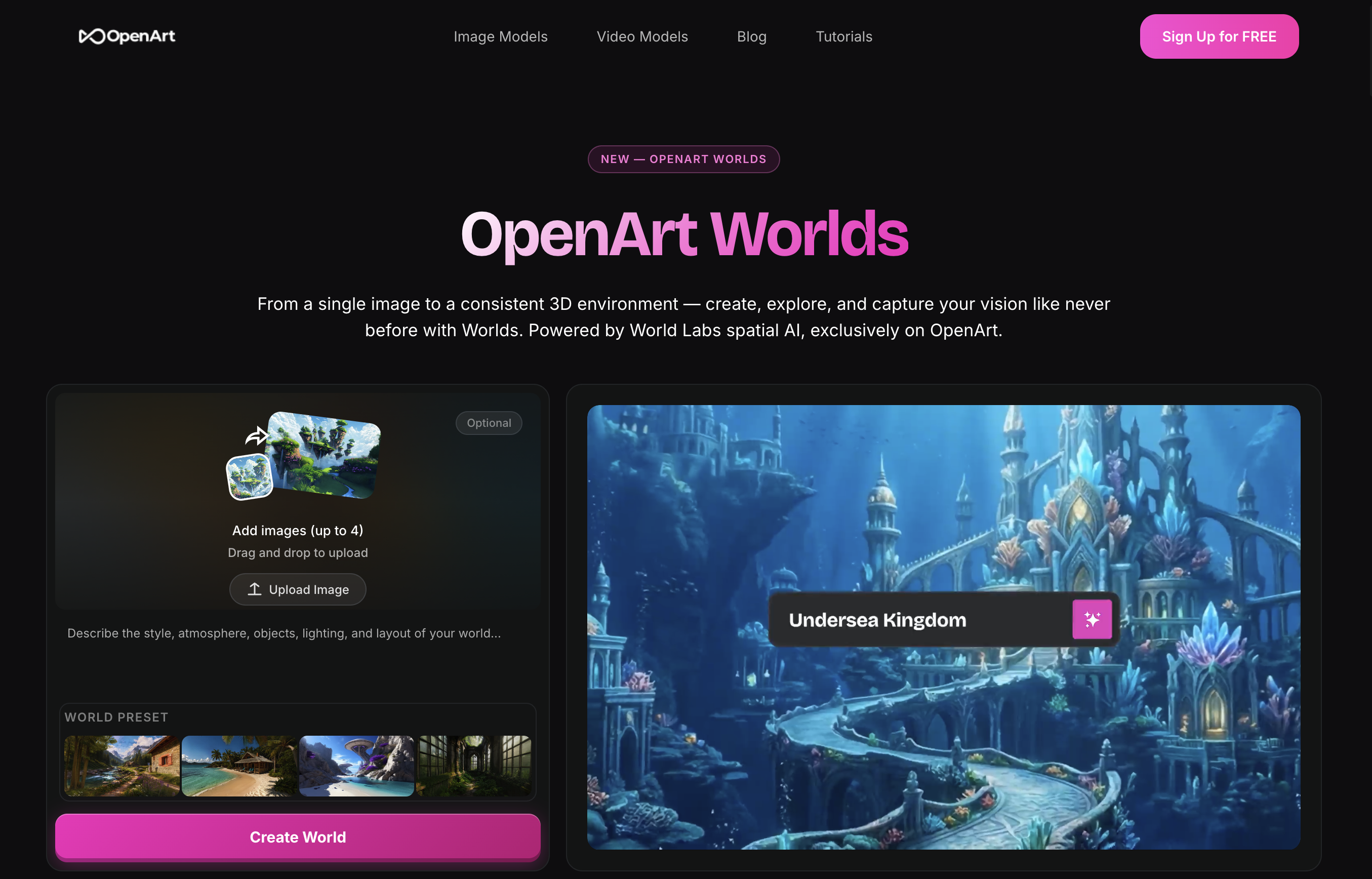
- Build and populate custom 3D worlds from scratch, then cast and animate characters directly within those scenes.
- Access a vast library of pre-made assets to accelerate your creative workflow without starting from zero.
- Generate stunning, polished content in minutes thanks to an intuitive interface designed for both beginners and professionals.
- Experiment with advanced AI creation at no upfront cost through a freemium model that lets you start creating immediately.
Pros & Cons
Pros
- Centralized creation process
- Maintains style consistency
- Comprehensive image tools
- Comprehensive video tools
- Frame to Video tool
- Text to Video tool
- Edit Image feature
- Edit Video feature
- Motion-sync and lip-sync
- 3D world generation
- Character casting tool
- Extensive asset library
- User-friendly interface
- Quick content generation
- Freemium model
- Great for novices
- Great for professionals
- Captivating content in minutes
- Multiple creation tasks
- Asset rich library
- Professional editing tools
- Fast content production
- Immediate start for free
- Sync audio to motion
- Create consistent characters
- Create consistent worlds
- Video production tools
- Audio creation tools
- In-app browsing library
- Free content creation
- Accessible for all creators
- Advanced syncing features
- Casting in 3D scenes
- 3D world camera
- Existing creations collections
- Instant signup and begin
- Versatile creation studio
- Text to video conversion
- Frame to video conversion
- Highly customizable tools
- Style preservation across creations
- Powerful editing capabilities
- Seamless workflow integration
- Novice-friendly learning curve
- Asset library for inspiration
- Multiple art forms creation
- Ease of use design
- Rapid content realization
Cons
- Potential style uniformity
- No specific audio tools
- Dependency on asset library
- May lack customization flexibility
- No explicit collaboration features
- Potential complexity in multi-format
- Frame-to-video limitations
- No detailed pricing structure
- Freemium model constraints
Reviews
Rate this tool
Loading reviews...
❓ Frequently Asked Questions
OpenArt Suite is a comprehensive AI creation studio that provides tools for the production of images, videos, characters, and audio. The suite centralizes the creation process while maintaining consistency in characters, worlds, and overall style across various art forms.
OpenArt Suite employs Google Veo, Kling, Nano Banana Pro, Seedance, and other renowned AI models to power its numerous creation and editing tools. These AI models contribute significantly to image production, video production, character creation, and even animation synchronisations such as motion-sync and lip-sync.
The primary features of OpenArt Suite include 'Create Image' and 'Edit Image' for image generation and editing. There are also tools for video creation and editing such as 'Frame to Video', 'Text to Video', and 'Edit Video'. The suite provides functionalities for motion-sync and lip-sync, creation of 3D worlds, and character casting within these worlds. There is also an extensive asset library for content creation.
The 'Create Image' function in OpenArt Suite allows users to produce images with ease. The function is powered by AI models and makes use of an intuitive user interface to simplify the process.
Yes, images can be edited using OpenArt Suite. The 'Edit Image' tool allows for the manipulation and enhancement of images as part of the suite's functionality.
OpenArt Suite offers multiple tools for video creation and editing. These include 'Frame to Video', 'Text to Video', and 'Edit Video'. Each of these tools utilizes AI models to automate and simplify the processes involved in video production and editing.
'Frame to Video', 'Text to Video', and 'Edit Video' are key tools offered by OpenArt Suite for video production and editing. 'Frame to Video' allows for the transformation of frames into smooth video content. The 'Text to Video' tool can generate video content from provided text through AI automation while 'Edit Video' facilitates the modification of videos.
OpenArt Suite ensures motion-sync and lip-sync in videos through specialized functionalities powered by Artificial intelligence. The motion-sync feature ensures the synchronization of graphics with motion, and the lip-sync feature assures that spoken content aligns with the movement of lips in characters.
Yes, the suite offers the function to generate 3D worlds. OpenArt Suite provides tools that empower users to create unique and customizabile 3D environments.
Casting characters within 3D scenes in OpenArt Suite can be done using the suite's character casting feature. This tool allows for the placement and animation of characters within the created 3D settings.
The OpenArt Suite library is rich with numerous resources for content creation. However, specific details on the types of assets available are not explicitly mentioned on their website.
OpenArt Suite is designed with a user-friendly interface. This makes it accessible and easy to navigate, ensuring both professionals and novices can efficiently utilize its features.
OpenArt Suite allows for swift content generation, enabling users to create stunning content in minutes according to the information available on their website.
OpenArt Suite follows a freemium pricing model. Users can sign up and begin creating at absolutely no cost.
Beginners or novices can benefit immensely from using OpenArt Suite due to its user-friendly interface, simple functionality, and the freemium model which allows them to start creating without any initial cost.
Yes, professionals can also utilize OpenArt Suite. Despite its simplicity and ease of use, the suite provides sophisticated tools and functionalities that can meet the needs of professional creators.
OpenArt Suite maintains style consistency by centralizing the creation process. This consistent environment helps in retaining a uniform style across characters, worlds, and various forms of art.
OpenArt Suite lets you produce a wide range of content such as images, videos, characters, and audio. There are tools for every stage from creation to editing, leading to a complete final product.
There is no mention of requiring additional software to use OpenArt Suite on their website. It is suggested that all creation and editing tools are integrated into the OpenArt Suite itself.
Yes, OpenArt Suite offers a freemium version. Users can sign up and start creating at no cost, providing easy accessibility for novices and professionals alike to explore and utilize the suite's features.
Pricing
Pricing model
Paid
Paid options from
$7
Billing frequency
One-time