
Ping: AI-Powered To Do List
Overview
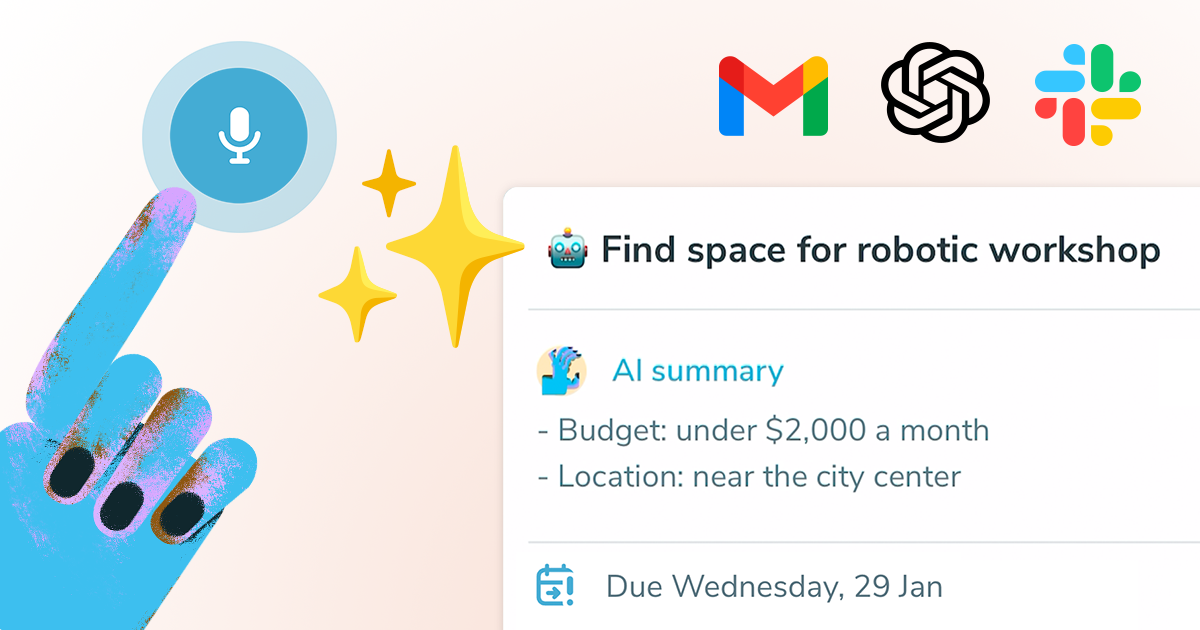
- Create tasks instantly by speaking while AI automatically titles them, sets deadlines, and creates summaries using voice dictation
- Turn emails into actionable items without manual entry through seamless Gmail integration and AI email-to-task conversion
- Keep tasks perfectly aligned with your schedule by syncing deadlines and reminders directly with your calendar
- Visualize team workflow and track progress across projects using collaborative Kanban boards and task status tracking
- Capture tasks from Slack conversations and turn messages into assigned action items with Slack integration
- Never forget recurring responsibilities with automated repeating tasks that regenerate automatically
- Organize your day efficiently using daily planning tools that structure tasks with color-coded priority tags
Pros & Cons
Pros
- Task dictation feature
- Automatic title and summary creation
- Seamless email to task transformation
- Advanced task detail detection
- Sync with user calendars
- Collaboration with no technical obstacles
- Weekly and monthly repeating tasks
- Daily planning feature
- Kanban boards for task organization
- Color-coded tags for tasks
- High user satisfaction
- Drives increases in productivity
- Creates actionable tasks from emails
- Task detection and deadline tracking
- Good for team collaboration
- User-friendly design
- Simplifies task management
- Provides reminders
- Allows project management
- Dictionary support for task dictation
- Supported on multiple platforms
- Automatic task summaries
- Well-received by users
- Historically reliable
- Capable of handling complex tasks
- Chat feature for direct communication
- Supports voice commands
Cons
- Email integration limited to starring
- Lacks user-defined task organization
- No offline mode
- No multi-platform support mentioned
- Limited control over calendar synchronization
- Reliant on voice dictation
- No API for custom integrations
- Lack of customization options
Reviews
Rate this tool
Loading reviews...
❓ Frequently Asked Questions
Ping functions by using artificial intelligence to simplify the task creation and tracking process. It assists users in dictating tasks, more like messages, and helps to decide on appropriate titles and summaries based on user input. Every task entered into the system undergoes a detection process that extracts details such as the task title, deadline, reminder, and assignee. Other details mentioned are further summarized to simplify the task management process effectively. Ping also provides the ability to easily create tasks from emails, turning messages into tasks efficiently.
The AI of Ping plays a crucial role in task management, aiding with dictation of tasks like messages. It decides on suitable titles and summaries based on the user's input and guides users through every phase of a task's lifespan. For each task entered into the AI system, it identifies details like the task title, deadline, reminder, and assignee. The AI feature also helps to further summarize the other mentioned details simplifying the task management process.
Yes, dictation of tasks is one of the key features of Ping. It allows users to dictate their tasks just like they would dictate messages. This makes task creation easy and convenient for users as it leverages the power of voice, thereby saving time and improving efficiency.
Yes, Ping automatically creates task titles and summaries. Its AI system analyzes user input to generate suitable titles and summaries for each task. This helps to clearly define the task and provides a brief overview for easy understanding and tracking.
Yes, in Ping, there is a feature for creating tasks directly from emails. Users can simply star an email, enabling Ping to generate an actionable title and summary. This process turns the received email messages into tasks seamlessly and quickly, thereby enhancing productivity and collaboration.
Ping detects task details using its AI system. For every task inputted into the system, the AI scans for details such as the task title, deadline, reminder and assignee. It goes even further to summarize other details mentioned by the user, thus, simplifying the task management process.
Yes, one of the standout features of Ping is the ability to synchronize task lists with user's calendars. Users can check their events in Ping and also view task deadlines in their own calendars, making it beneficial for planning and time management.
Absolutely! Ping is designed to facilitate collaboration without any technical hurdles, providing an easy-to-use workflow for teams. It ensures seamless interaction and task management among team members, which is vital in maintaining efficiency and improving productivity.
Additional features of Ping include ability to set reminders, use of colored tags for easy organization, repeating tasks for recurring duties and functions, daily planning tools for improved time management, Kanban boards for visual project management, and support for handling multiple projects at once.
Yes, reminders are among the core features of Ping. It facilitates the setting up of timely reminders for tasks to ensure users stay on top of their duties and stay productive.
Yes, Ping offers a color coding feature for tasks. Users can utilize colored tags to help distinguish and organize tasks effectively. This feature can play a key role in task prioritization, project management, and visual recognition.
Ping has a feature for repeating tasks. This can be very helpful for tasks that need to be done on a regular basis (daily, weekly, etc.), automating the process of entering these tasks each time and ensuring they are never forgotten.
Yes, Ping includes a daily planning functionality. Users can use this feature to organize their tasks for the day, ensuring they have a structured plan to follow. This not only helps in staying organized but also effectively manages the user's time.
Ping provides full support for Project and Kanban boards. These allow users to manage tasks visually and collaboratively, perfect for teams and project management. They can track a task's progress on the Kanban board, making it easier to see work in progress, completed work, and work yet to be started.
Ping has received positive feedback from its users. They praise the application for its simplicity, functionality, and its utility for those requiring task management support. Users have highly commended its productivity tools, especially its dictation tool and the ability to create tasks directly from emails.
Absolutely! Ping is tailored to streamline and boost productivity. It simplifies task creation, tracking and management with its array of features, comes with a user-friendly interface facilitating collaboration and enhances productivity with its reminders tool, color coding, daily planning, and more.
Yes, Ping can be downloaded. It is available to users who need an AI-powered task management tool. The download link can be seen on Ping's website.
Ping AI assists with task management by using machine learning and AI technology to automate and simplify tasks. The AI automatically detects the title, deadline, reminder and assignee from the user's input to create a task. It also provides guidance throughout the lifespan of a task, helping to organize and prioritize tasks more effectively.
AI plays a central role in Ping's task detection. It identifies essential details such as the task title, deadline, reminder and assignee when a task is entered into the system. The AI-powered tool also summarizes other mentioned details to further simplify the task management process.
Yes, Ping facilitates deadline tracking. It enables task deadlines to be synchronized with user calendars. This allows users to view their Ping events and see task deadlines in their calendars, aiding time management and ensuring tasks are completed in a timely manner.
Pricing
Pricing model
Freemium
Paid options from
$3.66/month
Billing frequency
Monthly
Related Videos
The Power of Task Delegation in Ping!
Ping - AI Task Manager•138 views•May 5, 2023