Overview
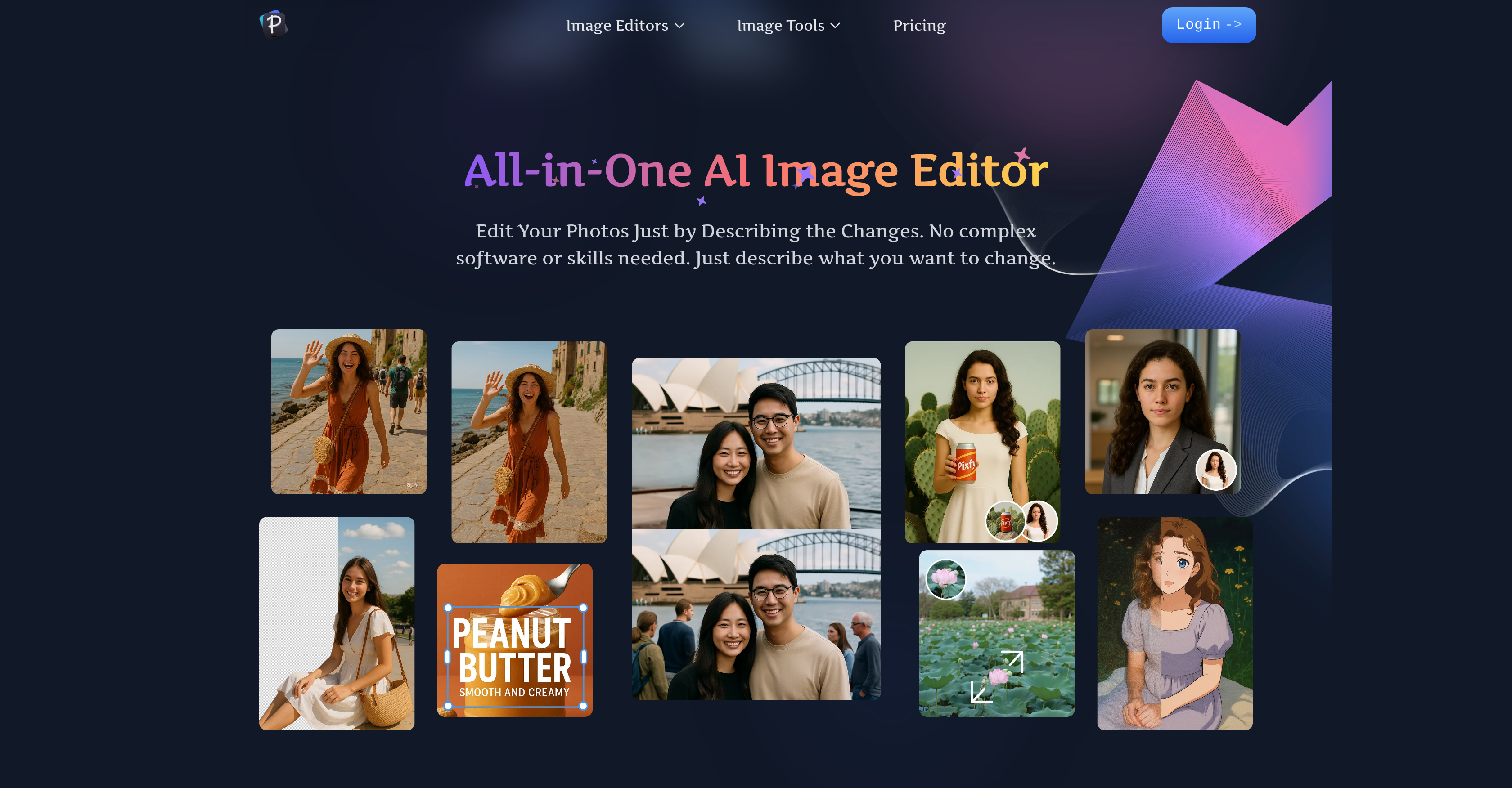
- Transform any photo with simple text commands instead of complex tools using conversational editing
- Create perfect product photos with clean backgrounds and removed reflections for e-commerce
- Instantly remove unwanted people, objects, or text clutter with AI object erasure
- Generate completely new images from text descriptions and edit them in the same workspace
- Visualize hairstyles and clothing changes realistically before committing with virtual try-on tools
- Achieve professional-grade edits in seconds without prior photo editing experience through intuitive AI
Pros & Cons
Pros
- Conversational photo editing
- Fast editing process
- Beginner Friendly
- Optimized for social media
- Optimized for e-commerce
- Personal photo editing
- Image generation from text
- Virtual try-on feature
- High-quality, professional results
- Covers range of applications
- Background removal
- Object erasing feature
- Face swapping capability
- Quality enhancement option
- Removes text from images
- Integrated image generator
- Intuitive user experience
- Increases photo editing efficiency
- User friendly UX design
- Automatic lighting adjustment for backgrounds
- Generates studio-quality results
- Accessible to all users
- Perfect for product photos
- Ideal for content creators
- Restores old/blurry photos
- Realistic virtual previews
Cons
- No offline capabilities
- Lacks batch processing
- Limited text-to-edit functions
- No local language support
- Not beginner-friendly UI
- Missing advanced editing features
- Potential privacy concerns
- No specified data protection
- No mobile app
- Usage limitations unspecified
Reviews
Rate this tool
Loading reviews...
❓ Frequently Asked Questions
Pixfy AI is an advanced all-in-one AI image editor that simplifies and expedites the photo editing process. It utilizes conversational editing where users describe an intended edit in plain words, and Pixfy AI produces professional edits within seconds. Its applications include but are not limited to background removal, object erasing, face swapping, and quality enhancement.
Pixfy AI's conversational editing works by interpreting the user's plain text description of their intended edit. Users simply describe the edit they want in their image, with requests such as 'remove the person in the background' or 'make this photo look sharper,' and Pixfy AI executes the described changes within seconds.
Yes, Pixfy AI can be used to remove backgrounds from images. The AI technology identifies and isolates the subject of a photo, and removes the background with a single click delivering high-quality results.
Pixfy AI can erase a variety of objects from images. This includes, but is not limited to, unwanted individuals, objects, and text. This feature allows users to clear out clutter or unwanted elements from their images quickly and effectively.
Yes, Pixfy AI does offer a face swapping feature. This feature allows for fun and creative edits, such as switching faces of individuals in a photo.
Pixfy AI enhances the quality of images by using AI technology to execute a range of edits and enhancements. This can include sharpening blurry photos, correcting lighting, managing colour profiles, and other quality improvements. The quality enhancement is achieved by interpreting a user's textual descriptions of the desired result.
Yes, Pixfy AI can be used by beginners with minimal photo editing experience. Its intuitive design and the convenience of conversational editing make it accessible to users of all experience levels. Users simply tell the AI what they want to change in their photo and it employs its advanced technologies to execute it.
Yes, Pixfy AI can be used to enhance social media posts. It provides high-quality, professional edits perfect for amplifying the impact of social media posts. This can include changing backgrounds, image enhancements, face swaps, and more.
Yes, Pixfy AI can be used for e-commerce product images. It helps in creating stunning product photos with clean backgrounds, removes unwanted reflections, and ensures a professional look for your product catalog.
Pixfy AI can be used for personal photo editing by describing desired changes like object removal, background change, quality enhancement and others. Additionally, it offers a face swapping function and a virtual try-on tool to visualize new hairstyles or clothing.
The Image Generator in Pixfy AI is a feature that allows users to create unique visuals from simple text descriptions. It is part of their all-in-one suite, letting users generate new images and then instantly start editing those images with their full suite of AI editing tools.
Yes, Pixfy AI can generate visuals from text descriptions. It interprets the user's plain text description of the desired scene, object, or character and then uses its AI-powered generator to create new, unique visuals from these descriptions.
Yes, Pixfy AI does offer virtual try-on tools for both hairstyles and clothing. Users can upload their photo and describe or select their chosen hairstyle or clothing item, and Pixfy AI will realistically visualize these changes.
Pixfy AI is highly accessible and efficient for photo editing. Utilizing conversational editing and leveraging powerful AI technology, it simplifies the process of editing and makes it faster, delivering professional results within seconds. It is designed with the user experience in mind and is easy to navigate for both beginners and experienced users alike.
Yes, Pixfy AI can help edit photos just by describing the changes you want. Through its conversational editing feature, users simply tell the AI what they want to change in their photo and Pixfy AI executes the described changes, effectively realizing the user's vision.
Yes, Pixfy AI does have an AI clothes changer feature. Users can upload a photo of themselves and an item of clothing, and the AI will realistically 'dress' them in the new item providing a high-quality preview.
The AI hairstyle changer feature in Pixfy AI allows users to upload their portrait and then describe or select a new haircut or color. Pixfy AI's advanced technology then presents the user with a realistic visualization of them with the new hairstyle.
Pixfy AI is user-friendly. Its intuitive design and use of conversational editing simplify the process of photo editing. Users of all experience levels can navigate its features and tools with ease. It aims to simplify and expedite the photo editing process, making it well-suited for a wide range of users.
Pricing
Pricing model
Freemium
Paid options from
$33/month
Billing frequency
Monthly
Refund policy
Users can request a refund within 7 days of purchase if no credits have been used.