
Pixparkle
Overview
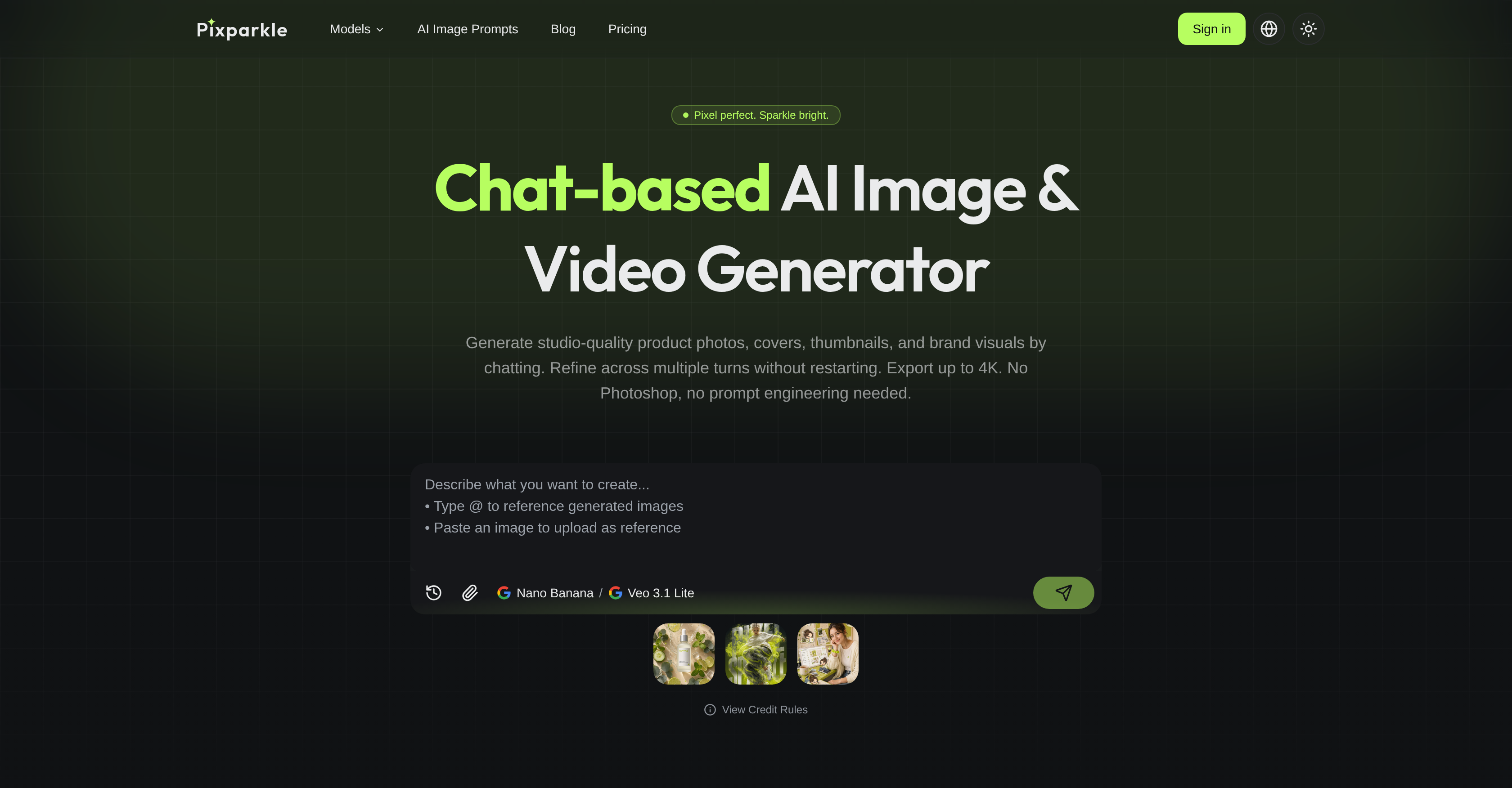
- Generate studio-quality product photos and thumbnails in seconds by typing plain-language prompts, without needing Photoshop or design software skills.
- Refine every visual detail—like lighting or shadows—through a natural back-and-forth chat conversation, ensuring each edit builds on the last without restarting.
- Export final images and videos in crisp 4K resolution, ready for e-commerce listings, ad campaigns, or premium branding materials.
- Create multiple high-CTR thumbnail variants for A/B testing in minutes, speeding up content optimization from hours to moments.
- Produce a full range of brand visuals—from fashion editorials and magazine covers to social post mockups—all within a single, conversational interface.
- Adapt visuals for diverse use cases like travel guides, album art, and digital marketing campaigns without switching platforms or re-uploading assets.
Pros & Cons
Pros
- Chat-based interface
- Studio-quality visual generation
- Visual refinement process
- Supports up to 4K resolution
- No Photoshop skills required
- Crafts various forms of content
- Caters to creators, brands, e-commerce
- Real workflows-based creation
- Exports without additional software
- Creates music, magazine covers
- Adaptable visuals for varied uses
- Creates branding, social campaigns
- Generates travel guides, advertising
- Emphasizes visual quality, variety
- Refines without restarting process
- No complex prompt engineering
- Product, social media post creation
- Simultaneous image-to-video in chat
- Immediate access to frontier models
- Powered by Gemini 3 model
- Consistent 4K resolution export
- Editorial content generation
- Versatile digital content creation
- Free to start
- Long multimodal chat
- High-quality images and videos
- Real-time image refinement
- Downloadable results
- Automatic creation from plain prompts
- Eliminates traditional design knowledge
- Handles multiple turns of context
- Creates album art, merchandise
- Generates different styles of content
- Chat thread holds dozens of turns
- Eliminates credit card needs
- Generates visuals from text
- High CTR YouTube campaigns
Cons
- Limited customization options
- No advanced editing capabilities
- Lacks integration with design software
- Not suited for complex designs
- No offline functionality
- No multi-user support
- Resource intensive, requires high-performance device
- Limited to 4K resolution
- Supports only newer file formats
Reviews
Rate this tool
Loading reviews...
❓ Frequently Asked Questions
Pixparkle is a chat-based AI image and video generator designed for creators, brands, and e-commerce. It provides tools for creating studio-quality visuals such as product photos, covers, thumbnails, and brand visuals.
Pixparkle works in four straightforward steps: you type what you need in plain language, the AI generates a result based on your request, you refine the image via chat conversations, and then export the final image in up to 4K resolution.
You interact with Pixparkle via a user-friendly chat interface. All you need to do is input plain-language prompts to create images, and then refine the visuals over multiple turns in an interactive, chat-based manner.
Yes, in addition to images, Pixparkle can also generate videos. You can initiate the creation of a short marketing video from a chat-generated hero image, without having to switch platforms or re-upload assets.
Pixparkle can generate a wide variety of visuals based on real workflows of creators, sellers, and social media managers. These visuals range from product photos, thumbnails, and social visuals to fashion editorials, food ads, social post mockups, and even music and magazine covers.
Yes, Pixparkle excels in generating product photos. It can craft studio-quality product photos based on plain-language prompts, eliminating the need for extensive manual edits or the need for design software skills.
For e-commerce photography, Pixparkle offers a hassle-free process to create product photos, thumbnails and other visuals needed for a brand. From product listings for Amazon and DTC to high-CTR creator thumbnails, Pixparkle serves a wide array of e-commerce needs.
Yes, Pixparkle does support high-resolution exporting of visuals. It caters to both standard and high-definition content creation needs by exporting visuals in up to 4K resolution.
Chat-based interaction ensures a superior user experience. It eliminates the need for extensive manual edits. Users can refine their images over multiple turns through a simple chat with Pixparkle, keeping the process convenient and conversational.
Certainly, Pixparkle can generate social post mockups. In fact, it can craft a variety of content ranging from product photos to thumbnails, to social visuals based on real workflows.
Yes, Pixparkle can generate images based on plain-language prompts. Users type in what they need, and the AI returns a result within seconds. It understands and processes requests given in plain English.
Pixparkle refines images through a back-and-forth chat-based interaction. You give feedback like 'Make the light warmer' or 'Add a subtle shadow', and the AI tweaks the image accordingly. The AI also remembers the full conversation, ensuring that every edit builds on the last without needing to regenerate the image from scratch.
Pixparkle is indeed user-friendly, even for those without design skills. It eliminates the need for Photoshop or other software skills. Its interface is straightforward, allowing users to converse with the AI in plain language, making it extremely easy to interact with and use.
No, you don't need Photoshop or any other design software skills to use Pixparkle. The entire process with Pixparkle is streamlined, and the final images can be refined and exported without requiring any professional design software.
Yes, Pixparkle can be a powerful tool for creating brand visuals. Be it thumbnails, brand photos, social post mockups, or more, Pixparkle leverages AI to generate visually engaging content that accentuates a brand's visual identity.
Absolutely. Whether it's fashion editorials or product mockups, Pixparkle has the capability to generate fashion visuals that resonate with various audiences and effectively showcase products.
Pixparkle caters to content creators by helping them generate high-quality visuals, including high-CTR thumbnails, in a streamlined manner. It provides a chat-based interface where creators can describe their thumbnail concept in plain language, refine it through chat until it meets their requirements, and finally export the final visuals in up to 4K resolution.
Yes, Pixparkle can generate high-CTR thumbnails. It can even provide different variants for A/B testing, speeding up the process from hours in photoshop to just minutes by using Pixparkle.
Pixparkle supports ad visual creation as well. It can generate engaging images for ad campaigns that resonate with diverse audiences, allowing for visually compelling storytelling to power the ad campaign.
Yes, Pixparkle can generate magazine cover imagery. Whether it's the main image, typography, or layout, Pixparkle is capable of crafting visually compelling magazine covers that resonate with diverse audiences.
Yes, Pixparkle's platform is user-friendly and requires no prior Photoshop or other design software skills. Users simply issue commands or prompts in plain language via chat and the AI generates the desired image. This makes image creation accessible to anyone, regardless of their technical skills.
Pixparkle supports image exports in resolutions up to 4K. This makes it an ideal tool for catering to both standard and high-definition digital content creation needs.
Yes, Pixparkle supports the creation of a diverse range of visual content, including thumbnails and social visuals. These can be based on real workflows of creators, sellers, and social media managers, to effectively resonate with various audiences.
Yes, Pixparkle can be used to generate music and magazine covers. With its ability to craft content based on the user's specific requirements, it serves as a versatile tool for visual content creation, including music and magazine cover designs.
Yes, Pixparkle is suitable for creating high-CTR creator thumbnails. The AI helps construct engaging visual content specifically optimized to drive higher click-through rates.
Yes, Pixparkle can generate content for social media campaigns. It can produce content for various social media platforms and helps the content resonate with different audiences, maximizing engagement.
Pixparkle can be used to generate brand visuals. It allows users to craft a variety of visual content, from product photos to thumbnails, and social visuals among others, which align with the brand's aesthetics, messaging and overall visual identity.
Pixparkle introduces a refinement process that ensures the visuals generated align perfectly with the users' needs and aesthetic preferences. Users interact with Pixparkle via chat and can refine their images across multiple turns without having to restart or redo the process. This is interactive, flexible and makes the use of Pixparkle notably user-friendly.
Pixparkle supports a wide range of content including product photos, thumbnails, social visuals, music and magazine covers, etc. It is designed to cater to different workflows of creators, sellers, and social media managers, making it a versatile tool for digital content creation.
Pixparkle leverages a chat integration where users input their plain language prompts. The chat-based interaction simulates having a conversation with the AI, allowing for a natural and intuitive experience. It provides guidance for creating images, and users are able to iterate and refine their visuals in a conversational manner, using everyday language.
Studio-quality visuals in Pixparkle refers to the level of quality and detail that the AI can generate. Such visuals are characterized by high resolution and finely detailed images or videos, traditionally achieved in a professional studio setup.
Yes, Pixparkle is well suited for digital marketing and advertising. Its high-quality image generation and versatility make it an ideal tool to meet the varied digital content needs in digital marketing campaigns, social media, product displays, and more.
Yes, Pixparkle can be used to generate content for e-commerce. It is capable of generating a diverse range of visual content including product photos and thumbnails that are effective for product listings, e-commerce campaigns, and premium listings.
Yes, Pixparkle aids in product photography by generating studio-quality product photos. These photos are crucial for e-commerce, advertising, and other digital platforms that require showcasing products effectively.
Yes, Pixparkle can also be used to generate travel guides. By inputting the relevant chat prompts, users can generate appealing visuals that present landscapes, landmarks, or anything else relevant to a travel guide.
You can start using Pixparkle by signing up and engaging the tool via a chat interface where you generate and refine images according to your needs and preferences. You don't need Photoshop skills or any specific technical knowledge to start using Pixparkle.
Yes, Pixparkle offers a free trial from their website. It allows potential users to experience the capabilities of Pixparkle without any initial financial commitments.
Pricing
Pricing model
Free Trial
Paid options from
$8.33/month
Billing frequency
Monthly
Refund policy
Pixparkle allows full or partial refunds within 10 days based on how many credits remain unused, but no refund is available once all credits from the purchase have been consumed.