Overview
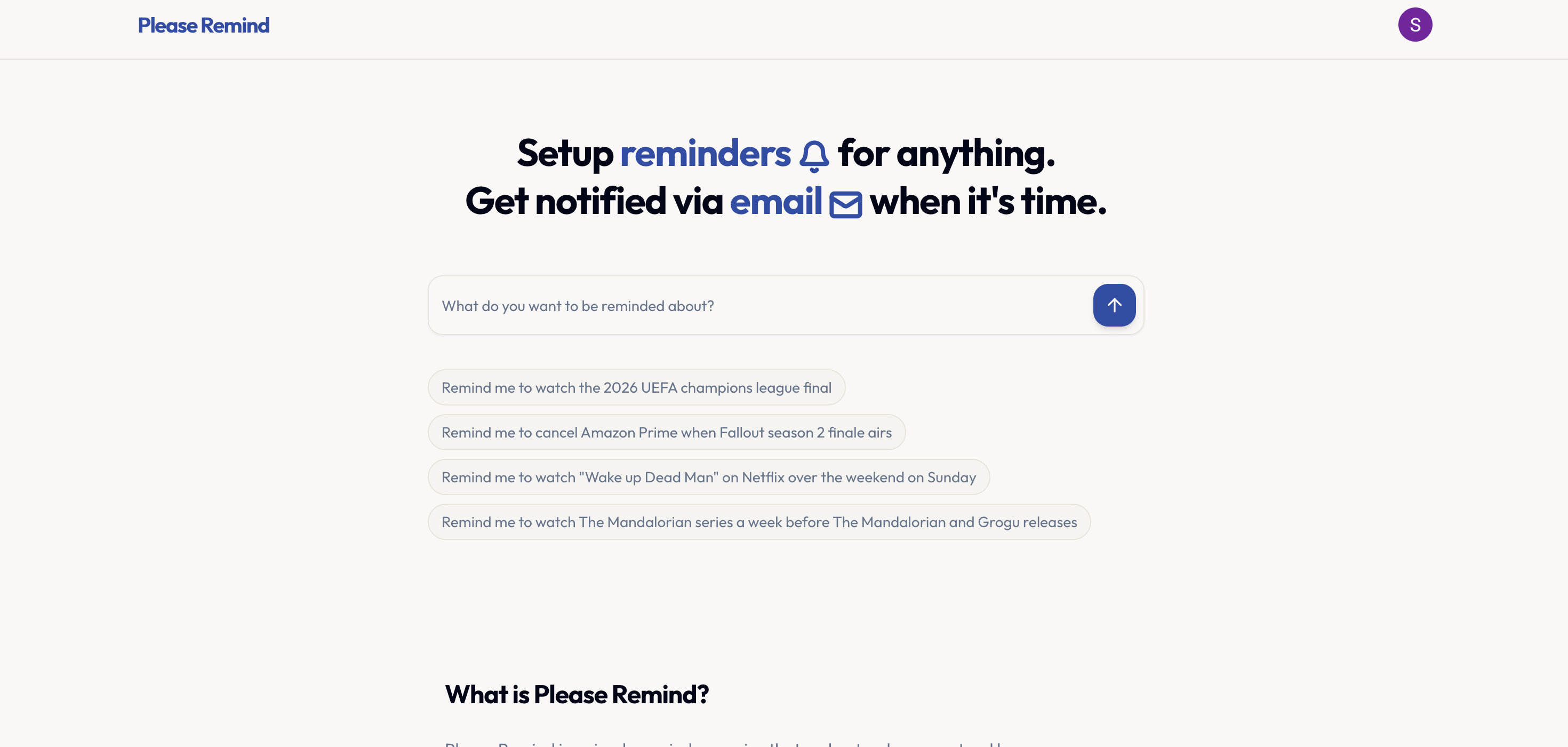
- Never miss a critical deadline or payment again by getting timely email alerts for any task, powered by AI that understands your natural language requests.
- Avoid unwanted subscription renewals and charges by setting precise cancellation reminders that ensure you act before billing cycles.
- Manage your time without friction by describing reminders conversationally, eliminating the need to manually fill out complex date and time fields.
- Stay on top of personal and professional commitments with a flexible system that lets you edit reminder details before they are confirmed.
- Start tracking important events for free with 10 reminders, then scale to unlimited reminders for a simple, flat monthly fee with no long-term commitment.
Pros & Cons
Pros
- Natural language processing
- Flexible reminder editing
- Email notifications
- Conversational UI
- Freemium model
- Subscription cancellations reminders
- Task management
- Time management
- Birthdays and events tracking
- Notifications customization
- Adaptable usage
- Control over reminders
- No surprise pricing
- Ease of cancellation
- Active after billing period
- Unlimited reminders subscription
Cons
- No mobile app
- Limit on free reminders
- Proprietary natural language processing
- No multi-language support
- Email-only notifications
- No integration with task management apps
- No SMS or push notifications
- No shared reminders feature
- No priority level for reminders
- Limited customization options
Reviews
Rate this tool
Loading reviews...
❓ Frequently Asked Questions
Please Remind processes natural language requests through its AI capabilities. Users simply describe what they want to be reminded about, and the system interprets the details and figures out the corresponding dates and times.
You can set reminders about anything with Please Remind. This includes, but is not limited to, subscription cancellations, follow-ups, birthdays, and other time-sensitive tasks.
Users receive reminders from Please Remind via email. The notifications are sent to the address associated with the user's account when it's time for the reminder.
Yes, users can edit their reminders on Please Remind after setting them. The platform offers flexibility for users to adjust the extracted dates and event names before confirming a reminder.
Please Remind offers two tiers for its service. The free tier allows up to 10 reminders, while the unlimited reminders option is priced at $5 per month.
In the Free tier of Please Remind, users can set up to 10 reminders.
The unlimited reminders subscription of Please Remind offers users the ability to set an unlimited number of reminders for a monthly charge of $5.
Users can cancel their subscription on Please Remind at any time. The cancellation process is designed to ensure ease, and the service remains active until the end of the current billing period.
After cancelling a subscription, users' reminders on Please Remind continue to work until the end of the billing period.
Yes, Please Remind sends notifications for approaching deadlines. Users will receive an email when the set deadline is close or when it's time to act on a reminder.
Please Remind helps users in tracking deadlines by setting reminders for time-sensitive tasks. Users will receive email notifications when it's time, so forgotten deadlines and missed opportunities can be avoided.
Please Remind aids in task and time management by enabling users to set reminders for various tasks. Users can adjust these reminders as needed, affording flexibility in managing their time and tasks.
Yes, Please Remind can be used for personal productivity. By being able to set reminders for anything and receiving timely notifications, it can help in tracking tasks and managing time.
Please Remind does offer a scheduling feature. Users can set reminders for specific dates and times by simply describing what they want to be reminded about in natural language, and the system will figure out the details.
Please Remind understands and interprets reminder requests through its AI capabilities that process natural language. Users just describe what they want to be reminded about, and the system figures out the dates and times.
Please Remind can assist in subscription management by enabling the setting of reminders for subscription cancellations. Thus, preventing unnecessary charges or renewals.
Please Remind is a reminder service that understands natural language requests. Users can set reminders for numerous events or tasks such as watching a specific event, remembering birthdays, cancelling a subscription, or maintaining time-sensitive tasks. It allows editing reminders and offers notifications via email when the reminder is due. It operates on a freemium model with a free usage and a paid subscription option.
Please Remind interprets users' natural language requests to set reminders. The tool identifies relevant dates and times from the users' requests, which determines when the reminders will be triggered. It uses this information to send timely and necessary reminders to users.
Please Remind is built with a system that understands natural language, allowing users to set reminders in a conversational manner. The tool applies AI to interpret and process these requests, identifying the relevant dates and times for the reminders.
With Please Remind, you can set reminders for any event or task you can think of. This includes reminders for watching a particular event, remembering birthdays, cancelling subscriptions, or managing time-sensitive tasks.
Yes, with Please Remind, you can edit your reminders before they're confirmed. This feature enables a certain degree of customization and control over your reminders.
Please Remind follows a freemium model, offering a limited number of reminders at no cost and an unlimited number of reminders for a monthly fee.
In the free usage tier of Please Remind, you are granted 10 free reminders.
The unlimited reminders subscription plan in Please Remind costs $5 per month.
In Please Remind, you can cancel your subscription at any time.
Yes, Please Remind can set reminders for subscription cancellations. This function helps users avoid unnecessary costs from forgotten cancellations.
Yes, Please Remind supports setting reminders using natural language, making the task of setting reminders more conversational and intuitive.
Please Remind identifies the relevant dates and times from the users' natural language requests. It processes this information to determine when the reminders will be triggered.
Please Remind allows you to manage a variety of tasks that include but are not limited to watching specific events, remembering birthdays, cancelling subscriptions, and organizing time-sensitive tasks.
Yes, Please Remind functions as a task management tool. It helps you stay on top of important tasks, events, or deadlines by sending you timely reminders.
Yes, Please Remind provides an easy cancellation option for its subscription. Users can cancel their subscription anytime they wish.
Yes, if a user cancels their Please Remind subscription, the service remains active until the end of the current billing period.
Please Remind assists in personal productivity by making sure you don't miss important tasks or deadlines. By understanding natural language requests and setting appropriate reminders, it takes care of remembering all your important commitments, so you can focus more on task execution.
Yes, Please Remind provides flexibility to users to customize their reminders. Users can edit the dates, times, and event names of their reminders before they are finalized.
Yes, Please Remind sends timely reminder notifications via email alerts to users.
Pricing
Pricing model
Free Trial
Paid options from
$5/month
Billing frequency
Monthly