
Overview
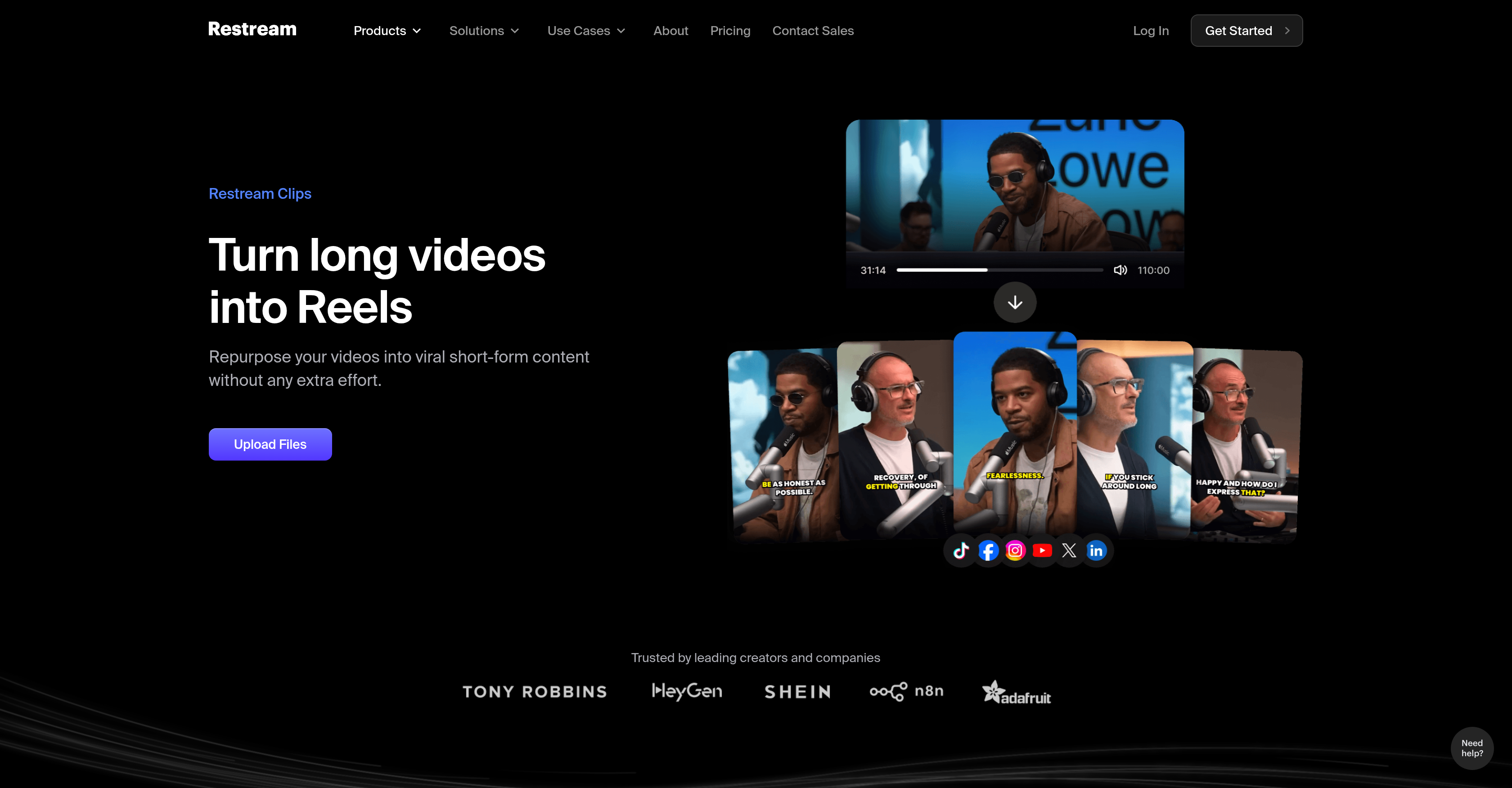
- Repurpose hours of long-form content into dozens of short clips in minutes using AI that identifies key moments based on speech cues
- Export clips perfectly formatted for every platform with automatic cropping, trimming, and multiple aspect ratio adjustments
- Maintain full creative control with a professional editor to fine-tune AI suggestions, add stock footage, and make text-based edits
- Create engaging clips from any spoken audio content like podcasts, interviews, and tutorials with multilingual support for 52 languages
- Increase clip watch time and shareability by automatically trimming silent moments and cutting between speakers for dynamic pacing
Pros & Cons
Pros
- Automatic key moments identification
- In-built editing tools
- Automatic captions addition
- User modification feature
- Professional editor integration
- Supports copyrights-free footage
- Text based edits
- Exports in multiple ratios
- Reframes for vertical platforms
- Auto cuts between speakers
- Auto trims silent moments
- Recognizes up to 52 languages
- Identifies potential viral moments
- Optimal for spoken-audio content
- Automatic video shortening
- Integration with social platforms
- Time-saver for creators
- Suitable for multilingual content
- Supports content repurposing
- Edits suitable for TikTok, Shorts, Reels
- Advanced speech cue recognition
- Supports user modifications
- Automated aspect ratio optimization
- Efficient silent moments detection
- Supports diverse content: podcasts, reviews, tutorials
- Comprehensive language support
- Adapts content for different platforms
- Auto-detect viral potential
- One-click social media sharing
- Auto-addition of stock footage
Cons
- Limited to clear audio content
- Relies heavily on speech cues
- No mention of resolution support
- No offline functionality
- Automatic decision might miss key-points
- Unsuitable for content without spoken words
- Limited language support (52 only)
- Modifications require professional editing skills
- No detailed info on algorithm
Reviews
Rate this tool
Loading reviews...
❓ Frequently Asked Questions
With Restream Clips, you can create short-form, clip-format content from your existing broadcasts or videos. This can include content for platforms like TikTok, Shorts, and Reels. It's ideal for creating clips from podcasts, interviews, tutorials, product reviews, and trainings, or any content format with clear spoken audio.
Restream Clips uses an AI that primarily identifies video highlights based on speech cues. It automatically detects defining moments from your video or broadcasts. Furthermore, it applies video edits like cropping, captions, and trims, and readies them for sharing across different platforms. It also reframes videos to fit vertical platforms and trims silent intervals.
Yes, Restream Clips offers an optional human touch element. You can personally make modifications using the Professional Editor feature.
The Professional Editor feature in Restream Clips allows you to apply your personal touch to the AI-generated clips. With this feature, you can modify the clips as per your preference.
Restream Clips employs an advanced algorithm to identify moments with the highest potential for virality in a video. The identification is based on scanning uploaded broadcasts or videos, predominantly relying on speech cues.
When Restream Clips reframes videos to fit vertical platforms, it means it automatically adjusts the video frame's size and aspect ratio to match the dimensions used by vertical platforms like TikTok, Shorts, and Reels.
Restream Clips has an intelligent mechanism to handle silent intervals in a video. It automatically trims these silent moments to ensure optimal engagement and keep the clip interesting.
Restream Clips has multilingual support, capable of detecting, editing, and transcribing up to 52 languages including, but not limited to, English, Spanish, French, German, Russian, Chinese, Japanese, Arabic, and many others.
Yes, Restream Clips can indeed be utilized for podcast content. The AI technology identifies highlights based on speech cues, making it particularly suitable for audio-dominant content like podcasts.
Restream Clips is intended for content formats that have clear spoken audio. This makes it particularly helpful for turning podcasts, interviews, tutorials, product reviews, and trainings into short-form clip content.
Restream Clips aids in social media content creation by automatically transforming videos or broadcasts into short-form, shareable clips optimal for social platforms like TikTok, Shorts, and Reels. Its features like cropping, trimming, adding captions, and adjusting aspect ratios make the clips platform-ready.
Restream Clips improves time efficiency by automating the video editing process. It uses AI to identify key moments, apply editing actions, and ready the clips for sharing, hence eliminating the traditionally time-consuming video editing work.
Yes, you can make text edits to your clips using Restream Clips. It extends the functionality to perform edits via text, making the process as easy as editing a document.
The clip creation process in Restream Clips involves a few simple steps. Once a video or broadcast is uploaded, the AI identifies key moments, applies respective video editing actions like cropping, trimming, adding captions, and prepares the clips for sharing across various platforms.
Restream Clips works seamlessly with platforms like TikTok, Shorts, and Reels. It reframes videos to fit these vertical platforms, optimizes video format, and can directly publish your content on these platforms.
Yes, with Restream Clips, you can trim silent moments in your videos. This feature is designed to improve viewer engagement by getting rid of long pauses or stretches of silence in your clips.
Restream Clips provides tools such as cropping, trimming, captions, aspect ratio adjustments, and the option for users to enter modifications via a Professional Editor feature. It also offers functionalities to add copyright-free stock footage and make text edits.
Restream Clips allows for sharing videos across multiple platforms by automating the creation of shareable, short-form clips from broadcasts and videos. The clips are optimized for differing platform requirements and are ready to be published across various platforms.
Restream Clips fosters viral content creation by automatically identifying moments with the highest potential for virality. It trims silent moments, cuts between speakers, and reframes videos to fit vertical platforms. The outcome is engaging, shareable, and platform-ready clips, ideal for growth on viral platforms like TikTok, Shorts, and Reels.
Pricing
Pricing model
Free Trial
Paid options from
$38/month
Billing frequency
Monthly
Related Videos
I Tried Restream's New AI Tool And WOW!
The Loop Academy - JohnPaul Music UK•1.3K views•Jun 3, 2025