Sea Imagine | Motion Control
Overview
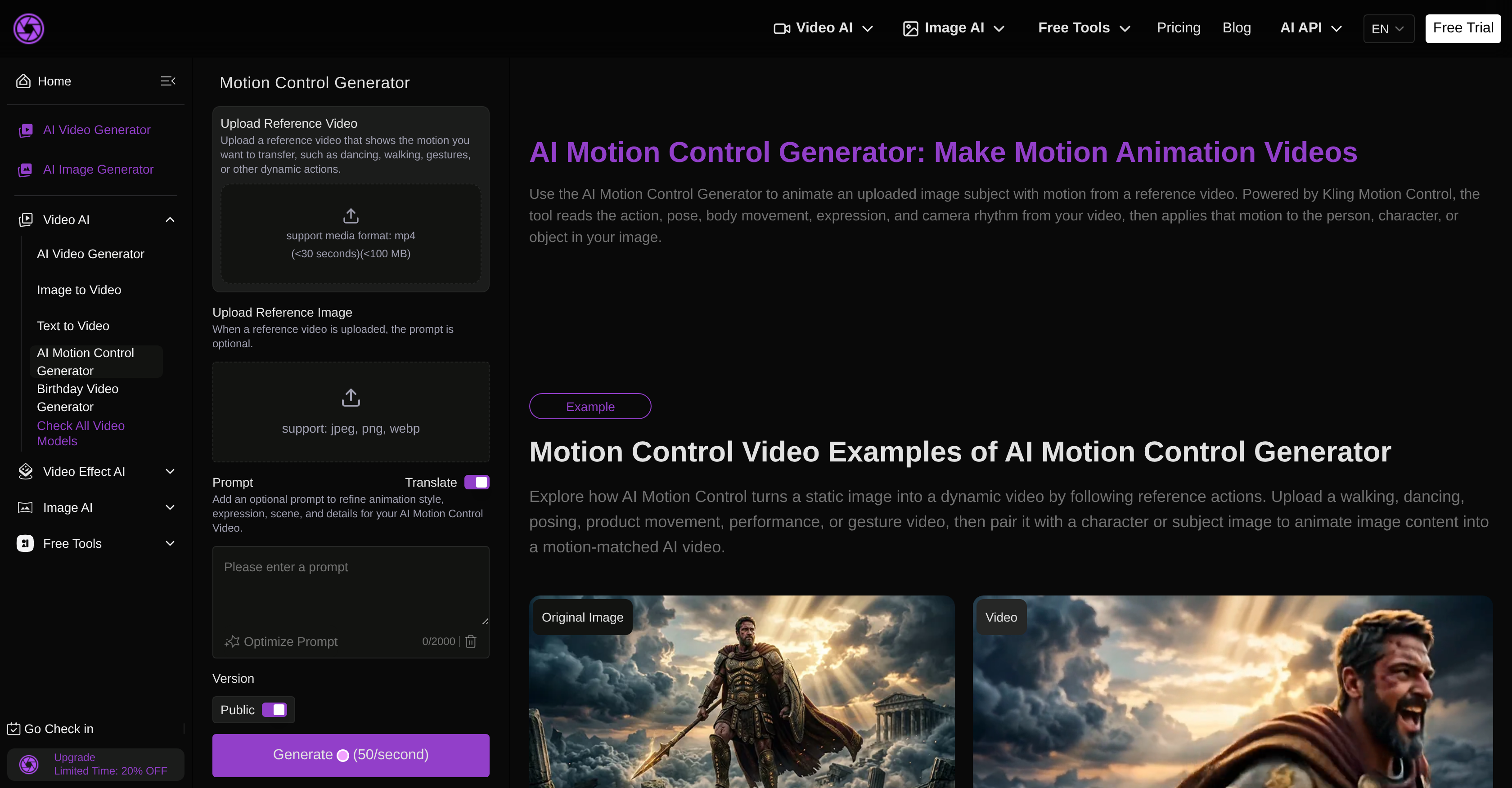
- Turn any static image into a professional animated video by uploading a reference dance, walk, or gesture clip, powered by Kling Motion Control technology
- Achieve seamless scene continuity and realistic motion transfer without frame-by-frame animation, using automated posture and facial expression alignment
- Refine expression, posture, and action details through a user prompt to match your exact creative vision for walk shots, dance clips, or concept videos
- Create engaging social media content and marketing materials like animated ads and promos by applying motion effects to still images of people, characters, or objects
- Animate non-human subjects such as objects or characters by pairing them with any reference video, expanding creative possibilities beyond human figures
Pros & Cons
Pros
- Generates motion-controlled animations
- Animate static images
- Usage of reference videos
- Transfers motion cues
- Posture alignment functionality
- Control for facial expressions
- Secures scene continuity
- Refines details of animation
- Control for action details
- Beneficial for animators
- Helpful for marketing teams
- Useful for designers
- Improves social media content
- Enhances marketing materials
- Generates concept videos
- Produces dance clips
- Creates walking shots
- Features Sea Imagine Art Studio
- Transforms text into videos
- Transforms images into videos
- Polished results in minutes
- Flexible styles
- Unify art generation platform
- Supports multi-model video generation
- Unified creation interface
- Allows editing of results
- Reusable results
- Offers modular pricing plans
- Supports commercial projects
- Fair and scalable plans
- Professional support
- Transparent processing priority
- Validates creative directions
- Instant access
- Offers different access levels
- Supports priority support
- Supports private usage
- Offers commercial license
- Transforms Text to Image
- Transforms Image to Image
- Restores old photos
- Turns photos into Cartoon
- Image to video feature
- Transforms text to video
- Supports action descriptions parsing
- Streamlined generation methods
- Clear structure of generated videos
- Supports further editing of videos
Cons
- Limited to making animations
- Dependence on reference videos
- Difficulty with complex motions
- Posture alignment not always accurate
- Complexity of refining animation details
- Limited utility outside marketing
- No provided object detection
- Lack of real-time editing tools
- Inability to handle group animations
- No integrated sharing features
Reviews
Rate this tool
Loading reviews...
❓ Frequently Asked Questions
Kling Motion Control Animation is an AI-powered video tool designed to generate motion-controlled animations. The technology takes static images and animates them based on the cues gained from a reference video. It's primarily utilized by animators, marketers, designers, and product teams for the creation of dynamic visuals from various still images.
Kling Motion Control Animation works by taking a reference video that carries an action, such as dancing, gesturing, or any other movement. Users can then upload an image of a person or object, and the tool will transfer the motion cues from the video to the static image to create an animated video. It aligns posture, facial expressions, motion, and ensures scene continuity.
Yes, Kling Motion Control Animation allows users to upload their own personal reference videos. The action within this video will then be transferred to a chosen static image to result in animated content.
Within Kling Motion Control Animation, users can refine details of the animation extensively. It includes refining expression, posture, and action details. This flexibility allows for the creation of a unique and specific animation that aligns with a user's distinct requirements and visions.
Kling Motion Control Animation is an appropriate tool for professional animators. It eliminates the need for frame-by-frame animation, saving time and effort while producing high-quality animations. The tool's ability to refine detailed aspects of an animation makes it a versatile and effective tool for professional use.
Absolutely, Kling Motion Control Animation is an effective tool for creating engaging social media content. The tool's ability to animate static images based on movement references can greatly enhance the visual appeal of social media posts, making them more engaging and shareable.
Kling Motion Control Animation can animate a wide range of movements on static images. The motion controls are based on a reference video, which could include movements like walking, dancing, gesturing, and more dynamic movements.
There are no strict limitations in terms of the type of images that can be used on Kling Motion Control Animation. The images can be of a person, a character, an object, or basically any form of static image.
Kling Motion Control Animation makes use of sophisticated Kling Motion Control technology to ensure scene continuity. It helps align and manage posture, facial expressions, motion, and continuity throughout the scene to create a seamless animation.
Kling Motion Control Animation uses Kling Motion Control technology to animate static images. This technology assists in aligning posture, facial expressions, motion, and scene continuity to produce a realistic and fluid animation.
Yes, Kling Motion Control Animation is suitably designed to produce walk shots, dance clips, and a variety of other types of animated sequences. Users simply need to provide a reference video with the desired movements.
Kling Motion Control Animation handles facial expressions and posture alignment very effectively. With the use of Kling Motion Control technology, it can precisely animate and align facial expressions and body postures as per the movements in the reference video.
With Kling Motion Control Animation, one can create a range of marketing materials like animated ads, promos, social media posts, or concept videos. It can animate still images with choice movements, making it a useful tool for creating visually appealing and engaging marketing material.
Yes, Kling Motion Control Animation can animate non-human images as well. As long as there's a reference video that provides the desired motions, the tool can animate a static image, whether it's a character, object, or non-human entity.
Kling Motion Control Animation provides an innovative way to enhance your marketing tools. By creating visually appealing animations from still images, this tool has the potential to increase user engagement and visibility of marketing materials, hence having a positive impact on the marketing strategy.
The user prompt feature in Kling Motion Control Animation serves as a guide for refining animation details. By following the prompt, users can make specific modifications to features like expression, posture, and action details, thus allowing for customization of the final animation.
Pricing
Pricing model
Freemium
Paid options from
Free tier available
Billing frequency
Yearly