

SpeechReader
Overview
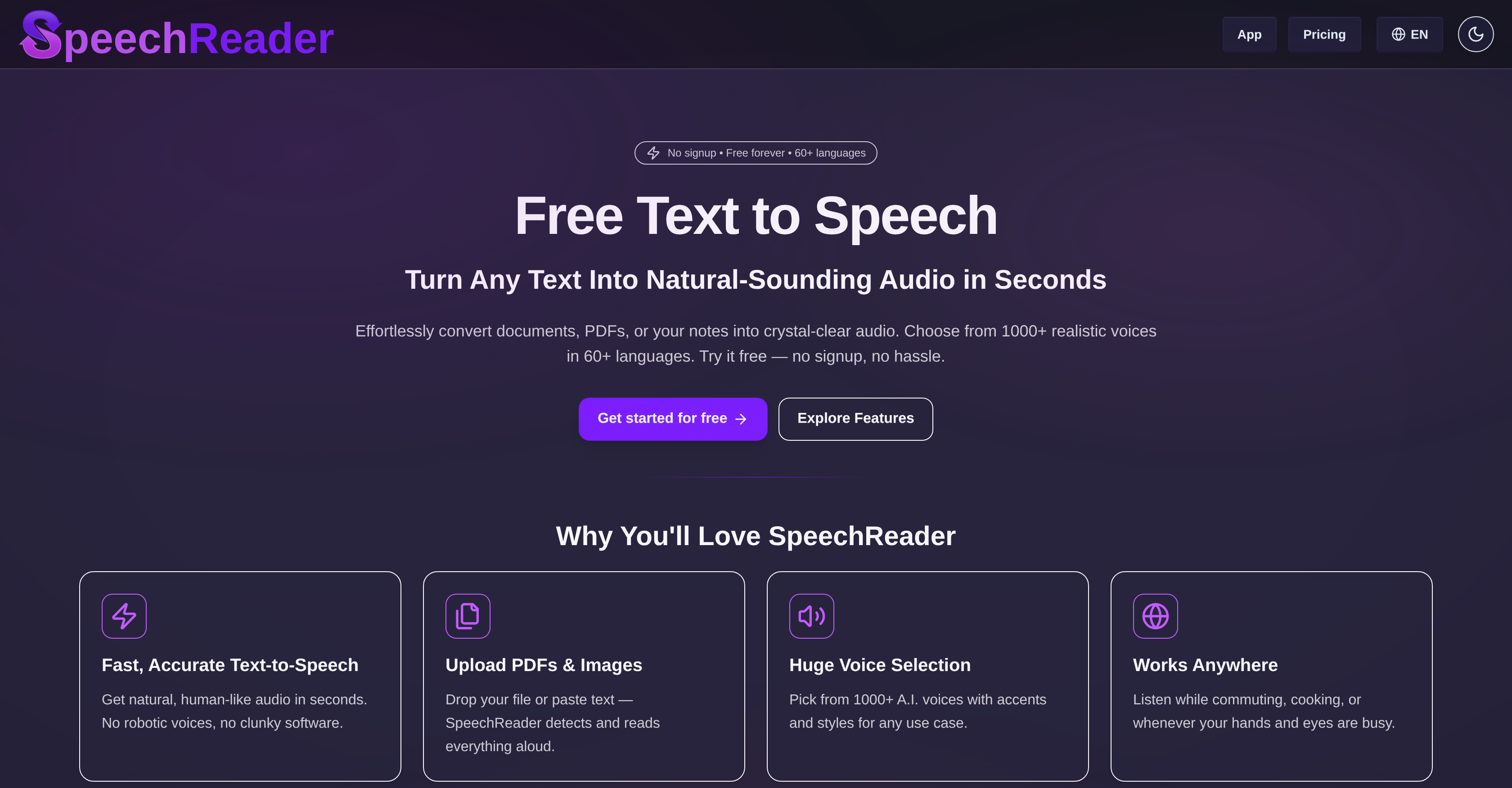
- Create studio-quality voiceovers instantly using natural-sounding AI voices with contextual awareness for authentic emotional delivery
- Transform written content into engaging podcasts and videos with over 1000 voice options across 60+ languages for global audience reach
- Make any document accessible for visually impaired users by converting text files and PDFs into clear, audible speech
- Work completely offline by downloading audio files directly to your device for uninterrupted text-to-speech conversion
- Experiment with voice cloning for narration projects using diverse voice styles that match your specific creative requirements
- Generate speech from multiple input methods by either pasting text directly or uploading documents for instant conversion
Pros & Cons
Pros
- Web-based tool
- Instantaneous speech generation
- Realistic human-like voices
- Supports 60+ languages
- Serves multiple use-cases
- Contextual awareness ability
- Ideal for narration projects
- Allows voice style experimentation
- Offers free plan
- Premium plan for additional features
- Offline functionality
- Allows audio file download
- Inclusive for visually impaired users
- User-friendly interface
- Supports voice cloning
- Can be used for voiceovers
- Supports converting content into audio
- Allows input by text paste
- Supports file uploads
- Applicable for videos, podcasts
- Applicable for learning materials
- Useful for professionals and casual users
- Supports altering speech speed
- Supports voice selection
- Integrated OCR for PDFs and images
- Highlights paragraph being read
- Good for accessibility
- Supports various accents
- High-quality voice output
- Supports usage while busy
- Good for learning
- Supports content creation
- Allows download in MP3 format
Cons
- No mobile application
- Limited free plan
- No live chat support
- Lacks variety in tone
- Limited voice customizability
- No multi-voice narration
- Offline mode not free
- No background noise reduction
- No real-time translation
- Requires frequent manual interaction
Reviews
Rate this tool
Loading reviews...
❓ Frequently Asked Questions
SpeechReader is a web-based text-to-speech tool powered by advanced speech synthesis algorithms. It allows users to convert written text into natural-sounding audio nearly instantaneously. The platform is equipped with a vast array of over 1000 AI voices in more than 60 languages, and finds applications in accessibility, educational, and multimedia content creation scenarios, among others.
SpeechReader allows users to paste the text or upload a file for conversion into verbal audio. It mimics the tone, rhythm, and clarity of human speech, providing a natural and human-like listening experience. It's capable of generating the speech audio swiftly due to its advanced speech synthesis algorithms.
SpeechReader stands out from other TTS tools due to its more natural-sounding AI voices. These voices have contextual awareness ability, which translates to nuanced and authentic speech output rather than flat robotic speech. Moreover, with over 1000 AI voices in more than 60 languages, it offers exceptional diversity and flexibility to meet different use-case requirements.
Yes, SpeechReader can function offline, enabling users to convert text to speech and download the audio file locally. This feature allows it to fulfill the need for a TTS generator when an internet connection is not readily accessible.
SpeechReader supports over 60 languages. This includes popular languages like English, Deutsch, Español, and Français, among many others. The availability of multiple languages enforces SpeechReader's utility for a global audience.
SpeechReader offers its users a vast selection of over 1000 AI voices. These voices vary in tone, accent, and style, giving users the freedom to choose a voice that best matches their project requirements.
SpeechReader provides a valuable resource for visually impaired users by enabling them to consume written text audibly. It reads text files and other content aloud, making it more consumable and inclusive.
Yes, with SpeechReader, users have the option to convert their text into speech and download the audio file directly to their device. This allows for easy and convenient offline usage.
Yes, aside from inputting text directly, SpeechReader accommodates file uploads. Users can upload documents, PDFs or other text files for conversion into spoken audio.
SpeechReader generates natural-sounding voices that mimic the tone, rhythm, and clarity of human speech. The AI voices are capable of delivering nuanced and authentic speech output rather than flat robotic speech, providing a realistic and human-like listening experience.
Yes, SpeechReader offers a free plan to get started. This allows users to test out the tool and utilize some of its features without having to commit to a subscription.
Yes, SpeechReader offers a premium plan that includes proprietary high-quality speech features. These features provide additional benefits and functionalities to give users enhanced control over their outputs and an improved user experience.
SpeechReader is versatile and can be utilized for a variety of projects. This includes reading text aloud for accessibility purposes, converting written content into audio files for videos or learning materials, and creating AI voiceovers with expressive AI voices. It is also an ideal tool for narration projects that involve emotional speech or require voice cloning.
SpeechReader sports a user-friendly interface that is easy to navigate. One simply just needs to input their text, choose an AI voice, and then either listen online or download the audio file.
Absolutely, SpeechReader is used for generating AI voiceovers. Users can choose from a wide array of expressive AI voices that best align with the tone and style of their content for a natural-sounding, high-quality voiceover.
Thanks to its versatile AI-powered voices and a selection of over 60 languages, SpeechReader has a robust range of applications. From reading text aloud for accessibility reasons to converting written content into audio files for videos, podcasts, or learning materials, this tool can be tailored to meet numerous text-to-speech needs.
SpeechReader is designed to convert text to speech almost instantaneously. This speed ensures that users can quickly generate speech audio from the uploaded text or file content.
Yes, SpeechReader can clone voices for narration projects. By exploiting its extensive selection of AI voices and manipulating various voice styles, users can match the voice requirements of their projects with a high level of accuracy.
The 'contextual awareness' ability refers to the AI voices' capability to understand the context in which words or phrases are used. It provides nuanced and authentic speech output instead of flat robotic speech, hence making the speech audio sound more human and realistic.
Yes, SpeechReader is an excellent tool for converting text into podcasts. Its wide range of AI voices and natural-sounding speech output ensures your podcast audience is engaged with quality, natural-sounding audio narration.
Pricing
Pricing model
Freemium
Paid options from
$3.83/month
Billing frequency
Monthly


