

Overview
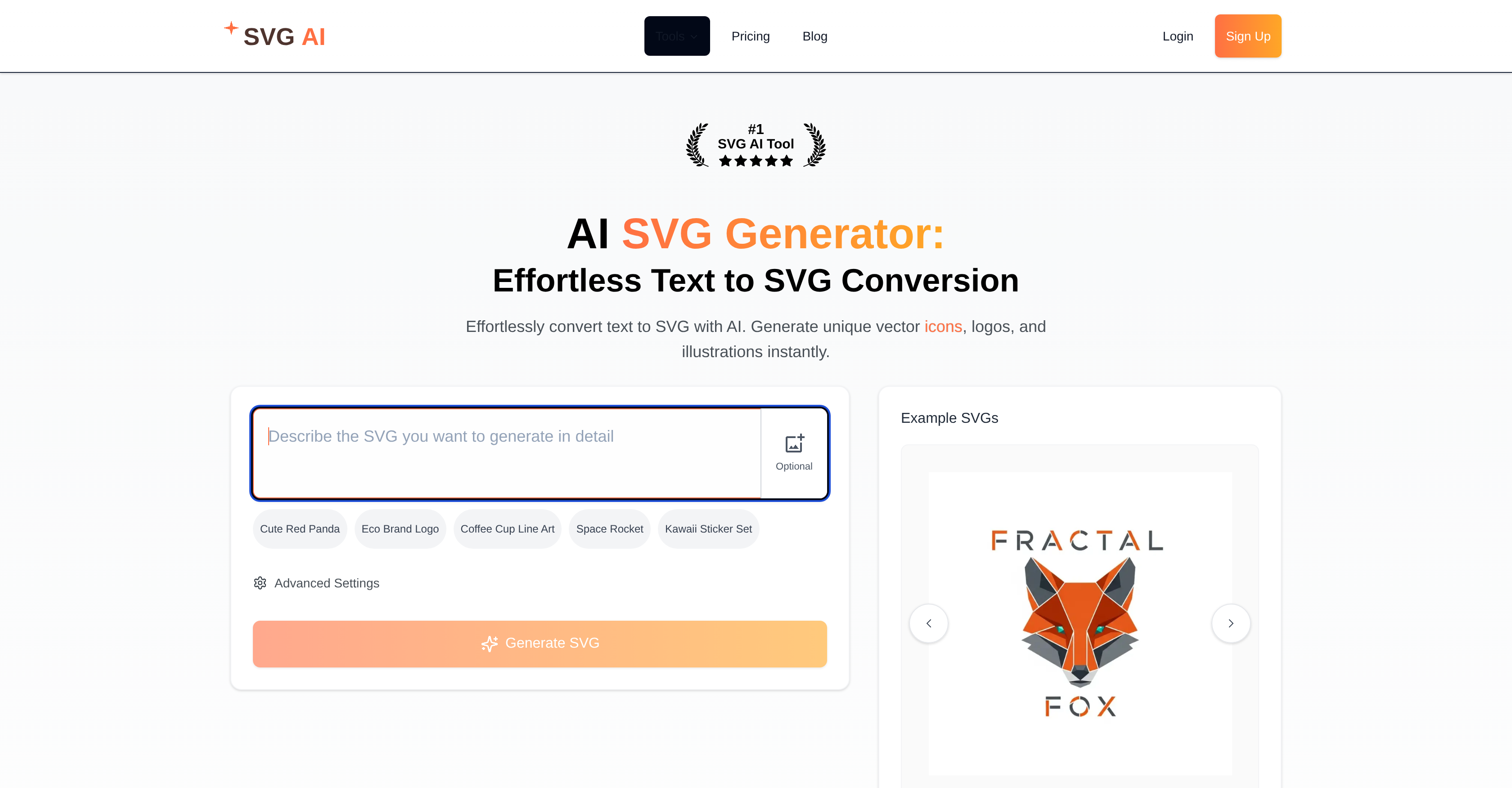
- Generate unique SVG logos and icons instantly from text descriptions without design software using AI-powered text-to-SVG conversion
- Convert existing PNG and JPG images into scalable vector formats that maintain quality at any size through multi-format image conversion
- Create professional branding assets and custom icons in minutes instead of hours using the AI-assisted logo creation tool
- Transform SVG graphics into video content seamlessly for presentations and animations with the integrated SVG to MP4 converter
- Learn SVG creation and implementation techniques quickly through comprehensive tutorials and usage guides
- Produce high-quality vector illustrations suitable for professional projects regardless of design experience with AI interpretation of text descriptions
Pros & Cons
Pros
- Text to SVG conversion
- Generates vector icons
- Logo creation feature
- Includes tutorials
- SVG to MP4 converter
- Supports multiple image formats
- Easy to use interface
- High-quality output
- Fast processing
- Diverse SVG content
- Expands design accessibility
- Professional graphic output
- Produces unique designs
- Ideal for SVG-related projects
- Can convert PNG to SVG
- Can turn JPG into SVG
- FAQ and learning resources
- Guidance for usage of SVG
- SVG gallery for inspiration
- SVG animation info
- Automated design process
- Increases design efficiency
- Option for bulk conversion
- Broadens user design skills
- Advanced settings available
- Generates illustrative SVGs
- Creates scalable graphics
- Ideal for non-design experts
- Enhances text-derived graphic design
- Variety of application usage
- Produces consistent results
- Offers quick results
- Award-winning tool
- 5-star rated SVG tool
- Environment for creative experimentation
- Multiple converter options
- Can work with raw text
- Wide array of features
- Promotes design simplification
- Efficient multimedia conversion
- Interactive design experience
- Maintains consistency among designs
- Comprehensive utility for designs
- Potentializing designs
- Textual inputs to graphic outputs
Cons
- No collaboration feature
- Lacks offline capabilities
- Limited format conversion options
- No customization options for SVGs
- No bulk text-to-SVG conversion
- No API for integration
- No mobile version
- Limited auto-generated design choices
- Doesn't support importing existing SVGs
- No version history for edits
Reviews
Rate this tool
Loading reviews...
❓ Frequently Asked Questions
The AI SVG Generator is an advanced tool powered by artificial intelligence that specializes in generating Scalable Vector Graphics (SVGs). Its primary focus is to facilitate the conversion of text into SVG format, enabling creation of unique vector icons, logos, and related illustrations.
It utilizes cutting-edge artificial intelligence algorithms to understand textual descriptions and transform them into SVG logos, icons, and related illustrations. The underlying technology can interpret the context and meaning within the provided text, thereby creating accurately corresponding SVG forms.
With the AI SVG Generator, you can create a wide range of designs, including but not limited to, unique vector icons, logos, and various other illustrations. These can be generated from text descriptions, making it a versatile tool for diverse design requirements.
Yes, the AI SVG Generator comes with options for logo creation. With the help of AI, users can design professional SVG logos effectively.
The AI SVG Generator offers tutorials aimed at enhancing user's design skills and knowledge. These tutorials guide users in creating and using SVG graphics effectively.
Apart from its core SVG generation capability, the AI SVG Generator is integrated with an AI Icon Generator as well as a SVG to MP4 Converter. These additional utilities enhance the range of SVG design and conversion solutions available to the users.
The AI Icon Generator, integrated with the AI SVG Generator, is a dedicated tool for generating SVG icons. It generates attractive and unique icons from user-provided text descriptions, utilizing the power of AI.
The SVG to MP4 Converter, that comes bundled with the AI SVG Generator, facilitates the conversion of SVG graphics into the MP4 video format. This can come in handy when SVG graphics need to be incorporated into video content.
Yes, the AI SVG Generator enables users to generate beautiful vector icons directly from text descriptions. This functionality significantly simplifies the process of icon creation, yielding unique and professional results.
The AI SVG Generator serves as a comprehensive utility for your SVG-related projects. It allows for an easy conversion of text into SVG format, generation of vector icons, and SVG to MP4 conversion, making it a one-stop solution for SVG graphics.
The AI SVG Generator is designed to be used by a wide audience. Whether you are a graphic designer, a web developer, an artist, or even a beginner without any prior design experience wanting to create quality SVG graphics, this tool is built to make design accessible to everyone.
The website suggests that there might be a free trial available for AI SVG Generator, although specific details or the duration of the free trial are not provided.
Yes, the AI SVG Generator is capable of creating professional-quality SVG illustrations. It utilizes advanced AI to transform text descriptions into SVG forms, facilitating production of high-quality vector icons, logos, and other illustrations.
The AI SVG Generator offers a range of learning resources. These include detailed SVG tutorials to help users better understand how to create and use SVG graphics effectively.
By utilizing advanced AI techniques to convert text descriptions into SVG images and graphics, the AI SVG Generator makes design more accessible. Even individuals without traditional design skills or expertise can create professional-grade vector icons, logos, and more with just textual input.
The AI SVG Generator is a leading solution for SVG graphics due to its unique AI-powered capacity to convert text into SVG format. It offers an assortment of features such as the production of vector icons from text descriptions, logo creation functionalities, and various tutorials on SVG creation and usage. Not only does it streamline design, but it also makes design accessible to a broader audience.
AI SVG Generator is an AI-powered tool that creates Scalable Vector Graphics (SVG). It is primarily designed to convert text into SVG format, thereby enabling the creation of unique vector icons, logos, and illustrations.
AI SVG Generator utilizes advanced artificial intelligence technology to understand textual descriptions. It then transforms these descriptions into professional SVG logos, icons, and other related illustrations.
The key features of AI SVG Generator include instant text to SVG conversion, AI-powered design, image format conversion, broad design accessibility, professional graphic output, and a SVG usage guide. Additional features include an AI Icon Generator, logo creation tool, and a SVG to MP4 converter.
Yes, one of the features of AI SVG Generator is the ability to create professional SVG logos using its AI-assisted logo creation tool.
Yes, AI SVG Generator does offer guidance through its SVG Tutorials. These guides help users learn how to create and use SVG graphics effectively.
AI SVG Generator employs artificial intelligence technology to comprehend the essence of textual descriptions and convert them into SVG format. This sophisticated technology helps in generating unique SVG content like logos, icons, and vector illustrations.
Given the accolade of #1 Rated SVG AI Tool and numerous 5-star ratings, AI SVG Generator is an extremely efficient solution compared to other SVG generation tools. However, a direct comparison with specific tools is not available from their website.
Yes, using AI SVG Generator users can generate beautiful SVG icons from text descriptions.
Yes, AI SVG Generator supports conversion of multiple different image formats such as PNG and JPG into SVG format.
Yes, one of the features of the AI SVG Generator is that it also includes a SVG to MP4 converter.
The SVG content generated by the AI SVG Generator is highly diversified. It can generate unique vector icons, logos, and illustrations instantaneously.
Yes, AI SVG Generator is designed to make design accessible for everyone irrespective of their graphic design expertise. Its user-friendly interface and comprehensive tutorials guide users through their design journey.
AI SVG Generator broadens design accessibility by translating text descriptions into SVG formats such as logos, icons, and other illustrations. This makes graphic design more accessible to a wider range of users, regardless of their design skill levels.
Beyond creating SVGs, AI SVG Generator offers additional features such as an AI Icon Generator, AI-assisted logo creation tool, SVG to MP4 converter, and support for converting multiple image formats into SVG.
The availability of a free trial for the AI SVG Generator is not explicitly mentioned on their website. However, users are advised to stay updated by referring to the tool's official site.
The output from the AI SVG Generator is professional-grade. It utilizes AI technology to produce text-derived vector graphics, offering high-quality and diverse SVG content.
The numerous 5-star ratings indicate that users are highly satisfied with the AI SVG Generator. However, specific user comments or testimonials are not provided on their website.
AI SVG Generator is a comprehensive tool for a variety of SVG-related projects. As it can convert text to SVG format, create logos, transform SVG to MP4, and has an icon generator, it is suitable for projects that require professional SVG content.
Yes, the AI SVG Generator includes an AI-assisted logo creation tool.
Yes, AI SVG Generator can convert multiple image formats such as PNG, JPG and others into SVG format.
Pricing
Pricing model
Paid
Paid options from
$3.99
Billing frequency
One-time
Refund policy
Refunds are available within 14 days, only if no credits were used.
Related Videos
this ai svg generator generates professional svgs in seconds - visit svgai.org
SVG AI•135 views•Oct 12, 2025















