Overview
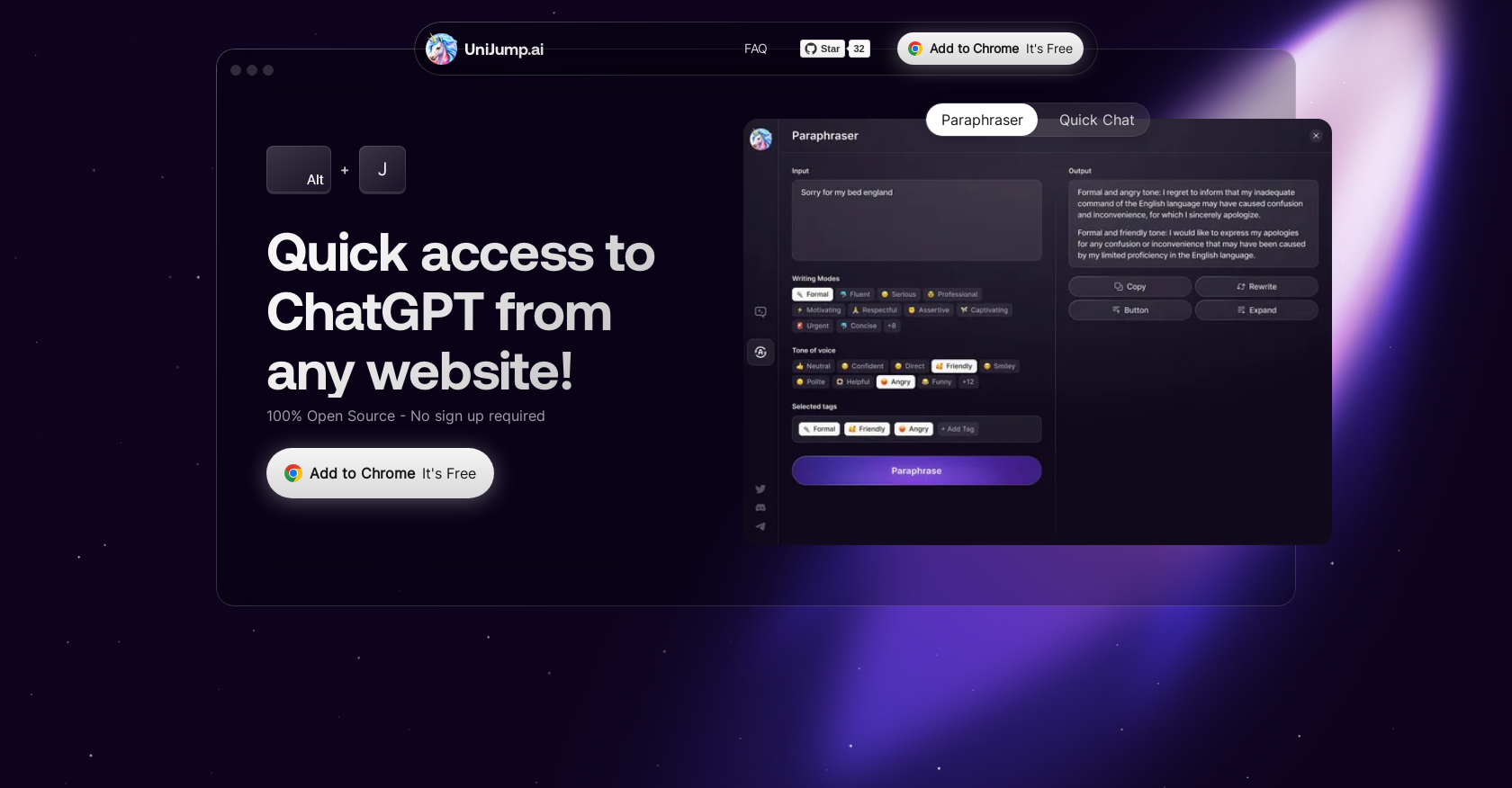
- Enhance your writing instantly with AI-powered suggestions and sentence completions directly on any webpage
- Get immediate answers to your questions without interrupting your workflow or navigating away from your current site
- Access ChatGPT instantly through keyboard shortcuts or widgets for seamless integration into your browsing experience
- Maintain complete privacy with verified data security through open-source code that stores no personal information or browsing history
- Experiment with different communication styles and improve writing skills through real-time AI assistance across all websites
- Download and start using immediately with no registration required beyond a free OpenAI account
Pros & Cons
Pros
- Free to use
- No sign-up required
- Open Source
- Ensures data security
- Access from any website
- Enhances ChatGPT usage
- Improves writing skills
- Answers questions
- Suggests phrases completion
- Keyboard shortcut access
- Widget-based access
- Personal data not stored
- Information data not stored
- Data entry not stored
- Visited websites not stored
- Contribute to source code
- Chrome extension
- Superpowers for ChatGPT
- Quick access to ChatGPT
- Seamless usage
- Supports experimentation in communication
- Supports multiple languages
- Accessible with ⌘ Cmd + J
- Text summarization
- GitHub open source verification
- Developer community contribution
- Chrome Webstore availability
- No separate registration
- Provides social media channels
- User-friendly
- Improves browsing efficiency
- Edge in web-based tasks
- Reduces task-switching
- Enhances productivity
- Transparent operations
- Assured user privacy
- On-site aid
- Dedicated support channel
- User feedback considered
- Constant updates
- Enhances online discussion
- Tool flexibility
Cons
- Only for Chrome
- No mobile app
- Interaction only via widget or shortcut
- Cannot work offline
- No built-in user support
- Limited language translation capabilities
Reviews
Rate this tool
Loading reviews...
❓ Frequently Asked Questions
UniJump's main function is to provide quick access to ChatGPT from any website without leaving it. It is designed to improve writing, respond to queries, and suggest phrases to complete sentences.
UniJump assists in web writing by utilizing ChatGPT to answer questions, suggest sentence completion phrases, and overall enhance writing abilities. It enables users to receive automated suggestions that can enhance their content.
UniJump is a free tool. No payment is required to use UniJump.
No, UniJump does not require any sign-up or registration. The only prerequisite is having an OpenAI account.
ChatGPT is a computer program created by OpenAI that can understand and communicate with human language. Its relevance to UniJump is that the UniJump extension enhances daily usage of ChatGPT, allowing users to access its capabilities from any website.
UniJump enhances the usage of ChatGPT by facilitating its accessibility from any site users are browsing. It uses ChatGPT's capabilities to improve user's writing, provides answers to queries, and inspires users to experiment with different communication styles.
Yes, UniJump can be accessed from any website. It provides quick access to ChatGPT from any site without the need to navigate away.
UniJump does not store any user's data, information, entries, or websites visited. This can be verified since UniJump shares their open-source code publicly.
Users can contribute to UniJump's development by contributing to the open source code available on Github. As per their website, UniJump encourages users to contribute to their code in an effort to boost transparency.
Based on the information on their website, UniJump seems to be available for Google Chrome as a browser extension. Their website does not mention availability on other browsers.
UniJump can be downloaded and installed from the Google Chrome Webstore. Links for the same are provided on their website.
Yes, using UniJump requires having an OpenAI account. However, this account can be created for free.
No, UniJump does not save any personal data, information, data entry, or websites visited by its users.
The source code for UniJump can be accessed through GitHub as they have shared their code publicly.
UniJump encourages users to join their social media channels for support and updates, their links are available on their website.
UniJump integrates ChatGPT into browsing by providing quick access from any website, enhancing user's writing and answering questions without leaving the site. This feature might distinguish it from other AI writing tools.
Yes, UniJump can answer questions that a user might have while writing. This is one of the key capabilities of UniJump as per their website.
Yes, UniJump can suggest phrases to complete sentences. This is part of the functionality provided by integrating ChatGPT.
Yes, UniJump can be useful in improving your writing skills. It provides automated suggestions for sentence completion, and can answer questions to aid in writing.
UniJump advises users to be careful when adding extensions that can access personal data and work data. They have made their code public for transparency and advise users to review the functionality of extensions before adding them.
Pricing
Pricing model
Free
Paid options from
Free