
UpscaleMy.Video
Overview
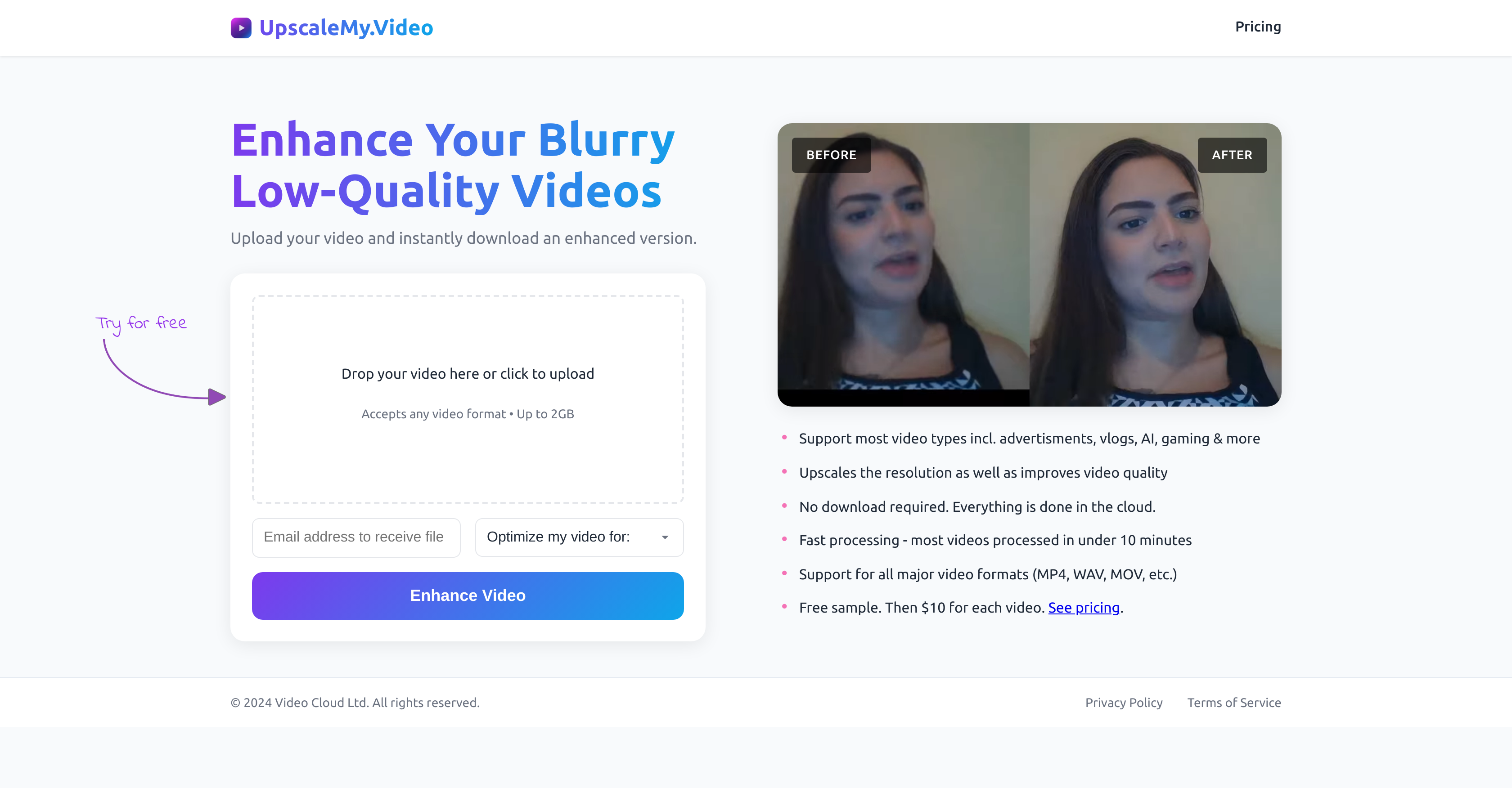
- Instantly transform blurry footage into crystal clear videos with AI-powered resolution upscaling and overall quality improvement
- Effortlessly enhance any video type, from home videos and vlogs to gaming footage and AI-generated content, using a simple two-step upload process
- Get HD results in under 10 minutes for most videos thanks to fast cloud processing that requires no software downloads
- Test the enhancement risk-free with a free initial upgrade to verify quality before purchasing
- Process large video files up to 2GB in the cloud without straining your device's storage or processing power
Pros & Cons
Pros
- Enhances poor quality videos
- Upscales video resolution
- Improves overall video quality
- Easy-to-use upload process
- Supports wide array of video types
- Cloud-based enhancement process
- Accepts any video format
- Supports a significant size limit
- Fast processing speed
- Free initial video upgrade
- Optimizes various video content
- No need for downloads
- Improves visual appeal
- Transforms blurry footage instantly
- Single tool for multiple enhancements
- Privacy assured
- Regular updates and improvements
- Check quality enhancement before paying
- Effective for diverse video needs
- Quick turnaround time
- Customization options for enhancement
- User-friendly interface
- Versatile application in multiple sectors
- Improves video sharpness
- Cost-effective enhancement
Cons
- Limited to 2GB size
- Charges per video enhancement
- No offline option
- Not suitable for extremely old, grainy footage
- May struggle with certain video qualities
- Pricing subject to change
- Lack of advanced customisation
- No mentioned support for specific international languages
- No option for bulk discount
- May not support all formats
Reviews
Rate this tool
Loading reviews...
❓ Frequently Asked Questions
UpscaleMy.Video is an AI-driven tool that improves and upscales videos of poor quality, transforming them into high definition content. It caters to different video types, offers high-speed processing, and performs all operations in the cloud, eliminating the need for downloads.
UpscaleMy.Video enhances video quality by using artificial intelligence to upscale resolution and improve overall visual presentation. It makes blurred footage crystal clear and more visually appealing.
UpscaleMy.Video can enhance a variety of videos such as advertisements, vlogs, home videos, AI-generated videos, podcasts, business recordings, adult content, gaming footage, anime, TV series, and movies.
Indeed, UpscaleMy.Video supports AI-generated videos, making it possible to refine their visual quality.
Yes, UpscaleMy.Video is suitable for enhancing and upscaling podcast videos.
You can transform blurry footage into clear videos on UpscaleMy.Video by following a simple upload and enhancement process. After uploading the video, AI technology implemented by the platform enhances and upscales the video quality.
UpscaleMy.Video can accept video files as large as 2GB.
On UpscaleMy.Video, the upload and enhancement process is straightforward, involving two steps: first, you upload the video file, and then the system enhances and upscales the quality automatically. All procedures are done in the cloud, negating the need for any downloads.
UpscaleMy.Video boasts a brisk processing speed. In most cases, it takes less than 10 minutes to enhance a video.
A free trial is indeed available on UpscaleMy.Video. You can enhance and upscale your video for free initially to check the quality improvement.
After using the free trial, each video enhancement costs $10 on UpscaleMy.Video.
Yes, UpscaleMy.Video can enhance adult content videos. It supports a complete selection of video types.
Certainly, you can improve the quality of your gaming footage using UpscaleMy.Video. It accommodates and enhances various videotypes, including gaming footage.
UpscaleMy.Video supports all major video formats. This includes MP4, WAV, MOV, and others.
By using proprietary AI technology, UpscaleMy.Video enhances the visual quality of anime and animation videos, making them clearer and more visually appealing.
No, there are no downloads required to use UpscaleMy.Video. All enhancements happen in the cloud.
In UpscaleMy.Video, cloud processing is employed to handle video uploading and enhancing. Because the entire process is performed in the cloud, users don't have to download anything on their devices.
Pricing
Pricing model
Freemium
Paid options from
$10/unit
Billing frequency
Pay-as-you-go