

Venngage
Publish a finished infographic in under 5 minutes: define your objective, pick a style and tone, write a text prompt, and the AI infographic generator builds a ready-to-edit draft.
Listing not yet reviewed by our editors · How we check
Overview
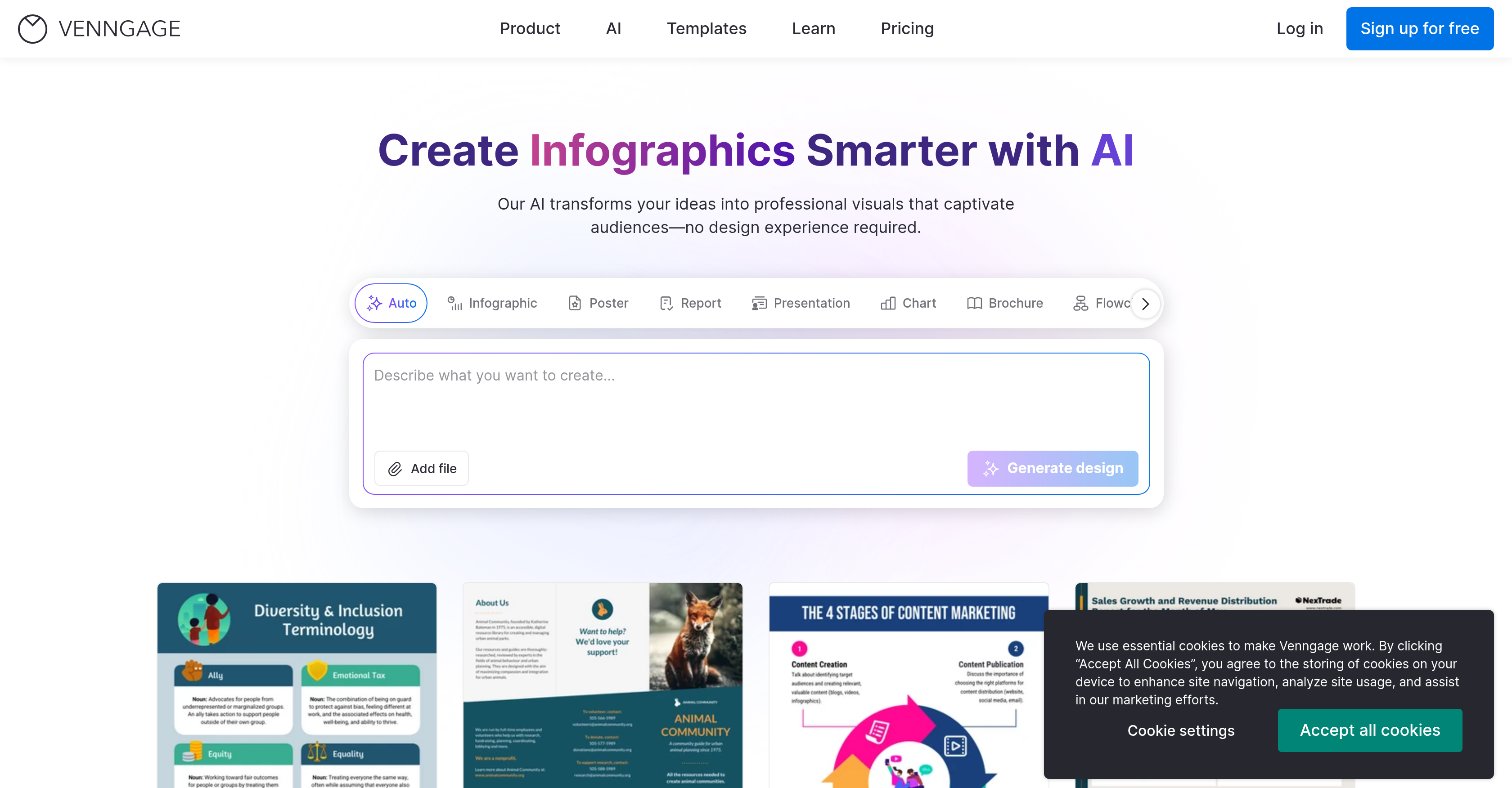
- Publish a finished infographic in under 5 minutes: define your objective, pick a style and tone, write a text prompt, and the AI infographic generator builds a ready-to-edit draft.
- Get professional visuals without hiring a designer or learning design software: the AI design generator turns plain-text ideas into polished infographics, posters, flyers, brochures, and proposals with no prior design experience.
- Make complex data clear to non-specialist audiences: data visualization templates turn raw information into statistical, timeline, comparison, and process infographics.
- Cover every visual document your business needs in one place: professional templates span brochures, posters, timelines, graphs, mind maps, white papers, flyers, CVs, and proposals.
- Keep every design on-brand and matched to your audience: full customization of design styles, tones, text layouts, and visuals lets you refine each AI-generated draft until it fits your brand voice.
- Start from layouts built for your department's real work: team-specific solutions cover marketing, HR, sales, training and development, operations, IT and engineering, project management, executive leadership, healthcare, finance, and real estate.
- Move from final draft to team distribution without switching tools: built-in sharing and collaboration put finished infographics in front of reviewers and stakeholders, with export in your chosen format.
- Pay for the scale you actually need: separate pricing plans for individuals, professionals, enterprises, and nonprofits match the infographic maker to your budget and team size.
- Raise your team's visual communication skills on demand: blogs, webinars, and a help center give you guidance on designing effective business visuals.
Pros & Cons
From the listing; not yet checked by our editors.
Pros
- Professional infographic templates
- Generates various contents
- Transforms ideas into visuals
- No design experience required
- Customized solutions for teams
- Educational resources included
- Variety of pricing plans
- Caters to distinct sector needs
- 10,000+ templates available
- Instant infographic creation
- CV maker
- Flyer maker
- Brochure maker
- Mind map maker
- Timeline maker
- White paper creation
- Robust visual data representation
- Contrast, color checker
- Online ebook maker
- Roadmap maker
- Genogram maker
- Pie chart maker
- Newsletter creator
- Accessible design maker
- Supports diverse file uploads
- Multiple team solutions
- Aids real estate visuals
- Finance content generation
- Supports healthcare visuals
- Assists product development visuals
- Training & Development solution
- Marking-centric tool
- Executive leadership visual aid
- Project management graphics
- Human resource contents
- Operations infographic assistance
- IT/engineering infographic tool
- Log in feature
- Site navigation enhancement
- Marketing assistance
- Help Centre support
- Webinar access
- Blog access
Cons
- No offline functionality
- No mobile app
- Limited template customisation
- Complex interface for beginners
- No Multilingual Support
- Dependent on good internet connection
- No Free Plan Available
- Potentially overwhelming amount of features
- Limited integration options
- No real-time collaboration features
Alternatives to Venngage
Tools that share the most tags with Venngage.
- Infograph.app
Transform complex data into clear visuals instantly using AI that analyzes any text or raw numbers
Free
Not listed
Not yet checked
- Infografix
Transform simple text prompts into professional infographics instantly without any design skills required using AI-powered generation
Free
Not listed
Not yet checked
- AI Infographic Generator
Transform complex data into clear visual stories instantly using simple text prompts, eliminating the need for design expertise
Freemium · from $10/month
$10/month
Not yet checked
- KindlePPT
Generate complete presentations, scripts, essays and quizzes in minutes instead of hours using AI content generation
Paid · from $10/month
$10/month
Not yet checked
- AI Infographics
Transform complex data into engaging visuals instantly using AI-powered text-to-infographic conversion
Free trial · from $5/month
$5/month
Not yet checked
- AI Infographic Generator
Eliminate expensive designer fees and slow turnarounds by generating professional infographics for just $0.30 each after your free credits.
Freemium · from $12/month
$12/month
Not yet checked
Reviews
Rate this tool
Loading reviews...
Frequently asked questions
What is the Venngage Infographic Generator?
The Venngage Infographic Generator is a free tool that converts complex data into visually engaging and emotionally compelling narratives. It allows users to provide content directives via text prompts, which it uses to construct aesthetically appealing infographics fitted with a variety of templates.
How does the Venngage Infographic Generator work?
The Venngage Infographic Generator bakes in user-provided prompts, converts the directives into audiovisual narratives, and creates meaningful infographics. It affords full customization, enabling users to adjust and personalize the details of the infographic such as design styles, tones, and visuals. This way, users can create infographics that resonate with the intended audience and purpose.
Can I customize the infographics generated by Venngage?
Absolutely, all the infographics generated by the Venngage Infographic Generator can be fully customized. From design styles and tones to text layout and visuals, users can tailor their infographics to their precise needs, ensuring the conveyed story is in line with their vision.
What sort of themes and templates does Venngage offer for infographics?
Venngage offers a rich variety of themes and templates for infographics. These templates encompass different themes and subjects including timeline, process, informational, statistical, comparison, and others. Each is designed to be appealing and easy to understand for audiences of different genres and fields.
How does the Venngage tool simplify complex information for infographics?
Venngage simplifies complex information through its robust data visualization capabilities. The text prompts supplied by the user are converted into intelligible, compelling, and aesthetically pleasing infographics. The output is designed to promote understanding and engagement, making it ideal even for non-specialist audiences.
Can I adjust and personalize the details of my infographic on Venngage?
Yes, Venngage promotes a high degree of customization. Users can adjust minute details and personalize their infographics according to their preferences. This includes tweaking design styles, tones, visuals, text layouts and more, providing an output that aligns with the user's envisioned specifications.
How can I refine the AI-generated designs on Venngage?
Venngage users can refine AI-generated designs by making alterations to the text, adjusting the layout, and customizing the visuals. A multitude of editing tools are available to fine-tune the infographic to your precise needs.
What format can I export my infographic in from Venngage?
Users can export their finalized infographic from Venngage in their preferred format. The platform does not specify the formats available, but typical formats would likely include JPEG, PNG, PDF, or SVG.