
Video to Text.net
Overview
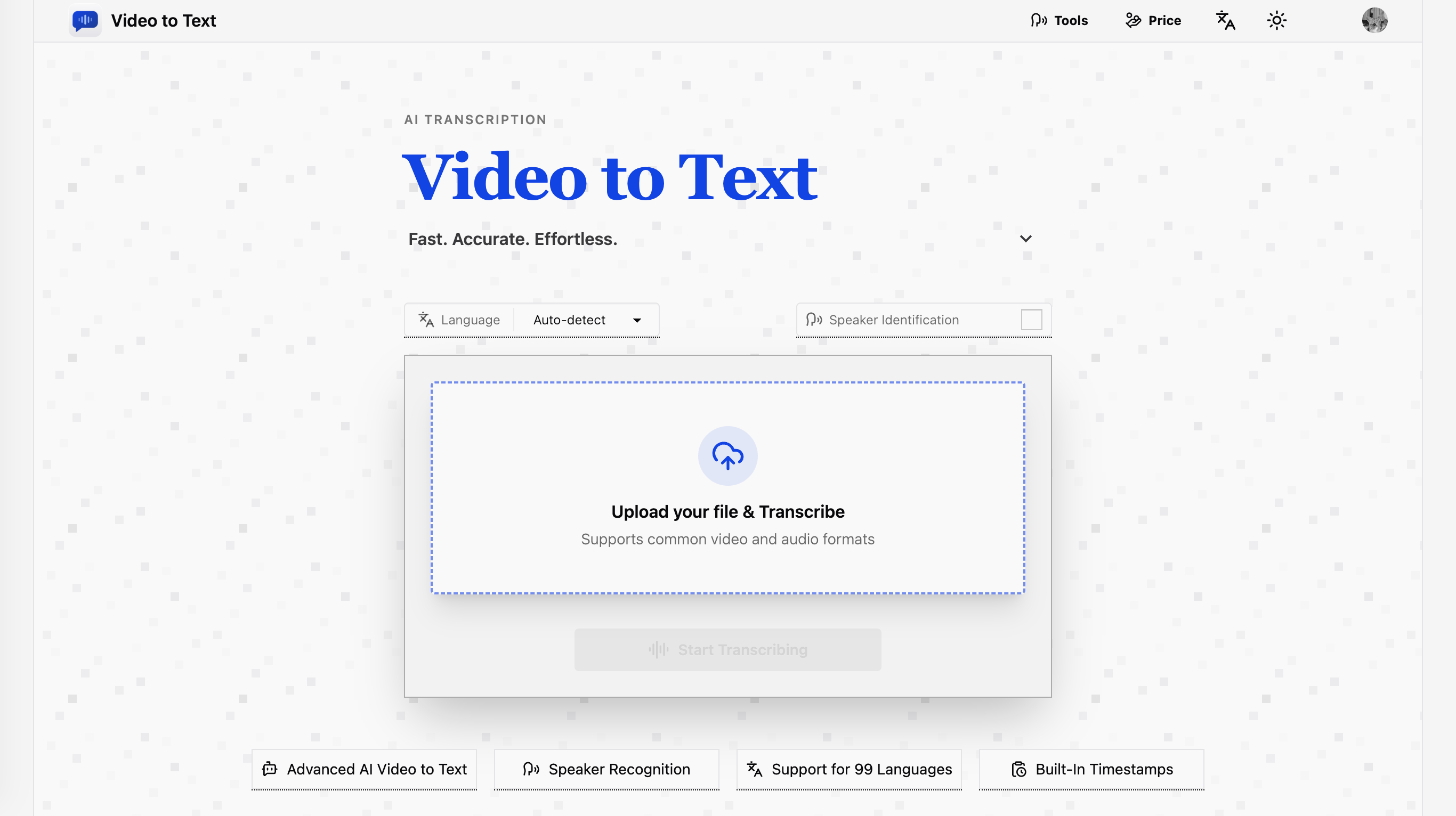
- Generate ready-to-use subtitles instantly by exporting timestamped transcripts in SRT and VTT formats
- Transform lectures and interviews into structured study materials with speaker diarization that labels who said what
- Analyze conversation data directly in spreadsheets by exporting transcriptions in CSV format for easy parsing
- Accurately transcribe global content without manual setup using automatic detection for 99 languages
- Process bilingual meetings and multilingual files in a single step with AI that switches between languages seamlessly
- Reference any moment in a recording quickly using precise timestamps for editing and content review
- Work with any common media file by uploading popular video (MP4, MOV, MKV) and audio (MP3, WAV, FLAC) formats
Pros & Cons
Pros
- Supports 99 languages
- Auto-detects language
- Exports in TXT, CSV, SRT, or VTT
- Handles multilingual conversations
- User-friendly
- Transcribes video to text
- Transcribes audio to text
- Creates subtitles
- Timestamps dialogues
- Identifies different speakers
- Can analyze structured data
- Practical for academics
- Useful for journalists
- Great for content creation
- Supports personal use
- Exports can be analysed
- Supports multiple audio formats
- Supports multiple video formats
- Allows online transcriptions
- Fast processing
- High-accuracy transcriptions
- Optimized for real-world usability
- Convenient workflow
- 30 free minutes for new users
- Supports mainstream formats for uploads
- Promotes a simple workflow
- Records decisions and discussions
- Improves accessibility of videos
- Increases audience reach
- Converts spoken language into written
- Features speaker diarization
- Good for multilingual content workflows
- Fast transcription process
- Supported input formats are mainstream
- Does not charge for errors
- Handles large file size up to 5GB
- 10 hours maximum media length
- Transcript exportation available
- Temporary storage of uploaded files
- Supports automatic language detection
- Supports speaker labels
Cons
- No offline functionality
- Lacks real-time transcription
- Doesn't support very large files
- No mobile app
- Missing voice recording feature
- Lacks transcript editing capabilities
- No enterprise plans
- No free plan after first 30 minutes
- No file sharing options
- Pay-as-you-go pricing might be expensive
Reviews
Rate this tool
Loading reviews...
❓ Frequently Asked Questions
Video to Text is an AI transcription tool that converts video and audio files into text. It maintains impressive accuracy as it transcribes, conveniently identifying individual speakers within recordings and also timestamping dialogues. The tool provides its services globally, offering functionality in 99 languages through its advanced AI capabilities.
Video to Text prides itself to have a high degree of accuracy in transcribing video and audio content to text. The actual quantitative accuracy is not stated on their website, but the transcription is described as 'highly accurate'.
Video to Text employs advanced AI that is capable of identifying different speakers within a recording. It can differentiate and label different speakers, ensuring a clear and organized transcription.
Yes, Video to Text is extensively multilingual, demonstrating support for 99 languages. This makes it capable of serving a global audience and handling content in virtually any language.
Video to Text has an automatic language detection feature. It's a powerful tool that identifies the language being spoken in the uploaded audio or video file. The AI then uses this information to transcribe the content using the proper syntax and semantics tied to that language.
The processed transcriptions can be exported in diverse file formats such as TXT, CSV, SRT, or VTT. This flexibility bodes well for different user needs and workflows, for instance, when creating subtitles or conducting structured data analysis.
Yes, the advanced AI system used by Video to Text can handle bilingual or multilingual conversations within a single file. This aspect greatly increases its applicability in real-world conversations and discussions that involve multiple languages.
Using Video to Text is fairly straightforward. Users begin by uploading the video or audio file onto the service. The tool then transcribes the content. Users can finally export the resulting transcription in their preferred format.
Video to Text can be beneficial across a broad range of fields. It is used in academic environments, journalism, and content creation amongst other applications. Its ability to produce high-quality transcriptions makes it a valuable tool in these areas.
Yes, individual users can effectively use Video to Text to convert lectures into study materials or text. The ease-of-use of the tool and its high accuracy make it particularly conducive for educational application.
Individuals learning a new language can utilize Video to Text as an aid. They can listen to audios in their target language and use the transcriptions to understand and learn better. This can be tremendously helpful in terms of comprehension and vocabulary building.
Yes, Video to Text has the ability to create subtitles from the transcriptions. It can export the transcription in SRT or VTT formats, which are regularly used for subtitles in various video platforms.
Their website does not list specific limitations concerning the types of audio files that can be transcribed. However, it does state that the tool supports common video and audio formats, suggesting it can work with a broad range of file types.
Yes, with its ability to export transcriptions in CSV format, the transcriptions can be used for structured data analysis. The formatting of the CSV export allows for easy parsing and analysis of data.
Video to Text supports 99 languages ranging from English, Spanish, Portuguese, French, German, Italian, Chinese, and Japanese, along with many others from across the globe.
Common use-cases for Video to Text include creating subtitles for videos, transcribing meeting notes, interviews, courses, podcasts, and handling multilingual content workflows. It is also widely used in education to convert lectures into text.
Content creators can use Video to Text to transcribe their audio and video media into text, which can then be used for generating closed captions, making content accessible, and creating written contents such as blog posts or articles. It also helps in the review and editing process.
Users can upload common video and audio formats to Video to Text. The supported formats include MP4, MOV, MKV, WEBM, M4V for video, and MP3, WAV, M4A, FLAC, OGG, AAC, and OPUS for audio.
Yes, Video to Text includes timestamps in its transcriptions. It precisely marks when each piece of dialogue was spoken in the original audio or video file. This feature is especially useful for referencing specific moments within the recording.
Absolutely, Video to Text is perfectly capable of processing bilingual conversations. Its AI has been designed to distinguish and correctly transcribes multiple languages present in a single audio or video file.
Video to Text uses advanced AI functionality to identify different speakers in a recording. This feature, known as Speaker Diarization, organizes interviews, meetings, and discussions by indicating who said what in the transcript, enhancing clarity and facilitating easier evaluation and understanding of the content.
Video to Text supports a staggering 99 languages. This includes global languages like English, Spanish, Portuguese, French, German, Italian, Chinese, and Japanese among others, making it a highly versatile tool for transcribing content in multiple languages.
The language auto-detection function of Video to Text uses advanced algorithms to detect and transcribe content in 99 different languages automatically. This feature enhances the tool's utility for handling bilingual or multilingual conversations or files. In situations with more than one language in an audio file, the tool can effectively switch between languages and transcribe accurately.
Transcriptions from Video to Text can be exported in various formats including TXT (plain text), CSV (spreadsheet format), SRT, and VTT (standard subtitle formats). The diverse export options allow for a wide range of usability, from subtitle creation to structured data analysis.
By offering timestamped transcripts in formats such as SRT and VTT, Video to Text greatly simplifies the process of subtitle creation. The timestamps allow for precise placement of subtitles in sync with the audio or video, thereby enhancing accessibility and viewer engagement for videos on various platforms.
Video to Text can assist with data analysis tasks by providing structured data in the form of transcriptions. Transcribed data can be exported in a CSV format, enabling analysts to import the data into pertinent software or tools to perform detailed analysis or report generation.
Yes, Video to Text can effectively handle bilingual or multilingual conversations. The AI used in Video to Text is capable of transcribing bilingual or multilingual conversations in a single file, thus making it highly useful for real-world, multilingual interactions.
Using Video to Text is straightforward. The user simply needs to upload their video or audio file onto the platform. The tool then transcribes the uploaded content, after which the user can download the transcription in their preferred format.
Video to Text supports mainstream audio and video formats for upload, making it a versatile tool for transcription. These formats include popular ones like MP4, MOV, MKV, WEBM, M4V for video, and MP3, WAV, M4A, FLAC, OGG, AAC, and OPUS for audio.
Absolutely, Video to Text is quite suitable for transcribing content for academic research purposes. With support for 99 languages, speaker diarization for clear speaker identification, and high transcription accuracy, Video to Text is ideal for conversion of lectures, interviews, seminars, and research discussions into readable text. It is an excellent tool for generating reliable and detailed transcripts for analysis and citation in academic research.
Video to Text's AI is capable of transcribing a wide variety of content including, but not limited to, meetings, webinar recordings, interviews, courses, podcasts, and multilingual content. Essentially, any spoken content in supported audio or video files can be transcribed.
Transcriptions from Video to Text can provide a comprehensive review of the content of video and audio materials. With features like speaker diarization and timestamps, reviewers can use the transcripts to understand who said what and when, thereby allowing for accurate referencing, annotation, and content assessment.
Video to Text offers high accuracy for its transcriptions due to its advanced AI algorithms. The tool has been designed to transcribe audio and video content with impressive precision, making it a reliable tool for creating accurate written records of audio and video content.
Video to Text can transcribe lectures and turn them into structured, readable study materials. Students can focus on the content rather than note-taking during lectures and can review the material at their own pace. The transcribed lectures can also be used to create summaries, flashcards, or to quote directly in academic submissions or research.
The timestamps provided by Video to Text can be utilized in various ways. They allow users to jump to exact moments in the media, aiding in tasks like editing or content review. They are especially valuable in subtitle creation, making it easier to sync the subtitles with the corresponding audio in the video. Timestamps also facilitate referencing in transcriptions of meetings or interviews.
Video to Text's utility extends to diverse industries including academics, journalism, and content creation. The tool is also ideal for individual users seeking to convert video and audio files for studying, language learning, and content review. Its capabilities are beneficial to corporations for transcribing and documenting business meetings and webinars.
Video to Text ensures clarity in transcriptions of conversations with multiple speakers through its speaker diarization feature. It helps in identifying different speakers in a recording and timestamping their dialogues, thereby providing accurate structuring of who said what during the interaction. This feature brings clarity and aids in easier comprehension and reference of transcriptions.
The workflow of using Video to Text is fairly simple and user-friendly. The user uploads the video or audio file to the platform, allows the AI to process and transcribe the content, and finally downloads the transcribed text in their preferred format.
Yes, Video to Text can support transcription of all popular media formats. Supported video formats include MP4, MOV, MKV, WEBM, and M4V, whereas supported audio formats include MP3, WAV, M4A, FLAC, OGG, AAC, and OPUS. This makes Video to Text a versatile tool that fits seamlessly into various transcription needs.
Pricing
Pricing model
Free Trial
Paid options from
$9.90/unit
Billing frequency
Pay-as-you-go
Refund policy
View Policy