
Web ChatGPTv4.1.58
Overview
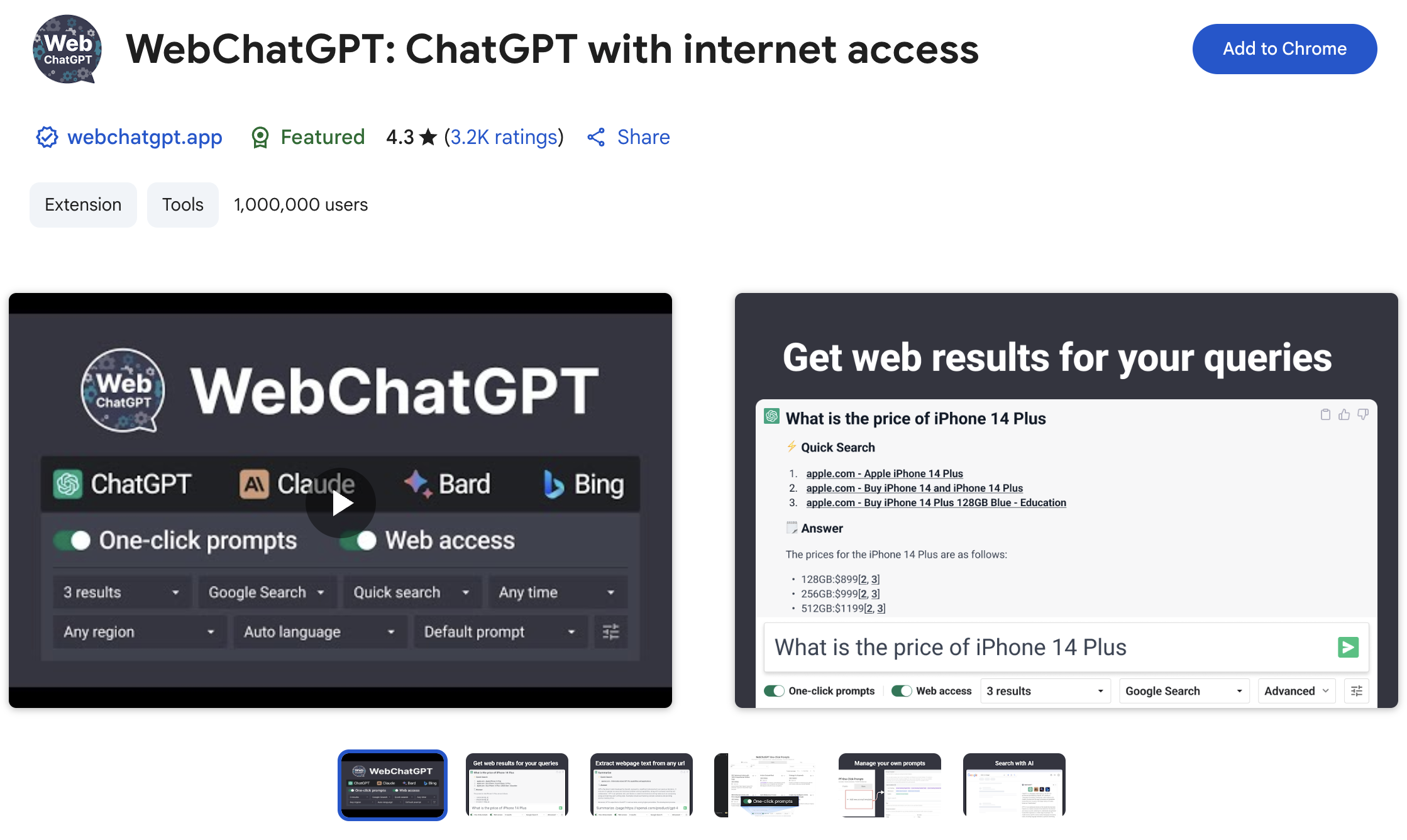
- Get current, accurate answers beyond ChatGPT's training data with real-time web search integration that includes source links
- Access a curated prompt library to instantly improve marketing, customer support, and other common tasks without writing from scratch
- Extract and process text from any webpage directly within your ChatGPT workflow for comprehensive research
- Maintain a clean chat interface while keeping web access active using the clutter-minimizing toggle
- Protect your privacy with zero data collection while using web-enhanced AI conversations
- Create and manage custom prompts that work seamlessly with web results for personalized workflows
Pros & Cons
Pros
- Chrome extension
- Enhances user experience
- Relevant web results
- Open-source project
- Doesn't collect user data
- Min permissions required
- Compatible with multiple languages
- Improved accuracy
- Advanced chat prompts
- Toggle to minimize searches
- Privacy designed
- Direct API call injection
- Up-to-date conversations
- Code is transparent
- Publicly available source code
- Minimalistic design
- User friendly interface
- Time-efficient
- Saves results for reference
- Reliable extensions
- Optimized for performance
- Improved conversation management
- Consistent updates
- Large user base
- Frequent performance enhancements
- Direct developer interaction
- Great for research
- Injects chat prompts
- Greater chat transparency
- Clutter free option
- Popularity proven by users
- Developer very responsive
- Reviews mostly positive
- Highly accessible documentation
- Lightweight size
- Data is not sold
- Data not used unrelatedly
- Easy extension installation
- User data is private
- Data not used for lending
- Toggle feature for view customization
- Rapid error resolution
- Enables more critical comments
- Delivers up to date information
Cons
- Only available for Chrome
- Could clutter chat screen
- Interfered by other extensions
- Non-functioning toggle switch
- Web results can deviate conversations
- Limited extension features control
- Not fully compatible with Brave browser
- May have intermittent search issues
- Off-topic search results generation
Reviews
Rate this tool
Loading reviews...
❓ Frequently Asked Questions
WebChatGPT can be installed from the Chrome Web Store. Just search for 'WebChatGPT', click 'Add to Chrome', and follow the prompts.
WebChatGPT enhances the user experience on ChatGPT by including relevant web results to the conversation. It can inject modified prompts directly into ChatGPT's API calls, which can make the conversations more accurate and up-to-date.
Relevant web results help to provide up-to-date contextual information during the conversation. They are injected directly into ChatGPT's API calls. This makes the conversation more precise and relevant to the user's prompts than it would be relying solely on ChatGPT's internal database.
Yes, anyone can review the source code of the WebChatGPT project. As it is an open-source project, the source code is publicly available for anyone to review and contribute to. You can find it on GitHub at https://github.com/qunash/chatgpt-advanced/.
WebChatGPT asks for the bare minimum permissions to function. Specific permissions required have not been indicated on their website.
No, WebChatGPT does not collect any user data during conversations. It is designed with privacy in mind, only asking for basic permissions and not collecting user data.
Yes, WebChatGPT is compatible with a variety of languages. However, the specific languages it supports have not been specified on their website.
By adding relevant web results to your prompts, WebChatGPT maintains the accuracy and relevance of conversations. The web results provide up-to-date information that complements the internal database of ChatGPT, offering more accurate responses to user prompts.
The function of the toggle in WebChatGPT is to minimize web searches as they can often clutter the chat screen. It enables users to manage the presence of search results in the chat, making the conversation cleaner and smoother.
WebChatGPT manages clutter by providing a toggle to minimize web searches. This ensures that your chat screen remains clear and not overwhelmed with excessive information from web searches.
WebChatGPT differs from regular chatbots in that it uses relevant web results to enhance conversations. It injects modified prompts directly into ChatGPT's API calls, creating more accurate and up-to-date dialogue, an aspect you don't typically find with regular chatbots.
It's not mentioned on their website whether WebChatGPT is available for other browsers apart from Chrome.
As an open-source project, WebChatGPT's source code is publicly available. This means anyone can access, review, and contribute to its improvement, fostering a community of collaborative development.
WebChatGPT does not collect any user data. Therefore, it does not keep a record of past searches or conversations from its users.
You can turn off the web search function in WebChatGPT by using the toggle provided within the extension.
You can contribute to the WebChatGPT project source code via GitHub. The site is https://github.com/qunash/chatgpt-advanced/, and it allows anyone with modifications or improvements to contribute to the project.
The version with which WebChatGPT works has not been specified on their website. It should work with the most recent version of ChatGPT, but for the best results, always ensure you have the latest version.
Based on reviews on the Chrome Web Store, some users have noted instances of injected prompts coming across as inaccurate or irrelevant. However, the exact cause of these inaccuracies could vary widely and would require more detailed exploration.
It hasn't been specified on their website how to modify the settings of WebChatGPT for optimized usage. However, it does feature a toggle to minimize web searches, which can help in decluttering the chat screen.
It's not stated on their website whether WebChatGPT can be used on a mobile device's Chrome application. However, since it is a browser extension, it's likely designed primarily for use on desktop browsers.
Pricing
Pricing model
No Pricing