

Wonder
Eliminate designer-to-developer handoffs: Wonder maps every design element 1:1 to code, so what you see on the canvas is exactly what ships.
Listing not yet reviewed by our editors · How we check
Overview
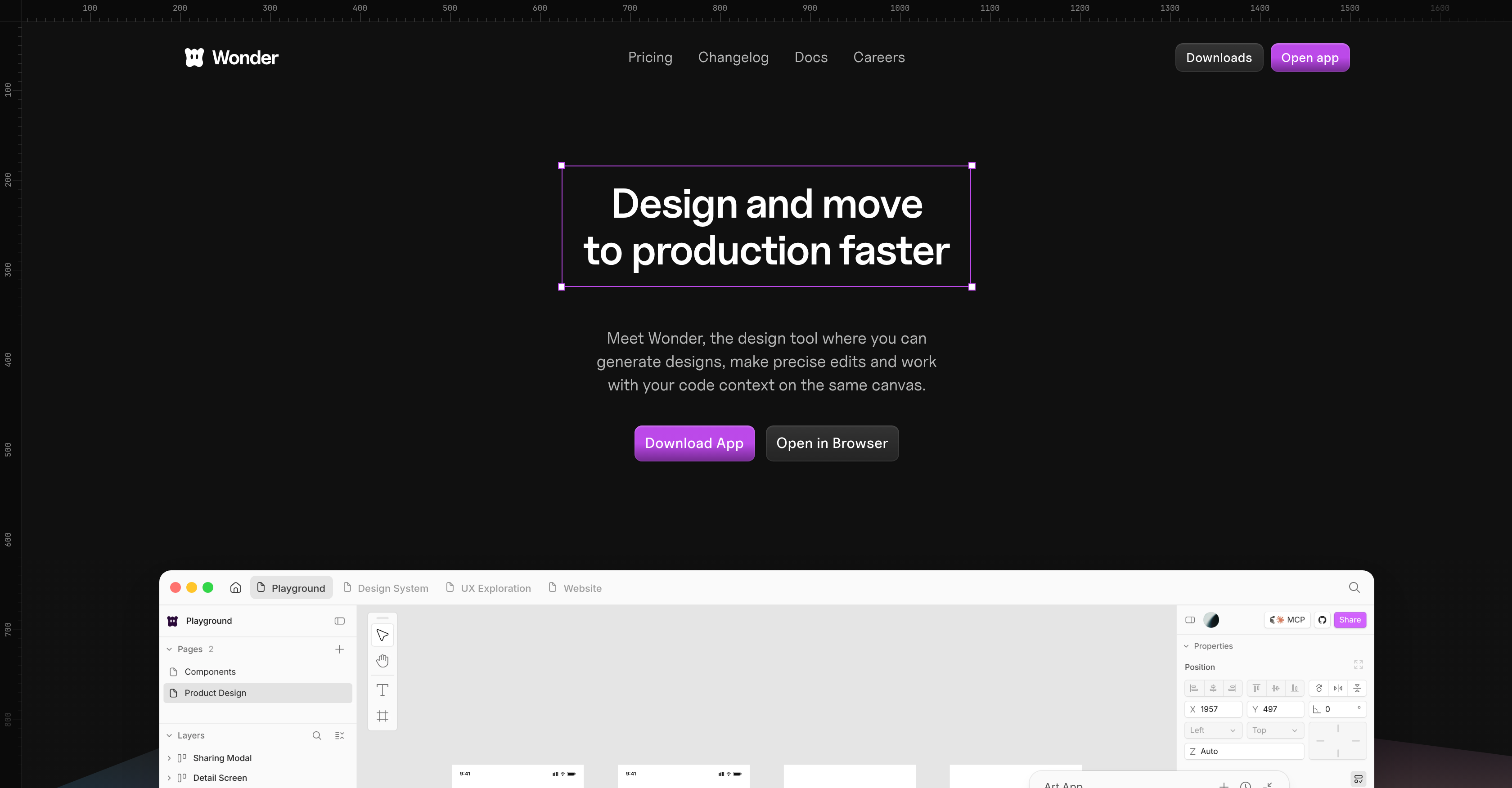
- Eliminate designer-to-developer handoffs: Wonder maps every design element 1:1 to code, so what you see on the canvas is exactly what ships.
- Ship production-ready front-end code without rewrites: every design exports as real React + Tailwind CSS, the standard stack most product teams already build with.
- Go from rough idea to first UI draft in minutes: describe the screen you want to the AI design assistant and it generates the layout for you to refine.
- Make pixel-precise UI changes that sync to code as you work: real-time design edits update the underlying code on the same canvas where your coding context lives.
- Explore more design directions without losing momentum: iterate freely, branch new options, and compare variations while staying in your creative flow.
- Keep designers, product managers, and developers aligned in one workspace: full editor collaboration, unlimited private files, and advanced team analytics on the Pro plan.
- Build visually rich interfaces with fewer external assets: access 1000+ shaders and upload images up to 100 MB on Pro.
- Start prototyping at zero cost and scale when your team grows: a Free plan, Pro at $16/user/month billed yearly with $20 in monthly AI tokens and priority support, and custom Enterprise pricing.
Pros & Cons
From the listing; not yet checked by our editors.
Pros
- Streamlined design process
- Real-time design adjustments
- Seamless workflow integration
- Allows free design iteration
- 1:1 Design code mapping
- Translates design to code
- Real code in React+Tailwind
- No need for handoffs
- Produces production-ready code
- Real-time exploration of designs
- Design efficiency
- Promotes flow state
- Eliminates code translation
- Design and code on same canvas
- Integrative design to production
- Dynamic design process
- Ideal for fast-tracking production
- Effective for design ideation
- Robust design exploration capacity
- Precise editing functionality
- Image generation on canvas
- Code push feature
- High-quality design with shaders
- Not losing work progress
- Ships with actual code
- Integrated coding agent
- Supports UI code generation
- Reduced time from idea to canvas
- React + Tailwind supported output
- Aids in design iterations
- Easy Theme adjustments
- Smooth transition from design to code
- Design variants creation
- Workable interactive designs
- Fast editing and tweaking
- Non-destructive design iterations
- Advanced design exploration
- Direct design to production push
- Integrated design system
- Real-world design context
- Design push to agent support
- Efficient spacing adjustment
- Code generation and instant download
- Streamlined variant style management
- Easily change and adjust designs
Cons
- React + Tailwind only
- Limited collaboration in Free plan
- File storage cap
- Image upload size restriction
- Paid priority support
- Enterprise features not clearly defined
- Not standalone (requires understanding of React + Tailwind)
- No placeholder assets
Alternatives to Wonder
Tools that share the most tags with Wonder.
- UXCanvas.ai
Transform ideas into coded designs instantly using natural language conversations instead of manual design tools
Free trial · from $49/month
$49/month
Not yet checked
- AI Designer
Transform a brief text description into a complete, editable UI design in seconds using AI-powered generation
Freemium · from $30/month
$30/month
Not yet checked
- BareMinimum
Skip complex design tools and generate functional ASCII wireframes instantly from a simple text prompt, letting you visualize UI concepts without leaving your terminal.
Freemium · from $8/month
$8/month
Not yet checked
- Flowstep
Transform a text prompt into up to 10 production-ready UI screens in minutes using the Imagination Algorithm, moving from idea to visual design instantly.
Freemium · from $15/month
$15/month
Not yet checked
- Thread App
Transform ideas into interactive wireframes in minutes using simple text descriptions with AI generation
Not listed
Not listed
Not yet checked
- Stitch
Transform your ideas into complete UI designs in seconds instead of hours using AI-powered generation
Not listed
Not listed
Not yet checked
Reviews
Rate this tool
Loading reviews...
Frequently asked questions
What is Wonder?
Wonder is a design tool that streamlines the process of moving from idea to product. It empowers users to generate designs, make precise edits, and interact with coding context on the same canvas. This interactive tool enables real-time design adjustments, wherein every creation directly translates into the actual code that's ready for shipping.
How does Wonder facilitate the transition from design to production?
Wonder streamlines the transition from design to production by combining the processes of ideation, design and coding into a seamless workflow. Every design created in Wonder is automatically translated into actual code that can be shipped. This eliminates the need for handoffs, speeding up the product development process.
Can you interact with Wonder's AI while designing?
Yes, while designing in Wonder, users can interact with an AI. They can chat with it, edit alongside it, making the design process highly interactive and fluid.
What are the standout features of Wonder?
The standout features of Wonder include its ability to facilitate real-time design adjustments, providing a platform for interactive and dynamic designs, offering 1:1 mappings from design format to the actual code ensuring smooth transition from design to coding environment, and allowing users to freely iterate on their designs without breaking the flow of their work.
What is meant by Wonder's 1:1 code mapping?
Wonder's 1:1 code mapping means that the tool maps the design format directly to its corresponding code. This ensures a smooth transition from design to code, removing any misinterpretations or errors that might occur during conversion. Every feature or edit you make in the design is replicated on the actual code.
How does Wonder enhance workflow efficiency?
Wonder enhances workflow efficiency by merging ideation, design and coding into a cohesive workflow. This eliminates any waste of time or resources in translating design to code or the need for handoffs. Plus, the real-time design adjustments mean that modifications are instantaneously updated in the actual code.
Does Wonder aid in real-time design adjustments?
Yes, Wonder aids in real-time design adjustments by translating every modification made in the design directly into the actual code. This promotes continuous iterations and rapid feedback, enhancing the overall efficiency and speed of the design process.
In what format does Wonder provide real code?
Wonder provides real code in the form of React + Tailwind. This coding standards are highly versatile and widely accepted, reducing the need for major alterations to the code before shipping.