
Overview
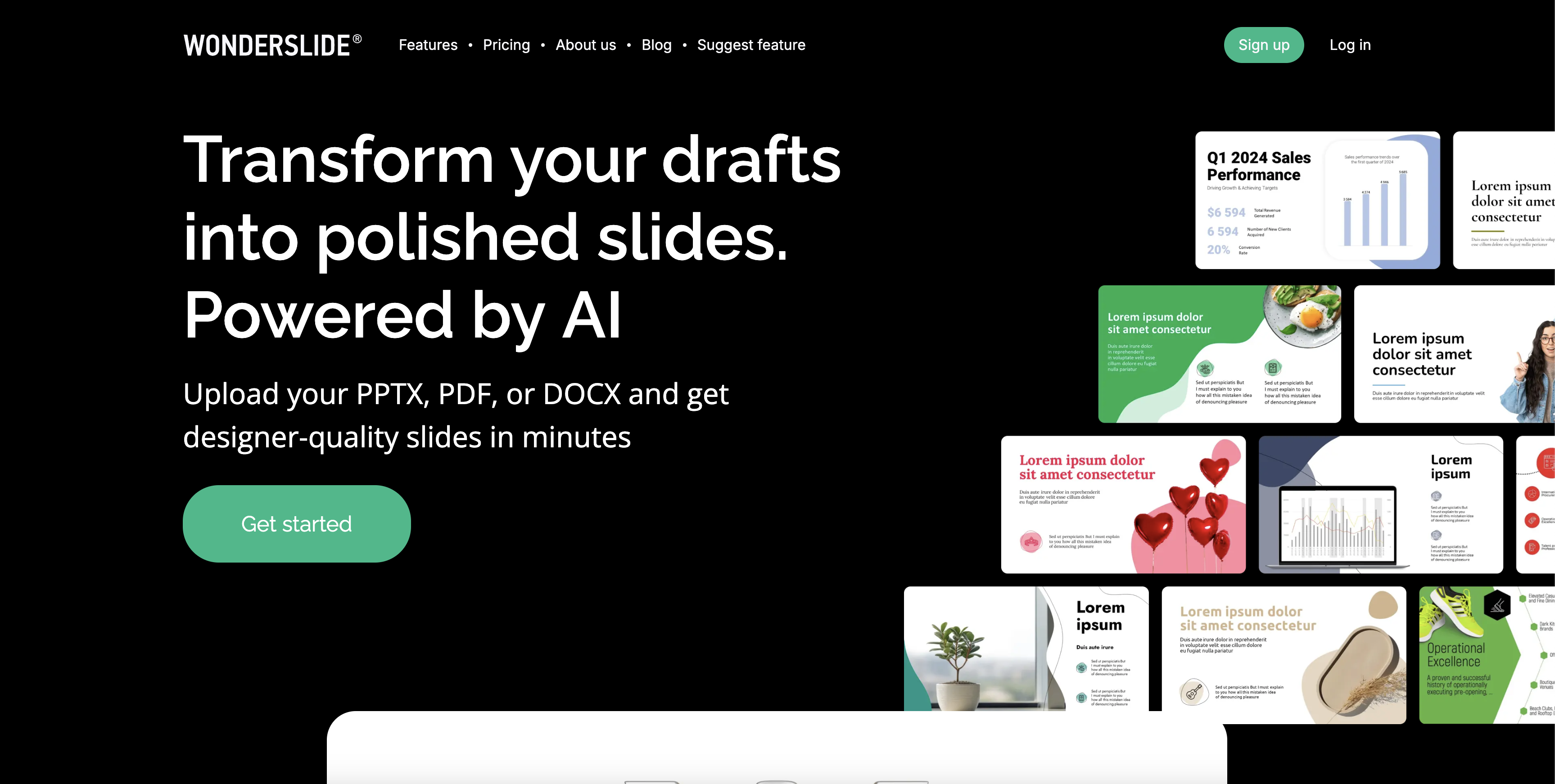
- Transform draft slides into professionally designed presentations in seconds using neural network AI design
- Apply complete design or color scheme changes with one click through automated AI adjustments
- Maintain perfect brand consistency across all slides with custom colors, fonts, and company logo placement
- Eliminate manual formatting work with automatic element alignment and arrangement for every slide
- Seamlessly continue editing in PowerPoint or Google Slides after AI processing for complete workflow integration
- Scale corporate branding with enterprise features for proprietary libraries, templates, and private accounts
Pros & Cons
Pros
- Fast design process
- User-friendly
- Single-click design changes
- Customization and branding options
- Seamless integration with PowerPoint and Google Slides
- Automatic element alignment
- Time saving
- 7 days free trial
- Unlimited trial drafts
- Flexible pricing plans
- 40% discount on yearly plan
- Enterprise customization available
- Continuous improvement
- Fosters design consistency
- One-click color scheme changes
- Company logo addition
- Aids non-design professionals
- Preview before finalizing
- .pptx export
- Different design styles
- Personal support manager for Enterprise Plan
- Corporate templates for Enterprise Plan
- Branded fonts for Enterprise Plan
- Corporate colors for Enterprise Plan
- Upload limit up to 30 slides
- Future plans for graph improvement
- Future plans for composition enhancement
Cons
- Complex customization options
- No offline functionality
- Only supports .pptx files
- Limited free trial period
- Limited future plans
- Poor handling of tables/charts
- Potential privacy concerns
- No integration with other software
- Limited customer support
- Dependent on user input
Reviews
Rate this tool
Loading reviews...
❓ Frequently Asked Questions
Wonderslide is an AI-powered tool that assists users in creating professional presentations quickly and efficiently. It's a service where users can upload their draft presentations, and through the power of a neural network, the perfect design for the presentation is generated rapidly. This ready-for-download design can be adjusted with a single click for changes to the overall design or color scheme, making the process of creating polished presentations fast and straightforward.
Wonderslide works in a three-step process. First, users upload their draft presentation in .pptx format. They then set their style preferences including colors, fonts, and logos, and choose their preferred design. The AI designer arranges and aligns all the elements and generates a presentation design. Users then review and, if required, can download and further edit the file.
Wonderslide offers several noteworthy features. These include fast presentation design by a neural network-powered AI designer, easy design or color scheme changes with a single click, branding and customization options for a consistent company image across all slides, and friendly interaction with PowerPoint and Google Slides files. Users can edit the finished file if needed.
Wonderslide is most beneficial for professionals from medium and small companies, especially those who need to save time designing presentations and focus on more critical tasks. This includes sales representatives, HR managers, marketing associates, account executives, executive assistants, administrative assistants, and interns.
Yes, Wonderslide allows for customization and branding. Users can choose the color, font, style, and logo that align with their company's brand book. They can add a logo to all slides, setting a consistent tone across their presentations.
Changing the design or color scheme of a slide using Wonderslide is simple. With a single click, users can modify the design or color scheme. The AI designer should take care of all the needed adjustments, therefore eliminating the need for users to go through unnecessary settings.
Wonderslide saves time in creating presentations by automating the design process. After uploading their draft slides, the AI designer quickly finds the perfect design for their presentation. Changes to design or color scheme can be made with a single click and the AI takes care of all necessary adjustments. This eliminates cumbersome manual adjustments and allows users to focus on content.
Wonderslide supports PowerPoint and Google Slides files. Users can upload their draft presentations in these formats for processing by the AI designer.
Wonderslide offers several pricing plans for users. There is a free trial period plan, a yearly plan with discounted pricing, a monthly plan, and an enterprise plan which can be customized according to a company's specific needs.
Yes, Wonderslide offers a trial period of 7 days. During this phase users can process unlimited draft files and preview designs.
Potential improvements being considered for Wonderslide include improved composition for slides with tables, charts, and schemes, and creating impressive graphs and charts from user data.
Yes, Wonderslide offers a 40% discount for its yearly plan. Under this plan, users have access to all features for a full year.
Wonderslide's neural network improves the process of making presentations by quickly processing draft slides to find the perfect design. This technology allows for rapid design generation, easy design or color scheme changes, efficient alignment of all elements, and seamless interaction with PowerPoint and Google Slides files.
Yes, with Wonderslide's customization and branding features, users can integrate their company's logo and colors into their presentations. This allows for a uniform and professional look that aligns with the company's brand identity.
Yes, users can upload draft slides to Wonderslide. The .pptx files are processed by the AI-powered service to generate the final presentation design.
Wonderslide generates a completed design in just a few seconds. It achieves this rapid design process through its AI designer, a neural network that quickly finds the perfect design for user's draft presentations.
Wonderslide is popular among professionals from medium and small companies because it saves substantial time on presentation design, allowing more focus on core tasks. The service offers simplicity, speed, and the ability to generate beautiful presentations without requiring significant time or design skills.
The enterprise plan of Wonderslide offers various functionalities. These include the addition of corporate colors, the ability to build proprietary libraries of images and objects, the addition of branded fonts, private accounts for employees, the capacity to upload corporate templates, a personal support manager, and the ability to create exclusive corporate-styled templates.
Yes, after Wonderslide has processed your presentation, you can further edit the file. The AI designer arranges and aligns all the elements, and returns a file that users can modify if required.
Wonderslide currently does not specifically mention an existing functionality for slide composition with tables, charts, and schemes. However, improvements on this front—including better composition for such slides—are being considered for future updates.
Pricing
Pricing model
Freemium
Paid options from
Free tier available
Billing frequency
Monthly
Related Videos
How to prepare perfect draft for Wonderslide? Videoguide
Wonderslide•21.6K views•Mar 18, 2024