
Overview
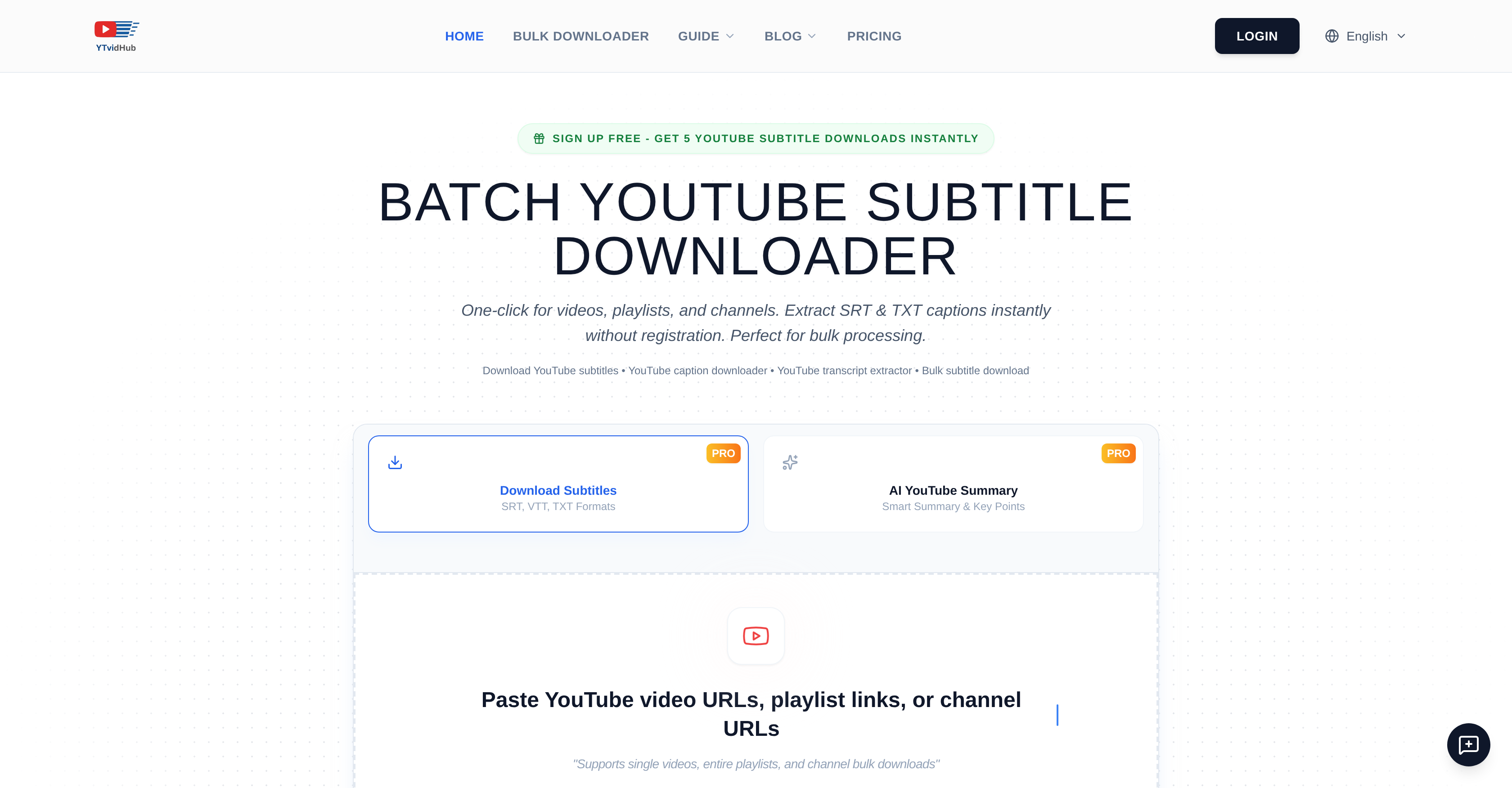
- Build high-volume AI training corpora in seconds with bulk downloads from entire channels and playlists, delivering clean text stripped of timestamps and formatting noise.
- Export perfectly formatted SRT or VTT files for video editing and web players directly from any YouTube video, playlist, or channel link.
- Process an entire content library at once, converting hours of manual subtitle extraction into a single, automated batch download operation.
- Access subtitles in any available language, including auto-generated captions, for global research and content localization projects.
- Start immediately without logins or installations, using free daily credits to test the quality of the subtitle extraction and data-prep output.
Pros & Cons
Pros
- Batch download option
- Multiple subtitle formats
- Adaptive output
- Supports auto-generated subtitles
- No installation required
- Bulk processing capabilities
- Language versatility
- Data-prep function
- User-friendly interface
- Free test credits
- Channel-level downloads
- Compliance with YouTube's TOS
- Supports manual and auto captions
- Playlist download capability
- Removes timestamps
- Removes formatting noise
- Personal, research, and educational usage
- One-click downloads
- Strips formatting noise from text
- No login for basic use
- Quick export function
- Suitable for different workflows
- SRT format for video editing
- VTT format for web players
- Can manage an entire content library
- Non-registration instant downloads
- Subtitles from single videos
- Subtitle conversion
- Capable of high-volume processing
- Extracts from individual videos
- Extracts from entire playlists
Cons
- Requires registration for advanced features
- Limited free test credits
- Doesn't handle non-YouTube sources
- Pricing details not openly available
- Doesn't provide translation functionality
- Unable to edit subtitles
- No mobile app available
- Unclear bulk download restrictions
Reviews
Rate this tool
Loading reviews...
❓ Frequently Asked Questions
The main purpose of YTVidHub is to serve as a web-based tool for extracting subtitles from YouTube content. It can batch download subtitles from YouTube channels and playlists with a single click, making it crucial for various use-cases, from AI research compiling broad training corpora to content creators needing caption data.
YTVidHub benefits AI researchers by providing a robust source of high-volume, consistent training corpora. Researchers can extract time-stripped and noise-reduced text ideal for AI training and text analysis. They can also bulk download YouTube text data, transforming hours of manual work into seconds.
Yes, YTVidHub is capable of extracting subtitles from entire YouTube channels.
Yes, YTVidHub supports video and playlist-level downloads. It can batch download subtitles from single videos to entire playlists and channels.
YTVidHub can export captions in .SRT, .TXT, and .VTT formats.
The data-prep function of YTVidHub aids modeling activities by providing users with text stripped of timestamps and formatting noise. It ensures the text data is ready for ingestion into models without additional cleaning or preprocessing.
Yes, YTVidHub can handle bulk processing. It can convert hours of manual work into seconds by bulk downloading and processing subtitles from YouTube videos, playlists, and channels.
YTVidHub requires no installation for basic use. However, a login is not required for basic use but is necessary for accessing more advanced features.
Users who need access to advanced features like higher volume downloads, should register on YTVidHub.
YTVidHub supports subtitles download in any language available on the YouTube video, including auto-generated captions and manually uploaded subtitles.
Yes, there is a limit on the number of subtitles that can be downloaded daily. Free users are allocated a certain number of daily downloads.
Yes, YTVidHub supports batch downloads of subtitles. With one click, users can download subtitles from an entire YouTube playlist or channel.
YTVidHub opines that all downloads should align with YouTube's terms of service and copyright laws. The tool emphasizes that the downloads should be for personal use, research, accessibility, or educational purposes, upholding legality and respect for copyrights.
Yes, YTVidHub has the functionality to strip timestamps and formatting noise from text with its data-prep function.
Yes, YTVidHub can adapt the output to cater to the unique needs and workflows of its users. Whether the need is for timed captions for video editing, VTT for web players, or plain TXT for AI training and text analysis, YTVidHub can provide the suitable format.
Yes, YTVidHub is capable of downloading auto-generated captions from YouTube.
Yes, YTVidHub can provide plain TXT files perfect for AI training and text analysis.
To export data from YTVidHub, first, paste YouTube video or playlist URLs or upload a .txt file for bulk processing. The tool's AI engine extracts subtitles and generates summaries instantly. The data can then be downloaded in the necessary format like SRT, VTT, or TXT.
Yes, YTVidHub is subscription-based. They do provide a certain number of free daily downloads to test the system, but continued usage is subscription-based.
YTVidHub ensures legality and copyright respect by emphasizing that downloads should be for personal use, research, accessibility, or educational purposes, in accordance with YouTube's terms of service and copyright laws. The tool also displays a clear legal compliance policy on their website outlining these points.
YTVidHub is a web-based tool designed to extract subtitles from YouTube videos, playlists, and channels. It's primarily used to batch download subtitles, supporting both auto-generated captions and manually uploaded subtitles in any language provided on YouTube.
Some of the key features of YTVidHub include bulk downloading of subtitles, adaptive output catering to user needs (timed captions for video editing, VTT for web players, or plain TXT for AI training/text analysis), data-prep functionality stripping text of timestamps/formatting noise for modeling, and volume handling abilities from single videos to entire content libraries.
YTVidHub supports various formats for subtitle exports, including .SRT, .TXT, and .VTT.
No, installation is not required to use YTVidHub. It is a web-based tool and can be accessed directly through a browser.
Basic usage of YTVidHub doesn't require login or registration. However, for advanced features and higher volume downloads, users need to register.
YTVidHub offers daily free downloads for users to test the service quality. However, for frequent use, users are required to subscribe.
Yes, you can download subtitles of any language with YTVidHub, as long as the language is available on the YouTube video, including auto-generated and manually uploaded subtitles.
Yes, YTVidHub is legal to use. However, the service emphasizes that downloads should be for personal use, research, accessibility, or educational purposes in respect to copyright laws.
Yes, YTVidHub complies with YouTube's terms of service and copyright laws. It underlines that downloads should be used for personal use, research, accessibility, or educational purposes.
YTVidHub provides free users with 5 daily credits for subtitle downloads. However, Pro members have unlimited bulk downloads for larger projects and commercial use.
Yes, YTVidHub can assist in AI model training. It provides plain TXT data ideal for this purpose as part of its adaptive output.
YTVidHub's data-prep feature is designed to provide users with text stripped of timestamps and formatting noise, perfectly suited for modeling activities.
YTVidHub handles bulk processing by allowing users to input links from either single videos or entire libraries. It uses an intelligent system to parse, process, and prepare everything, turning hours of manual work into seconds.
Yes, you can use YTVidHub for text analyses. The tool's ability to batch download subtitles in plain TXT format allows users to use the data obtained for different kinds of text analyses.
YTVidHub is compatible with various subtitle formats, including .SRT, .TXT, and .VTT.
YTVidHub's interface is user-friendly, focusing solely on making the process from link input to data export as effortless as possible.
Yes, YTVidHub does have the capability to convert subtitles into different formats, catering to different user needs, including .SRT, .TXT, and .VTT.
To start using YTVidHub, you simply need to visit the website. For basic usage, no login is required. You input YouTube links and allow the tool to extract subtitles. For advanced features, registration is required.
Advanced features available through registration include higher volume downloads. Registered users also have the benefit of unlimited bulk downloads for large projects and commercial use.
Pricing
Pricing model
Free Trial
Paid options from
$5
Billing frequency
One-time
Related Videos
FREE Bulk YouTube Subtitle Downloader Tutorial (5 Credits Daily) | YTVidHub Guide
YTVidHub•8 views•Oct 18, 2025