
AI Video Summarizer.io
Overview
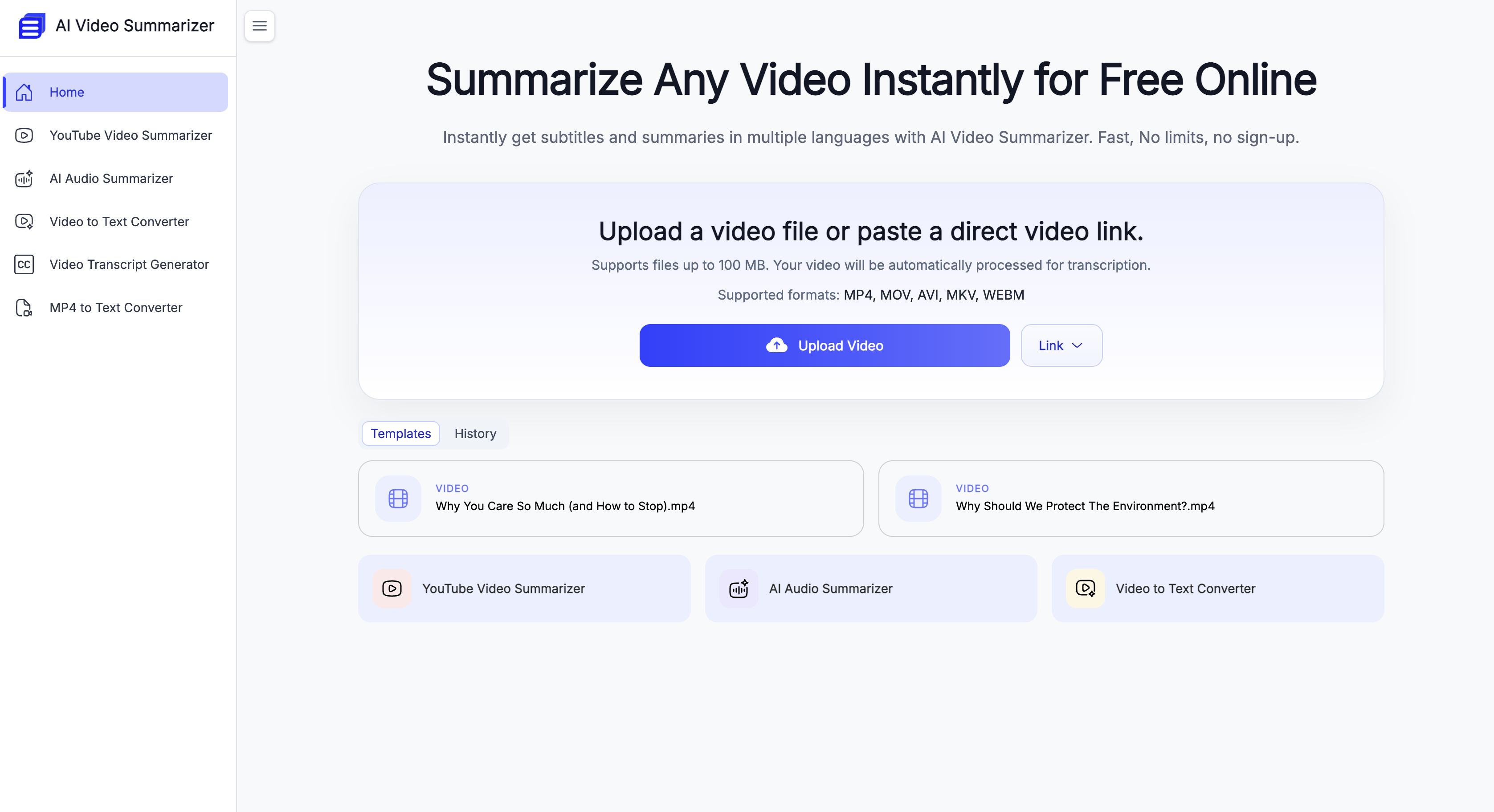
- Grasp hours of video content in seconds with AI-generated summaries and full transcripts, powered by models claiming 99.8% accuracy.
- Reach a global audience by generating subtitles and translating summaries into over 100 supported languages.
- Enhance learning and retention by converting any video summary into a structured, hierarchical mind map for visual organization.
- Adapt summaries to specific content types like finance or courses using nine different, optimized video summary templates.
- Process videos immediately without barriers, as the tool is completely free and requires no account registration or sign-up.
Pros & Cons
Pros
- Supports various video formats
- Works with long videos
- Supports over hundred languages
- Produces summaries in templates
- Converts summaries into mind maps
- Condenses Zoom meeting recordings
- Summarizes instructional videos
- Summarizes YouTube links
- Creates full transcripts
- Subtitling in multiple languages
- Free usage
- No sign up required
- Works on large video files
- Fast summarizing process
- Allows further summarization
- Allows direct copying
- Customizable summarization templates
- Max 1GB video support
- Multiple summary dimensions
- Highly accurate summarization
- Subtitles, chapters generated
- Support for YouTube videos
- Support for multi-speaker scenarios
Cons
- Limited to 1GB videos
- May not support niche languages
- No offline functionality
- Could have privacy issues
- Summary accuracy varies
- Incorrect subtitle generation
- Limited template options
- No native app available
- Potential video upload issues
- No specified security features
Reviews
Rate this tool
Loading reviews...
❓ Frequently Asked Questions
AI Video Summarizer is an online tool which transforms videos into text summaries. It does this by extracting the key points and presenting them as insights. This tool further stands out by its capability to work with long videos and varying formats such as MP4, MOV, AVI and more. AI Video Summarizer also offers the option of translating these summaries into over a hundred different languages.
The summarization process by AI Video Summarizer is highly accurate and reliable. It utilizes robust AI models to ensure a high level of accuracy, with a claim of 99.8% summary accuracy.
AI Video Summarizer supports various video formats including MP4, MOV, AVI, MKV, and WEBM.
AI Video Summarizer translates video content by first transcribing the video into text, and then summarizing that text into a concise outline. This can be done in any of the 100+ languages that the tool supports.
No, there is no sign-up process to use AI Video Summarizer. It is available for use without the requirement for user registration.
AI Video Summarizer aids YouTube creators by providing them with full transcripts and subtitles in multiple languages for their videos. This assists the creators in reaching a wider international audience.
AI Video Summarizer offers nine different video summary templates. Each of these templates is optimized for different types of video content such as financial analysis for finance videos and theoretical explanations for course videos.
Yes, AI Video Summarizer can convert text summaries into structured mind maps. This feature enhances understanding and boosts productivity levels by presenting information in a comprehensive and organized fashion.
Despite the duration of the video, AI Video Summarizer typically takes just a few seconds to provide a full transcript and comprehensive video summary.
Common usage scenarios for AI Video Summarizer include summarizing Zoom meeting recordings, instructional videos, YouTube links and all into clear structured summary notes. It provides key points and timestamps which make it an effective tool for context recap.
Yes, AI Video Summarizer is useful for language translation. Other than offering summarization, it also supports translation into over 100 languages.
Yes, in addition to providing concise summaries, AI Video Summarizer provides full transcripts of videos. This feature makes it a comprehensive solution for video content digestion.
AI Video Summarizer effectively manages content from long videos by accurately extracting key points and transforming it into clear, concise outlines. This ensures that crucial information is not missed and manual verification is minimized or eliminated.
No, there is no charge to use AI Video Summarizer. It is a free tool.
AI Video Summarizer is useful for studying and improving productivity by converting complex or tedious video content into well-structured hierarchical mind maps. These mind maps simplify understanding, retention, and analysis of information.
AI Video Summarizer supports a maximum video file size of up to 1GB.
To convert a video into a structured summary with AI Video Summarizer, you simply need to upload the video file. In a few seconds, you receive a complete transcript and a detailed video summary, which can also be transformed into a mind map for enhanced understanding.
AI Video Summarizer supports over 100 languages. These languages can be used for both summarization and translation purposes.
AI Video Summarizer manages different types of video content with its distinguishable summary templates. Each template is optimized for a specific type of video content ranging from financial analysis to course materials and more, aiding effective summarization and organization.
Yes, AI Video Summarizer can provide subtitles in multiple languages. This along with full transcripts enables wider audience reach and improved content accessibility.
AI Video Summarizer can handle video files up to 1GB in size.
AI Video Summarizer usually takes a few seconds to summarize a video, even for longer videos that span several hours.
Yes, AI Video Summarizer translates videos into several languages. It supports over a hundred languages, allowing users to choose their preferred language for the summary.
Yes, AI Video Summarizer supports multiple video formats including MP4, MOV, AVI, MKV, and WEBM.
AI Video Summarizer benefits Youtube creators by providing full transcripts and subtitles in multiple languages, thereby enabling them to reach a wider audience.
Yes, AI Video Summarizer can summarize videos into structured mind maps, enhancing the user's understanding and productivity.
Yes, users can directly copy or further summarize the outputs generated by AI Video Summarizer.
AI Video Summarizer caters to various types of video content including Zoom meeting recordings, instructional videos, and YouTube videos.
Yes, AI Video Summarizer generates full transcripts, subtitles, and chapters for every processed video.
No, users do not need to create an account to use AI Video Summarizer.
Yes, AI Video Summarizer offers different summary templates optimized for various types of video content.
Yes, AI Video Summarizer tool is free to use and requires no sign-up.
The summarization provided by AI Video Summarizer is highly accurate even with long videos. This accuracy is backed by the latest AI models used by AI Video Summarizer
AI Video Summarizer processes the video by first converting the video to text and then summarizing the text content to extract the key insights.
AI Video Summarizer improves understanding and productivity by not only summarizing the video content into text but also by presenting the summary in structured mind maps.
Yes, AI Video Summarizer can be used to create subtitles in different languages for videos.
Yes, AI Video Summarizer is capable of handling multi-speaker scenarios in videos effectively.
Yes, AI Video Summarizer supports over a hundred languages and allows users to select the language they want the video to be summarized in.
Yes, AI Video Summarizer can generate detailed summaries of long videos, regardless of their duration.
To use AI Video Summarizer, you first upload your video (keeping the file size under 1GB), click to start, and in a few seconds, you'll get both the transcript and summary.
Pricing
Pricing model
Free
Paid options from
Free