
AI Watermark Remover
Overview
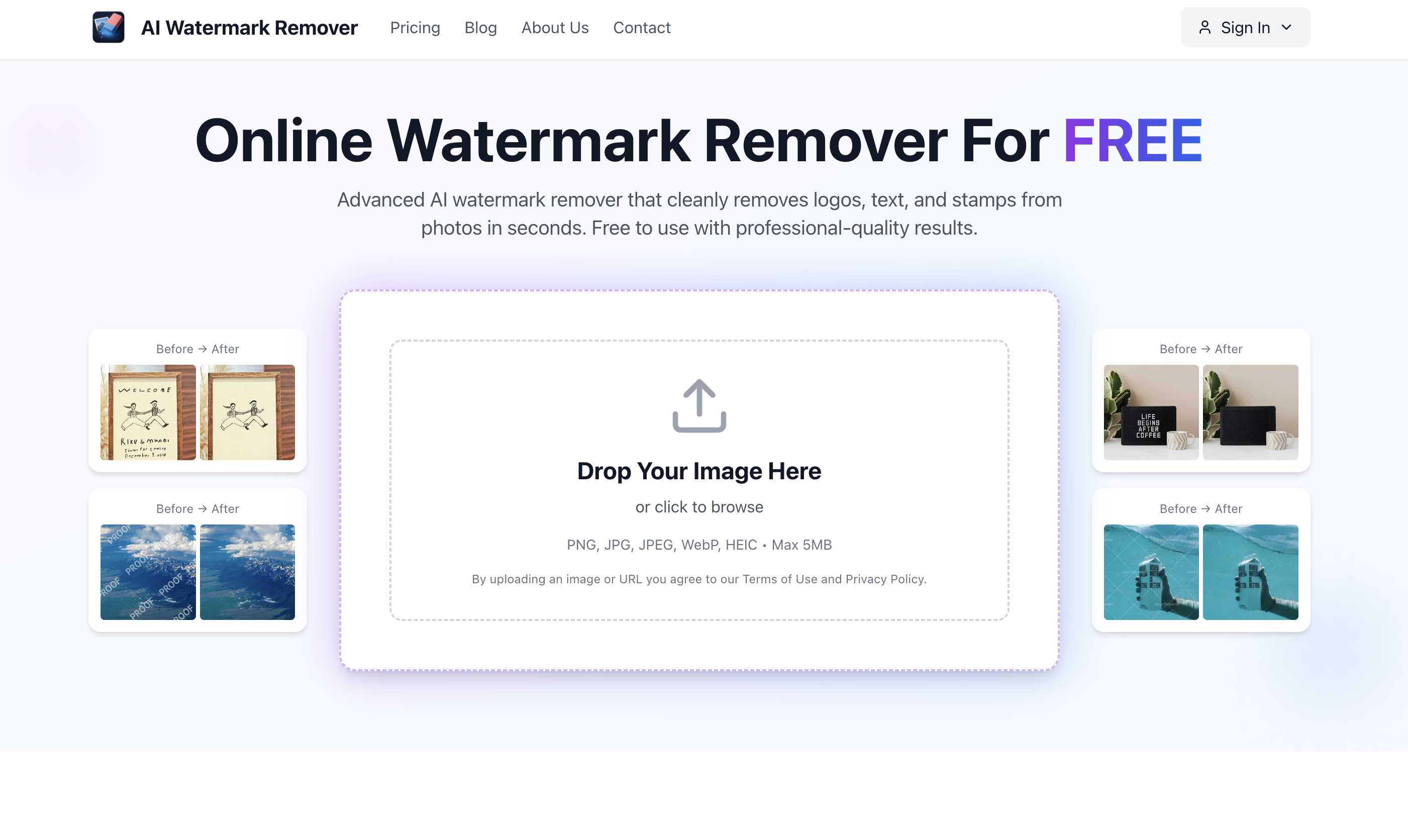
- Get perfectly clean images for presentations and portfolios by automatically removing watermarks and logos while preserving original resolution and details
- Prepare professional e-commerce product photos instantly by erasing distracting text overlays and stamps without manual selection
- Process sensitive images with complete privacy through automated AI processing that deletes your files immediately after completion
- Access professional-grade editing anywhere through dedicated mobile apps that deliver the same high-quality results on iOS and Android
- Start removing watermarks immediately without creating accounts or payment requirements through completely free, instant access
Pros & Cons
Pros
- High-quality removal
- Retains original image resolution
- Retains image colors
- Retains image details
- Automatic watermark identification
- Automatic text overlay identification
- No manual selection required
- Drag and drop interface
- Fast processing time
- Free to use
- No signup required
- No credit card details required
- Secure processing
- Private image deletion after processing
- Mobile apps available
- IOS and Android compatibility
- Can use on-the-go
- Suitable for personal use
- Suitable for professional use
- Logo removal
- Text removal
- Stamp removal
- Prepares images for presentations
- Prepares images for e-commerce
- Advises on legal considerations
- No loss of image details
- Quick download time
- Removes dates from old photos
- User-friendly interface
- High performance tool
- Privacy prioritized
- Preserves original image quality
- Fast results delivery
- Allows multiple removal
- User reviews available
- Image gallery accessible
- User support provided
- Multiple tools available
- Refund policy available
- Automatic watermark detection and removal
- Can remove stickers
- Can remove signatures
Cons
- No batch processing
- No API
- No paid plans
- Limited to 5MB
- Excludes HEIF format
- Potential legal issues
- Free version limitations
- Automated removal only
- No desktop app
- Relies on cloud processing
Reviews
Rate this tool
Loading reviews...
❓ Frequently Asked Questions
AI Watermark Remover works by using advanced AI technology to automatically identify watermarks, logos, text, and stamps on images. Users only need to drag and drop their watermarked images onto the platform. The AI processing then takes care of the rest, producing watermark-free images while maintaining the original resolution, colors and details of the image.
Yes, AI Watermark Remover is a free-to-use service. It requires no signup or credit card details.
Yes, AI Watermark Remover has mobile apps for both iOS and Android devices. These apps allow users to remove watermarks from images on the go.
During the removal process, the AI Watermark Remover retains the original image resolution, colors, and fine details. This is done through advanced algorithms that are designed to preserve the quality of the image while removing the unwanted elements.
Yes, the AI Watermark Remover automatically identifies watermarks and text overlays on images. There is no need for users to manually select these elements.
AI Watermark Remover can process images extremely quickly, with watermark-free images often ready for download in just 2-5 seconds.
AI Watermark Remover is capable of removing a variety of watermarks from images. This includes text watermarks, logo watermarks, stamps, and other types of overlays.
Yes, the AI Watermark Remover can be used for professional purposes. It is especially useful for preparing images for client presentations or for e-commerce by removing unwanted logos, text, and stamps from photos.
All images uploaded to AI Watermark Remover are processed privately as part of the commitment to security. The images are then deleted from the system after processing.
Yes, users are advised to be aware of certain legal considerations when using the AI Watermark Remover. They are encouraged to ensure they have the right to modify the images by removing watermarks before proceeding.
No, you do not need to sign up or provide any credit card details to use the AI Watermark Remover. It is freely accessible for use.
The only stated limit for the AI Watermark Remover is a maximum file size of 5MB for images. There doesn't seem to be any specifically mentioned restriction on the resolution of images that can be processed.
AI Watermark Remover handles text overlays by automatically identifying and removing them from the images. It doesn't require users to manually select these overlays.
Yes, the original colors and details of images are retained after the watermark removal process. The AI Watermark Remover is designed to maintain the original image resolution, colors and fine details while getting rid of unwanted elements.
Yes, AI Watermark Remover has mobile apps for both iOS and Android devices, allowing users to remove watermarks from images anywhere, anytime.
Yes, AI Watermark Remover is suitable for e-commerce photo preparation. It can help professionals clean product photos by removing unwanted watermarks, logos, or text.
The information available doesn't specify if AI Watermark Remover processes images in batches. However, it seems to indicate that images are processed individually.
Yes, the AI Watermark Remover is capable of removing logos from images along with other types of watermarks such as text and stamps.
'Free for personal use' suggests that there may be restrictions on the commercial use of images processed with the AI Watermark Remover. Users are also advised on the website to ensure they have the right to modify the images in this way before proceeding.
Privacy is a priority for AI Watermark Remover. The images are processed privately and are deleted after processing. The website also has a privacy policy in place to protect user data.
Pricing
Pricing model
Freemium
Paid options from
$14.99/month
Billing frequency
Monthly
Refund policy
Users can request a refund within 7 days of purchase if usage is within normal limits and all processed images are deleted.