AITextSong.com
Overview
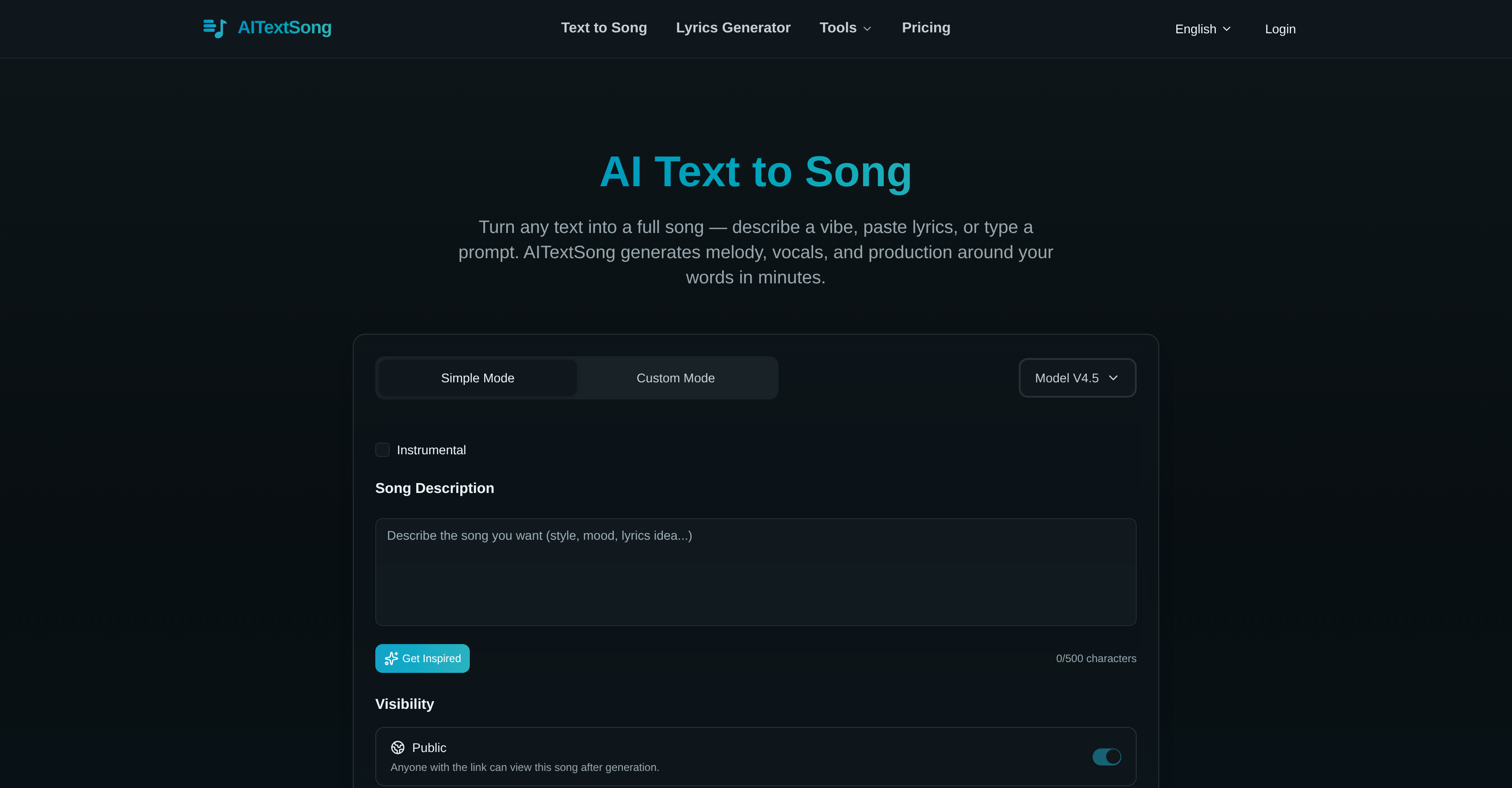
- Transform any text prompt or lyric draft into a complete, professional song with AI-generated vocals, melody, and arrangement in minutes using the Text to Song feature.
- Isolate clean acapella and instrumental tracks for remixing or karaoke instantly with the AI Vocal Remover tool.
- Extend any generated track up to 8 minutes with fitting musical continuations using the track extension tool for full-length compositions.
- Export separate stems like vocals, drums, and bass directly for remixing and rebalancing in your Digital Audio Workstation (DAW).
- Download broadcast-ready MP3 and WAV files for immediate use in YouTube videos, podcasts, sync licensing, or game and film soundtracks.
Pros & Cons
Pros
- Turns text into songs
- Full song production
- Generates story-driven vocals
- Features vocal remover
- Enables song lyrics editing
- Track extension up to 8 minutes
- Can split mix into stems
- Generates high-quality music
- No download or installation needed
- Exports MP3 and WAV files
- Useful for various creative professionals
- Browser-based tool
- Easy arrangement and mix
- Quick music production
- Allows user-written lyrics
- Exports Time-Synced Lyrics
- Generates instrumental tracks
- Stem splitting for easy remixing
- Lyrics and vocals synchronization
- Generates background music for videos
- Creates practice tracks for music lessons
- Generates soundtracks for games
- Creates custom soundtracks for films
- Requires no music experience
- Generates music in various styles
- No music experience required
- Can make instrumental-only songs
- Can strip vocals from songs
- Lets you lengthen tracks
- Supports high-quality audio formats
- Option for commercial rights to songs
- Song extension tool included
- vocal removal tool included
Cons
- No offline use
- Longer tracks require payment
- No bulk export option
- Limited style variations
- Low customization for vocals
- Mix splitting only post-creation
- No frequency spectrum manipulation
- No MIDI output
- No real-time collaboration feature
- Absence of mobile application
Reviews
Rate this tool
Loading reviews...
❓ Frequently Asked Questions
AITextSong is an AI-based platform designed to turn text into complete songs. It allows users to transform text prompts or lyric drafts into full songs with vocals, arrangement, and mix in just a few minutes. The platform can be used by a range of users, including Indie artists, YouTube creators, music teachers, or podcast hosts.
AITextSong converts text into songs by generating melody, vocals, and production based on the input words provided by the user. It can take short prompts and transform them into story-driven vocals or even create a full song out of them.
Yes, AITextSong features a vocal remover. This tool separates vocals from instrumentals swiftly, making it an ideal choice for remixing, sampling, or karaoke use.
Using the extension tool in AITextSong, a generated track can be stretched up to 8 minutes with a fitting continuation.
AITextSong enables the export of professional-grade MP3 and WAV files once the track is ready. These files can be used for release or further production.
Absolutely, AITextSong can be used by YouTube creators and Podcast hosts, among others. They can use this tool to quickly create professional-sounding tracks for a variety of purposes, including for use in their videos and podcasts.
AITextSong's text to song lyrics editing feature allows users to write their own lyrics and render a full song instantly. Each line of the text can be edited and then re-generated while ensuring the vocals and the words stay perfectly aligned.
The vocal remover feature in AITextSong separates vocals from instrumentals, resulting in clean acapella and backing tracks. This feature makes it a useful tool for those involved in remixing, sampling, or karaoke.
No, AITextSong does not require any installations or downloads. It operates directly from the user's browser.
Yes, AITextSong allows users to write their own lyrics. Users can input their lyrics, and the AI will render a full song, keeping the vocals and words perfectly aligned.
Yes, AITextSong provides the functionality to split the generated mix into separate stems. The separate stems such as vocals, drums, and bass can be used for remixing and rebalancing tracks in a Digital Audio Workspace (DAW).
Yes, AITextSong can generate vocals and production based on the user's input words, transforming text prompts or even partial lyric drafts into complete songs.
Yes, AITextSong can generate high-quality music directly from the browser. This eliminates the need for any downloads or installations.
AITextSong offers a broad spectrum of functionalities. It can generate melody, vocals, and production based on the user's input words, turning short prompts into a story-driven vocal or crafting a full-length song.
AITextSong supports the export of professional-grade MP3 and WAV files for release or further production.
The limitations of AITextSong are mainly related to its tiered plans. Free usage only allows generation and listening to songs online. For higher generation volume, MP3 and WAV downloads, privacy controls, and access to advanced AI models for better quality output, users need to opt for a paid plan.
The vocal remover tool of AITextSong operates quickly to isolate vocals from instrumentals, ideal for remixing, sampling, or karaoke use.
Yes, AITextSong is an excellent tool for indie artists as it enables them to create high-quality music quickly. It allows them to focus more on their creative process.
The extension tool of AITextSong can stretch any generated track up to 8 minutes, providing a fitting continuation and making the platform versatile for users who want a longer duration for their songs.
To use AITextSong for remixing and rebalancing tracks in a Digital Audio Workspace (DAW), one can take advantage of the Stem Splitter feature. This feature allows users to split the mix into separate stems such as vocals, drums, and bass, which can be downloaded and then used for remixing and rebalancing in a DAW.
AITextSong is an AI-based platform designed to generate complete songs from text prompts or partial lyric drafts in just a few minutes. It creates melodies, vocals, and production based on the user's input words. Besides generating songs, AITextSong offers a suite of features such as a vocal remover, lyrics editing, and a tool to stretch tracks up to 8 minutes. Export capabilities include professional MP3 and WAV files straight from the user's browser.
AITextSong uses advanced AI algorithms to interpret the emotional and thematic elements of the provided text and generates fitting melodies and vocals. It employs natural language processing and machine learning that can understand the context and mood of the input words, thereby creating a song that accurately reflects the user's intent.
Yes, AITextSong has the capability to create a full song just from your input words. The system will generate melody, lyrics, vocal arrangement, and mix, providing a professionally composed song based on your text.
AITextSong includes several additional features: Vocal remover which isolates vocals from instrumentals; Text to song lyrics editing tool, enabling the user to write and instantly render a full song; Track extension tool that can stretch any generated track up to 8 minutes with fitting continuation. It also offers a Stem Splitter that separates a mix into vocals, drums, bass, and more for further adjustments.
AITextSong's vocal remover feature works through a process of audio source separation. It uses AI algorithms to separate or 'unmix' vocals from an instrumental track. This function can be useful for remixing, sampling, or for karaoke use.
Yes, AITextSong has a Text to Song feature which includes a lyrics editing option. This allows you to not only write your own lyrics, but also to have the AI generate them, instantly rendering a full song from the lyrics added.
AITextSong's track extension feature is designed to lengthen any generated track up to 8 minutes. This helps to create full-length pieces as it intelligently extends the song with fitting continuations. It generates two style variations for each extension to allow users to choose the direction that fits their vision.
AITextSong includes a feature known as 'Stem Splitter' that separates, or 'splits', a single mix into separate instrument stems like vocals, drums, and bass. Splitting the track allows for greater flexibility in remixing, rebalancing, or reusing individual parts of the track in a Digital Audio Workspace.
Yes, AITextSong can produce music directly from a web browser, eliminating the necessity for any downloads or installations. Users just need to input their text prompts, and the AI will generate the music.
AITextSong supports MP3 and WAV formats for exporting generated music tracks. These formats represent a balance between audio quality and file size, and are compatible with most audio playback and editing software.
AITextSong can be utilized by anyone who needs to quickly create professional-sounding tracks. This includes indie artists, YouTube creators, music teachers, podcast hosts, and creative individuals for various purposes like songwriting, background music, soundtracks for games and films, and practice tracks for music lessons.
Yes, AITextSong has a Text to Song feature which enables users to write or edit their song’s lyrics. The resulting song stays in perfect sync with the added or edited lyrics.
Yes, AITextSong can be used to create karaoke tracks. The AI Vocal Remover can isolate clean acapella and backing tracks from any song, making it useful for creating karaoke versions.
Yes, the tracks generated by AITextSong can be used in a Digital Audio Workspace (DAW). The Stem Splitter feature can separate a generated track into individual stems, such as vocals, drums, and bass, making it easier for users to remix or rebalance the track in a DAW.
AITextSong can generate music across a variety of genres. Users can provide input that describes the genre or mood they want the track to have, and the AI will generate a matching song. Sample genres include indie pop, EDM, reggaeton, synthwave, funk, and many others.
AITextSong can transform a short text prompt into story-driven vocals by using machine learning and natural language processing algorithms. The AI interprets the emotional and thematic aspects of the text, generates lyrics that fit the context and then creates a vocal arrangement that enhances the narrative elements in the lyrics.
AITextSong’s text to song mechanism functions by taking a text input from a user, interpreting its emotional and thematic context, and constructing a song around it. The system first generates the lyrics, then applies AI-generated rhythms, harmonies, and melodics to create a cohesive track that aligns with the narrative and sentiment indicated by the input words.
Yes, AITextSong can generate music samples. Regardless of whether the user intends to create a full track or just a brief sample, the system can accommodate their needs. This feature provides flexibility and supports the creative process for those who require quick audio snippets in a range of musical styles.
AITextSong can be used to generate music for games and films. The user simply inputs a description, mood, or scene, and the AI handles all aspects of the song creation. This makes for a rapid and efficient process to create custom soundtracks that perfectly match the emotional tone of different scenes.
Yes, AITextSong can be used to create practice tracks for music lessons. Users, such as music teachers, can specify their requirements—be it a particular mood, style, tempo—and produce a custom practice track quickly and conveniently, making lessons more engaging and fun for students.
Pricing
Pricing model
Freemium
Paid options from
$10/month
Billing frequency
Monthly
Refund policy
Refunds are available only within 24 hours of purchase if your account has generated fewer than 5 complete songs