

Animove AI
Overview
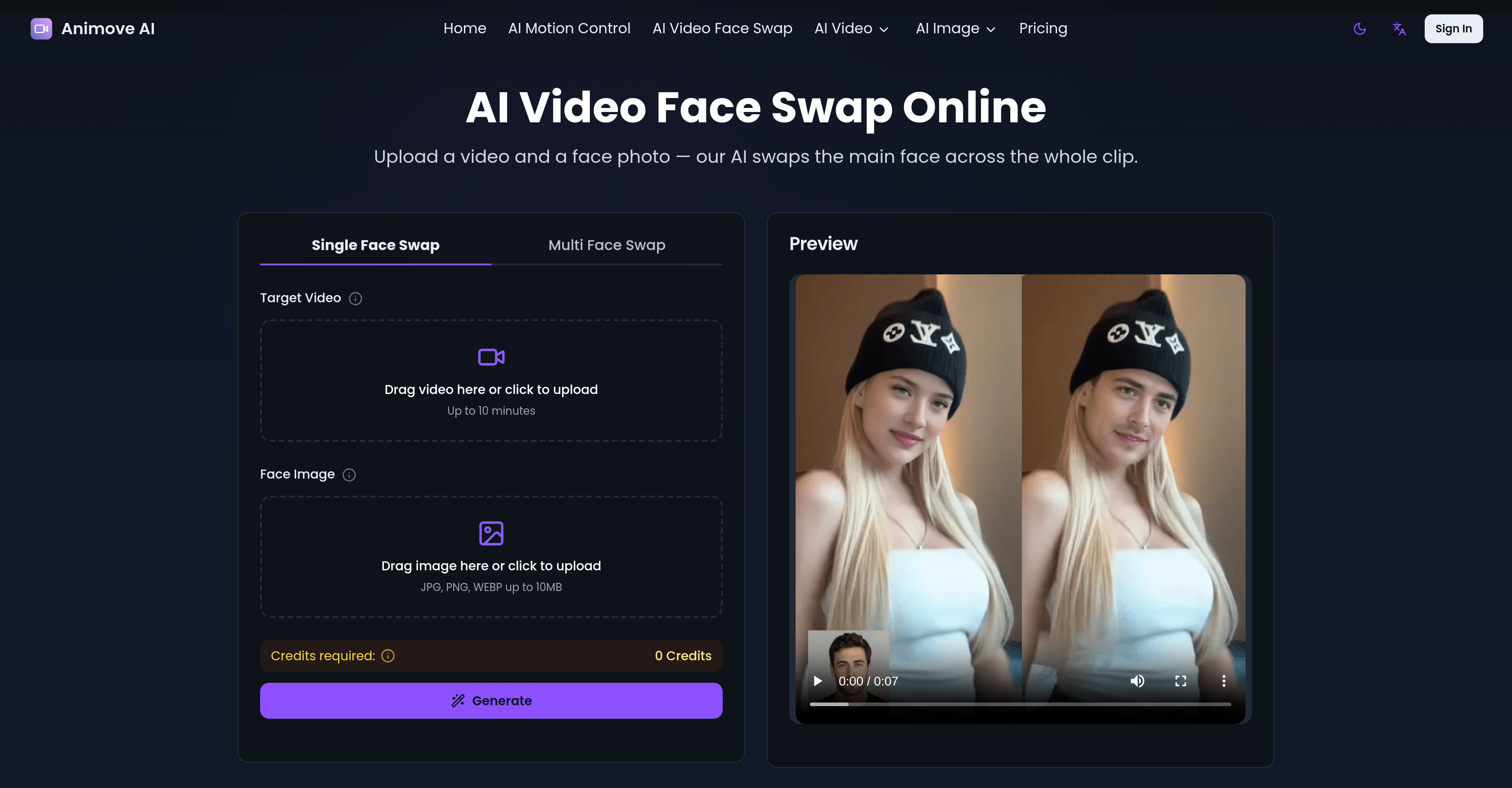
- Produce natural-looking video face swaps that preserve original expressions, head movement, and scene lighting — achieved through AI that matches skin tone, facial angle, and details frame by frame.
- Animate any photo into a lifelike character video by uploading a performer reference — the AI extracts and replicates facial expressions and body movements with precise motion capture.
- Sync lip and teeth movements perfectly with any audio track — the dedicated lip-sync feature delivers natural talking performances for swapped or animated characters.
- Seamlessly integrate swapped faces or animated characters into any video environment — Relighting LoRA applies matching lighting and color tones so the character blends realistically.
- Swap multiple faces simultaneously within a single video — the multi-face swap feature tracks and replaces each subject across every frame for group scenes.
- Create professional-grade character animations without powerful hardware — the entirely online tool requires no installation and handles all tracking, blending, and lighting automatically.
- Deliver high-resolution output ready for commercial use in content creation, marketing, education, or gaming — the AI preserves fine facial detail and frame quality.
- Complete most face swaps in under a minute — the AI processes common video formats directly from the browser with a quick turnaround.
Pros & Cons
Pros
- Character swapping capability
- Animation features
- Reference video facial expression capture
- Detailed performance replication
- Character replacement in videos
- Maintains original lighting and tones
- Perfect lip-sync functionality
- Relighting LoRA for lighting match
- User-friendly process
- High-fidelity character video generation
- Beneficial to various professionals
- Face swapping in any video
- Automatic facial expression conservation
- Skin tone matching
- Single-face and multi-face swap
- Detailed and realistic swaps
- Entirely online functionality
- No installation required
- Hardware independence
- Fast processing and turnaround
- Detailed high resolution outputs
- Support for various applications
- Handles tracking, blending, lighting
- User upload your media
- Ready to share outputs
- Practical for diverse use cases
- Video face swap online
- Seamless new face integration
- Expression and lighting match
- Focused single-face swap
- HD video output
- Runs from any browser
- Powerful models for fast processing
- Automatic tracking, blending, lighting
- Powerful cloud-based processing
- Tips for best results provided
- Versatile real-world applications
- Free credits for testing
- Match lighting, skin tone, movement
- No editing experience required
- Data privacy and security
- Terms and conditions transparency
- Commercial usage allowed
- Frame-specific face replacement
- Compatible with common video formats
- Low learning curve
- Custom avatars and roleplay
- Supports memetic culture
- Adaptable for indie filmmaking
- Educational purposes
- Marketing and branding usage
Cons
- Limited to single-face swap
- Requires high quality media
- Results vary by server load
- Paid users get priority processing
- Potential privacy concerns
- Usage restrictions for commercial projects
Reviews
Rate this tool
Loading reviews...
❓ Frequently Asked Questions
Wan 2.2 Animate model, used by Animove AI, powers the advanced functions of character swapping and animation. This state-of-the-art technology features a Mixture-of-Experts architecture and high-compression video generation that provides exceptional results for character animation and swapping.
Animove AI performs character swapping and animation by leveraging the power of Wan 2.2 Animate model. The AI closely studies performers' facial expressions and movements from reference videos, replicating them on the selected character in a realistic way. This detailed approach enables the creation of lifelike animations or character swapping while maintaining the original performance quality.
Animove AI uses motion and facial expression data for character animation. It extracts this data from the reference video that is uploaded by the user, applies it onto the uploaded character image, and generates high-quality animations.
Animove AI uses an advanced method to make images look like lively characters. From the reference video, the AI captures and replicates the subtle nuances of the performers' facial expressions and movements onto the image character, thereby ensuring the character appears animated and lively.
Animove AI's lip-sync capability offers a perfect synchronization of lip and teeth movements with the accompanying audio tracks. This helps to achieve natural-looking talking performances in the animated or swapped characters.
In Animove AI, the role of Relighting LoRA is environmental and character integration. It helps the character blend seamlessly with the video environment by applying matching lighting and colour tones, thereby enhancing overall realism.
In Animove AI, users can upload images in JPG, PNG, and WEBP formats of up to 10MB for character animation. It also supports the upload of video files of up to 30 seconds as reference videos.
Animove AI extracts and learns motion and expression data through AI processing of the uploaded reference video. It intelligently studies the body movements and facial expressions, and applies this extracted data to the character image to create lifelike character animations.
Professionals like content creators, film and animation studios, game developers, virtual and augmented reality studios, marketing agencies, educators, and social media influencers can benefit from using Animove AI in their respective industries.
Animove AI uses its advanced AI to maintain original performance, lighting, and color tones while performing character swapping. It replaces characters in videos while preserving their original performance and environment attributes. This accurate maintenance of original elements adds an extra layer of realism to the output.
Yes, Animove AI supports photo animation. It can animate given character photos based on performer's video, applying accurate facial expressions and body movements to create highly realistic character videos.
Animove AI has advanced motion capture capabilities. It uses spatially-aligned skeleton signals for body motion and implicit facial features for expression reenactment. This results in high controllability, leading to realistic character animations.
Animove AI integrates a character with the video environment using Relighting LoRA. This function preserves the character appearance while applying appropriate environmental lighting and color tones for a seamless look and feel.
Content creators and marketers can use Animove AI for creating engaging character animations for videos, tutorials, branded content, and entertainment. It facilitates replacement of spokespersons in existing videos, animation of mascots or brand characters, and personalized marketing content creation. Its advanced AI engine ensures high-quality character animation results.
Game developers can use Animove AI for generating character animations and interactive content for games and immersive experiences. The tool's precise motion replication and character consistency makes it ideal for prototyping character behaviors and creating dynamic gaming content.
Yes, Animove AI can be used by VR and AR studios to create realistic character videos. With its precise motion replication and environmental integration capabilities, the tool is ideal for creating lifelike animated characters that can be integrated into virtual and augmented reality scenarios.
Educators can leverage Animove AI to develop interactive learning materials and training videos with animated characters. It enables animation of historical figures, scientific concepts, or training scenarios with realistic facial detail and motion, thereby making educational content more engaging.
Social media influencers can use Animove AI to stand out on platforms like TikTok, Instagram, and YouTube with unique animated content. It can help create viral videos, animated avatars, or influencers can replace themselves in existing content while maintaining their personal style.
For video editing, Animove AI offers various options like character swapping and animation of photos. The edited character can then be integrated into the video while maintaining the original performance, lighting, and color tones.
Yes, Animove AI can correctly match the lighting effects and color tones of original video during character swapping. The Relighting LoRA function in the AI helps in preserving character appearance and applying appropriate environmental lighting and color tones for seamless integration.
Animove AI is a sophisticated animation tool that utilizes the Wan 2.2 Animate model. It offers features for character swapping and animation, transforming images into animated characters by capturing and replicating the performers' facial expressions and movements. Through its advanced capabilities, Animove AI allows for perfect lip-syncing and character integration using lighting and colour tones to match the video environment.
Animove AI's character swapping function works by allowing users to replace characters in videos while maintaining the original performance, lighting, and colour tones. This is achieved by extracting and learning motion and expression data from a reference video. The uploaded character image is animated by Animove AI based on the expressions and movements of the original character.
Animove AI employs the WaN 2.2 Animate model. This advanced AI model is integral to the animation and character swapping features provided by the AI.
Animove AI ensures accurate lip-syncing in videos through its dedicated lip-sync feature. This feature precisely synchronizes lip and teeth movements with audio tracks, resulting in natural talking performances.
Yes, Animove AI can be used for multi-face swaps in videos. It is capable of replacing both single-face and multi-face within a video, making it adaptable and flexible for various use-cases.
A wide range of industries including content creation, film and animation studios, game development, virtual/augmented reality studios, marketing agencies, education, and social media influencers can benefit from using Animove AI.
Animove AI is highly user-friendly, designed with a straightforward process for even inexperienced users. It operates entirely online and requires no installation, and users simply need to upload a character image and reference video. It handles all tracking, blending, and lighting adjustments automatically, offering accessible and efficient use.
The Relighting LoRA feature in Animove AI enhances the realism in animations by applying appropriate lighting and colour tones. This ensures the character's smooth integration into the video environment, adding to the lifelike quality of the animation.
Animove AI extracts motion and expression data from the uploaded video. For the face swapping feature, users upload a video alongside a face image. Animove AI then processes this data to efficiently swap the faces in the video.
In single-face swap, Animove AI locks onto the main subject in the video and replaces that face across every frame. In contrast, the multi-face swap feature allows Animove AI to replace multiple faces within a single video, making it possible to swap faces of several characters or individuals.
Animove AI handles lighting and color adjustments in face swapping through its Relighting LoRA feature. This feature applies matching lighting and colour tones to the swapped face, aligning it with the environment of the video for increased realism.
To ensure the swapped face looks natural and not pasted on, Animove AI meticulously matches the skin tone, facial angle, and details of the original face. It also conserves original facial expressions, head movement, and scene lighting. Thus, the output appears realistic and maintains the integrity of the original performance.
The requirements to use the Animove AI tool are minimal. It is an online-based application that doesn't necessitate any installation or powerful hardware at the user's end. Users simply need to upload a video and a face photo for the face swap capability.
Most videos processed by Animove AI finish in under a minute. The speed can vary depending on the length of the clip and the current server load.
Yes, Animove AI can be used for commercial or professional purposes. It is suitable for a wide range of applications, including content creation, indie filmmaking, marketing, and education.
For the best results with Animove AI, the source video and the face image should be clear and high-resolution. The AI processes common video formats straight from the browser. For the face image, jpg, png, or webp formats are recommended, with a maximum size of 10MB.
Animove AI provides detailed, high-resolution output, preserving fine facial detail and frame quality. The exact resolution will depend on the source materials, but Animove AI ensures a high level of clarity and definition in its rendered videos and animations.
Yes, Animove AI preserves the original facial expressions and head motions in face-swapped videos. The engine keeps the swapped face convincing throughout the entire video by conserving the original expressions, head motion and scene lighting.
Automatic tracking in Animove AI is handled by the AI system, as it locks onto the main subject within the video to perform the face swap. It is able to track the subject across every frame of the video, resulting in a consistent and realistic face swap.
Yes, Animove AI can swap multiple people's faces simultaneously within a video through its multi-face swap feature. This capability adds flexibility and makes it a versatile tool for various applications such as group shots in movies or team games in the gaming industry.
Pricing
Pricing model
Paid
Paid options from
$19.90/month
Billing frequency
Monthly















