Overview
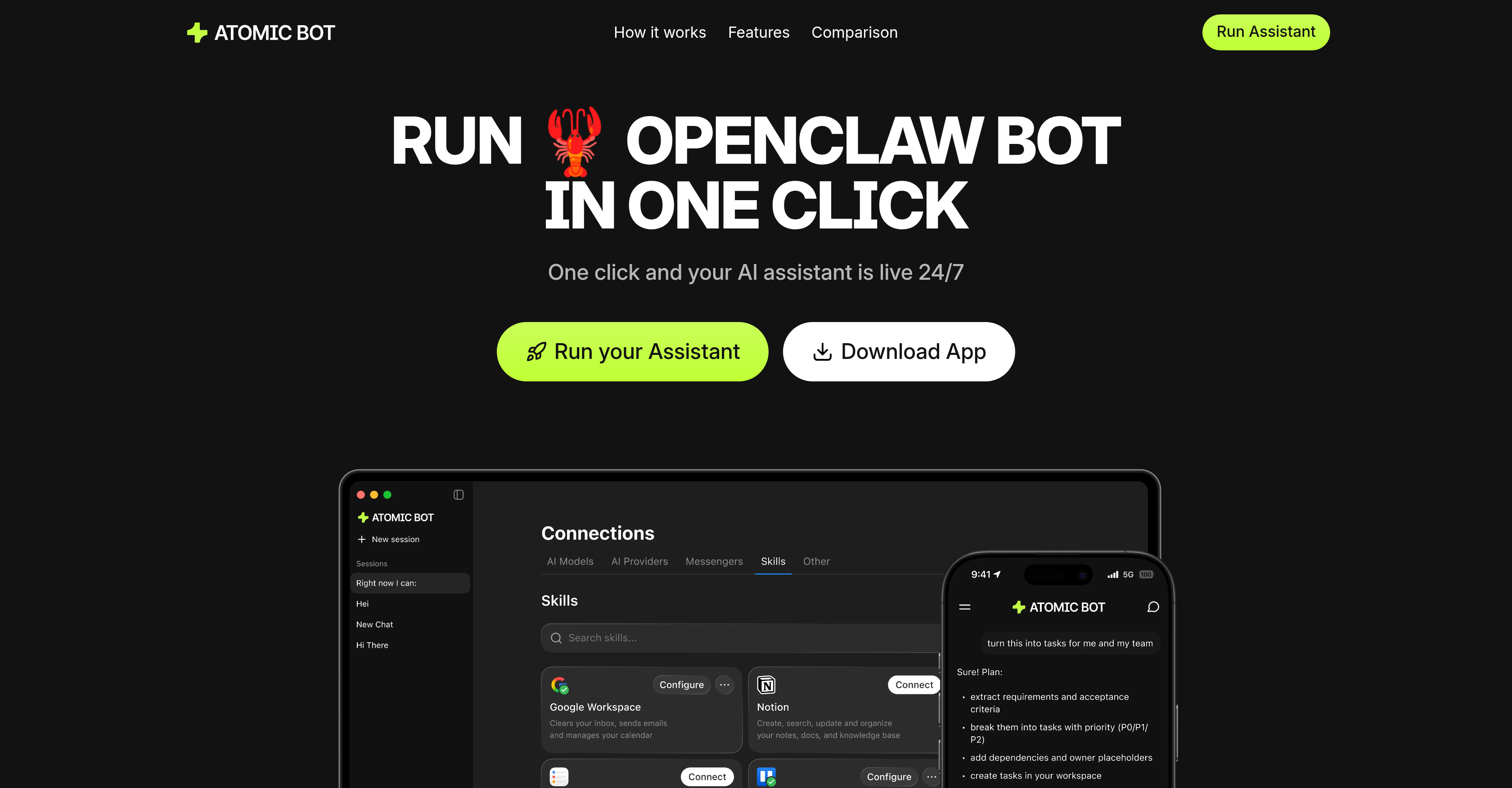
- Regain hours each week by automating inbox management with Gmail integration that drafts replies and clears threads in your tone.
- Never miss a deadline or meeting using calendar integration to schedule events, set reminders, and move appointments in seconds.
- Instantly grasp complex documents through automated summarization that extracts key takeaways and action items from lengthy texts.
- Stay ahead of the competition with daily trend and mention digests that monitor specified topics and competitors across the web.
- Simplify travel planning by having check-ins, confirmations, and itinerary updates handled automatically in one place.
- Execute routine web work without manual effort using browser control to fill forms, click through flows, and collect information via chat.
- Maintain a tidy digital workspace with automated file organization that finds, renames, and sorts downloads to keep folders clean.
- Keep all your sensitive data completely private with a local-first design that runs entirely on your device, ensuring 100% data control.
- Get started instantly without technical skills using a one-click setup and a native, user-friendly chat interface.
- Tailor the assistant to your specific workflow by switching between AI engines like Claude, GPT, or Gemini at any time.
Pros & Cons
Pros
- Single click OpenClaw installation
- User-friendly native interface
- Guided onboarding
- Pre-installed skills
- One-click Google sign-in
- Privacy-first design
- Chat Interaction
- Gmail management
- Calendar management
- Document summarization
- Trend tracking
- Travel assistance
- Web task automation
- File organization
- Repetitive task automation
- Runs on local device
- Data privacy
- Browser control
- Task scheduling
- Connects to 100+ apps
- 700+ personalized skills
- Free to use
- Optional paid plan
- Displays full OpenClaw capabilities
- Human-friendly interface
- Runs in the cloud or locally
- Hybrid setup available
- Docs & PDF reading
- CRM / Leads Assistant
- PDF & Docs Summarizer
- GitHub Helper
- Auto-updates
- Persistent memory
- Fast download and install
- Instant hookup with services
Cons
- Optional terminal use
- App available only on MacOS
- Requires Google Sign-In
- Chat-based interaction only
- No multi-platform support
- Terminal setup required for advanced users
- Free but paid version allowed
Reviews
Rate this tool
Loading reviews...
❓ Frequently Asked Questions
Atomic Bot is a user-friendly native application that brings OpenClaw capabilities to everyday non-technical users. The installation process is as simple as a single click, without the need for knowledge in code or technical terminology. It offers an easy-to-understand interface that allows users to access the same capabilities as a traditional OpenClaw or Clawdbot.
Atomic Bot simplifies the OpenClaw installation process by condensing it into a single click, ensuring non-technical users can easily set up and run this AI assistant. It offers a guided setup, pre-installed skills, and a user-friendly interface to deliver the same capabilities as traditional OpenClaw.
Yes, users primarily interact with Atomic Bot through a chat interface, making it an intuitive and straightforward experience similar to a standard chat conversation.
The key features of Atomic Bot include Gmail management, scheduling and managing calendar events, reading and summarizing long documents, tracking trends and mentions on the internet, providing travel assistance, handling web tasks such as clicking and filling forms, organizing files, and automating repetitive tasks.
Atomic Bot manages your Gmail by clearing threads, drafting replies, and sending follow-up emails — all in your own tone. It essentially takes over your inbox management, allowing you to focus on more important tasks.
Yes, Atomic Bot can indeed schedule and manage calendar events. It can set reminders, schedule meetings, move existing events, and even automate these processes for easier event management.
Atomic Bot is equipped with the capability to read and summarize long documents efficiently. It can convert complex articles or essays into summaries, action items, and key takeaways in a quick and concise manner.
Atomic Bot can track trends, competitors, and mentions, providing daily digests of the information directly to the user. This allows for efficient monitoring and analysis of data relevant to your interests or industry.
Atomic Bot provides travel assistance by handling check-ins, confirmations, and itinerary updates all in one place. This helps save time and reduce travel-related stress by keeping you updated and organized.
Atomic Bot can handle an array of web tasks including completing routine activities such as opening websites, clicking through flows, filling forms, and collecting information — all managed directly from chat.
Atomic Bot organizes your files by finding, renaming, sorting downloads, and keeping the folders clean. It helps declutter your digital workspace and ensures a more productive environment.
Yes, Atomic Bot can automate repetitive tasks, freeing up users' time and energy for matters that require human touch and creative thinking. It handles these tasks efficiently, reducing the risk of errors that may occur with manual processes.
Atomic Bot runs directly on your device. This ensures maximum control over the AI assistant and allows for an increasingly personal and relevant user experience.
Atomic Bot ensures data privacy by operating directly on the user's device, keeping the user's information and files under their control. It operates under a privacy-first design, where the importance of data privacy and user control is the primary focus.
Atomic Bot aims to turn OpenClaw into a personal assistant that actually works by simplifying the installation process and offering a user-friendly interface. It offers an array of features that aid in productivity, such as Gmail management, scheduling and managing calendar events, reading and summarizing long documents, and automating repetitive tasks.
A 'privacy-first' design means that Atomic Bot prioritizes the user's information and context privacy over other aspects. It runs on the user's device, ensuring the data and files stay under their control, and no third party has access without the user's consent.
Yes, Atomic Bot does come with a one-click Google sign-in feature. This makes it easier for users to start using the AI assistant, by allowing them to sign in using their existing Google account.
Atomic Bot's interface is designed to be user-friendly. It provides a native interface that is easy to navigate, making it accessible for non-technical users to set up and operate.
Atomic Bot is designed to help users with automation. It can automate various tasks such as managing Gmail, scheduling calendar events, reading and summarizing long documents, tracking trends, providing travel assistance, handling web tasks such as clicking and filling forms, organizing files, and more.
Atomic Bot handles document summarization by effectively scanning through long documents, identifying key points, facts, and actionable insights, and compiling these into a concise summary. This feature is especially useful for quickly understanding the essence of lengthy texts.
Atomic Bot automates a number of tasks including but not limited to: managing Gmail tasks, scheduling and managing calendar events, summarizing long documents, monitoring trends and competitors, automating routine web tasks like form filling and clicking, organizing files and storing information efficiently.
Yes, Atomic Bot has the ability to manage your Gmail. It can help clear threads, draft replies, and send follow-ups, while maintaining your distinctive tone and communication style.
Yes, Atomic Bot can provide travel assistance. It can handle check-ins, confirmations, and itinerary updates, streamlining all your travel-related updates and actions in one place.
Yes, Atomic Bot can organize files. It has the capability to find, rename, sort downloads, and keep your folders tidy and well-managed.
Atomic Bot anchors its services on a privacy-first design. It operates on the user’s own device, ensuring that the user's data stays local and under their control. This design element allows maximal privacy and control over data by users.
Yes, Atomic Bot is designed to remember user preferences, ongoing tasks, and important details. The more users use it, the more it understands their workflow, enabling a more personalized and efficient experience.
Atomic Bot allows users to select the Artificial Intelligence engine that best suits them. Users can switch between AI engines like Claude, GPT, and Gemini at any time, enabling flexibility in handling different workflows.
Atomic Bot differs from traditional OpenClaw through its user-friendly native interface that offers the same capabilities but in a simpler and more accessible way. It requires a one-click setup as opposed to the manual configuration required by traditional OpenClaw.
Atomic Bot is designed to enhance its utility with continued use by remembering user preferences, ongoing tasks, and important details. The more a user interacts with Atomic Bot, the more it understands the user’s workflow, thereby improving its service delivery.
Atomic Bot controls browsers to complete routine web tasks by opening websites, clicking through flows, filling forms, and collecting—directly from the chat.
Yes, Atomic Bot operates on the user's device. This ensures that the user's data stays under their control, maximizing privacy.
By 'privacy-first' design, Atomic Bot ensures that the user's data remains on their device, minimizing exposure and risk of breach. The user maintains full control over their data at all times.
Atomic Bot can handle scheduling and managing calendar events by setting up meetings, moving events, and setting reminders within seconds, providing a seamless calendar management experience.
Yes, Atomic Bot has the capability to track trends, competitors, and mentions and provide daily digests, keeping users updated with important occurrences and insights.
Atomic Bot provides a user-friendly native interface that simplifies the installation and operation process for non-technical users. It also offers a terminal for advanced users, giving a balance between simplicity for non-technical users and control for technical users.
Atomic Bot handles web task automation by controlling browsers to complete routine web tasks like filling forms, clicking through flows, submitting, and even collecting information—directly from the chat.
Yes, with Atomic Bot, users have control over their competitor analysis. They can set Atomic Bot to monitor specified competitors, track trends, and keep them informed with the latest updates and insights.
Pricing
Pricing model
Freemium
Paid options from
$25/month
Billing frequency
Monthly
Refund policy
30 Day moneyback