
Audio To Text Converter
Overview
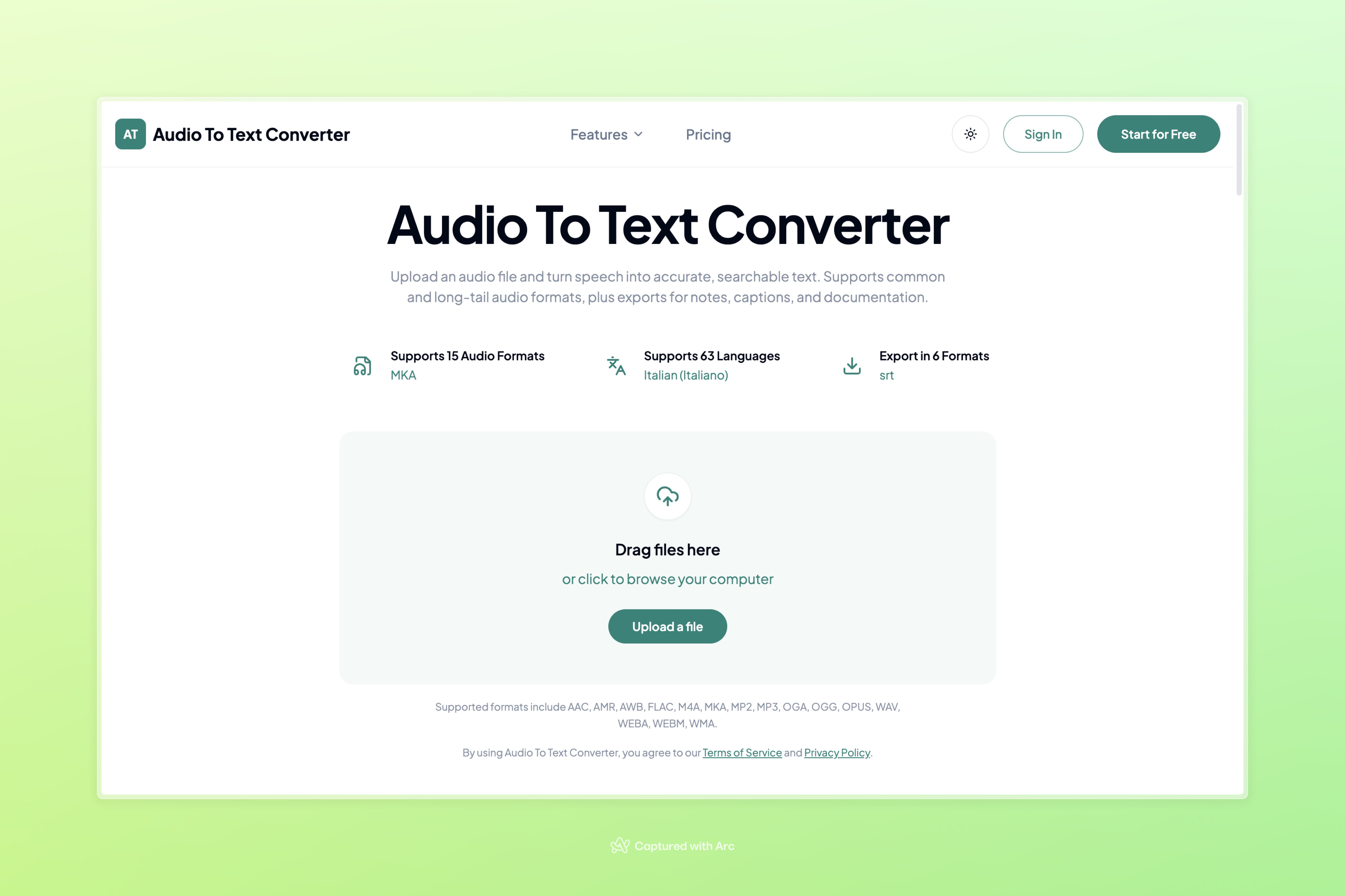
- Get accurate, searchable transcripts from any audio file—including long-tail formats like AMR, AWB, and WEBM—with AI-powered speech recognition.
- Export finished transcripts directly as TXT, PDF, DOCX, SRT, VTT, or CSV to match your workflow, whether for notes, documentation, or captions.
- Turn spoken content into subtitles or closed captions instantly by exporting in SRT or VTT format, saving hours of manual syncing.
- Work across 63 languages without switching tools, converting multilingual audio into readable text for global teams or audiences.
- Upload once and download in the format you need—no re-recording, re-typing, or format conversions required.
- Handle rare or niche audio file types (AAC, AMR, AWB, FLAC, M4A, MKA, MP2, MP3, OGA, OGG, OPUS, TS, WAV, WEBA, WEBM, WMA, WMV) without searching for specialized converters.
- Start transcribing immediately with a free upload option, scaling up with larger workloads and longer recordings when your needs grow.
Pros & Cons
Pros
- Supports common audio formats
- Supports long-tail audio formats
- Exports transcriptions in TXT
- Exports transcriptions in PDF
- Exports transcriptions in DOCX
- Exports transcriptions in SRT
- Exports transcriptions in VTT
- Exports transcriptions in CSV
- Speech-to-text conversion
- Supports a variety of uses
- Supports multiple languages
- User-friendly upload and download
- Agreeable terms of service
- Strong privacy policies
- Voice notes transcription
- Suitable for various audio requirements
- Supports AAC, AMR, AWB, WEBM, WMA audio formats
- Simple process to convert
- Informative page description
- Wide range of audio file support
- Allows users to choose export format
- Straightforward three-step process
- Transcription of FLAC, M4A, MKA, MP2, MP3, OGA, OGG, OPUS, WAV, WEBA, WEBM
- AAC to Text feature
- AMR to Text feature
- AWB to Text feature
- FLAC to Text feature
- M4A to Text feature
- MKA to Text feature
- MP2 to Text feature
- MP3 to Text feature
- OGA to Text feature
- OGG to Text feature
- OPUS to Text feature
- WAV to Text feature
- WEBA to Text feature
- WEBM to Text feature
- WMA to Text feature
- Subtitle generation feature
- Caption generation feature
- Allows audio uploads for transcription
- Transcription functionality for interviews, lectures, voice memos, meetings
- Summary and Mind Map generation
- Supports export for caption workflows
- Free to start with upgrade options
- Can handle large files
- Audio file upload from device
- User-friendly format conversion
Cons
- Lacks real-time transcription
- No offline functionality
- Limited language support
- Not open-source
- No voice recognition personalization
- No API for integration
- May have privacy concerns
- Terms of service agreement required
- Possible accuracy issues
- Doesn't specify transcription speed
Reviews
Rate this tool
Loading reviews...
❓ Frequently Asked Questions
Audio To Text Converter supports a wide range of audio formats including AAC, AMR, AWB, FLAC, M4A, MKA, MP2, MP3, OGA, OGG, OPUS, TS, WAV, WEBA, WEBM, WMA, WMV among others.
The transcription process of Audio To Text Converter is extremely proficient due to its AI capabilities, converting spoken words into accurate, searchable text. However, the exact level of accuracy is not specified on their website.
Audio To Text Converter allows you to export the transcriptions in several formats such as TXT, PDF, DOCX, SRT, VTT, and CSV.
Yes, Audio To Text Converter does support AI transcription. By leveraging artificial intelligence, it allows users to convert spoken words into readable text effortlessly.
AI transcription in Audio To Text Converter works by converting uploaded audio files into readable, searchable text. The AI-powered tool uses speech recognition technology to transcribe the spoken words from audio files.
Yes, you can use Audio To Text Converter for a wide variety of audio formats, including both common and long-tail ones.
To upload an audio file in Audio To Text Converter, simply go to the platform, click the option to 'Upload a file' and choose the desired audio file from your device.
You can download your transcript from Audio To Text Converter in several formats such as TXT, PDF, DOCX, SRT, VTT, and CSV.
The terms of service for Audio To Text Converter are not detailed on the provided information. By using the platform, users agree to the platform's Terms of Service.
Regarding data privacy, users of Audio To Text Converter must agree to their Privacy Policy, although details about how it ensures user's data privacy are not disclosed.
Yes, the transcriptions from Audio To Text Converter can be exported in subtitle formats like SRT and VTT, which makes them suitable for creating subtitles or captions.
Yes, Audio To Text Converter facilitates easy conversion of speech into searchable text. This is done through its AI-powered transcription capabilities.
Yes, you can use Audio To Text Converter for long-tail audio formats. It supports a comprehensive range of audio formats.
Their website mentions the support for Natural Language Processing in their list of capabilities, showing Audio To Text Converter's advanced speak recognition faculties.
Audio To Text Converter supports transcription in 63 languages, including Afrikaans.
Audio To Text Converter offers to start for free, implying that a free trial could be available. However, the exact details of such a free trial are not specified.
The exact pricing plans for Audio To Text Converter are not disclosed on their website. However, there is a mention to upgrade when users need larger workloads, longer recordings, or more monthly transcription minutes.
Pricing
Pricing model
Freemium
Paid options from
$10/month
Billing frequency
Monthly
Refund policy
View Policy