
Overview
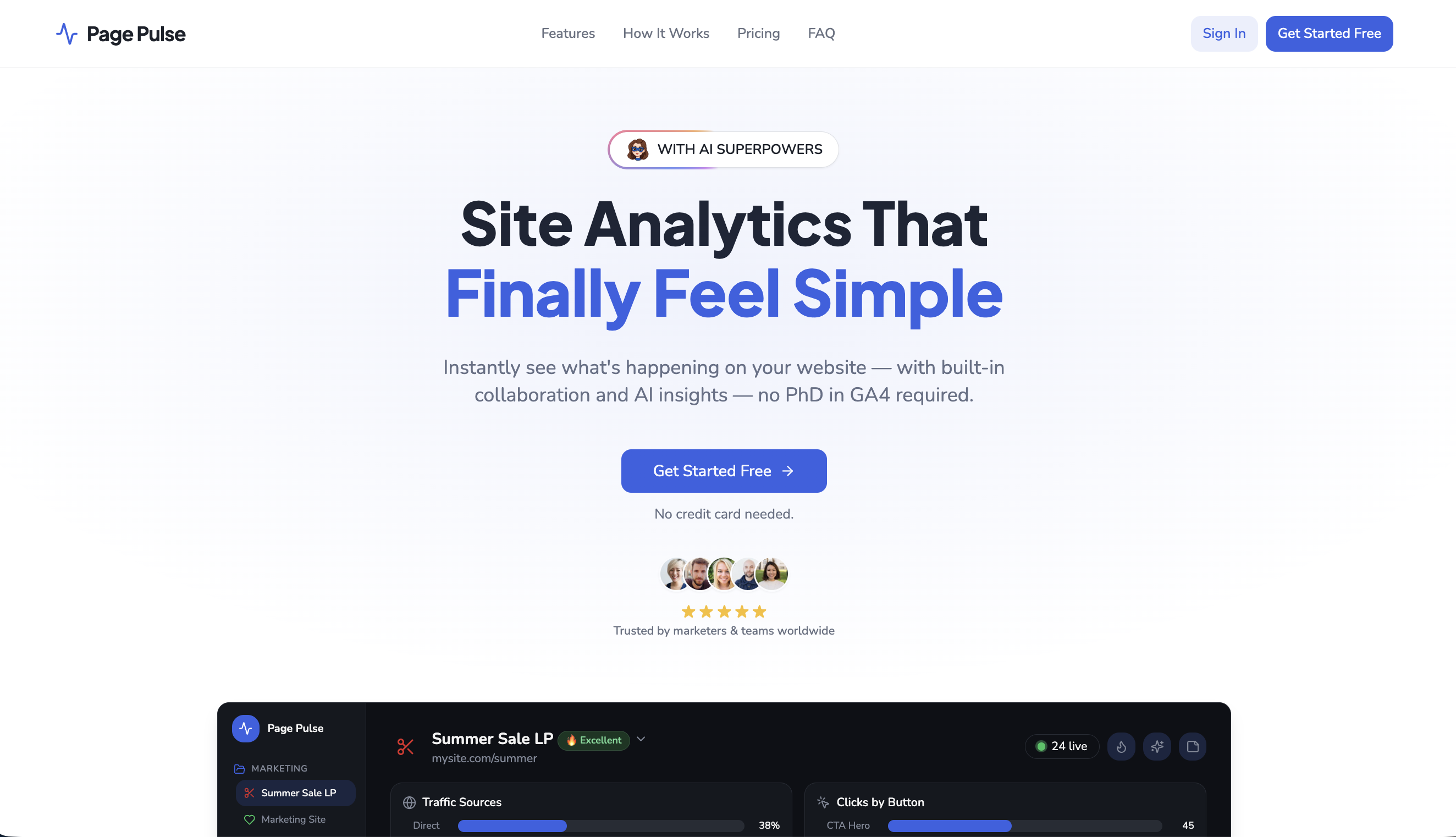
- Understand exactly what drives leads and sales by tracking conversions through events and URLs, with AI identifying the specific triggers that turn visitors into customers.
- See precisely where visitors click, scroll, and engage most on every page using automatic heatmaps that eliminate guesswork from UX decisions.
- Know which marketing channels deliver results by viewing a clear traffic source breakdown, including UTMs and keywords, without digging through complex reports.
- Spot performance problems and optimization opportunities instantly with AI-powered page grading that scores each page and highlights what to fix.
- Stop wasting hours on setup by using a no-code script install that gets analytics running in minutes, not hours, without technical expertise.
- Make faster team decisions by sharing live dashboards and page insights with unlimited collaborators, adding comments directly instead of exporting reports.
- Track every button, link, and call-to-action interaction automatically to discover exactly what content and design elements drive engagement on your site.
- Understand how visitor engagement changes over time by seeing who visits and when patterns shift, giving you the context to align content with audience behavior.
- Analyze where visitors drop off in your conversion funnel with clear visualizations that reveal the exact steps losing potential customers.
- Monitor real-time visitor activity across your entire site, including cross-domain tracking, so you see what’s happening as it happens.
Pros & Cons
Pros
- Simple user interface
- Clear data presentation
- Live activity tracking
- Automatically tracks user interactions
- Integrated heatmaps
- Automatic page performance grading
- Collaboration features
- No setup issues
- Convenient data sharing
- Conversion tracking
- Visitor behavior analytics
- Real-time traffic origin analysis
- Simplifies complex analytics
- Click pattern analysis
- Automated insights
- Website optimization aid
- Time-variant engagement tracking
- Teamwork-friendly
- Customer behavior analysis
- Traffic pattern deciphering
- One-dashboard approach
- No export of reports needed
- Streamlined tool navigation
Cons
- No A/B testing functionality
- No integration with CRM tools
- No advanced segmentation
- No predictive analytics
- No multi-channel tracking
- Limited collaboration features
- No API integration
- Lacking real-time alerts
- No customizable reporting
Reviews
Rate this tool
Loading reviews...
❓ Frequently Asked Questions
Page Pulse provides functions that include tracking web traffic, observing visitor engagement evolution, monitoring conversions, tracking marketing channels, tracking interactions with buttons, links, and calls-to-action, heat map analysis, AI-powered page analysis and grading, identifying potential issues and optimization opportunities, and facilitating collaboration.
Page Pulse uses a form of AI technology to automatically analyze and grade web pages, identifying potential issues and opportunities for optimization.
Page Pulse simplifies website analytics by breaking it down into comprehensible components for easy understanding and usage. It tracks web traffic, conversions, marketing channels, and user interactions. It provides a heat map feature to visualize areas of heavy interaction and uses AI to present insights, grade pages, and identify potential areas of optimization.
Page Pulse simplifies the process of tracking web traffic by eliminating the complexity often associated with similar tools. It breaks down web traffic information into easily understandable components without requiring extensive technical knowledge.
Page Pulse monitors conversions by tracking what prompts visitors to become leads or customers. It keeps track of different metrics that contribute to user conversion and presents them in a comprehensible manner.
Page Pulse's analysis of web traffic, user engagement, and conversions helps it to identify what effectively prompts visitors to become leads. By monitoring these statistics and using AI, it uncovers patterns and provides insights into effective lead generation strategies.
Page Pulse tracks marketing channels by providing clear visibility into the origin of web traffic. It enables users to identify and attribute the sources that are driving the most traffic.
Yes, Page Pulse automatically tracks interactions with buttons, links, and calls-to-action, providing valuable insights into user behavior on a website.
The heat map feature of Page Pulse provides visual insights into areas of a web page where visitors interact the most, showing where users click and scroll frequently.
Page Pulse uses AI technology to automatically analyze and grade pages. This process identifies potential issues that could be affecting a website's performance and outlines opportunities for improvement.
Yes, Page Pulse can identify potential issues and opportunities for optimization. It uses AI to analyze and grade pages, bringing possible optimizations to the user's attention.
Page Pulse has built-in collaboration capabilities to facilitate teamwork and collective decision making. These tools streamline communication and foster cooperation, making it easier for teams to work together towards their SEO goals.
Page Pulse is more straightforward compared to other tools because it simplifies the process of tracking and understanding web traffic. It breaks down analytics into easily understandable components and does not require extensive technical knowledge.
Page Pulse is highly user-friendly, as it's designed to simplify and de-clutter the process of website analytics. It presents stats and insights in a clear, comprehensible manner, making it accessible even to those without extensive tech knowledge.
Page Pulse gathers insights into user actions by automatically tracking their interactions with buttons, links, and calls-to-action on a website. It combines this data with AI analysis to provide valuable insights and opportunities for optimization.
Page Pulse offers clear visibility into the origin of web traffic, allowing users to track their marketing channels effectively. This feature lets users identify and segment the sources of their traffic.
No, extensive technical knowledge is not required to use Page Pulse. The tool is designed to simplify the tracking and understanding of web traffic, making it accessible and easy to use.
Page Pulse can facilitate teamwork and collective decision making via its built-in collaboration capabilities. These features allow teams to work together more effectively and make collectively informed decisions.
Page Pulse differs from Google's GA4 in its simplicity and user-friendliness. While both offer site analytics, Page Pulse is designed to eliminate the complexity often associated with these tools. It presents insights in a more straightforward way, lessening the need for technical expertise.
The core functions of Page Pulse encompass tracking web traffic, observing visitor engagement over time, monitoring conversions to identify what prompts visitors to become leads or customers, offering clear visibility into the origin of web traffic to track marketing channels, automatically tracking interactions with buttons, links, and calls-to-action, and using AI technology to analyze and grade pages.
Page Pulse is an AI-powered website analytics tool designed to demystify website analytics. It reveals clear insights into traffic, conversions, user engagement, and website performance without the intricacies often linked with similar tools.
Page Pulse is extremely user-friendly and it doesn't require sophisticated technical skills or experience. Its clear interface and simplified reports allow anyone—even beginners—to quickly interpret website data without any steep learning curve.
The Page Pulse dashboard presents a comprehensive view of website traffic, conversions, and visitor behavior. It enables users to see live user activities and track what's actually driving results.
Page Pulse provides a detailed understanding of visitor behavior through features like automatic tracking of clicks, buttons, and actions, heatmaps that highlight areas of high visitor interaction, and AI insights that spotlight opportunities and problems.
Yes, Page Pulse automatically tracks buttons, links, and key actions, allowing users to quickly find out what's effective on their website, and what's not.
Page Pulse uses AI technology in its analytics to automatically highlight issues and opportunities on your website. Through AI insights, it offers a straightforward performance score for each webpage which aids in their optimization.
With Page Pulse, users can invite team members, clients, or collaborators to view specific pages. This feature facilitates easy sharing of insights, communication via comments, and collaborative work, eliminating the need for exporting reports or switching between different tools.
No, Page Pulse doesn't require any special setup. As described on their website, they eliminate setup headaches, aiming to provide seamless and hassle-free access to comprehensive website analytics.
Yes, Page Pulse provides detailed insights into where your website traffic is coming from. It visually displays traffic origins to help users comprehend the sources of their visitor traffic.
Yes, Page Pulse has a feature for tracking conversions that helps users understand what elements on their website facilitate visitors' transformation into leads or customers.
Page Pulse’s heatmaps illustrate visitor interaction on your website, helping you identify areas receiving the most engagement. They vividly show where visitors click, scroll, and engage the most on your pages.
Page Pulse offers an interface that simplifies website analytics and eliminates complexities often associated with tools like GA4. Apart from providing important insights like traffic, visitor behavior and conversions, it also offers AI insights and a direct performance scoring system that makes website optimization easier.
Yes, Page Pulse provides an instant analysis of your website pages and grades them based on their performance using its AI insights. This feature identifies issues and opportunities for optimization.
Page Pulse helps understand user engagement over time by tracking who visits your website and visualizing these engagement patterns. The tool can reflect variations in engagement over specified durations.
Through AI Insights, Page Pulse highlights significant issues and opportunities for your website. The feature enables automatic identification of areas that need fixing and potential enhancements that may help boost website performance.
Yes, by using Page Pulse's heatmap feature, you can see exactly where visitors interact with your website. It pinpoints the areas where visitors click, scroll, and interact the most on your pages.
Yes, Page Pulse provides comprehensive customer behavior analysis. It tracks user interaction, engagement patterns, and conversion rates to give a rounded understanding of customer behavior on your website.
Yes, you can use Page Pulse for click pattern analysis. Through automatic tracking of clicks and buttons, along with the heatmap feature, you can discern the most engaged areas and understand how visitors navigate and interact with your website.
'Simplicity in Analytics' in Page Pulse refers to the tool’s intuitive and easy-to-understand approach to data presentation. It simplifies complex analytics into comprehensible data that anyone can understand - without requiring expertise in site analytics.
The purpose of Page Pulse's built-in collaboration feature is to facilitate team cooperation without necessitating the export of reports or the use of multiple tools. Users can invite team members, clients, or collaborators to specific pages to share insights and leave comments.
Pricing
Pricing model
Freemium
Paid options from
$79/month
Billing frequency
Monthly
Refund policy
No long term contract. Cancel anytime.