Overview
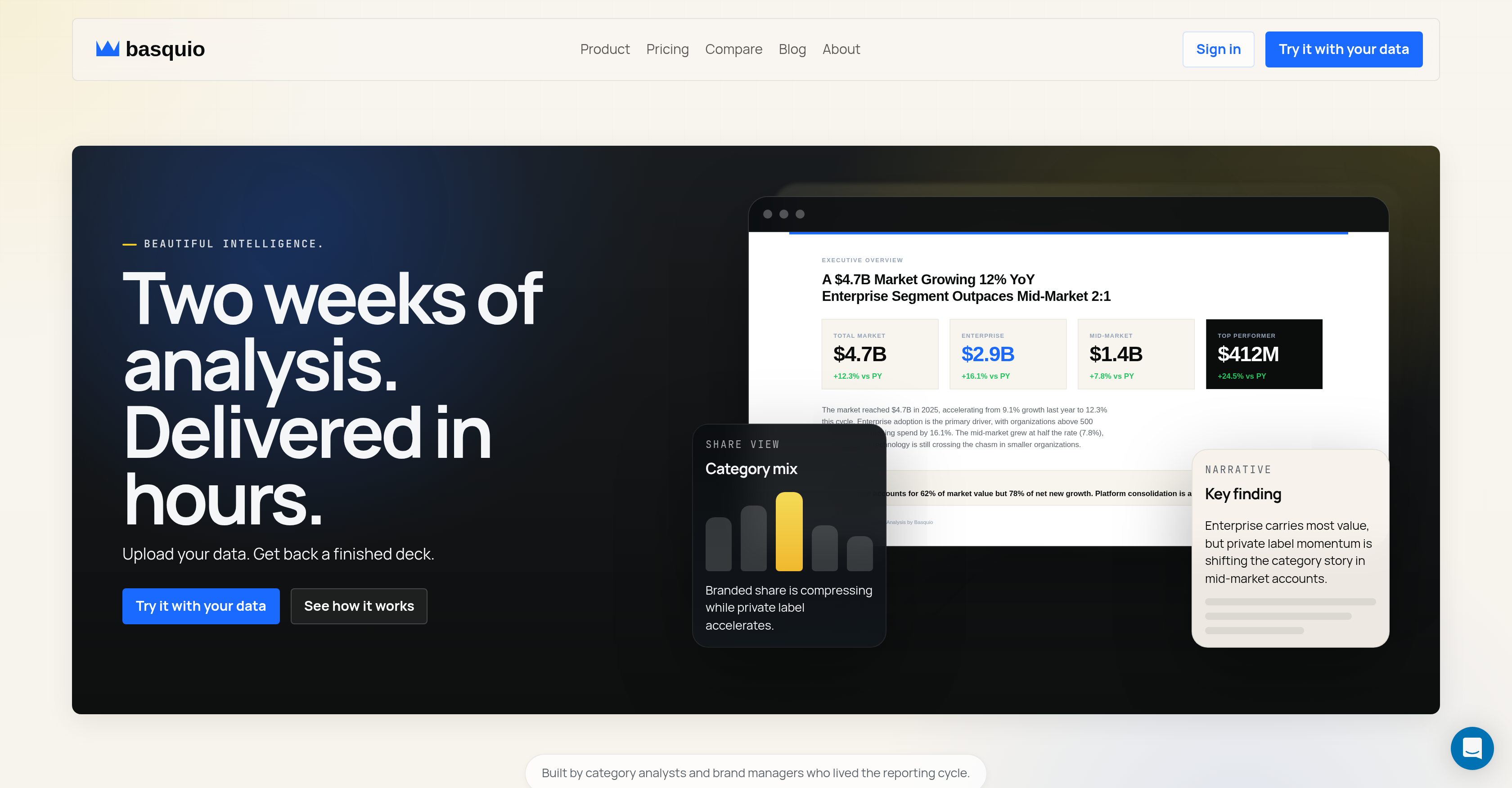
- Present polished, data-driven decks the next day without manual chart-building or formatting, using automated analysis that processes CSV, Excel, and PDF data.
- Receive a presentation-ready deck with real charts, segment analysis, and an executive overview, eliminating the need for time-consuming rebuilds before meetings.
- Maintain brand consistency automatically with logo, colors, and fonts applied to your editable PowerPoint output and brand-safe title slide.
- Focus on strategic insights instead of manual reporting, as the AI generates a written narrative report with findings and actionable recommendations.
- Remove reporting bottlenecks with a 15-minute turnaround per analysis deck, allowing you to specify the deck's focus and audience for tailored results.
Pros & Cons
Pros
- Turns spreadsheets into presentations
- Automates data visualization
- Automatic narrative report
- Editable PowerPoint output
- No manual chart-building
- Accepts CSV, Excel, PDF
- Fast turnaround times
- Capability for custom analysis
- Completes segment analysis
- Offers recommendations
- Improves reporting cycle
- Branding matches company template
- Allows focus specification
- Analyzes data for specific audience
- Real-time data to presentation
- Brand-safe title slides
- Generates key findings
- Reads multiple sheets
- Not require title slide rebuilding
- Compress two weeks work into hours
- Charts and narratives in one pass
- Delivers aligned and ready files
- Produce deck, report, and workbook
- Auto detect template rule
- Auto chart rendering
- Custom billing for Enterprise
- Multiple template slots for Pro
- Priority queue for Pro
- Shared workspace for Enterprise
- Credits calculated from complexity
- Secure user data
- Can analyze category performance
- Chart palette ready
- Decodes context of data
- Turnaround as quick as 15 minutes
- Works with notes
- Detects deck rules from template
- Flexible with audience needs
- Starts free for 30 runs
- Produces market share by brand
- Growth driver analysis
Cons
- Limited format compatibility
- No real-time collaboration features
- Lack of training options
- Non-transparent pricing structure
- Limited template customization
- No API integrations
- No version control
- Lacks offline access
- No built-in data validation
- No multi-language support
Reviews
Rate this tool
Loading reviews...
❓ Frequently Asked Questions
Basquio is a specialized data analysis tool that leverages AI to turn raw data into comprehensive analysis decks. These decks include real charts, narrative reports, and editable PowerPoint outputs.
Basquio utilizes a three step process to turn data into comprehensive analysis decks. Firstly, the user uploads their data in various formats. Secondly, Basquio builds the deck, applying its artificial intelligence to analyze the data, develop charts, narratives and format the presentation. Lastly, the user reviews the deck and has the option to edit it before sending.
Basquio allows users to upload various types of data, including formats such as CSV, Excel, or spreadsheet data.
Basquio's analysis includes real charts, a narrative report, and an editable PowerPoint output. It provides insights into the data, segment analysis, recommendations, and an executive overview all in a visually engaging and comprehensive manner.
Basquio differentiates itself from other data reporting tools by taking care of the entire process from data analysis to creating a presentation. Unlike many reporting tools that only process numbers, Basquio goes steps further by generating ready-to-use reports and PowerPoint presentations, eliminating the manual effort typically required in chart-building and data interpretation.
As part of its output, Basquio provides an editable PowerPoint file. The AI system creates a comprehensive analysis in a PowerPoint format, which users can review, customize, and further edit before using it for presentation purposes.
Basquio saves time in the data analysis process by automating several tedious steps. It eliminates the time typically taken in manual chart-building and data interpretation. It streamlines the workflow by automatically analyzing the data, developing a presentation, and providing an editable PowerPoint output.
Basquio provides a multitude of features to aid in data analysis and report generation. These include real-time chart creation, narrative reporting, an editable PowerPoint output, an executive overview slide, segment analysis, and recommendations.
The process to use Basquio is split into three steps. First, upload your data. Second, let Basquio build the deck. Third, review the PowerPoint and send it out.
Yes, you can review the PowerPoint before sending it. Basquio provides an editable PowerPoint output that the user can review and modify as needed prior to sending or presenting.
Basquio relieves data analysis bottlenecks by automating the data reporting process. The AI system analyzes data, creates charts, interprets findings, and builds a presentation, reducing the manual labor often involved in these tasks.
A finished analysis deck from Basquio includes real charts, a narrative report, and an editable PowerPoint output. It also incorporates an executive overview, segment analysis, and recommendations based on the analyzed data.
Yes, you can import data from Excel into Basquio. It accepts various types of data including CSV, Excel, and spreadsheet data.
Basquio aids in data visualization by creating real-time charts from the data uploaded. These charts are then incorporated into the PowerPoint output, making the data visually appealing and easy to understand.
In the context of Basquio, a 'narrative report' refers to a comprehensive report that not only presents the data but also tells a story about it. It translates raw numbers into actionable insights woven into a coherent narrative that's easy to understand.
An 'executive overview slide' in Basquio serves as a snapshot of key performance indicators, segment performance, and key findings from the data analysis. It provides a high-level overview of the data in an easily digestible format.
While specific operational details about Basquio's recommendation engine aren't provided, it's implied that the engine generates suggestions based on the data analysis. This might include identifying opportunities, predicting trends, or recommending actions to improve business performance based on the data.
Segment analysis in Basquio refers to the break down of data into more digestible parts or segments. It provides analysis and insight into the individual segments identified from the data analysis.
Yes, Basquio offers various pricing models to accommodate different needs. These include a free plan, a Starter plan at $19/month, a Pro plan at $149/month, and an Enterprise plan with custom pricing details.
Yes, you can try Basquio for free. The free plan offers 30 free credits which is estimated to be enough for approximately 2 deck runs. This allows potential users to test the tool without providing a credit card.
Yes, Basquio is able to process data provided in PDF format.
Basquio generates a complete analysis deck in a fast turnaround time of just 15 minutes.
Basquio provides a variety of outputs: an editable PowerPoint file that includes real charts, a written narrative report, and a data workbook.
Yes, Basquio provides recommendations as part of the final analysis deck.
Certainly, you can upload your own PowerPoint template into Basquio.
Yes, Basquio automatically matches the output to your company's branding. This includes the brand's logo, colors, and fonts.
Basquio is particularly beneficial to brand managers, analysts, and consultants who typically undertake manual data analysis and presentation creation.
Indeed, with Basquio, you can specify the specific focus of the analysis deck as per your presentation or meeting requirements.
Yes, Basquio promises a fast turnaround, particularly in terms of removing the bottleneck in the reporting cycle.
Besides CSV and Excel, Basquio also supports data input in PDF format. Additionally, it can process an uploaded PowerPoint template for the final output if you have one.
Absolutely, with its quick, automated processing, Basquio effectively removes bottlenecks often faced in reporting cycles.
In Basquio's context, a 'data workbook' refers to the final collection of work consisting of your processed spreadsheet data presented in an organized and detailed format.
Basquio was built by category analysts and brand managers, professionals who experienced firsthand the complexities of the reporting cycle.
Basquio automates the creation of charts, formatting, and narrative report generation, thus saving the user's time spent on these aspects and allowing them to focus more on analysing the results.
The phrase 'no rebuilding' indicates that once you get your deck from Basquio, it is ready to present and does not require further editing or reworking on your part.
Yes, one of the outputs provided by Basquio is an editable PowerPoint file that includes your analysis decks and real charts.
A 'brand-safe title slide' in Basquio refers to the automatic detection and utilization of your company's branding on the title slide of the produced PowerPoint presentation.
Yes, in Basquio, you can specify the audience for whom the analysis deck is intended.
Yes, Basquio includes segment analysis in its complete analysis deck.
Pricing
Pricing model
Free Trial
Paid options from
$16/month
Billing frequency
Monthly