BlurData
Overview
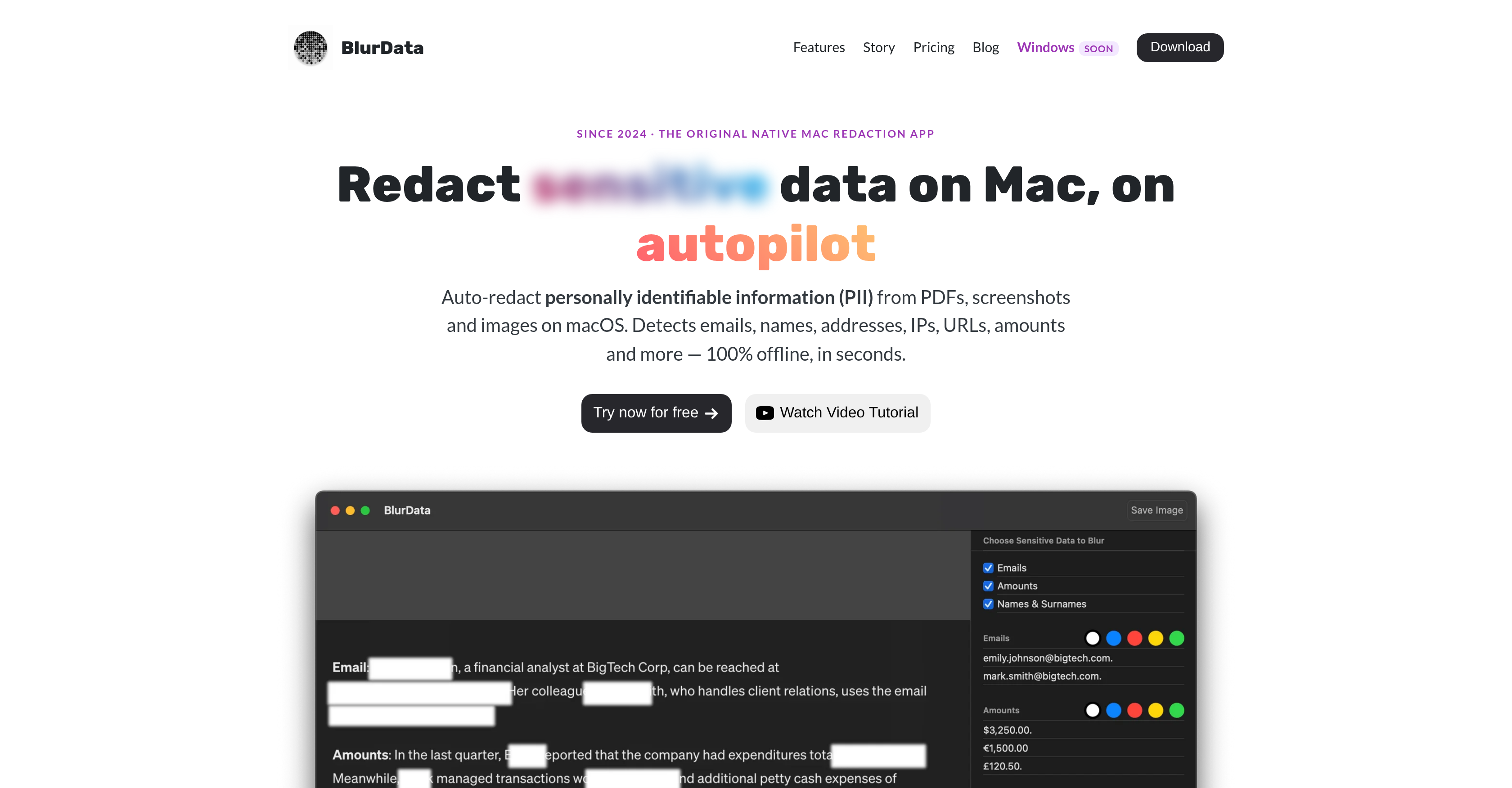
- Achieve bulletproof compliance in legal, healthcare, and finance by redacting sensitive data entirely on your Mac with on-device AI that never uploads files to the cloud.
- Eliminate the risk of hidden data leaks in shared PDFs, because BlurData permanently removes sensitive content from the file structure—no text remains under black bars.
- Redact sensitive information from scanned documents and screenshots instantly, thanks to neural OCR that reads text even when there's no selectable text layer.
- Cut manual review time with machine-learning entity recognition that identifies names, organizations, and places in context, not from a static list.
- Protect a wide range of PII automatically—including emails, names, addresses, IPs, URLs, monetary values, account numbers, and license plates—so nothing slips through.
- Tailor redaction to your exact needs with custom regex patterns and Bates or reference-number series, ensuring confidential data unique to your workflow is caught.
- Process entire folders of documents in one pass with batch folder processing, saving hours of repetitive redaction work.
- Get a custom detection preset built for your document types within 24 hours, free of charge, so you can start redacting accurately without configuring anything.
- Cover what AI can't read—like bank scanlines or signatures—with manual draw-a-box redaction, giving you complete control over every redaction.
- Work seamlessly across multiple languages with automatic language detection and OCR support for 14 languages, including English, Spanish, Chinese, and Arabic.
Pros & Cons
Pros
- Redaction for Mac users
- Detects various PII types
- Supports custom regex
- On-device redaction process
- No internet connection required
- Compliant with GDPR, HIPAA
- Exports redacted images/PDFs
- Batch processing feature
- Sensitive data permanently removed
- Yearly and lifetime pricing
- Free trial available
- Multi-language support via OCR
- Automatic language detection
- Free custom preset service
- Custom detection preset in 24 hours
- Privacy focused, data doesn't leave user's device
- Detects and redacts account numbers
- Detects and redacts license plates
- Detects and redacts monetary amounts
- Detects and redacts addresses
- Detects and redacts names
- Detects and redacts emails
- Detects and redacts URLs
- Detects and redacts IP addresses
- Batch redact entire folders
- Community presets for PII
- Unlimited custom regex
- Weekly updates
- Email support
- Designed specifically for Mac
- Supports JPG, PNG, PDF formats
- 100% offline processing
- Auto-detection of PII types
- Documents redaction
- Top-rated redaction app
- Automatic detection no manual selection
- Redacts both screenshots and PDFs
- MacOS 13 and later compatible
- Auto-detection of PII in screenshots
- Auto-detection of PII in PDFs
- Optimized for Intel and Apple Silicon Macs
- Entire folders batch redaction
- Drag and drop file redaction
- Hassle-free Adobe Acrobat alternative
- Detects and redacts Bates numbering
- M1, M2, M3, M4 Mac compatibility
Cons
- MacOS only
- Not open source
- Yearly subscription required
- No Windows version
- Offline only, no cloud
- Data must be images/PDFs
- No plugin or extension
- Limited file format support
- Doesn't redact other document types
- OCR may not support all languages
Reviews
Rate this tool
Loading reviews...
❓ Frequently Asked Questions
BlurData is a tool that redacts personally identifiable information (PII) from screenshots, images, and PDFs. The data types it can automatically detect and redact include emails, names, addresses, IP addresses, URLs, monetary amounts, account numbers, license plates. It also allows for the use of custom regular expressions (regex) to detect and redact other confidential data types specific to the user's needs.
BlurData is specifically designed for Mac users and is not compatible with other platforms.
No, BlurData does not require an internet connection. All detection and rendering occur on-device, eliminating the need for cloud upload.
BlurData ensures GDPR and HIPAA compliance by processing data entirely on the user's Mac. It operates offline, which means the data never leaves the user's device.
Additional features of BlurData include exporting and batch processing of redacted images and PDFs. It removes sensitive data permanently from the file structure, provides multi-language support, and incorporates an automatic language detection system.
BlurData operates under two pricing models, a yearly subscription and a one-time lifetime purchase.
BlurData supports multiple languages using OCR technology. The supported languages include English, Italian, German, French, Spanish, Portuguese, Russian, Ukrainian, Chinese (Simplified & Traditional), Japanese, Korean, Vietnamese, Thai, and Arabic.
The automatic language detection system in BlurData identifies the language used in the text during the process of redaction. This assists in effectively detecting and redacting information in various languages.
The free custom preset service of BlurData allows users to request a custom detection preset which the BlurData team creates within 24 hours.
PDF redaction in BlurData involves dragging the PDF into the app, after which BlurData detects and highlights sensitive data for redaction.
The email redaction process in BlurData involves the automatic detection of email addresses in the screenshots, images, or PDFs that the user provides. Once detected, these emails are redacted.
No, BlurData ensures sensitive data is permanently removed from the file structure during redaction. Thus, there will be no text under the black bars in the redacted PDFs.
BlurData automatically detects and redacts emails, names, addresses, IP addresses, URLs, monetary values, account numbers, and license plates. It also supports custom regex patterns for any other identifier in the user's screenshots and PDFs.
BlurData uses OCR (Optical Character Recognition) technology to digitally convert different types of images, like scanned paper documents, PDF files or images captured by a digital camera, into editable and searchable data.
The batch processing feature in BlurData allows for redaction of entire folders of files in one pass.
In BlurData, custom regex patterns can be defined by users for redacting any other kinds of identifiers or confidential data specific to the user's needs.
Yes, BlurData offers a free seven-day trial for both of its pricing models, the yearly subscription and lifetime purchase.
The automatic PII detection feature of BlurData identifies and addresses personally identifiable information like emails, names, addresses, URLs, and other data types, thus ensuring thorough redaction.
No, an internet connection is not needed to use BlurData. All detection and redaction processes happen on-device and do not require cloud upload or internet connection.
Pricing
Pricing model
Free Trial
Paid options from
$39/year
Billing frequency
Yearly
Refund policy
No Refunds