AIto3D.ai
Overview
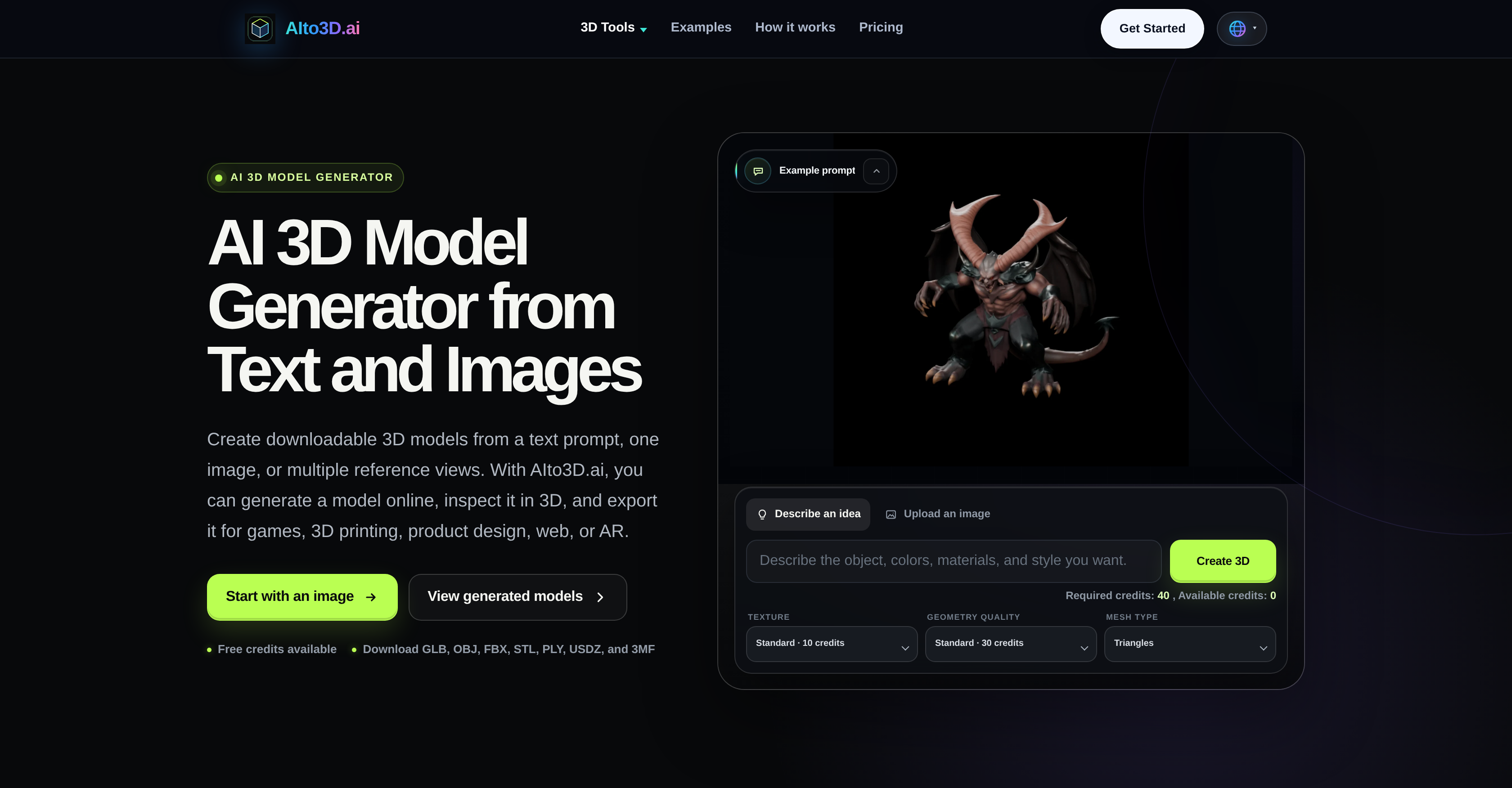
- Turn text prompts or photos into production-ready 3D models for game assets, 3D printing, AR, and product design by using the AI-driven text-to-3D and image-to-3D generators.
- Preview and validate every model from all angles directly in the browser with the 3D Model Viewer, ensuring it meets your specifications before export.
- Export your 3D creations in GLB, OBJ, FBX, STL, PLY, USDZ, or 3MF formats, so they work seamlessly across game engines, CAD software, and AR platforms.
- Convert 3D files between formats, adjust orientation, and export mesh geometry with online 3D tools, eliminating compatibility bottlenecks in multi-software workflows.
- Get precise volume calculations for your models to ensure accuracy in 3D printing and product design, avoiding costly material waste or fit issues.
- Compress GLB files and other 3D assets to reduce file size, speeding up web loading times and easing collaboration across teams.
- Generate polished 3D render images for product pages, marketplaces, and client approvals, enhancing visual appeal without needing external rendering software.
- Create 360-degree turntable videos of your models for social sharing, digital advertising, and immersive product showcases, driving engagement and conversions.
- Accelerate prototyping by transforming concept sketches or written attributes into tangible 3D models, cutting development time and costs.
- Streamline e-commerce workflows with detailed 3D product visualizations and interactive presentation tools that improve customer experience and reduce return rates.
Pros & Cons
Pros
- Downloadable 3D models
- User-defined text prompts
- Online 3D Print Capability
- AR Applications
- 3D Model Viewer
- 3D Converter
- Format Conversion tool
- Mesh Export tool
- 3D Volume Calculator
- File Compression feature
- Creates 3D Render Images
- 360 Turntable Video Creator
- E-Commerce applications
- Social Sharing feature
- Prototyping applications
- Digital Advertising tool
- Web Design supportive
- Create Game Assets
- Product Design tool
- Client Approval tool
- Online 3D tools
- Text to 3D conversion
- Image to 3D conversion
- Multiple images to 3D conversion
- Orientation Adjustments tool
- Unlimited free downloads for subscribers
- Commercial license for subscribers
- Simultaneously run multiple tasks
- Multiple generation modes
- 24/7 customer support
- 3D Model Compressor
- 3D Preview Video creator
- 3D Render tool
- Upload images for 3D model creation
- Size and Volume Measurement tool for 3D models
- Supports various 3D File formats
- 3D Model facing correction tool
- Compatible for Web and AR applications
- Robust generation system from Text and Images
- Model Orientation Fix tool
- Helpful in Production Planning
- Helps Packaging design
- AR and 3D Print Estimation tool
- Create 3D assets
- Rotation feature for 3D Model Preview
- Supports Multiple Reference Views for consistency
- Strong Shape Guidance tool
- Fix heavy Files for Faster Sharing
Cons
- High credit requirement
- Variation in generated quality
- Geometry quality requires subscription
- Mesh type selection charge
- Subscription required for commercial use
- Concurrent tasks need premium
- Limited free on multiple generation modes
- Compression of files needs subscription
- 3D Volume calculation is paid
- Rendering 3D Model into 360 video is paid
Reviews
Rate this tool
Loading reviews...
❓ Frequently Asked Questions
AIto3D.ai is an AI-driven tool that enables the creation of downloadable 3D models from user-defined text prompts, images, photos, or multiple reference views. It allows users to create, view, and export 3D models in a variety of formats directly from their web browsers.
AIto3D.ai can transform text or images into detailed 3D models. Users can then scrutinize these models within a 3D viewer online and export the models in a variety of commonly used 3D formats. The UI allows users to make adjustments to 3D models and access a host of online 3D tools for additional tasks. AIto3D.ai can be used for a wide range of applications including digital advertising, web design, AR applications, product design, and game asset creation.
The key features of AIto3D.ai include the ability to generate 3D models from a text description, a single image or multiple images, a 3D Model Viewer for previewing and inspecting 3D models, a 3D Converter for converting different 3D file types, and a range of online 3D tools for further tasks such as format conversion, orientation adjustments, mesh export, 3D volume calculation, file compression, and the creation of 3D render images and 360-degree turntable videos.
The 3D Model Viewer in AIto3D.ai enables users to preview and inspect any generated 3D model directly within their web browser. This allows users to scrutinize the model in a 3D space, observing it from varying angles and perspectives before exporting it.
The 3D Converter in AIto3D.ai supports the conversion of different 3D file types. It facilitates the conversion process ensuring the 3D models are in a compatible file type for the user's subsequent use. This can be especially useful in workflows that involve numerous 3D tools with potentially different file requirements.
The online 3D tools offered by AIto3D.ai support tasks such as format conversion, orientation adjustments, mesh exporting, calculating 3D volume, file compression, creation of polished 3D rendered images, and creating 360-degree turntable videos. These tools help streamline workflows that involve handling, analyzing, and modifying 3D models.
AIto3D.ai can play a critical role in e-commerce workflows as it allows the creation of detailed 3D models of products from simple text descriptions or images. Features like the 3D Model Viewer and the 3D Render Images tool allow for detailed product visualization and presentation, which can enhance product listings and customer experience in an e-commerce setting.
AIto3D.ai features an option to transform 3D models into 360-degree showcase videos. This feature can be useful for presenting products in a more interactive and immersive way on product pages, social media, or digital advertising platforms.
3D models created by AIto3D.ai can be exported in several commonly used formats - GLB, OBJ, FBX, STL, PLY, USDZ, and 3MF. These different formats cater to a wide range of applications, from 3D printing to game design to AR.
AIto3D.ai generates 3D models from a text description by utilizing advanced AI algorithms that process the text input, interpret it, and build a digital 3D representation based on the interpreted description. This conversion process is the result of complex computations that predict the geometric and textural properties that best match the described item.
The 3D volume calculation feature in AIto3D.ai provides an accurate estimation of the volumetric properties of a generated 3D model. This can be useful in several applications including 3D printing and product design where precise volume measurements are required.
AIto3D.ai's mesh export feature assists in exporting the surface geometry of the 3D model in different formats that are compatible with most 3D modeling and rendering software. Users can choose from a range of widely accepted file types for mesh export according to their requirements.
AIto3D.ai can generate 3D models from images, whether single images or multiple reference views. From a picture of a product, or even an illustrative sketch, AIto3D.ai is able to interpret the image, extract the relevant features, and generate a corresponding 3D model.
AIto3D.ai facilitates game asset creation by allowing users to create 3D models from text or image descriptions quickly and efficiently. These models can be exported in formats compatible with game development workflows. With this, it becomes easy to materialize visual ideas or concept sketches into workable 3D game assets.
The ability to turn a textual or graphical concept into a 3D model with AIto3D.ai aids significantly in prototyping. Users can create, refine and export models of newly conceived products or components, reducing the time and costs associated with traditional prototyping methods.
AIto3D.ai can be employed for digital advertising by generating visually captivating 3D models for ad designs. Furthermore, with the ability to export 3D models into 360-degree showcase videos, advertisers can produce engaging, interactive ad content.
AIto3D.ai's functionality contributes to web design workflows by providing users with the ability to quickly and conveniently generate 3D models for webpage elements. The easy preview, refinement, and export of these elements streamline the integration of 3D assets into website designs.
With the ability to transform text or image descriptions into physical product designs in 3D, AIto3D.ai facilitates effective product design workflows. Concept sketches or attributes can be input and the AI tool generates the corresponding well-defined 3D models.
AIto3D.ai's 3D rendering and 360-degree video creation features make it an excellent tool for generating compelling visual content for social sharing. Users can easily create unique, detailed 3D models and showcase them in high-quality images or interactive videos, ready to capture attention on social media platforms.
AIto3D.ai supports the creation of client approvals by providing tools to generate detailed 3D models, high-quality images and 360 showcase videos that can be used to share and demonstrate designs to clients. The AI's ability to convert simple text descriptions or images into 3D models allows it to quickly produce tangible representations of design plans for client review.
Pricing
Pricing model
Freemium
Paid options from
$10.40/month
Billing frequency
Monthly
Refund policy
View Policy
Related Videos
3d printed an ai photo from client!! Thanks for choosing us!! #aito3D #3dprinting #shorts
Techstar 3d•31 views•Feb 18, 2026