
Bulk Rename Utility
Overview
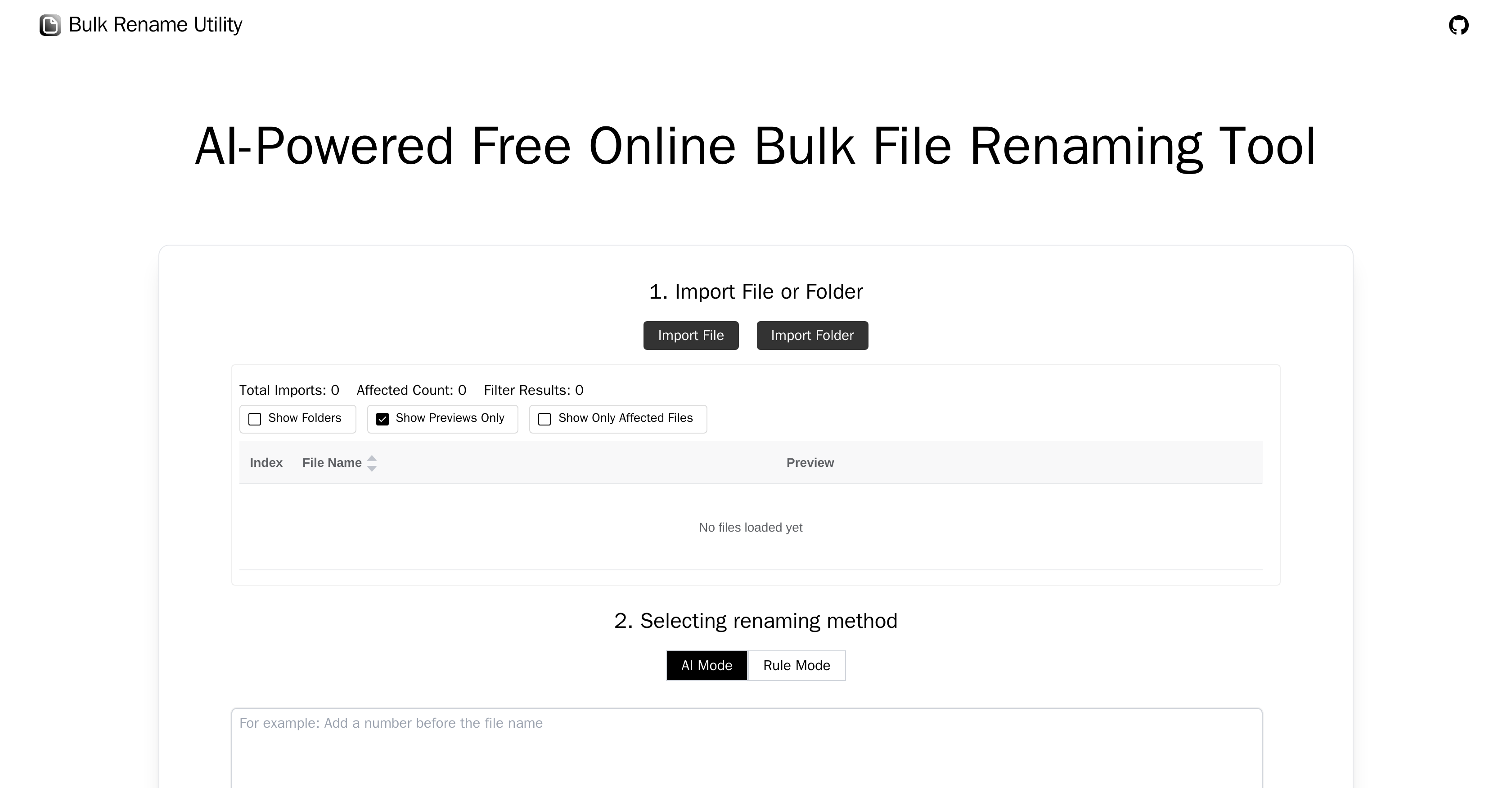
- Instantly rename entire folders using simple AI descriptions instead of complex rules through the AI Mode
- Apply advanced customizations like regex replacements and JavaScript functions without coding expertise via Rule Mode
- Keep all files completely private on your device since nothing ever gets uploaded to any server
- Handle thousands of files in seconds without installing any software or creating accounts
- Switch between AI-powered simplicity and precise rule-based control in one intuitive interface
Pros & Cons
Pros
- Online bulk file renaming
- No software installation required
- Windows and Mac compatible
- Chrome and Edge compatible
- Does not upload files
- Maintains user privacy
- Customizable renaming with Rule Mode
- Supports character deletion/replacement
- Supports sequence padding
- Supports new naming conventions
- Supports regular expression replacements
- Supports advanced renaming with JavaScript
- Intuitive user interface
- Free of cost
- Local file operations
- Diverse renaming rules integration
- Directly modifies filenames
- Renaming method flexibility
- Rule based adding/inserting characters
- Doesn't require uploading files
- Advanced regex and custom JavaScript support
- Compatible with secure browsers
- Supports various file operations
- Supports custom JavaScript functions for advanced renaming
- Ensures protection of user privacy
- Comfortable for different technical level users
Cons
- Limited to Chrome and Edge
- Exclusively web-based
- Possibly daunting Rule Mode
- Limited OS support (Windows, Mac)
- No native app version
- No file upload
- Doesn't support other browsers
- Depends on internet connection
- No multi-language support
Reviews
Rate this tool
Loading reviews...
❓ Frequently Asked Questions
Bulk Rename Utility is a comprehensive tool for renaming files in bulk, designed for online operation. This unique utility is designed to streamline the task of renaming files without requiring uploads or additional software. It supports multiple operating systems through Chrome and Edge browsers and offers two main modes of operation: AI Mode and Rule Mode.
In AI Mode, you simply describe your renaming requirements to the Bulk Rename Utility. The AI then processes this description and generates new file names accordingly.
Rule Mode on Bulk Rename Utility allows users to customize the renaming process using a variety of available rules. These can include character deletion/replacement, sequence padding, setting new naming conventions, regular expression replacements, and custom JavaScript functions.
Bulk Rename Utility ensures user privacy by operating locally on your device, only reading the file's directory, name, and size. This method precludes the need for file uploading onto the web, preserving privacy.
Yes, Bulk Rename Utility can rename files without requiring any uploads. It only reads the file directory, name, and size from your local machine.
Bulk Rename Utility stands out due to its unique blend of features including AI-driven renaming, rule-based operations, preserving user privacy, and offering both simple and complex renaming rules. It is specifically optimized for use with Chrome and Edge browsers and efficiently handles files on both Windows and Mac systems.
Yes, Bulk Rename Utility supports both Windows and Mac systems, provided you are using Chrome or Edge browsers.
Bulk Rename Utility favors Chrome and Edge browsers due to their widespread use and robust capabilities. These characteristics provide users a smooth and efficient tool experience.
Bulk Rename Utility supports a variety of renaming rules ranging from simple character changes to complex custom JavaScript functions and regular expressions.
Yes, Bulk Rename Utility supports the use of custom JavaScript functions for advanced naming operations.
No, Bulk Rename Utility does not require any installation. It is a web-based tool and operates directly in your browser.
Bulk Rename Utility operates locally on your equipment, reading only the directory, name, and size of the file. This approach maintains user privacy and negates the need to upload files.
You navigate through the features of Bulk Rename Utility via its intuitive interface. The design of this interface facilitates smooth and efficient conducting of both AI and rule-based operations.
No, you do not need to be particularly tech-savvy to use Bulk Rename Utility. It's well-designed interface and user-friendly feature set are designed to facilitate use by all types of users.
The AI-powered renaming feature in Bulk Rename Utility considers the requirements described by the user and generates new names for the files accordingly. This simplifies the renaming process and increases efficiency.
No, Bulk Rename Utility is a free online tool and does not require any payment or registration to utilize its features.
In Bulk Rename Utility, you can define your own renaming rules using the Rule Mode. This mode allows you to apply a combination of multiple rules, including character deletion/replacement, sequence padding, creating new naming conventions, regular expression replacements, and even custom JavaScript functions.
Bulk Rename Utility is designed to handle large batches of files efficiently. Its design streamlines the renaming process even for substantial file numbers.
Pricing
Pricing model
Free
Paid options from
Free
Related Videos
Bulk Rename Utility Windows - Changing 100s or 1000s of File Name
Marcus Glass•59.7K views•Dec 19, 2020