
Renamer.aiv4.1.13
Overview
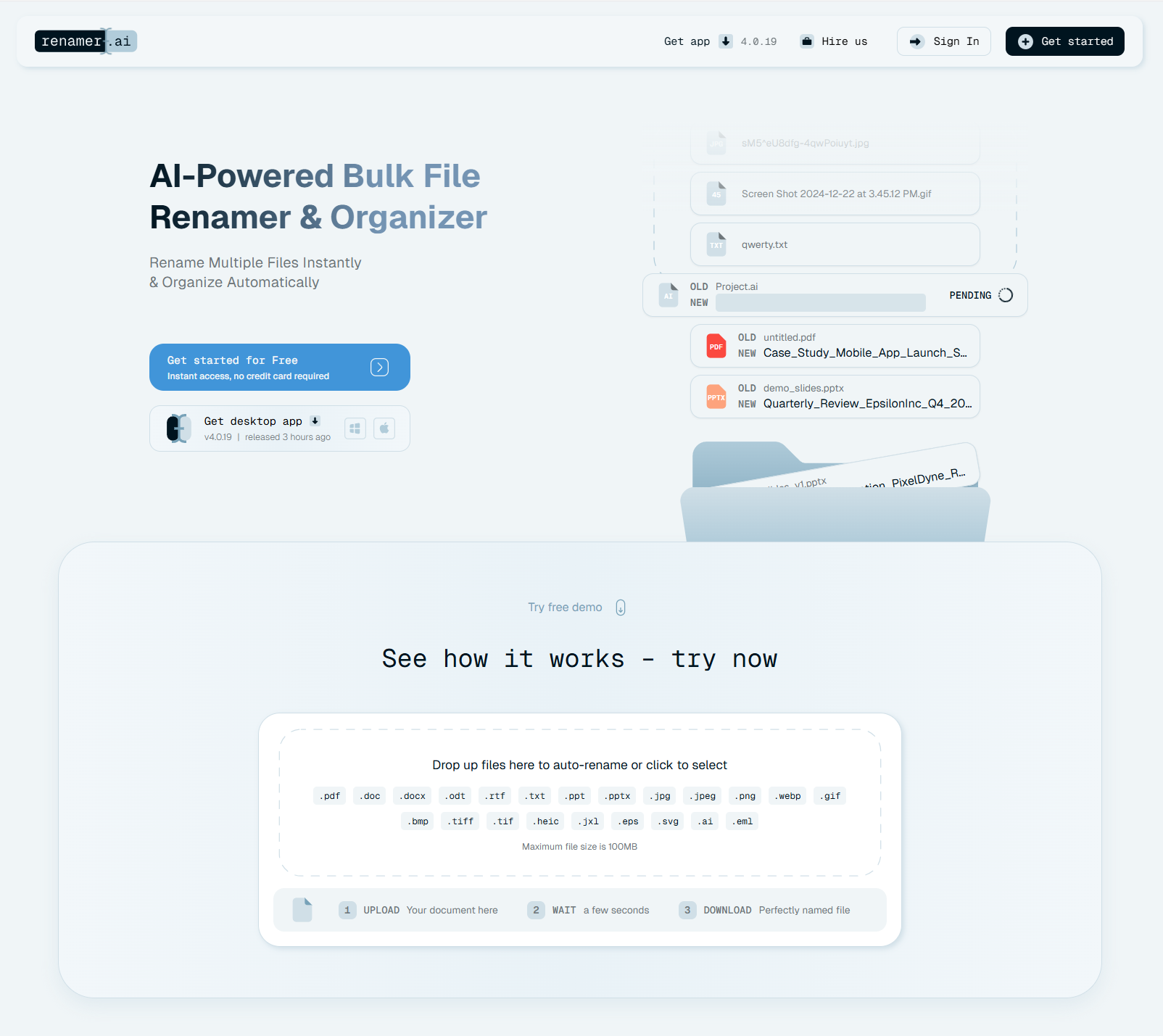
- Eliminate hours of manual file renaming each week with AI that reads document content and generates descriptive names automatically
- Find any file instantly with searchable names based on actual content, dates, invoice numbers, and document types extracted by OCR
- Process thousands of files simultaneously across entire folders, handling PDFs, images, and documents in seconds
- Maintain consistent file organization automatically with Magic Folders that monitor and rename incoming files in the background
- Work with international teams seamlessly using multilingual support that processes documents in 20+ languages
- Apply custom naming conventions to match your workflow with flexible renaming patterns and templates for precise control
Pros & Cons
Pros
- Bulk file renaming
- Organizes files automatically
- Supports various file formats
- Max file size 100MB
- OCR functionality
- Magic Folders feature
- Pattern-based bulk renaming
- Allows custom renaming patterns
- Enterprise-grade encryption
- Data privacy focus
- Auto deletes files after 30 days
- Multi-language file processing
- Useful for diverse audience
- PDF, image, document management
- Helps maintain file organization
- Cloud storage capability
- Tax document management functionality
- Can enhance workflow
- Supports international teams
- Helpful for research management
- Desktop app availability
- Intuitive interface
- Can automate file renaming
- Automatically organizes files in background
- Helps prevent file duplicates
- Makes files search across platforms
- Handles documents in multiple languages
- Supports multiple file formats
- Allows scalability from personal to company use
- Facilitates creating custom naming patterns
- Batch renaming feature
- Auto delete feature
- Provides normal and priority support
- Handles thousands of company documents
- Can process files in any language
- Free trial available
Cons
- 100MB max file size
- No storage service
- Limited free renames
- Doesn't support custom file formats
- Lacks standalone app
- No rename files preview
- Automated file deletion
- Premium plans expensive
- No immediate file purge
- Lacks encryption customization
Reviews
Rate this tool
Loading reviews...
❓ Frequently Asked Questions
Renamer.ai is an online tool that automates file management tasks. It uses AI to auto-rename and organize different types of files such as PDFs, documents, and image files. Renamer.ai also offers OCR functionality, Magic Folders for automated organization, and pattern-based file renaming. It prioritizes data privacy with enterprise-grade encryption and deletes files after 30 days.
Renamer.ai employs sophisticated AI-powered techniques to intelligently and instantly rename files in bulk. Users can establish a renaming pattern to set up naming configurations for mass renaming. It also allows users to auto-rename specific parts of documents, helping maintain file organization and save time.
Renamer.ai can rename a variety of file types, including .pdf, .doc, .jpeg, .png, .svg, and many others. This includes various document and image file formats, accommodating a range of user needs.
The maximum file size that the Renamer.ai tool can process is 100MB.
OCR, or Optical Character Recognition, is a functionality in Renamer.ai that enhances its document handling capabilities. It can read and extract the information from files, which is then used to intelligently rename and organize the files.
'Magic Folders' in Renamer.ai are special folders that automatically organize files in the background. They help in maintaining a tidy and logically structured file system.
Yes, Renamer.ai allows users to input their own renaming patterns. This feature provides flexibility, enabling users to create file naming conventions that match their specific workflow and preferences.
To ensure data privacy, Renamer.ai employs enterprise-grade encryption. The platform uses this high-level encryption to safeguard files during the renaming process.
Renamer.ai handles file deletion by automatically removing uploaded files after 30 days. This protects user data and ensures that the platform is not used as a long-term storage solution.
To enhance user experience across different regions, Renamer.ai offers multilingual support. It can process files in multiple languages, making it an efficient tool for international teams and workflows.
Yes, Renamer.ai caters to both personal and professional use. The services offered are beneficial to a variety of users, including but not limited to digital asset managers, tax accountants, and research directors.
Renamer.ai can handle the renaming of image files. Through its AI capabilities, it can rename and organize multiple types of image files, akin to its processing of documents or PDF files.
Renaming templates in Renamer.ai are pre-configured naming structures that allow users to quickly and efficiently rename files. These predefined templates help save time and maintain consistent file organization.
Yes, in Renamer.ai, users can set up configurations for renaming specific parts of documents. This functionality permits precision-based renaming, focusing on exact portions of documents.
Renamer.ai can help research directors by efficiently managing and organizing diverse research documents. The tool's multilingual support is beneficial for international collaborations. Automated file renaming and organization make files easily searchable, saving considerable time and enhancing workflow.
Renamer.ai handles PDF management by auto-renaming and organizing PDF files. It can process bulk PDF files and instantly apply intelligent renaming while also creating an ordered file organization. It integrates OCR functionality to extract data from PDF files enhancing file management.
International teams can greatly benefit from Renamer.ai due to its multilingual support. It can process files in multiple languages, hence allowing teams from different regions to use the tool efficiently for file management. This flexibility facilitates seamless global team workflows.
Renamer.ai is useful for tax accountants as it can handle bulk renaming and organization of tax documents. It makes these documents easily searchable and properly labelled, which is beneficial during the busy tax season.
Digital asset managers can streamline their workflow with Renamer.ai. They can manage and organize thousands of digital assets with consistent naming conventions. It helps in saving considerable time and reduces the likelihood of confusion arising out of incorrectly or differently named files.
Pricing
Pricing model
Freemium
Paid options from
$9.95/month
Billing frequency
Monthly
Refund policy
Users can request refunds within 14 days of purchase for unused or unaccessed services.