Overview
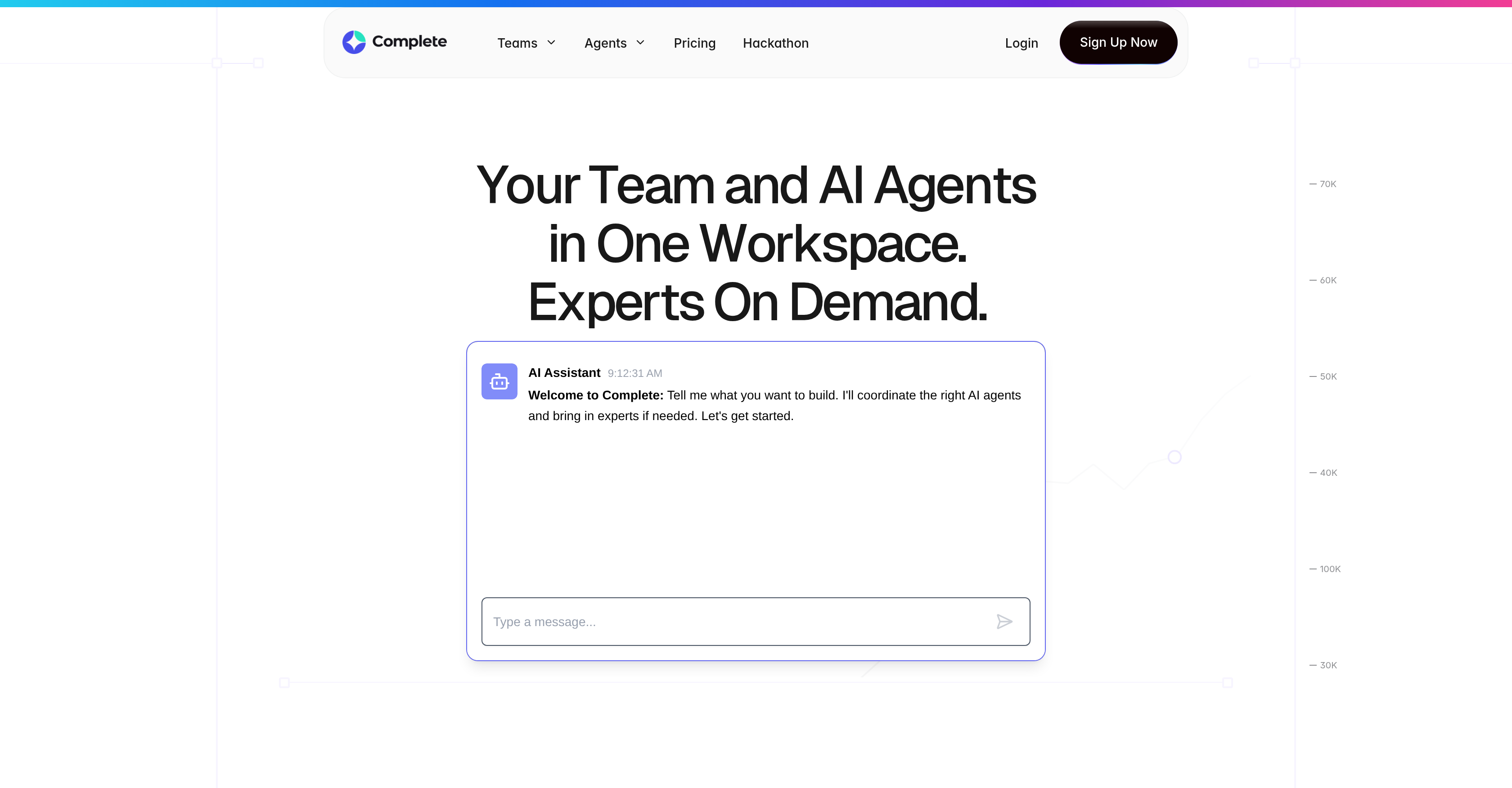
- Eliminate scattered project context by keeping all conversations, tasks, and outputs in a single execution thread, ensuring nothing is lost between AI and human collaboration
- Generate PRDs, release notes, and executive summaries on demand with role-specific AI agents for product managers, freeing hours from manual document creation
- Debug, document, and test code within your existing workflow using AI agents that act as dedicated developer teammates, accelerating development cycles
- Maintain full control over AI usage with governance tools that manage context, memory, and operational rules for safe, compliant enterprise deployment
- Integrate seamlessly with your existing project and task management tools, enabling a smooth transition to AI-augmented workflows without disruption
- Scale AI collaboration across your organization with customizable plans, from free exploration to enterprise-grade controls and custom agent creation
Pros & Cons
Pros
- Unified collaborative workspace
- No loss of context
- Workflow streamlining tools
- Role-specific development tools
- Seamless tool integrations
- Execution threads feature
- File management capability
- Customizable subscription plans
- Enhances team transparency
- Conducive to productivity
- Facilitates task tracking
- Enables systematic debugging
- Automates document generation
- Tests code efficiency
- Advanced task execution
- Release notes generation
- Executive summaries automation
- Boosts workplace efficiency
- Single execution thread
- Optimizes coding tasks
- Optimizes testing tasks
- Project execution tracking
- Automated task progression
- Advanced file management
- IDE Integrations capability
- Real-time team collaboration
- Automates PRDs generation
- Surfaces execution blockers
- Advanced Data Management
- Effortless file access
- Planning based on organization size
Cons
- Limited usage on free plan
- 90-day history only on free plan
- Lacks transparency on what 'limited usage capacity' is
- Custom SLAs only for Enterprise plan
- Complex for beginners
- Possible loss of human touch
- Only community support for free and starter plans
Reviews
Rate this tool
Loading reviews...
❓ Frequently Asked Questions
Complete is a collaborative AI workspace, integrating human teams and AI agents to execute tasks and deliver results. It makes use of various AI models, facilitating team collaborations in one unified workspace. For role-specific tasks, it offers key tools and supports multiple tool integrations, making the transition to AI-enhanced workflows smooth. It includes features like execution threads, file management, and governance tools, and caters to various needs with several subscription plans.
Complete integrates AI agents with teams by providing a unified workspace where they can collaborate and execute tasks together. The AI agents act as additional team members contributing to meaningful work outputs. AI and human interactions take place within single execution threads, ensuring no loss of context or confusion in communication.
Complete can help perform a range of tasks such as generating project documents, testing code, tracking execution, debugging, document creation, and other tasks that are instrumental to the workflows of Project Managers, Developers, and Product Managers.
Yes, Complete can, indeed, generate project documents and test code. These are among the many tasks that can be accomplished using the various AI models that Complete integrates and leverages.
Context retention in Complete works by keeping all discussions, outputs, and contextual nuances in one place, within the workspace. The system employs execution threads where all operations are performed, ensuring no conversation or context is lost in the process, and enhancing efficient team collaborations.
The advantage of unified communication in Complete is that it keeps all relevant discussions, outputs, and context in one place, allowing for smoother team collaborations. This comprehensive context helps in avoiding miscommunication, simplifying task execution, and fostering a well-oriented and productive team environment.
Complete offers key tools developed specifically for different roles such as Product Managers, Developers, and Project Managers. These tools are designed to streamline workflows by performing tasks like tracking execution, debugging, and document creation.
Complete streamlines workflows by integrating various AI models to execute tasks quickly and efficiently. It also offers role-specific tools which perform fundamental tasks like tracking execution, debugging, and creating documents. The system supports multiple tool integrations, making the transition to AI-enhanced workflows effortless.
Yes, Complete can indeed integrate multiple tools into its system. The platform supports integrating with project and task management tools for seamless transition and efficient workflows.
Some of the features Complete offers include execution threads for running tasks, file management for handling documents across projects, multiple AI model usage for different tasks, and Governance Tools to control context and rules for compliant AI usage.
'Execution threads' in Complete refer to structured lines of task execution, where agents and team members operate together. It ensures that all actions and discussions related to a task are organised in one thread, ensuring no context is lost and fostering efficient work handling.
Complete's file management system allows teams to organize and access documents across different projects without losing context. This system helps in maintaining a single source of truth and retaining the context linked with each file when accessed at different stages of project execution.
Yes, Complete can use multiple AI models simultaneously. It enables teams to run several AI models in parallel for a multitude of tasks like coding, testing, and reasoning.
Governance Tools in Complete are used to control the context, memory, and rules of AI usage, ensuring safe and compliant operations. They manage the way AI interacts, remembers, and operates, providing guidelines for AI operation that align with industry standards and business constraints.
Complete provides several subscription plans catering to different needs. These include a free plan for those wanting to explore the platform, a 'Starter' plan for individual users or small teams, and a 'Enterprise' plan custom-made for organizations requiring advanced controls and personalised account management.
The level of service and support from Complete's subscription plans vary based on the plans. All plans provide different usage capacities and history limits. The 'Starter' plan comes with expanded usage capacity, unlimited history, and community support, while the 'Enterprise' plan offers all the features of 'Starter' and much more, including custom monthly tokens, custom-built AI agents, and custom SLAs.
Complete boosts productivity for teams by facilitating AI collaboration and streamlining workflows through various tools and integrations. By providing a collaborative workspace, it enables tasks to be executed faster and more effectively, augmenting team performance and driving efficiency.
AI compliance in Complete is managed by the Governance Tools. These tools control the context, memory, and rules to ensure safe, compliant AI usage, making sure AI operations conform to best practices, business parameters, and regulatory standards.
Yes, Complete is aimed at transforming traditional work methods. By integrating both teams and AI agents in one workspace, it redefines how tasks are performed and enhances collaboration, efficiency, and productivity.
You can sign up for Complete by visiting their website, choosing the desired subscription plan, and clicking on 'Sign Up Now'. They offer multiple plans, and you can choose according to your individual or business needs.
Pricing
Pricing model
Freemium
Paid options from
$20/month
Billing frequency
Monthly