Overview
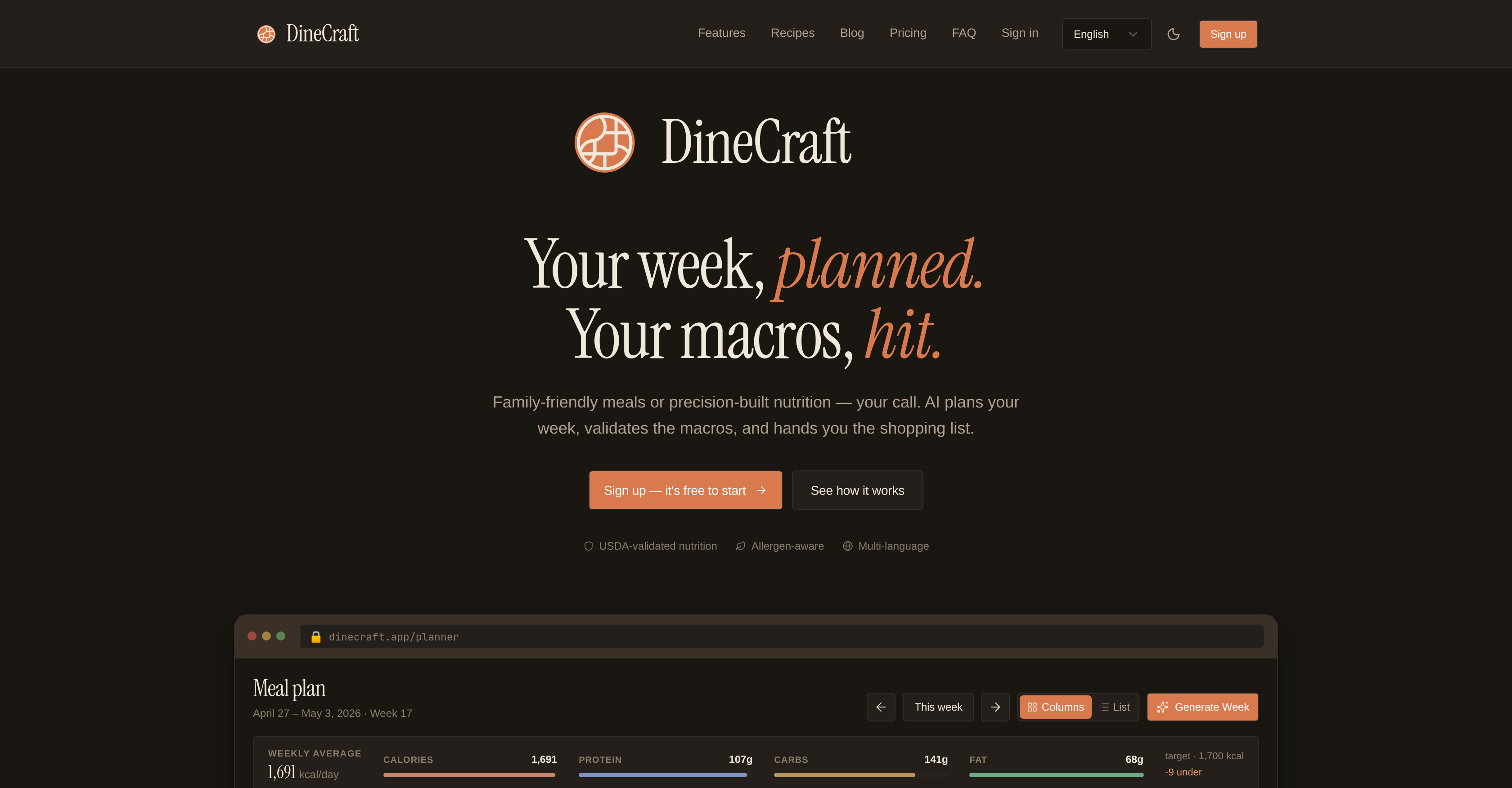
- Hit your exact macro targets every week with a multi-agent pipeline that researches, refines, and validates each recipe against the USDA food database.
- Cut grocery trips in half with an automatically generated shopping list sorted by supermarket aisle, complete with price estimates and deduplicated ingredient totals.
- Eliminate meal boredom using variability controls that prevent repeat meals within a week and let you input preferred cuisines for diverse dining.
- Stay safe from allergens by setting restrictions once, so every generated meal automatically excludes unwanted ingredients.
- Switch effortlessly between Simple Mode for family-friendly cravings and Pro Mode for precision macro tracking without losing your saved meals.
- Get complete meal plans in seconds by chatting your cravings, with recipes, ingredient pictures, and macro breakdowns delivered instantly.
- Adapt plans on the fly with the ability to swap meals, pin favorites, and blend pre-existing recipes with new AI-generated options anytime.
- Access accurate nutritional data for every breakfast, lunch, dinner, and snack through real-time cross-referencing against the USDA FoodData Central database.
- Reduce food waste with ingredient totals calculated in grams, ensuring you buy only what your weekly plan requires.
- Plan in your preferred language with multi-language support, making meal prep accessible regardless of linguistic background.
Pros & Cons
Pros
- Personalized meal prep
- Macro-nutrient based meal planning
- Family-friendly meals included
- Precise nutritional plans
- Meal breakdown (breakfast, lunch, etc.)
- USDA-validated macro-nutrient profiles
- Shopping lists sorted by aisles
- Multi-language support
- Secure data privacy
- Simple Mode and Pro Mode
- Fits different use-cases
- Recipes based on macro goals
- Direct links to meals
- Meal plans include calorie counts
- Auto-generated shopping lists
- Nutritional details for each meal
- Suitable for families and athletes
- Option to tweak meal plans
- Incorporates pre-existing and new meals
- Shopping list with price estimates
- Filtering options for shopping list
- Weekly macro target tracking
- Option to change meal plans
- Easy plan customization
- Meal recommendation and generation
- Individual and family serving options
- Proactive dietary management
- Scaled recipes for precise macros
- Ingredient validation against USDA
- Meal categorization by type
- Advanced meal planning algorithms
- Automated meal plan generation
- Data-driven personalization
- Meal plan variety control
- Plan includes new/generated meals
- Meal plan influenced by user library
- USDA validated nutrition pipeline
- Ingredient list made during cooking
- Screen stays on during cooking
- Goals and macros tracking
- Multi-platform availability
- Option to filter shopping by day
- Meals sync across devices
- TDEE calculator
- Protein floor, fat ceiling control
- Feedback on cooking progress
- Options to avoid allergens
- Customizable cuisines
- Public recipe library access
- Step-by-step recipe instructions
- Ready-made shopping lists
Cons
- Limited free plan
- Paid mode required for USDA validation
- Limited weekly meal generations in free mode
- Limited pro meals per week
- Household profiles only in highest plan
- High cost for Max plan
- Pro mode required for clearly validated macros
Reviews
Rate this tool
Loading reviews...
❓ Frequently Asked Questions
DineCraft is a versatile, AI-based meal planning tool primarily focused on macro tracking. It is developed to curate personalized meal preps that cater to the users' macro-nutrient goals for the week. From family-friendly meals to precise nutritional plans, DineCraft offers a wide array of meal solutions broken down by breakfast, lunch, dinner, and snacks, each with its calorie count and macro-nutrient composition. The tool validates each recipe's macro-nutrient profile against the USDA food database for accurate nutritional information. It also features a shopping list creation option, sorted by supermarket aisles based on the weekly meal plan. DineCraft supports multiple languages and is considerate of data privacy.
'Pro Mode' and 'Simple Mode' in DineCraft are two configurable options that cater to different user preferences and needs. 'Simple Mode' is designed for casual meal planning, perfect for families or those wanting quick and easy meal solutions. On the other hand, 'Pro Mode' is for more precise macro tracking, ideal for athletes or individuals tracking specific macro-nutrient goals. Both modes offer flexibility and control over the type of meals planned by DineCraft.
DineCraft employs AI technologies to generate meal plans based on user's macro-nutrient goals. Users input their desired macro targets for the week, and the tool curates a personalized meal plan that aims to hit these targets perfectly. The meal plan contains a variety of meals segmented into breakfast, lunch, dinner, and optional snacks, all having their calorie count and macro-nutrient composition. The tool operates in two modes – a 'Simple Mode' for casual planning and a 'Pro Mode' for more specific macro goals, further offering customization based on user preferences.
Yes, DineCraft's AI technology allows for advanced customization of meal plans. Variability controls can ensure no repeat meals within a week, and users can input specific cuisines they prefer. Additionally, users can pin meals they love for easier access and set allergens to avoid certain ingredients. It also offers an option to switch between 'Simple Mode' for casual meal planning and 'Pro Mode' for more precise macro tracking, making meal plans extremely customizable to meet diverse dietary needs and preferences.
DineCraft validates the nutritional information of its recipes using an in-built tool called the Validator. The Validator cross-references each ingredient in a recipe against the USDA FoodData Central database. Portions are recalculated in grams, and the macro-nutrient values derived are actual sums from real values, not estimates from recipe labels. The meal finalizes in the system only if it aligns with the user's target macros.
The source of DineCraft's nutritional information is the USDA FoodData Central database. Every ingredient in the meal recipes is checked and validated against this database to ensure the highest accuracy of the nutritional information.
DineCraft automatically creates shopping lists based on the meals planned for the week. It logically groups items by supermarket sections, leading to efficient and streamlined shopping. The tool also offers a filter by day function for users who shop more than once a week. It provides deduplicated ingredient totals in grams, ensuring precision and reducing waste.
Yes, DineCraft can accommodate users' dietary restrictions or food allergies. The tool allows you to input any allergens or ingredients you wish to avoid, and every generated meal will respect these restrictions, ensuring safety and convenience.
Yes, DineCraft offers multi-language support, ensuring the tool is accessible to a diverse range of users across different linguistic backgrounds.
DineCraft has a strong commitment to data privacy, indicated by its secure URL. The tool ensures that user information and data are secure and private, with no indications of misusing or sharing user data with third parties on their website.
Yes, DineCraft is ideal for family meal planning. With its 'Simple Mode', it offers family-friendly meals for quick and easy planning, accommodating tastes and nutritional needs of all family members. The tool also provides all meals with specific calorie counts and macro-nutrient compositions, useful for ensuring balanced and nutritious family meals.
Absolutely, DineCraft is particularly suitable for athletes or individuals with specific nutritional goals. The 'Pro Mode' in the tool allows for more precise macro tracking, accommodating the meticulous dietary requirements of athletes or those on rigorous diet plans. These comprehensive meal plans ensure that users can strictly adhere to their nutritional goals without sacrificing flavor or variety.
Yes, users can switch between 'Pro Mode' and 'Simple Mode' on DineCraft as per their preference and requirements. This flexibility makes the tool adaptable to different user needs and meal planning complexity levels.
Yes, DineCraft offers different meal options for breakfast, lunch, dinner, and optional snacks. Each meal plan generated by DineCraft presents a variety of meal choices broken down by these categories. Every meal option comes with a corresponding calorie count and macro-nutrient composition to align with the user's dietary objectives.
DineCraft's approach to calorie counting is rooted in its central function of macro tracking. The tool not only provides the calorie count for each meal but breaks it down into macro-nutrient compositions. This detailed nutritional information helps users monitor their calorie intake accurately, facilitating informed dietary choices and greater control over their dietary regime.
The shopping list generated by DineCraft is sorted by supermarket aisles. This feature is designed to streamline the shopping process, offering a more organized and efficient supermarket navigation experience to users.
Yes, DineCraft ensures meal variety within its planning. It includes variability controls that can be set to prevent repeating meals within a week for a diverse dining experience. Users can also provide their preferred cuisines to further customize the meal variety offered.
Yes, DineCraft's feature of sorting shopping lists by supermarket aisles can assist in easy and efficient supermarket navigation. This feature aims to add convenience to the shopping experience, potentially reducing shopping time and enhancing organization.
Yes, DineCraft is adaptable to different user goals and preferences. By offering switchable 'Simple Mode' and 'Pro Mode', it caters to a broad range of dietary needs and macro-nutrient tracking precision levels, from casual meal planning to meticulous macro tracking. This adaptability lets it cater to simple family meal planning, athletic nutrition requirements, and individual-specific macro-nutrient goals.
DineCraft offers a vast assortment of meals in its plans, from family-friendly options to meals tailored to precise nutritional needs. The meal plans incorporate breakfast, lunch, dinner, and optional snack choices. Each prepped meal is weighed to cater to the users' macro-nutrient goals and comes with a detailed breakdown of the calorie count and macro-nutrient composition.
DineCraft's 'Pro Mode' is specifically designed for users who track macro-nutrients and need precise meal plans, like athletes. This mode engages a multi-agent pipeline, which comprises a 'Researcher' that finds the recipe, a 'Refiner' that scales the recipe to the user's exact macros, and a 'Validator' that cross-references each ingredient against the USDA food database. The result is a meal plan that accurately aligns with the user's nutritional goals.
DineCraft's 'Simple Mode' is designed to make meal planning effortless for families and casual users. Users share their food cravings or preferences, and the system swiftly generates a meal plan that caters to their diet preference. It provides the recipe, ingredients, picture, and macro-nutrient breakdown all within seconds. It can generate an entire week's meal plan with just a single click, offering a blend of user's saved meals and fresh ideas.
DineCraft generates personalized meal plans based on the users' dietary macro-nutrient goals. The weekly plans are designed around individual macros, offering a variety of options categorized by breakfast, lunch, dinner, and optional snacks. Each meal plan can include both pre-existing meals and new AI-generated meals.
DineCraft integrates with the USDA food database to verify the macro-nutrient profile of each recipe. The Validator, part of DineCraft's multi-agent pipeline, checks every ingredient against this database, ensuring the nutritional information presented is accurate.
For tracking macro-nutrients, DineCraft provides a personalized meal prep based on the user's macro-nutrient goals. The tool validates all macro-nutrients against the USDA food database for accuracy. DineCraft also provides two operational modes based on the degree of precision needed in macro tracking: 'Simple Mode' for casual meal planning and 'Pro Mode' for more precise tracking.
DineCraft generates meals based on personal dietary macros using a multi-agent pipeline. The 'Researcher' in the system finds suitable recipes, the 'Refiner' scales them to the user's macro-nutrient goals, and the 'Validator' checks every ingredient against the USDA food database. Together, these agents produce a meal plan that fits the user's macro-nutrient targets.
Yes, users have control over meals that DineCraft generates for them. Users have the option to make changes to the meal plan at any point, and they can choose to utilize both pre-existing meals and new AI-generated meals in their weekly plans. DineCraft's system also takes into account the user's food cravings or preferences when formulating plans.
DineCraft provides a broad variety of meal options, categorized into breakfast, lunch, dinner, and optional snacks. These meal options are generated based on the user's macro-nutrient goals and dietary preferences, and include both family-friendly meals and individual plans that track specific macro-nutrient goals.
Data privacy is a priority for DineCraft. They showcase a commitment to using information securely, as demonstrated by the secure URL on their website.
Yes, DineCraft supports multi-language use, allowing users from various linguistic backgrounds to use the tool effectively.
Yes, DineCraft caters to various diet preferences through its AI meal planning system. This means that users can customize their meal plans according to dietary restrictions or personal preferences.
DineCraft generates shopping lists from the weekly meal plan, with the items designed to be automatically grouped by supermarket sections for users' convenience. The shopping lists include comprehensive price estimates and filtering options, providing a practical help for grocery shopping.
Yes, users can switch between 'Simple Mode' and 'Pro Mode' on DineCraft. This adaptability of DineCraft makes it suitable for various use-cases and preference levels, thereby making it easy for users to choose a mode according to their needs.
DineCraft supports the nutritional needs of athletes with its 'Pro Mode', where meal planning is based on precise macro tracking. The tool uses a multi-agent pipeline to find the recipe, scale the recipe to the athletes' exact macros, and confirm the recipe's accuracy against the USDA food database. As a result, athletes receive meal plans that accurately match their nutritional targets.
DineCraft delivers nutritional information in an exact and validated format for each suggested meal. Nutritional data, including calorie count and macro-nutrient composition, are checked and validated against the USDA food database. Thus, it offers comprehensive and accurate nutritional profiles.
Yes, DineCraft is suitable for families. The tool offers a 'Simple Mode' that caters to families and casual users. In this mode, users can communicate their cravings, and the tool conveniently generates a meal plan that works with their diet preference.
Yes, users can make adjustments to the meal plan once it's generated on DineCraft. They have the flexibility to alter their plan at any point and are free to integrate both pre-existing meals and new AI-generated meals into their weekly plans.
DineCraft's grocery list automation generates an aisle-sorted shopping list from the user's weekly meal plan. The system automatically groups the items by supermarket sections and provides price estimates, making the entire shopping process streamlined and effortless.
DineCraft validates the nutritional information of a recipe using a 'Validator' part of its multi-agent pipeline. This Validator checks every ingredient against the USDA food database. The procedure assures that the nutritional content presented in the meal plan is accurate and reliable.
The 'multi-agent pipeline' refers to DineCraft's system of generating meals that hit the user's exact macro-nutrient targets. This pipeline involves a 'Researcher' that finds suitable recipes, a 'Refiner' that adjusts the recipe to match the user's macros, and a 'Validator' that authenticates all ingredients against the USDA food database.
Pricing
Pricing model
Freemium
Paid options from
$12/month
Billing frequency
Monthly