Documentation.AI
Overview
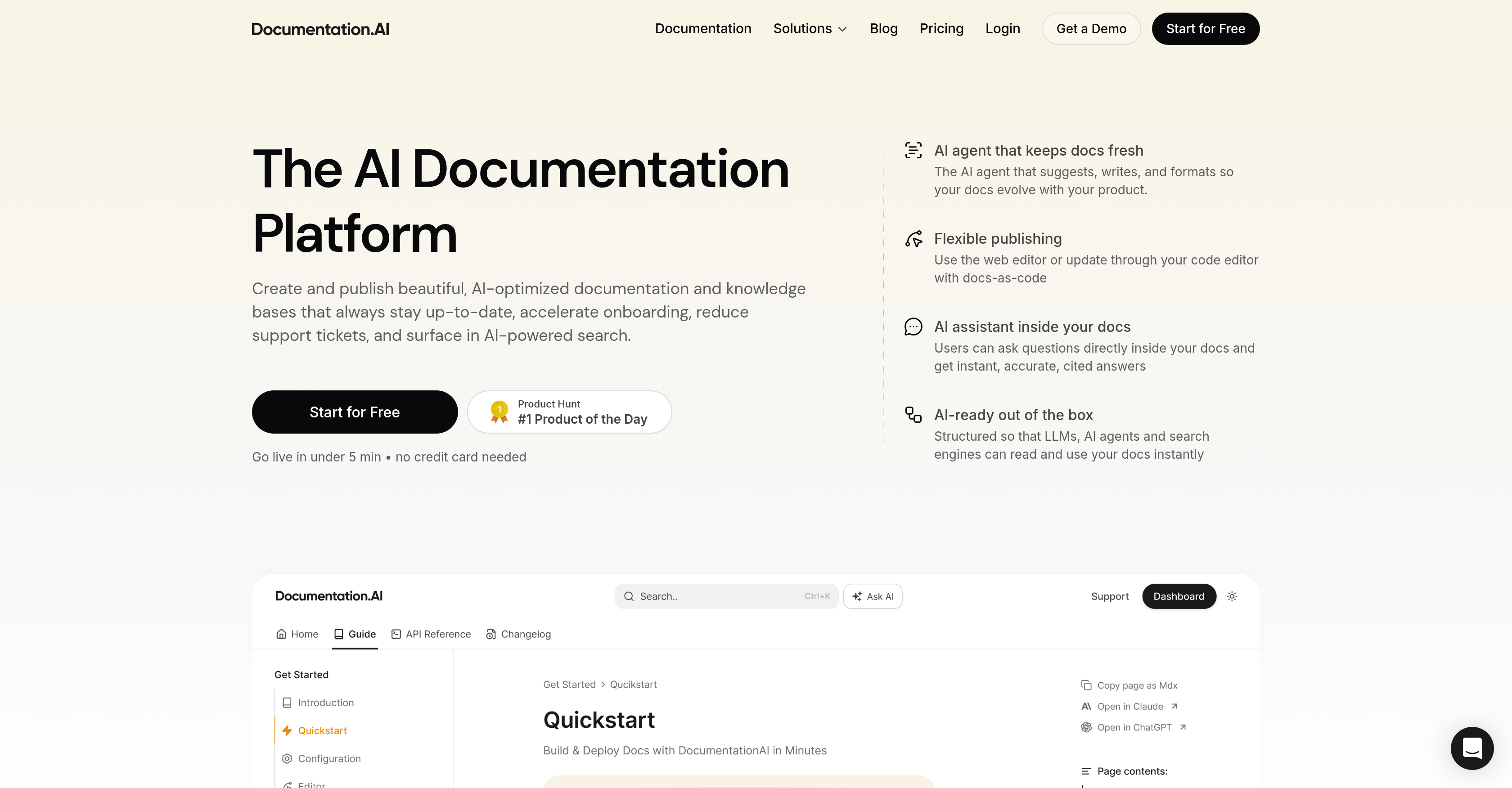
- Eliminate outdated documentation and reduce support tickets with an AI agent that proactively tracks product changes, feature releases, and user feedback to suggest and draft updates.
- Get instant, accurate answers within your docs using the built-in Agentic AI assistant, allowing users to ask questions and receive referenced responses without leaving the page.
- Boost SEO discoverability and create a single source of truth for AI tools by auto-generating clean, structured llms.txt files from your optimized content.
- Publish documentation your way using an intuitive Notion-style web editor with drag-and-drop blocks or manage updates as code directly from your preferred code editor.
- Ensure AI agents and search engines always access the latest information via real-time specification streaming through the integrated Model Context Protocol server.
- Speed up developer onboarding and engagement with an interactive API playground embedded in your docs for testing endpoints and copying code snippets.
Pros & Cons
Pros
- Automatic documentation update
- Minimal manual intervention
- Facilitates publishing process
- Docs-as-code feature
- Real-time provision of information
- Avoids outdated snapshots
- Auto-generation feature for llms.txt
- Improves SEO discoverability
- Instant accurate documentation responses
- Performance-focused
- Accommodates machine learning models
- Tracks product changes
- Detects outdated documentation
- Notion-style editor
- Easy-to-use features
- Suitable for non-technical users
- Reduces support tickets
- Speedy onboarding
- User engagement focused
- Model Context Protocol Server
- Customizable templates
- Fast loading times
- API Testing Playground
- Real-time specification changes
- Interactive elements
- User feedback collection
- Accessible design
- Responsive pages
- Git commits tracking
- Feature releases tracking
- Audit logs tracking
- Supports docs in Git
- Markdown/MDX support
- Integrations with GitHub, Slack, Jira
- Page views, search terms, drop-offs analytics
Cons
- No mobile application
- Limited customization options
- Notion-style editor restrictive
- No offline mode
- Dependent on MCP server
- Missing documentation versioning
- No cited reference display
- Planned features not yet ready
- Doesn't support all code editors
- Limited integration options
Reviews
Rate this tool
Loading reviews...
❓ Frequently Asked Questions
Documentation.AI employs its AI agent to suggest, write, and format documentation, ensuring it evolves alongside your product with minimal manual intervention. Additionally, it tracks product changes, feature releases, support tickets, user feedback, and audit logs to detect when documentation becomes outdated. Therefore, the AI Documentation Agent keeps docs in sync with minimal effort, suggesting improvements, rewrites, and generating draft updates. The agent also monitors Git commits, user feedback, and more to keep the documentation up-to-date.
The Agentic AI assistant in Documentation.AI allows users to ask questions directly within the documentation and receive instant, accurate responses. This helps users access relevant information seamlessly and improves the user experience.
The Notion-style editor in Documentation.AI provides easy-to-use features. It allows users to create and publish documentation using drag-and-drop blocks and slash commands. It also incorporates a built-in AI Agent that helps generate improvements, clear sections, summarize changes, and create clean draft updates.
Documentation.AI detects outdated content by continuously tracking product changes, feature releases, support tickets, user feedback, and audit logs. As soon as the system identifies a need for an update in documentation, the AI agent suggests the necessary modifications, thereby ensuring that users never encounter outdated or incorrect information.
Documentation.AI is structured to accommodate machine learning models and search engines. The documentation is structured, accessible, and optimized for modern search engines, allowing for efficient crawling and indexing. Additionally, the platform's architecture avails updated and relevant information in real time for AI agents, avoiding outdated information or snapshots.
'Docs-as-code' in Documentation.AI refers to the capability to manage and update documentation through any code editor. This allows developers to maintain their documentation and code in sync and facilitates smooth updates and editing with popular code editing tools.
Documentation.AI aids in the publishing process by using its AI to support both web editor based publishing and docs-as-code publication through a code editor. Its built-in AI agent suggests, writes, and formats the documentation, making the process fluid and efficient.
The auto-generation feature for llms.txt in Documentation.AI is designed to establish a single source of truth for AI assistants and improve SEO discoverability. By exposing clean, structured content, it helps AI assistants access the most accurate and comprehensive data thus improving their performance.
Documentation.AI ensures the real-time provision of information for AI agents by maintaining an updated and immediately accessible documentation database. Unlike fixed training cutoffs in traditional models, Documentation.AI provides real-time information which allows AI agents to see the latest updates instead of outdated snapshots.
Documentation.AI is structured for SEO optimization through a number of ways. Mainly by maintaining updated, accessible and high-quality content that is structured and clean for easy indexing by search engine bots. The platform is also equipped with an auto-generation feature for llms.txt that improves SEO discoverability by exposing clean, structured content.
Yes, non-technical users can also use Documentation.AI. It has an intuitive and user-friendly interface with a built-in AI assistant that guides users and answers their queries. Moreover, the platform includes a Notion-style editor with simple features such as drag-and-drop blocks and slash commands to provide a user-friendly experience.
Beyond creation and updating of documentation, Documentation.AI also monitors product changes, feature releases, support signals, user feedback, and audit logs. This monitoring helps to highlight whenever the present documentation is out of date and therefore, allows the platform to ensure the documentation stays accurate, precise and up-to-date.
Creating a single source of truth for AI assistants in Documentation.AI refers to the establishment of a singular, authoritative and constant place for data that AI assistants can refer to. This is achieved through the auto-generation feature for llms.txt. This feature presents clean, structured content that becomes the definitive reference point for AI assistants ensuring consistency and accuracy.
Documentation.AI improves SEO discoverability by maintaining updated, structured, and high-quality content. The platform's AI agents create content that is easily indexable by search engines. Moreover, it provides an auto-generated llms.txt that exposes clean and structured content, improving its discoverability and boosting its visibility on search engine results.
Yes, Documentation.AI allows direct user interaction within the documentation. Its built-in Agentic AI assistant enables users to ask questions directly within the documentation, receiving instant, accurate responses. This improves the user experience by providing immediate and precise answers to their queries.
Documentation.AI ensures its documentation is user-friendly and accessible by using an intuitive interface and smart AI features. It provides a Notion-style editor with easy-to-use features for creating and publishing documentation. AI assistants are available to provide instant, accurate answers to users' queries directly within the documentation, making the process efficient and easy to use.
Documentation.AI is suitable for individual use. With its intuitive interface, smart AI features, and Notion-style editor, individuals can easily create, update, and use documentation. The platform is designed to accommodate the needs of both developers and non-technical users, making it a comprehensive documentation solution for individuals running personal or small projects.
Documentation.AI ensures high-speed delivery of documentation by using modern web development practices and performance optimization techniques. It is optimized for high-speed performance, thereby making the documentation load faster and providing a seamless user experience.
Yes, Documentation.AI can accommodate enterprise use. With its robust AI capabilities and comprehensive tracking and updating mechanisms, Documentation.AI is capable of handling large scale, complex projects typically associated with enterprise use. Not only does it automate the documentation creation and updating process but also ensures the information presented is accurate, current, and accessible.
Documentation.AI's interface is intuitive as it's designed to closely match common editing tools and environments that users are already familiar with. The interface includes a Notion-style editor, allowing seamless creation and editing of documentation employing drag-and-drop blocks and slash commands. These easy-to-use features collectively make the platform user-friendly, simplifying the documentation process without a hefty learning curve.
Documentation.AI's main purpose is to facilitate the creation, updating, and deployment of documentation and knowledge bases by employing its AI capabilities. It helps keep the information accurate, relevant and easier to navigate for the users.
Documentation.AI can be used by both technical and non-technical users, making it a suitable platform for developers as well as non-coders who need to maintain project documentation.
Key features of Documentation.AI include: AI-assisted editing and updating of documentation, auto-generating llms.txt files, a built-in Agentic AI assistant, an intuitive Notion-style editor, real-time specifications changes through the Model Context Protocol Server, customizable templates, an API testing playground, and functionality for tracking product changes, feature releases, user feedback, and audit logs.
Documentation.AI ensures that documentation stays up-to-date by employing AI capabilities to suggest, write, and format documentation based on product evolutions. It also proactively tracks product changes, feature releases, support tickets, user feedback, and audit logs to detect when documentation becomes outdated, even before users encounter incorrect information.
Documentation.AI's AI agent contributes to the creation and updating of documentation by suggesting improvements, reworking unclear sections, fixing structure, summarizing changes, and generating clean draft updates. This ensures the documentation remains fresh and optimized as the product evolves.
Yes, Documentation.AI can be used for docs-as-code updates. It accommodates machine learning models and search engines that read and use the available documents. These updates can be made via any preferred code editor.
Documentation.AI assists in the publishing process by providing an effortless update system through its web editor and also allowing the implementation of docs-as-code through any code editor. It further aids in publishing by maintaining an organized structure, and facilitating real-time provision of information for AI agents.
Documentation.AI tracks product changes, feature releases, user feedback, and audit logs to determine when documentation becomes outdated. This proactive approach ensures the documentation is maintained accurately and up-to-date.
Yes, Documentation.AI comes with a built-in Agentic AI assistant. This allows users to ask questions directly within the documentation and receive instant, accurate responses.
Documentation.AI ensures speed and accessibility by focusing on a design that is user-friendly, accessible and delivers high-speed, SEO-optimized documentation. It achieves fast loading times for its documentation pages ensuring smooth and quick access.
With Documentation.AI, users can create and maintain a range of content including documentation, knowledge bases, and other written materials relevant to the product being documented.
The Notion-style editor in Documentation.AI is an intuitive interface that provides easy-to-use features such as drag-and-drop blocks and slash commands. This allows users to create and manage documentation effectively, regardless of their technical expertise.
The Model Context Protocol Server in Documentation.AI facilitates real-time specification changes by streaming them to any model that supports the protocol. This ensures the AI tools always work with the latest versions of documentation.
Yes, Documentation.AI can aid in reducing support tickets by keeping the documentation up-to-date and thus minimising user queries and errors. The immediate responses provided by its AI assistant can also help in resolving queries faster, reducing the load on support tickets.
Documentation.AI provides AI-optimized documentation and knowledge bases that always stay up-to-date for onboarding. This quick and consistent availability of accurate information facilitates a speedier onboarding process.
Documentation.AI enhances user engagement by providing a UI that is designed with performance, accessibility and SEO in mind. It features an interactive API testing playground and in-document AI assistance, enabling users to get immediate responses to their queries.
Interactive elements that Documentation.AI features include an API playground for testing endpoints and tweaking parameters, and a built-in Agentic AI assistant that provides instant responses to user inquiries within the documents.
Documentation.AI offers a range of customizations for its user interface, such as allowing users to change colors, fonts, layouts, or even inject their own CSS & JS. It also provides over 100 reusable blocks catering to various needs, from callouts to code tabs.
Documentation.AI supports API testing through its interactive API testing playground. Here, users can test endpoints, modify parameters, and copy ready-to-run code snippets directly from the documentation.
Pricing
Pricing model
Freemium
Paid options from
$29/month
Billing frequency
Monthly
Refund policy
No Refunds