EasyScribe
Overview
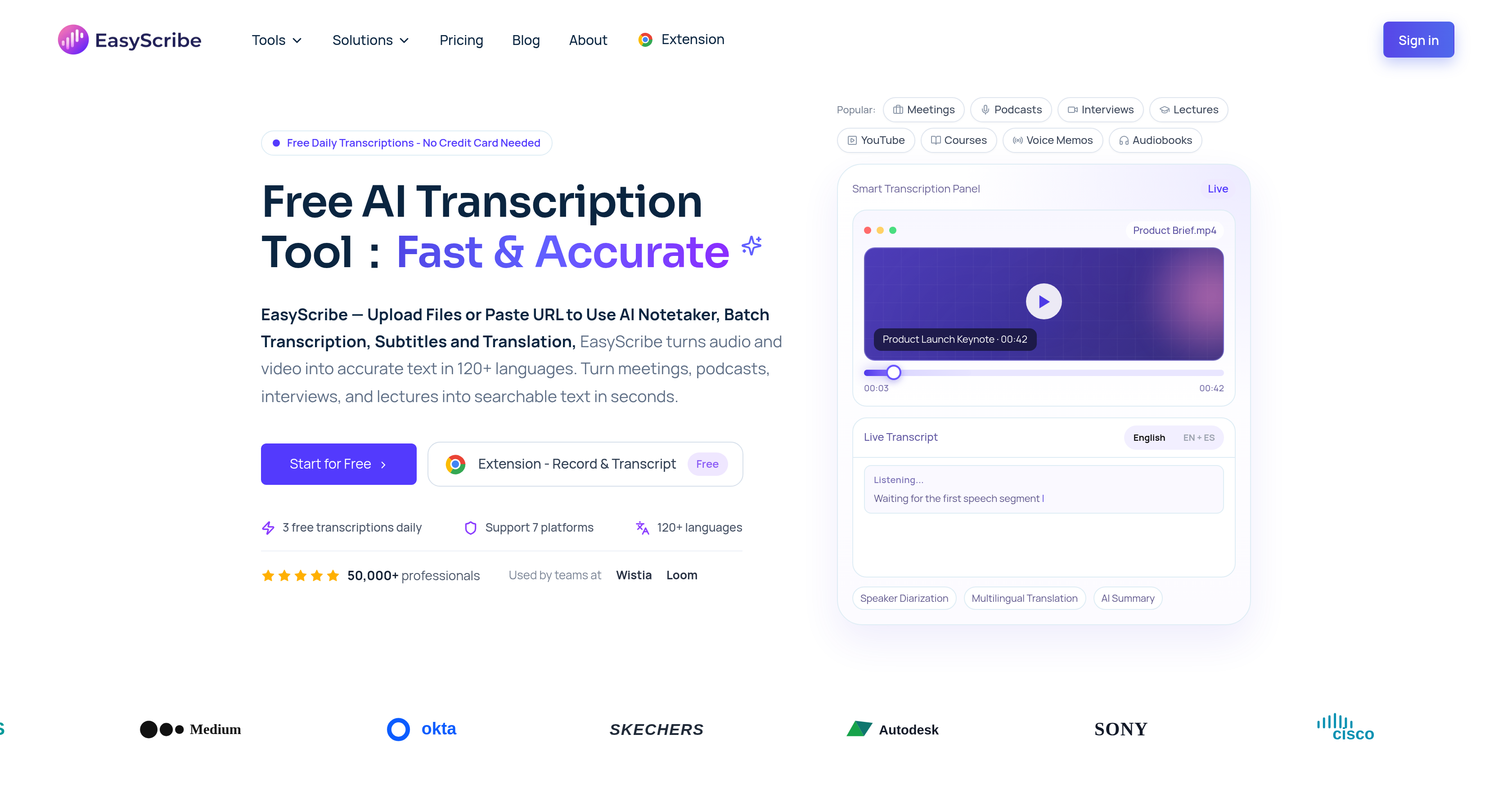
- Save over five hours every week by automating manual documentation and note-taking with AI-generated summaries and meeting action points
- Achieve up to 99.5% transcription accuracy on meetings, lectures, and podcasts, even with diverse accents and dialects, using advanced AI diarization
- Get clear, organized transcripts from multi-speaker conversations like interviews and team debriefs, with automatic speaker identification and separation
- Turn any audio or video file—MP3, MP4, WAV, or URL—into searchable text in over 120 languages, including regional dialects, without starting over
- Generate ready-to-use subtitles and captions for videos directly from your transcript, improving accessibility and audience reach
- Ask any question about your transcript and receive instant, accurate answers extracted from the content by the built-in AI assistant
- Edit and refine transcripts line by line with timestamped precision, then export as TXT or DOCX or share publicly with one click
- Repurpose podcast episodes, webinars, online courses, and voice memos into readable transcripts, summaries, and translated versions in minutes
- Start with zero cost—get three free transcriptions every day, no credit card required, to test the workflow for any project
Pros & Cons
Pros
- Supports 120+ languages
- Multilingual transcription
- Translates content
- Cross-dialect accuracy
- Cross-accent accuracy
- Accurate speaker identification
- Allows file uploading
- Content export capability
- Supports URL transcription
- Subtitle functionality
- Professional-grade transcription
- Time-stamped editing
- Transcribe, edit, export workflow
- Provides daily free transcriptions
- Supports multiple content types
- Timestamped editing
- Accommodates diverse workflows
- 99.5% transcription accuracy
- Understanding of dialects and accents
- Generates meeting action points
- Manages transcript libraries
- Upload via file or URL
- Subtitles and translation modes
- Significant time savings
- Supports content in various formats
- Ability to add translation
- Supports multiple file formats
- Ability to export and share
- Translation across multiple languages
- Provides summaries and notes
- Perfect choice for multilingual needs
- Includes workspace for editing
- Direct sharing of transcripts
- Turns lessons into transcripts
- Turns recordings into clear transcripts
- Supports 7 platforms
- Automatic transcript saving
- Browser-based transcript editing
- Adapts to team's workflow
Cons
- Only three free transcriptions daily
- Limited file format support
- Potential formatting issues post-translation
- No offline functionality
- Limited export formats
- No dedicated app
- Limited features in free version
- Lack of wider workflow integration
- Can't customize IA responses
- Only URL/file-based input methods
Reviews
Rate this tool
Loading reviews...
❓ Frequently Asked Questions
EasyScribe provides transcription with an accuracy rate of up to 99.5%. This high precision takes into account quality audio, less background noise, and clear enunciation by the speakers.
EasyScribe identifies different speakers in a conversation through AI diarization. This system can identify and separate speakers in multi-speaker audio, which is particularly useful for podcasts, interviews, and meetings.
Yes, EasyScribe can handle different accents and dialects. Its AI-powered transcription tool supports accurate transcription across different accents and dialects, which helps in creating clearer and accurate transcripts. This feature allows the tool to understand a wide range of languages, nuances and speech patterns.
EasyScribe can transcribe and translate content in over 120 languages and dialects. This multilingual support allows users to generate translated versions of audio or video content in multiple languages without the need to start over each time.
Users can upload various formats to EasyScribe for transcription. EasyScribe supports MP3, MP4, WAV, M4A, MOV, WebM, and over 20 other formats, allowing for diverse content to be worked on.
Yes, EasyScribe can generate subtitles for videos. It offers subtitle mode as one of its key features, which allows users to add captions to their video content effectively, aiding in accessibility and understanding.
The AI Assistant in EasyScribe is designed to interact with the user's content. It extracts useful and relevant information from the transcript based on user queries. It allows the user to ask any question about the transcript and the AI assistant will respond with accurate details.
Yes, it is possible to manually edit transcripts in EasyScribe. It offers a feature for timestamped editing which allows users to manage, edit, and update transcript and subtitle lines directly in the browser.
Yes, users can export the transcripts from EasyScribe. They have the option to export the files in TXT or DOCX format or share them publicly with a single click.
EasyScribe turns audio and video into summaries and notes using its AI technology. It automatically transforms transcripts into structured summaries and notes that are easy to scan, share, and reuse. This enables more efficient analysis and review of the content.
Yes, EasyScribe supports multi-speaker transcription. Its AI diarization feature contributes to its ability to identify and separate speakers in multi-speaker audio, making it highly useful in transcribing conversations, interviews, and meetings.
Yes, EasyScribe can process voice memos for transcription. It can turn audio content such as voice memos into accurate transcripts instantly, providing flexibility and convenience to the user.
EasyScribe assists both students and professionals by efficiently converting spoken content like lectures, webinars, interviews, and meetings into written format. For professionals, it saves time on manual documentation and meeting summaries. For students, it can transcribe lessons into clear transcripts and study notes for effective revision and recall.
EasyScribe can repurpose a variety of audio and video content. This includes content from podcast episodes, voice memos, online courses, webinars, and meetings. They can be converted into readable transcripts, summaries, subtitles, and translated text.
EasyScribe handles content from online courses and webinars by converting the audio and video material into accurate transcriptions. These can then be repurposed into other formats such as summaries and subtitles, making the content more accessible and versatile.
Yes, EasyScribe can transcribe content from podcasts. Its high precision transcription tool can convert audio from podcast episodes into accurate and readable transcripts. It also allows for the creation of subtitles, and can even translate the content into multiple languages.
Yes, EasyScribe does offer free daily transcriptions. It gives the provision of transforming audio and video into readable format without any cost on a daily basis.
The steps involved in using EasyScribe are simple and straightforward. 1) Upload the audio or video file, EasyScribe supports more than 20 formats. 2) Choose the source language and start the transcription. The transcripts are saved automatically in 'My Creations' section. 3) Users can edit, export, or share the resulting transcripts directly in the workspace.
Yes, users can use EasyScribe for translating their content. It supports translation in over 120 languages and dialects. Users can upload a file, start transcription, and then generate translated versions in multiple languages without starting over each time.
EasyScribe handles business and meeting transcriptions by providing accurate and fast transcriptions of audio and video recordings. This becomes a resourceful tool for professionals to keep accurate written records of client calls, internal debriefs, hiring interviews, training sessions, and follow-up conversations.
EasyScribe is an AI-powered transcription tool that converts video and audio into readable transcripts, subtitles, and translated text in over 120 languages. The tool, used by professionals, students, and creators, is able to handle different types of content such as voice memos, meetings, podcast episodes, interviews, online courses, and webinars. It offers a range of features including multilingual transcription, speaker identification, subtitles and transcripts modes, transcript editing, and an AI assistant for content-related queries.
EasyScribe supports over 120 languages and dialects, making it a versatile tool for transcription and translation tasks. From major world languages to regional dialects, it ensures accurate transcription irrespective of the language your audience speaks.
Yes, EasyScribe does include a speaker identification feature. It has the capability to accurately identify and separate speakers in multi-speaker audio. This feature is particularly useful for content such as podcasts, interviews, and meetings.
The transcription accuracy provided by EasyScribe is up to 99.5%. However, the actual accuracy may depend on factors such as the quality of the audio, background noise, and speaker clarity. In many cases, the generated transcripts need little or no manual cleaning.
Yes, EasyScribe is available for free. It offers users three free transcriptions daily, making it an accessible tool for those needing occasional transcription services.
EasyScribe's translation feature works by turning spoken content into multiple language versions. With support for over 120 languages and dialects, it lets users upload a single file and subsequently generate translated versions in different languages without having to start over each time.
EasyScribe contributes to time savings by automating the transcription and summarizing process. Users who spend significant time on manual documentation and note-taking can save over five hours per week on average with EasyScribe's AI summaries and meeting action points.
Yes, EasyScribe does offer both subtitle and transcript modes. This flexibility enables users to choose the format that best suits their needs, whether it be adding captions to a video or transforming a podcast into an article.
Yes, EasyScribe is accent-aware. It supports accurate transcription across diverse accents, thus enhancing the clarity and reliability of the generated transcripts.
Content can be uploaded to EasyScribe through a simple file upload process or by pasting a URL. The platform supports multiple file formats including MP3, MP4, WAV, M4A, MOV, and WebM among others.
EasyScribe offers several AI features such as AI-powered summaries and notes, timestamped editing, and an AI assistant for content-related queries. These features aim to simplify and enhance the user experience by enabling easy scanning, sharing, and repurposing of transcripts.
EasyScribe can transcribe different types of content including meetings, lectures, interviews, podcasts, voice memos, online courses, and webinars. This wide range of supported content types makes it a versatile tool for many users.
Transcripts generated by EasyScribe can be exported in various formats, including TXT and DOCX. They can also be shared publicly directly from the platform.
Yes, EasyScribe does support transcription across multiple dialects. Its multilingual translation capability ensures accurate transcription for a wide range of languages and their respective dialects.
EasyScribe integrates naturally into various workflows. Whether you're in a boardroom meeting, a classroom lecture, or a podcast studio, EasyScribe adapts to your team's needs irrespective of the format, language, or scale.
Yes, EasyScribe can certainly transcribe your lectures and meetings. In fact, it specializes in processing such content, turning them into searchable text and thereby enhancing your productivity and organization.
Yes, EasyScribe can assist with your voice memos transcription and translation. This feature can be particularly useful for individuals who regularly utilize voice memos for notes or idea capture and need an easy way to convert these spoken notes into written or translated text.
Yes, EasyScribe does allow users to ask the built-in AI assistant questions about the transcript. The AI assistant responds by drawing out the exact details users need from the transcript.
Transcripts can be managed and edited directly through EasyScribe. The tool's timestamped editing feature ensures that it's easy to locate, fix, and update transcript and subtitle lines in your browser.
The process to transcribe content using EasyScribe involves three simple steps. First, you upload your audio or video file. Second, you choose the source language and add translation if needed, then start the transcription with one click. Finally, you can edit your transcripts and then export or share them as needed.
Pricing
Pricing model
Freemium
Paid options from
$7.99/month
Billing frequency
Monthly
Related Videos
How to Automatically Transcribe Video to Text For Free
EasyScribe•49 views•Mar 29, 2026