
Overview
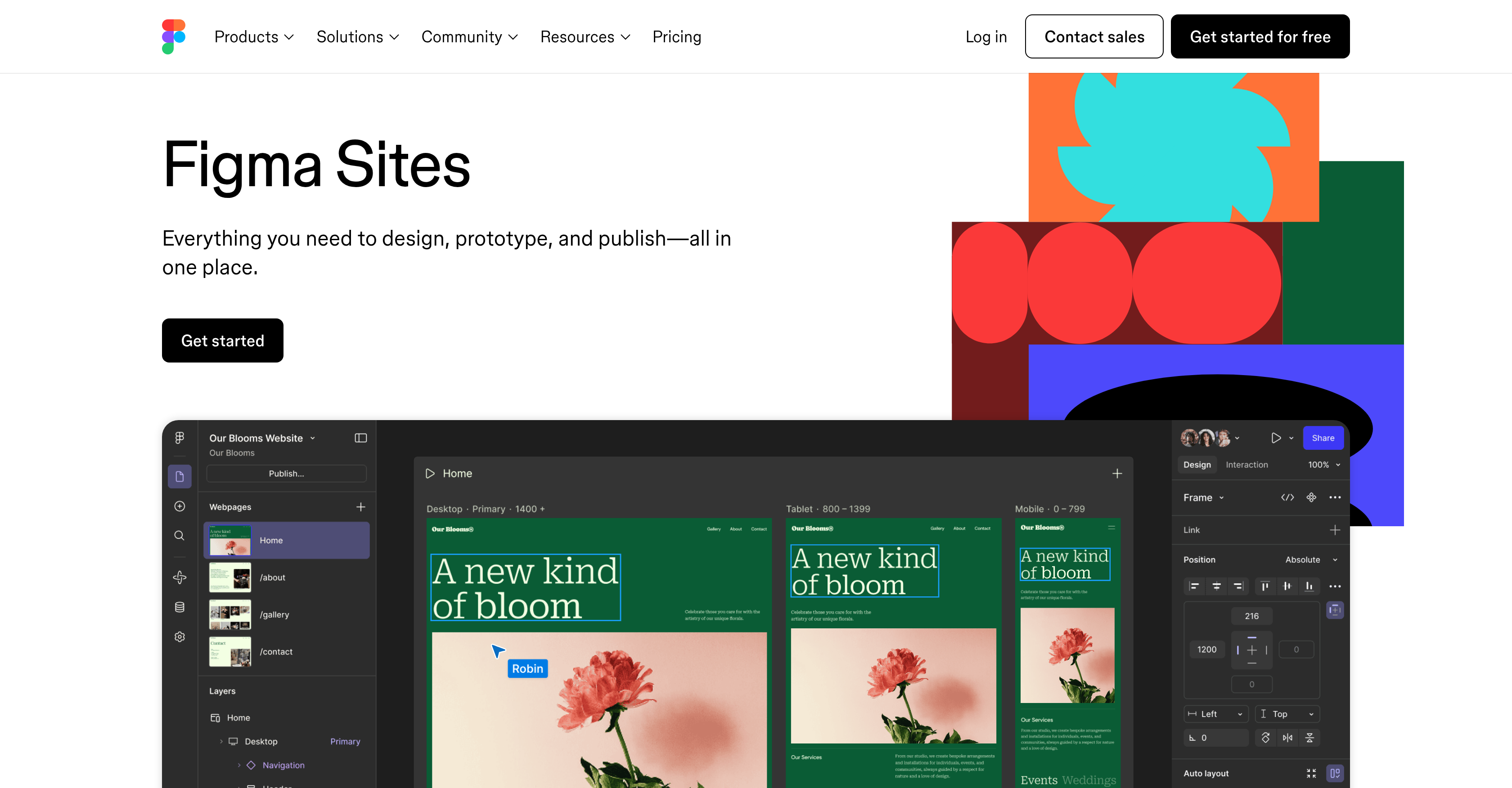
- Launch websites directly from your Figma designs without rebuilding layouts, using the simple paste-to-publish workflow.
- Maintain perfect brand consistency by reusing your existing Figma design libraries and components across every site.
- Enable non-designers to update text and images safely with a locked-layout CMS that protects your original canvas.
- Add advanced interactivity like custom cursors and marquee scrolls instantly with preset interactions, no coding required.
- Create unique, custom interactions from scratch or your designs using the integrated AI for bespoke user experiences.
- Jumpstart projects faster with professionally-crafted website templates that maintain a high-quality starting point.
- Manage the entire project lifecycle in one place, from WIP to published site, with all typography and layouts preserved.
Pros & Cons
Pros
- Designing, prototyping, and launching
- Integrated platform
- Conversion of Figma Design frames to websites
- Website customization
- Responsive components
- Text and auto layouts
- Interactivity addition through preset interactions
- Custom cursors
- Marquee scrolling
- Hover effects
- Content Management System
- Dedicated view for content creation
- Design layout locked for collaborations
- Canvas unaffected by modifications
- Works in all project stages
- Preserves all details from Figma Design files
- Allows use of existing design libraries
- Brand consistency
- Efficient design process
- Professionally-crafted website templates
- Collaborative web creation
- Turns Figma Design frames into flexible layouts
- Use of pre-built blocks
- Quick content addition, editing, and publishing
- Protected design layout
- Custom interactions creation
- Figma integration
- No rebuilding required
- Template utilization for easy starting
- Existing designs pasting to Figma Sites
Cons
- No offline mode
- Limited built-in interactions
- No multi-language support
- Restricts canvas modifications
- Locked design layout
- Figma Design necessary
- No custom-coding capabilities
- Missing advanced SEO tools
- Lack of analytics integration
- No eCommerce functionality
Reviews
Rate this tool
Loading reviews...
❓ Frequently Asked Questions
Figma Sites is an integrated platform that facilitates the design, prototyping, and launch of websites. It smoothly transforms Figma Design frames into website layouts, allowing users to build their sites quickly and collaboratively.
Figma Sites allows for collaborative website design and prototyping by providing a platform where users can work together in real-time. They can easily convert their Figma design frames into flexible website layouts by pasting them into Figma Sites. The design layout remains locked during content creation and updates, supporting text and visual modifications without affecting the canvas, thus ensuring a seamless collaborative environment.
Conversion of Figma Design frames into website layouts in Figma Sites is achieved by allowing users to paste their existing designs directly into Figma Sites. The platform's features then enable the transformation of these frames into flexible layouts, crafting the desired website structure and appearance.
Yes, Figma Sites allows complete customization of website layouts. Users can tailor their sites using responsive components, text, and auto layouts, offering flexibility and ease to the design process.
Yes, Figma Sites allows users to add interactivity to their websites through preset interactions like custom cursors, marquee scrolling, and hover effects, enhancing the user experience and engagement with the site.
The Content Management System function in Figma Sites is a dedicated view for content creation and updates. It keeps the design layout locked so that collaborators can make text and visual modifications without affecting the canvas, providing a streamlined content management approach that does not interfere with website design.
Figma Sites' AI integration enables the creation of custom interactions for websites, either from pre-existing designs or from scratch. This unique feature enhances the site's interactivity and user experience and streamlines the design process.
Yes, Figma Sites can handle all stages of a project, from a work in progress to publishing. It provides a seamless workflow, with the capability to convert Figma Design files into websites while preserving all details such as typography and page layouts.
Figma Sites preserves typography and page layouts during conversion by maintaining the integrity of Figma Design file data. It ensures every detail from the original design, such as page layouts to typography, is preserved when creating the website.
Yes, users can utilize their existing design libraries and components in Figma Sites, effectively leveraging their previously created design elements and maintaining consistent branding across their projects.
Yes, Figma Sites offers a range of professionally-crafted website templates. These templates are designed to help users save time during the initial stages of design, providing a helpful starting point that can be customized to suit user needs and preferences.
Figma Sites ensures design efficiency and brand consistency by allowing users to leverage their existing design libraries and components. It helps avoid the need to rebuild designs and maintains brand consistency across various design elements and layouts.
Figma Sites offers a variety of collaborative tools. These include a dedicated view for content creation and updates which keeps the design layout locked, allowing collaborators to make changes without affecting the canvas. Additionally, it facilitates the transformation of Figma design frames into website layouts for collaborative design and prototyping.
Users can prototype their website designs in Figma Sites by crafting flexible layouts from their Figma Design frames, adding interactivity through preset interactions, and making necessary modifications using the integrated AI or the direct code editing feature.
Website publishing on Figma Sites is managed within the platform itself. Once the design stage is completed, and all Figma Design file elements are converted into a website, users can easily publish their work, ensuring a seamless transition from design to the live site.
Automation functionality in Figma Sites is facilitated through AI integration. This feature allows for the creation of custom interactions from the designs or from scratch, enhancing the website's interactivity and function with little to no manual input during the process.
Interactive design in Figma Sites is enabled through its preset interaction features and its AI integration. Users can add interactivity to their websites through preset features like custom cursors, marquee scrolling, and hover effects. Further customization and interactivity are made possible by leveraging the AI capabilities of the platform.
Yes, Figma Sites can integrate with existing design tools. Users can transform their Figma Design frames into flexible layouts by simply pasting their existing designs into Figma Sites, ensuring seamless integration and transition between tools.
Conversion of a design into a fully functional website using Figma Sites is known to be straightforward and efficient. After pasting a Figma Design file into the platform, users can transform these designs into flexible website layouts. With added interactivity and AI integration, the conversion process is streamlined, resulting in a fully functional website.
Figma Sites' approach to layout customization and interactive design elements is flexible and user-centered. It allows users to paste their existing Figma Design frames into the platform, converting these into customizable website layouts with responsive components, text, and auto layouts. It also allows users to add various interactive elements like custom cursors and marquee scrolling and even create custom interactions from scratch with its AI integration, offering a blend of customization and interactivity in web design.
Pricing
Pricing model
Freemium
Paid options from
$3/month
Billing frequency
Monthly
Related Videos
Introduction to Figma Sites CMS
Figma•14.3K views•Nov 19, 2025