
Overview
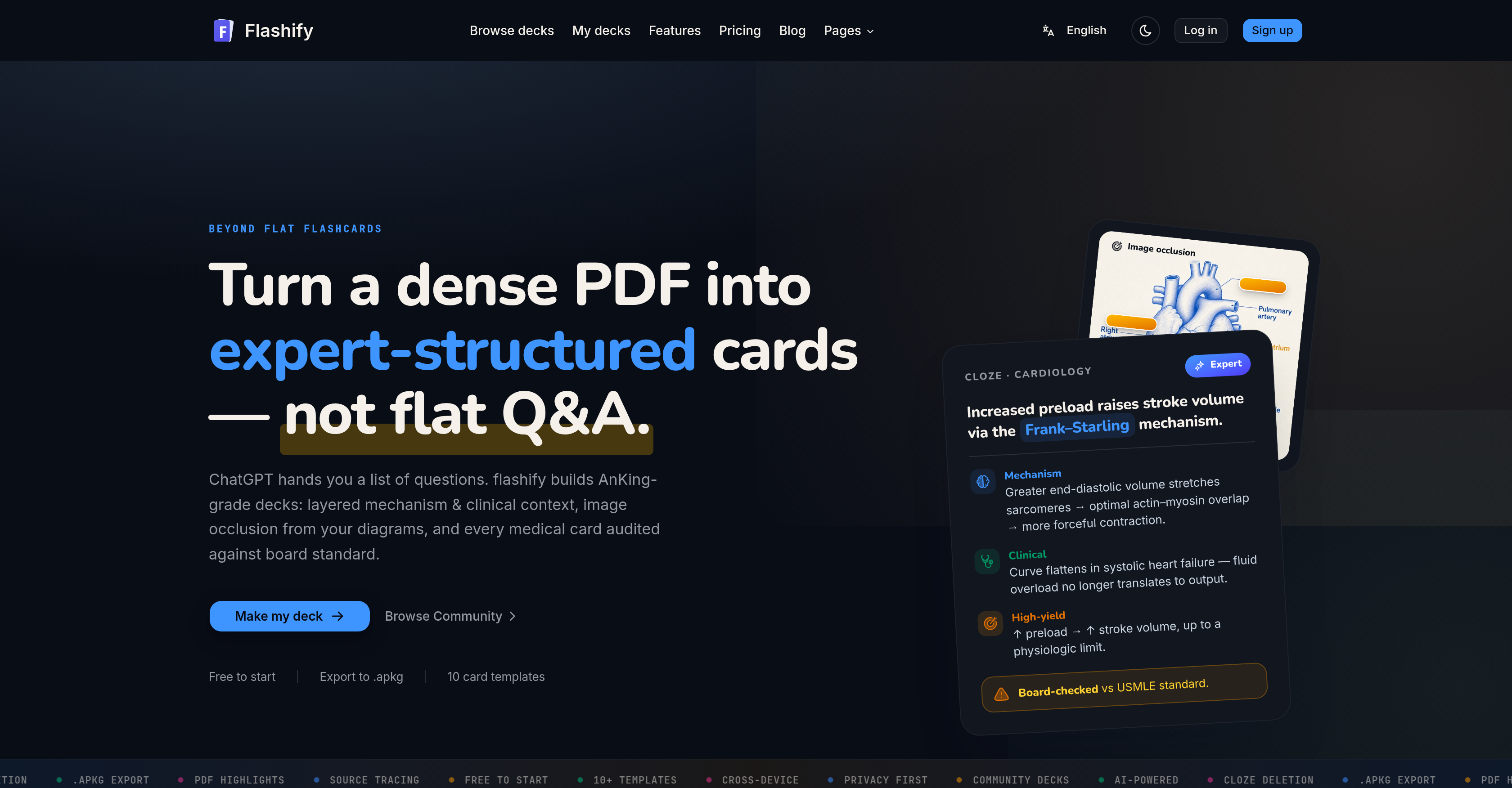
- Study only what matters by generating flashcards from your own highlighted PDF passages, skipping irrelevant content entirely
- Create fill-in-the-blank cards automatically through AI-powered cloze deletion, forcing active recall of missing terms
- Convert labeled diagrams into image occlusion cards for active recall, memorizing anatomy, charts, and schematics without manual setup
- Edit every flashcard before export to refine wording or add context, ensuring each card matches your exact study needs
- Export ready-to-import .apkg files for instant use across Anki desktop, AnkiMobile, AnkiDroid, and AnkiWeb without reformatting
- Trace every card back to its original page number, enabling quick source verification when reviewing complex material
- Delete uploaded PDFs at any time with the guarantee that documents are used solely for card generation and never for AI training
Pros & Cons
Pros
- Turns PDFs into flashcards
- Auto-detects highlights and annotations
- Creates structured flashcards
- Offers image occlusion cards
- Prioritizes highlights for focus
- Links flashcards to original sources
- Customizable flashcard wordings
- Exports as .apkg files
- Multiple Anki platform compatibility
- Privacy-Focused
- Uploaded documents can be deleted
- Free initial use
- 10+ card templates
- Community Decks
- Generates cards from highlights
- Flags when source deviates
- Inline editing option
- Generates from full text
- Supports direct Anki import
- Cross device use
- Recognizes labeled diagrams
- Audit against board standard
- Highlighted regions detection
Cons
- Limited to PDF format
- No multi-language support
- No free version
- Limited card editing options
- Reliant on existing highlights
- No offline functionality
- No integrated study system
- Doesn't clean up diagrams
- No bulk upload feature
- Export only in .apkg
Reviews
Rate this tool
Loading reviews...
❓ Frequently Asked Questions
Flashify can create various types of cards such as image occlusion cards from given diagrams and fill-in-the-blank style cards through its AI-Powered Cloze Deletion technique.
Flashify's AI-Powered Cloze Deletion is a technique that is used to produce fill-in-the-blank style cards. The blanks in the cards encourage the users to recall the missing information, thus enhancing learning and retention.
Yes, Flashify does allow users to manually adjust the wordings of the flashcards before export. This helps users fine-tune the content according to their specific requirement.
Flashify uses artificial intelligence (AI) to automatically detect highlights, annotations, and structures from the PDF. This ensures that the card creation process focuses only on the significant information and not on the entire content.
Flashify is compatible with PDF documents. Users can upload lecture notes, textbooks and study materials in PDF format which Flashify then transforms into Anki-compatible flashcards.
The output format of Flashify generated flashcards is .apkg files. The .apkg format is used by Anki and the cards can be imported directly into any Anki client.
Yes, Flashify generated flashcards can be used across multiple platforms. They are compatible with Anki desktop, mobile, and web.
Prioritized highlights from the source document act as a foundation to ensure Flashify's flashcards concentrate on critical data. The AI focuses on the highlighted passages in the PDF to generate flashcards.
Each card created by Flashify links back to its original page number in the source PDF, ensuring traceability and original context. This allows users to verify the source of the information and get back to the context if needed.
Image Occlusion in Flashify refers to a type of card where labeled diagrams are used. The labels in the diagrams are masked for active recall, helping users remember the labels through the act of unmasking.
Flashify respects users' privacy by using the uploaded documents exclusively for card generation. The documents are not used for training the AI model and can be deleted by the users anytime.
Yes, Flashify allows users to delete their uploaded documents anytime. This is done keeping in mind the privacy of the users as their data is used only for the purpose of card generation.
Flashify employs AI to convert PDF documents into expert-structured flashcards. The AI automatically detects highlights, annotations, and structures from the PDF and then generates the cards based on these marked areas.
Yes, flashcards generated by Flashify are Anki-compatible. These cards are exported as .apkg files and can be imported directly into Anki on any device.
Yes, Flashify can turn diagrams into cards. Particularly, Flashify can create image occlusion cards from given diagrams.
Flashify's flashcards being 'expert-structured' refers to the AI's ability to generate cards that are not merely question-and-answer-type but have a structured form much like ones created by experts, focusing on critical data rather than covering the entire content.
Flashify uses AI in the card creation process to automatically detect significant information from the PDF such as highlights, annotations, and structures. The AI then creates flashcards focused on this marked content.
Yes, it is possible to export Flashify's generated flashcards. The flashcards are exported as standard .apkg files which can be directly imported into any Anki client.
Flashify uses AI to automatically detect highlights and annotations in the PDF. These highlighted regions and annotations form the primary source for generating flashcards maximizing relevancy and minimizing information overload.
Flashify focuses on detecting highlights, annotations, and structures from the PDF instead of covering the entire content to help generate cards that are more relevant and effective. It ensures that the users' flashcards are based on their direct input and focus area, thereby targeting their weak spots.
Flashify is an AI-based tool designed to convert PDF documents like lecture notes and textbooks into Anki-compatible flashcards. It structures and formats flashcards using content extracted from PDF files and offers layers beyond flat Q&A forms. The cards concentrate around the highlighted areas in the document, enabling an optimized approach for content revision. Flashify also creates various types of cards, including image-occlusion cards from diagrams.
Flashify works in three major steps. First, it accepts input in the form of PDF files, spreadsheets or images and uses its AI capabilities to automatically detect highlights, annotations, and structural patterns within the document. Secondly, it generates atomic, Anki-formatted flashcards centered around the detected highlights, not covering the entire content. Lastly, it facilitates the export of these flashcards in a standard .apkg format which can be imported into Anki on any device for immediate study.
Flashify offers features like the detection of highlighted passages in a PDF for targeted card generation, the ability to create fill-in-the-blank style cards with AI-powered cloze deletion, turning labeled diagrams into image-occlusion cards, tracking each card back to its source page for verification, editing cards before export, and the export of content in .apkg format compatible across different devices. It also prioritizes privacy, using uploaded documents solely for card generation, and allowing users to delete their documents at any time.
Yes, Flashify is designed to detect highlighted passages within PDF documents and focus the card generation process around these areas specifically.
Flashcards in Flashify are created by its proprietary AI, which converts uploaded PDF documents into expert-structured cards. The AI identifies key highlights and structures in the document and focuses on these during card creation. It also generates these cards in various types such as fill-in-the-blank and image occlusion. Before exporting, users have the chance to manually edit the wordings of the cards.
Yes, Flashify uses AI-Powered Cloze Deletion. This feature enables the AI to create fill-in-the-blank style cards.
Flashify creates various types of flashcards, with key types being the AI-powered cloze deletion (fill-in-the-blank style) cards, and image-occlusion cards created from labeled diagrams.
Yes, users of Flashify have the ability to manually adjust the wordings of the generated flashcards before exporting them.
Flashify exports flashcards in the form of .apkg files, which are compatible with multiple Anki platforms.
Yes, Flashify is capable of creating image occlusion cards from labeled diagrams within the uploaded PDFs.
Flashify's generated flashcards are compatible with various Anki platforms which include desktop, mobile, and web versions.
Flashify places a high priority on user privacy. It uses the uploaded documents solely for the purpose of card generation and does not use them for training its AI. It also extends the capability to users to delete their documents at any time.
Yes, in Flashify, users have the ability to delete their uploaded documents at any time.
Yes, each flashcard created by Flashify links back to its original page number in the source PDF. This enhances the traceability of the source and context for each flashcard.
Yes, Flashify is primarily designed to transform lecture notes and textbooks in PDF format into Anki-compatible flashcards.
Flashify strikes a balance between automation and user control by using AI to extract and conceptualize content into flashcards, but also allowing users to manually adjust the wording of cards before exporting. This makes the study and revision experiences more personalized and effective.
Flashify handles labeled diagrams in the PDFs by identifying them and turning each into an image-occlusion card which aids in active recall. This means it masks the labels on the diagrams, forcing users to remember them.
Yes, Flashify offers features for source traceability. Each card generated links back to its original page number in the source PDF, hence allowing users to verify the source.
Flashify's approach to content extraction is based on AI detection of highlighted passages in the source PDF, around which the card generation process is focused. It checks the generated content against standards to ensure accuracy and reliability.
Flashify's image-occlusion functionality works by identifying labeled diagrams in the source PDF, which the AI then turns into image-occlusion cards. This results in a masking effect for active recall where labels on the diagrams are hidden, prompting users to remember them.
Pricing
Pricing model
Free Trial
Paid options from
$4.99/unit
Billing frequency
Pay-as-you-go
Related Videos
Flashify Promotional Video
DAVID SHAKARASHVILI•31 views•May 9, 2023