Overview
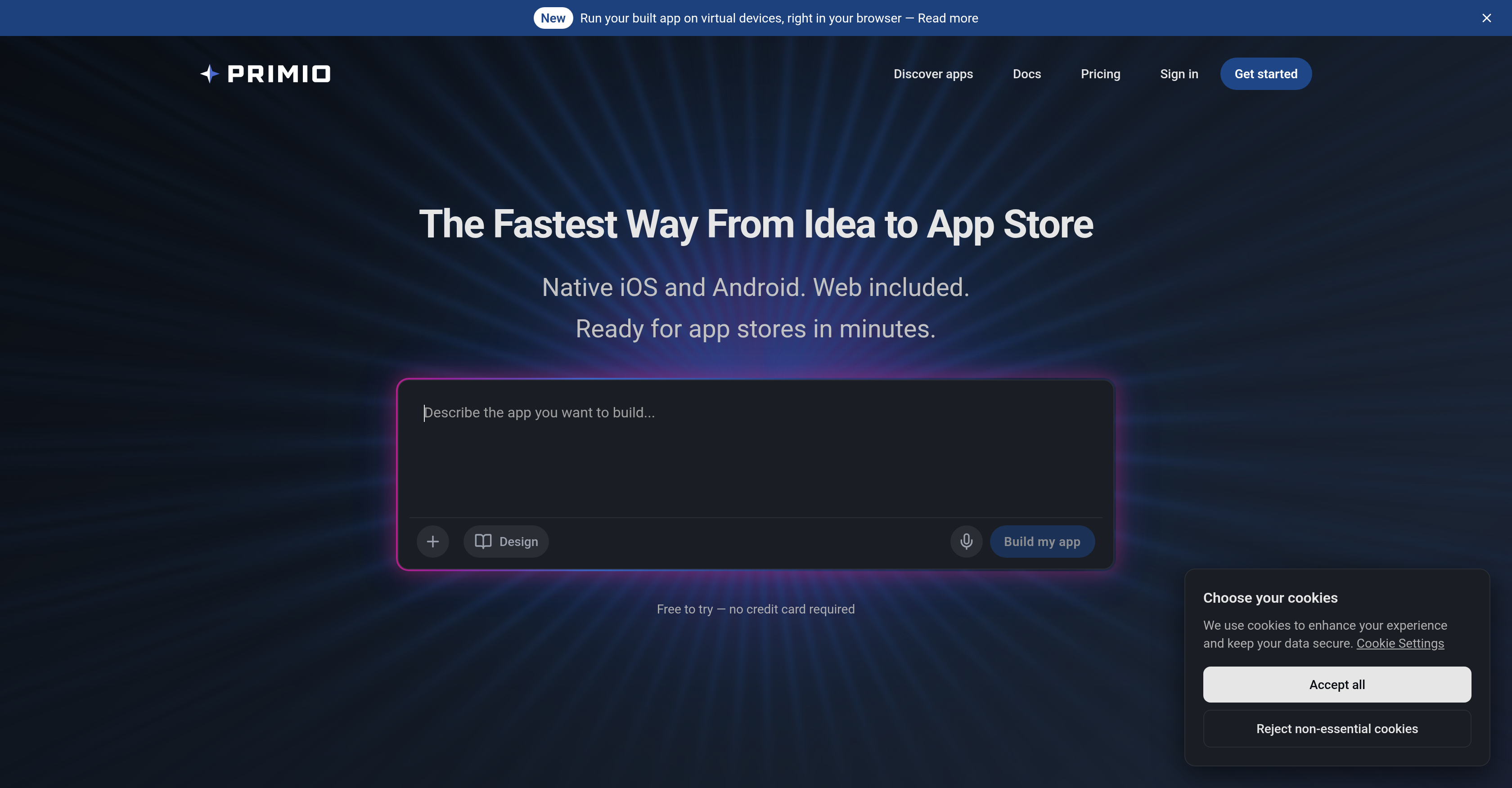
- Ship native iOS and Android apps in days instead of months by converting text descriptions into production-ready Flutter code without writing a single line of code.
- Test your app on 30+ iOS and Android virtual devices directly in the browser to catch issues before launch, using built-in emulators that require no local setup.
- Fix bugs and add features instantly by pasting error logs back into the prompt, eliminating manual debugging with an automated live debug loop.
- Own every line of generated code and export the full Flutter project at any time for direct editing, giving you complete control over your app's future.
- Launch to both the App Store and Google Play from a single codebase, ensuring consistent native performance and user experience across platforms without extra work.
Pros & Cons
Pros
- Text to app feature
- Native output - Flutter code
- One codebase for iOS & Android
- In-browser device emulators
- Live debug loop
- Simulates biometrics and system keys
- Own and export code
- Rapid bug fixing
- No advanced coding required
- Shortens app development time
- In-browser code editing
- User-friendly interface
- Eliminates the learning curve
- Compatible with App Store and Google Play
- Facilitates rapid product shipping
- Ideal for solo developers
- Transparent code generation
- Web version from same codebase
- Quick feature addition
- Promotes tech inclusivity
- No software installation necessary
- 30+ virtual test devices
Cons
- Limited to Flutter framework
- No traditional coding experience
- Lack of customization options
- No real-time collaboration
- Might misinterpret text instructions
- Requires internet connectivity
- No support for other programming languages
- Relatively new technology
- Limited control over app design
Reviews
Rate this tool
Loading reviews...
❓ Frequently Asked Questions
Primio Flutter AI App Builder is designed to assist in the creation of native iOS and Android Flutter applications from plain text.
Primio leverages artificial intelligence to convert textual information into functional apps, a breakthrough especially beneficial for non-technical individuals aiming to transform concepts into tangible applications.
Primio primarily targets users who lack programming experience, as well as those looking to hasten the app production process.
Unlike traditional methods, Primio accelerates the app creation process by automating code generation from text input, enhancing speed in crafting apps, thus supporting quick iteration and deployment.
No, you do not need coding skills to use Primio Flutter AI App Builder. It's designed to facilitate app creation for individuals without programming experience.
Production-ready code refers to the code generated by Primio that is polished and optimized, decreasing the need for extensive debugging or further development.
Supported platforms are iOS and Android. The use of Flutter ensures the production of high-quality native interfaces on these platforms from a single codebase.
Rapid iteration refers to the quick cycle of prototyping, testing, analyzing, and refining a product/application. Primio aids in this process by enabling swift code generation from text input, allowing for speedy alterations and deployment.
Flutter is the development framework used by Primio. It guarantees the creation of high-quality native interfaces on iOS and Android from a single codebase.
Yes, you can absolutely use Primio to build Android apps. The AI-powered tool helps in creating native Android Flutter applications from plain text.
Yes, you can build iOS apps using Primio. The tool generates native iOS Flutter applications from text input.
The types of apps you can create with Primio are not fixed. It translates your textual inputs into functional applications, making it adaptable for a wide range of app concepts.
No, debugging is not typically required after generating code with Primio. It produces production-ready code that minimizes the need for further bug-fixing or development.
Yes, Primio can help to accelerate the app deployment process. By automating code generation and requiring less debugging, it aids in getting apps out to market faster.
For non-technical individuals, Primio offers the ability to convert concepts into functional apps without the need for coding skills. It uses AI to transform their textual idea into a working application.
Primio enhances the speed of app development by automating the code generation process from text input. This results in faster creation time over traditional development methods.
Yes, using Primio, you can generate the code for both iOS and Android from a single codebase. This is due to the use of Flutter as the development framework.
With Primio, you simply provide your concept in textual form. Post this, the artificial intelligence in Primio takes your text and converts it into a functional app.
High-quality native interfaces in Primio refer to the superior-level, platform-specific user interfaces that the tool helps create. These are made possible by the use of Flutter as the development framework.
Primio Flutter AI App Builder is an innovative AI-driven tool designed to convert text descriptions into functional mobile applications. It leverages the Flutter framework to generate production-ready code, producing native iOS and Android apps, in addition to a web version, from a single codebase. Primio is designed to benefit both creators with limited coding experience and seasoned developers, providing a streamlined, efficient approach to mobile app development.
Primio operates by translating text prompts into mobile applications. Developed with an AI agent, it automates the coding process, generating production-grade Flutter code, which users can then compile and deploy to both the App Store and Google Play. This enables users to describe the app they want, and have their vision brought to life without the need to learn complex coding languages or environments.
No, Primio does not require coding knowledge to get started. It is designed to take a user's text descriptions and automatically generate corresponding Flutter code for a mobile app. This eliminates the learning curve associated with traditional app development, making Primio a great tool for creators, indie hackers, and solo developers who have not yet mastered Xcode, Swift, Kotlin, or Android Studio.
Primio can be used to build native mobile apps for iOS and Android. Thanks to its efficient AI-driven engine and the flexibility of the Flutter framework, it allows users to create a wide variety of applications, from simple utility apps to more complex, feature-rich applications.
Primio differs from other no-code platforms in various ways. One of the key differences is that it generates real, production-ready Flutter code, not just a webview wrapper or hybrid shortcut. This ensures true native apps that can genuinely be published on the App Store and Google Play. Also, Primio provides the ability to export the full Flutter project for direct code editing, while many other no-code platforms keep the underlying code inaccessible to users.
Yes, Primio can generate code for both iOS and Android platforms from a single text prompt. This is due to its use of the Flutter framework, which is designed to develop applications for multiple platforms from a unified codebase.
The quality of the code generated by Primio is high-grade, ready for production. It’s not an abstraction or a simulated app, but real, native Flutter code that can be compiled and shipped to digital stores or used as a robust foundation for further development. This maintains the integrity and performance of the resulting applications while facilitating easy updates and enhancements.
The applications created with Primio are native, not hybrid. This means the code generated is directly compatible with the systems it is deployed on - iOS and Android. The advantage here is that native apps typically offer better performance and a superior user experience when compared with hybrid apps.
Yes, Primio comes with built-in device emulators. This means you can test your actual binary on 30+ iOS and Android virtual devices right in your browser, without having to install anything locally on your system.
Primio's live debug loop feature enables users to stream device logs next to the running app. If any error arises, users can quickly copy the error logs with one click and paste back into the prompt. From there, the AI picks up the error and resolves it, saving developers the hassle of manually debugging the code.
In Primio, simulating biometrics, rotation, system keys, and camera media refers to the digital reproduction of these features during the app development process. This allows for rigorous testing and fine-tuning of app features within a variety of simulated conditions, ensuring the app responds appropriately under real-world circumstances.
Yes, users can instruct the AI agent to add new features, screens, or even fix bugs in the app. This allows for continual improvement and updates to your applications even after they have been deployed.
Absolutely. With Primio, you own the code that has been generated. You are free to export your Flutter project at any time you wish and utilize it as you please.
Yes, you can export your Primio Flutter project to edit the code directly in your local environment. This allows for greater flexibility and control over the final product, allowing for any precise adjustments or additions that may be required.
Using Primio can drastically reduce the time required for app development. It allows both beginners and experienced developers to bypass the time-consuming process of learning new coding languages and environments, enabling them to ship mobile apps in days instead of months.
Primio is not only suitable for beginners but also highly beneficial for experienced developers. Its ability to generate production-ready Flutter code in a short span of time helps seasoned developers skip time-consuming boilerplate code and focus more on creative and high-level aspects of app development.
Experienced developers would choose Primio over traditional coding methods because it enables them to rapidly generate application code, skipping boilerplate creation and speeding up development. Additionally, it allows for immediate debugging of errors and fine-tuning of app features within a variety of simulated conditions, further increasing productivity and development efficiency.
With the flexibility of the Flutter framework and the efficient AI at its core, Primio is well-suited for a wide variety of applications. From simple utility apps to cutting-edge, feature-rich solutions, Primio offers an efficient and accessible means for their development.
Yes, Primio is designed to build production-ready applications. It generates real, native Flutter code that can be compiled and shipped to the App Store and Google Play, ensuring the apps are prepared for real-world release and usage.
Definitely! Primio is highly beneficial for cross-platform development. Leveraging the Flutter framework, it generates a unified codebase that can be deployed on both iOS and Android, reducing development time and ensuring consistent functionality and appearance across different platforms.
Pricing
Pricing model
Freemium
Paid options from
$25/month
Billing frequency
Monthly