FreyaVideo - Image to Video AI Generator
Overview
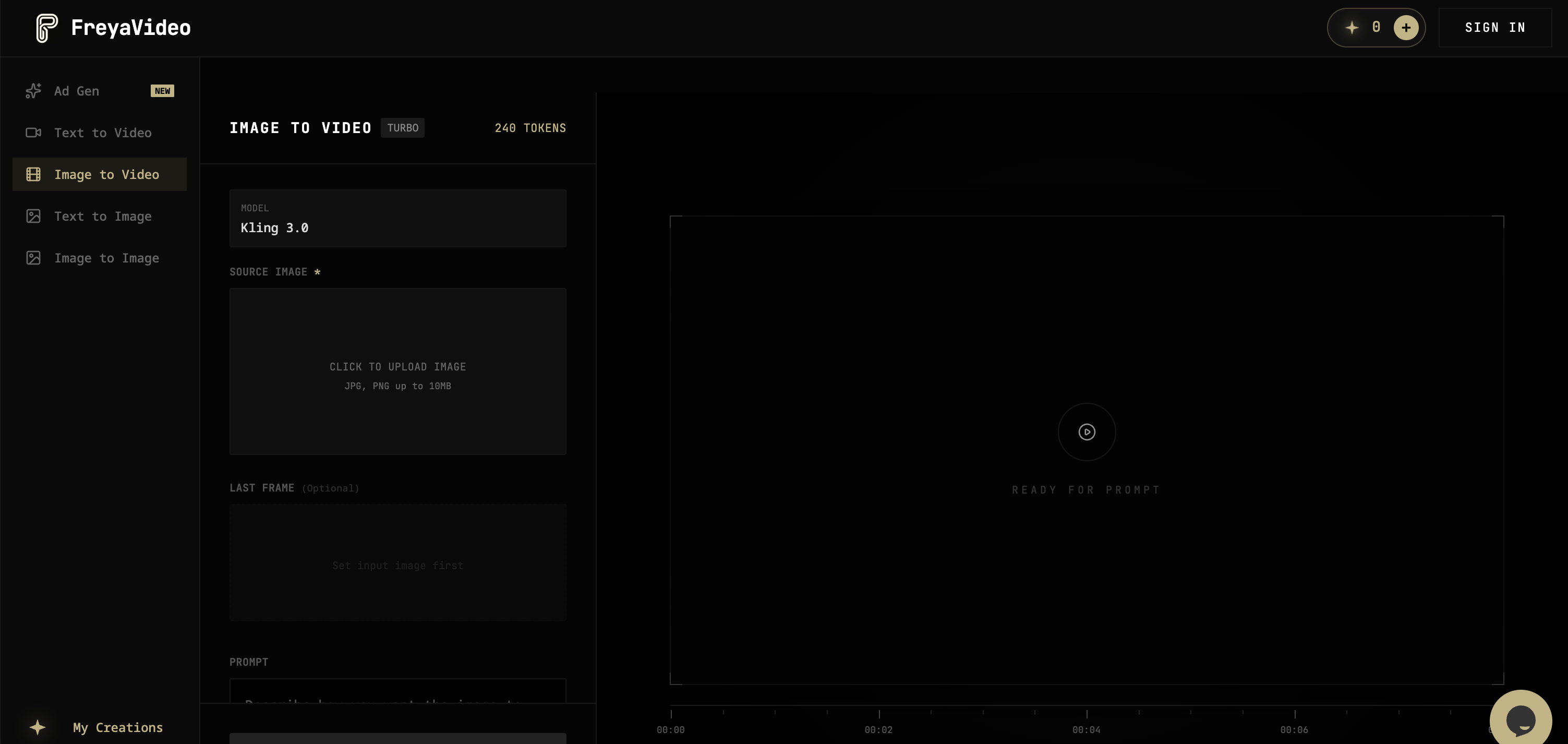
- Transform existing product photos and posters into short, engaging promotional videos for ads and social media using the Image to Video feature.
- Convert scripts and text prompts into story-driven video narratives instantly with the Text to Video AI generator.
- Generate fresh campaign visuals and product concepts from text, then animate them into video format using the Text to Image tool.
- Restyle and repurpose existing graphical assets for new placements and creative variations without starting from scratch via the Image to Image AI feature.
- Pay only for the videos you create with a flexible pay-per-use model and non-expiring credits, avoiding monthly subscription fees.
- Produce platform-optimized content by selecting specific aspect ratios and resolutions (720p/1080p) for social media like TikTok and Instagram.
Pros & Cons
Pros
- Transforms content into videos
- Visual to video conversion
- Text-to-video feature
- Creates campaign visuals
- Designed for repeat work
- Pay-per-use model
- Non-expiring credits
- Supports different video formats
- Variety of promotional purposes
- Offers creative variations
- Works with existing assets
- Efficient creative process
- No constant subscription required
- Trusted by designers
- Designed for freelancers, marketers
- Used for product launches
- Generates short impactful videos
- Functionality for Asset Restyle
- Supports different qualities
- Product concept image creation
- Key visual transformation
- Fast turn-around time
- Features for brand assets
- FreyaVideo supports 720p, 1080p
- Produces 4-15 second videos
- Commercial use of videos
- Automatic credit return on fail
- Multi-aspect ratio support
- Rescales visuals for different placements
Cons
- No API available
- Only supports MP4 output
- Limited to 720p and 1080p
- Videos max length 15 seconds
- Does not allow adult content
- No support for 4K videos
- Restricted to one-off uses
- Watermark on free/demographic renders
Reviews
Rate this tool
Loading reviews...
❓ Frequently Asked Questions
FreyaVideo is an artificial intelligence tool designed specifically for the creation of marketing videos. This platform streamlines the process of transforming various types of content into engaging, polished videos. It is equipped with features that allow conversion of visuals like product photos, posters, and campaign assets into short, impactful videos, ideal for ads, social media postings, product launches, and more. Additionally, FreyaVideo offers text-to-video functionality and the creation of campaign visuals and product concept images, all which can be animated into video format.
FreyaVideo offers a range of features specifically tailored for creating marketing videos. These include the ability to convert different types of content such as product photos, posters, and campaign assets into short, engaging videos suitable for ads and social media posts. It also features a text-to-video function that transforms scripts or textual content into story-driven videos. Furthermore, it allows the creation of campaign visuals and product concept images, which can subsequently be animated into a video. The platform also possesses an Image to Image AI feature that restyles existing assets for new creative variations and placements.
Yes, FreyaVideo comes with a text-to-video feature that can transform scripts or other textual content into story-driven videos. This feature offers a convenient way of converting written narratives into engaging, dynamic video content.
The text-to-video feature in FreyaVideo works by transforming scripts or textual prompts into story-driven videos instantly. A user simply needs to input their written content or script into the platform, after which the AI will animate the text into a dynamic, engaging video narrative.
Yes, with FreyaVideo, you can animate product photos into creative and engaging videos. The platform is designed to allow marketers, designers, and creators to turn product photos, posters, flyers, and campaign assets into short videos suitable for various marketing purposes such as ads, social media, and product launches.
The 'Image to Image AI' feature in FreyaVideo is designed to restyle existing graphical assets for new placements and creative variations. This allows users to repurpose and diversify their previous visuals into fresh, innovative variants, thereby expanding their creative possibilities and making their promotional content more dynamic and adaptable.
FreyaVideo is designed to facilitate ongoing, repeat creative work. Although it can accommodate one-off video projects, its features and workflow are specially tailored to cater to recurring creative tasks. This makes it a worthwhile tool for creative professionals who require consistent output, such as marketers and brand designers.
FreyaVideo operates on a pay-per-use model. Instead of a recurring subscription, users purchase non-expiring credits which they can utilise whenever they need to create a video. This flexible model adapts to the specific needs and workflows of the user, allowing them to pay only for what they use, when they use it.
FreyaVideo is targeted towards creative freelancers, brand designers, and marketers. Its tools and features are designed to cater to the needs of individuals and professionals involved in creative and promotional activities, including those creating content for events, brands, and nightlife.
FreyaVideo provides tools that help creative freelancers and brand designers transform their ideas and visual assets into engaging videos. Its array of features such as transforming visuals like product photos, posters and campaign assets into videos, as well as the conversion of scripts or textual content into story-driven videos are all designed to streamline and enhance the creative workflow. The platform facilitates not only the creation of videos but also allows for the restyling of existing assets for new creative variations through the Image to Image AI feature.
Yes, FreyaVideo allows the use of existing assets which can be restyled and animated into videos through the Image to Image AI feature. This functionality enables Creatives to repurpose existing resources to come up with fresh content thereby optimising their creative workflow.
Yes, FreyaVideo is well-suited for creating videos for product launches. It provides the tools to convert product photos, scripts, and even flyers into dynamic, impactful videos that can effectively showcase and promote new products.
Yes, FreyaVideo's features are designed to animate static visuals such as product photos into dynamic videos. This module allows creators to turn still product images into short promotional videos which can enhance marketing strategies on platforms like social media, ads, and even product launches.
In FreyaVideo, users can create marketing videos from the assets they already have through several steps. Ones have to start with the Image to Video feature where they turn a poster, flyer, or product image into a promo clip. Then utilize the Text to Video tool to transform scripts or prompts into story-driven clips. Create campaign-ready visuals before animating them into video with the Text to Image tool. And finally, restyle and expand existing visuals for new placements and creative variations with the Image to Image AI tool.
FreyaVideo's pay-per-use model is an alternative to recurring subscriptions. Users purchase on-demand, non-expiring credits that they can utilize whenever they want to create a video. This model means that users only pay for what they use and when they use it, offering optimal flexibility especially for intermittent project-based usage common among freelancers and project-based designers.
In FreyaVideo, the process of turning ideas into export-ready videos involves a simple, user-friendly process. Users choose a mode either text-to-video or image-to-video, input their text prompt or upload an image, select aspect ratio and desired resolution, and render. The AI then processes their inputs to produce a polished, professional quality video, typically within 30 to 90 seconds.
Yes, FreyaVideo's capabilities make it an ideal tool for creating social media content. It effortlessly turns product photos, posters, and campaign visuals into engaging, short-length videos optimized for social media platforms. In addition, users can specify the video aspect ratios to tailor them to specific platforms such as TikTok or Instagram.
Story-driven videos can be created on FreyaVideo using the text-to-video feature. Users simply need to input a script, or any textual content, and the artificial intelligence will dynamically transform it into a video narrative. This feature allows users to produce visually appealing, engaging stories from their scripts or written content.
Yes, the non-expiring credits on FreyaVideo apply to all users. These credits are purchased by users and can be used for video creation whenever needed. They provide the flexibility of using the platform based on user needs, not based on a fixed subscription schedule.
FreyaVideo's Image to Image AI feature can be used to create new creative variations by restyling existing assets for new placements. Users can reinvigorate earlier visuals or campaign pieces by transforming their style, while preserving the original concept. It's a tool designed to amplify creative possibilities and expand promotional content scope.
Yes, FreyaVideo has a feature called 'Text to Video', which allows users to turn scripts or prompts into story-driven videos.
Yes, with FreyaVideo, users can transform visuals such as product photos, posters, and key visuals into short promotional videos through the 'Image to Video' feature.
The Image to Image AI feature of FreyaVideo enables users to restyle their existing assets for new placements, variants, and creative tests. This feature creates a fluid and dynamic workflow and supports the generation of numerous creative outputs from the same starting asset.
Yes, restyling existing assets for new placements and creative variations is possible with FreyaVideo. This functionality is facilitated through the Image to Image AI feature.
Yes, FreyaVideo supports various video formats and qualities. Currently, it provides MP4 output at both 720p and 1080p quality (supporting vertical, horizontal, and square aspect ratios). There are also plans to include 4K and longer clips in the future.
The typical video length generated by FreyaVideo falls within the range of 4 to 15 seconds.
Yes, FreyaVideo operates on a pay-per-use model, which allows users to buy credits as they need them. These credits never expire, thereby giving users the flexibility to create without being tied to a monthly subscription.
Yes, FreyaVideo is designed for use by a range of professionals, including creative freelancers, brand designers, and marketers. The flexibility of its pay-per-use model makes it a viable tool for varied creative needs and workflows.
Yes, the pay-per-use model of FreyaVideo is adaptable to different workflows. The platform is designed to facilitate repeat creative work over one-off projects, making it suitable for various professional needs and ways of working.
Yes, with the 'Text to Video' feature, users can turn scripts into story-driven videos using FreyaVideo.
With the 'Text to Image' feature of FreyaVideo, users can generate campaign visuals and product concepts.
Yes, with FreyaVideo, users can animate their product concept images. The tool creates campaign visuals and product concept images that can later be animated into video format.
Yes, FreyaVideo is designed to help in turning product photos, posters, flyers, and campaign visuals into marketing-ready videos. Users can begin with an existing visual and transform it into a short promotional video.
FreyaVideo can transform an array of content into videos. This includes but is not limited to product photos, posters, campaign assets, and textual content such as scripts.
Yes, FreyaVideo is designed to create promotional videos suitable for ads. The 'Image to Video' feature transforms visuals into short, impactful videos that can be used for advertising purposes.
Yes, the promotional videos created by FreyaVideo are suitable for social media postings. Their length, typically 4-15 seconds, is ideal for platforms like Instagram, TikTok, and Facebook.
Yes, FreyaVideo can be used to create videos for product launches. The platform's ability to transform visuals and text into engaging, story-driven videos makes it a valuable tool for creating launch material.
Yes, FreyaVideo operates on a pay-per-use system where users can purchase credits as needed. These credits never expire, allowing users to convert them into video creation at any time.
Yes, FreyaVideo can be used to generate event visuals and brand assets. These can be further transformed into short promotional videos for marketing purposes.
Pricing
Pricing model
Paid
Paid options from
$9/unit
Billing frequency
Pay-as-you-go