Overview
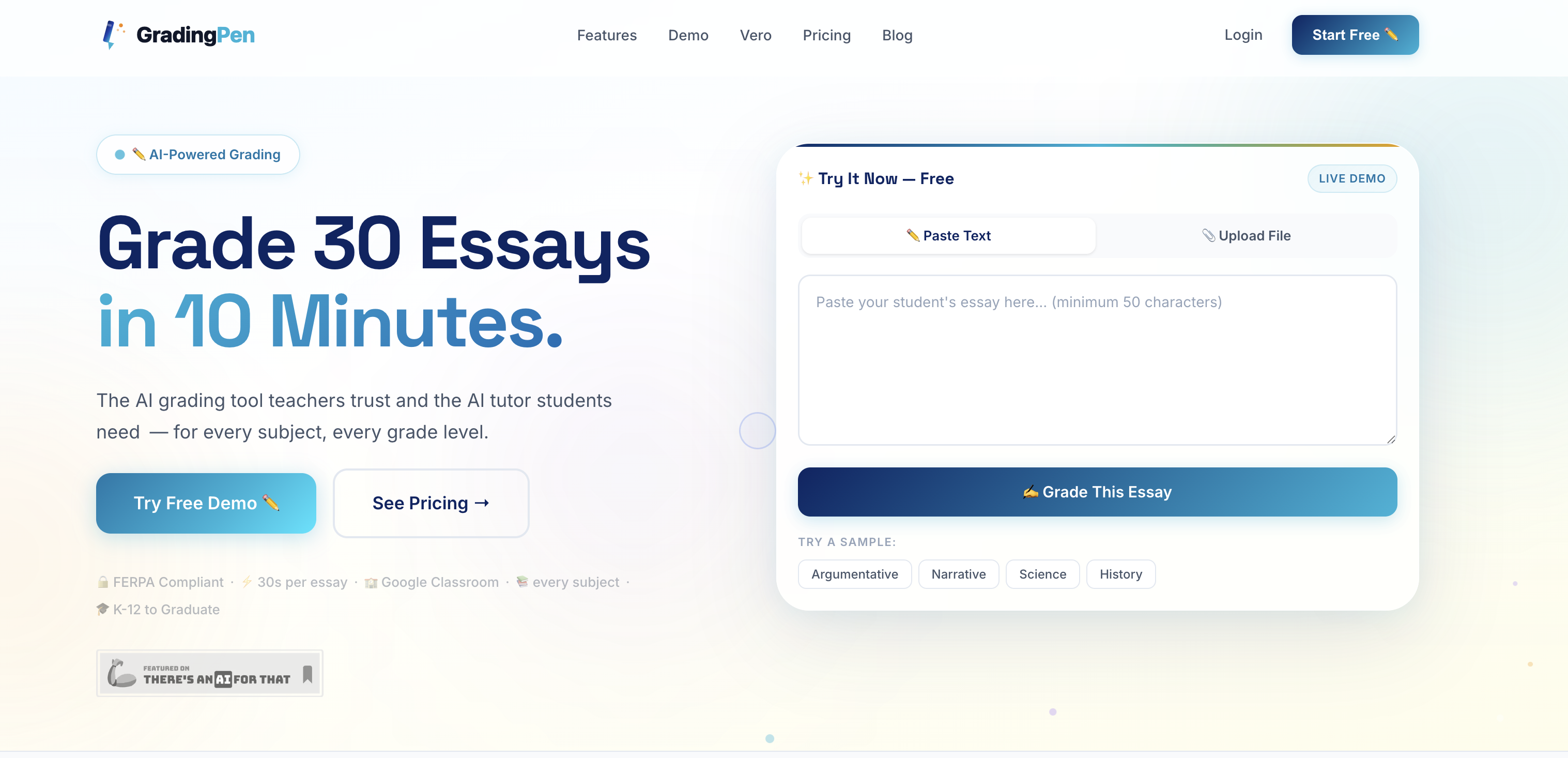
- Reclaim over 10 hours of your week by grading 30 essays in just 10 minutes with AI-powered analysis of content, structure, and grammar.
- Identify struggling students early with real-time analytics that track individual and class-wide progress over time.
- Maintain academic integrity by automatically flagging essays with signs of AI-generated content or inconsistent voice.
- Provide detailed, personalized feedback comparable to an experienced educator using advanced language models and custom rubrics.
- Grade work in any format, including handwritten essays uploaded as images, with support for over 50 languages.
- Seamlessly fit into your existing workflow with direct integrations for Google Classroom, Canvas, Schoology, and other LMS platforms.
Pros & Cons
Pros
- Grades 30 essays in 10mins
- Real-time analytics
- Handwritten essay support
- Flags academic integrity violations
- Custom rubrics creation
- FERPA compliant
- Works with popular educational tools
- Future Microsoft Teams integration
- Supports multiple languages
- Helps identify struggling students
- Reduces grading time
- Multilingual essay grading
- FERPA Compliance
- Google Classroom integration
- Integration with SEQTA Learn
- Supports grading in multiple languages
- Coming RM Unify SSO integration
- Google Drive integration
- Canvas LMS integration
- Schoology, Moodle, Compass Education integration
- Detailed feedback system
- Supports various upload formats
- Allows batch upload
- Personalized learning support
- Management tool integration
- Struggling students identification
- Detailed students performance analytics
- Data-driven instructional decisions
- Custom rubrics templates
- Suitable for all grades
- Feedback in seconds
- Real-time student progress tracking
- Consistent evaluations
- Automated grading system
- Academic integrity safeguards
- Subject and grade level versatility
- Instructional decision data
- Classroom integration options
- Various content format support
- Rubric creation feature
- Creation of custom rubrics
- Accessibility to API
- Emphasizes academic integrity
- Offers grading in Spanish, French, German, Mandarin
- Plugs into existing classroom setup
- Real-time student progress analytics
- Analytics dashboard
- Compatible with PowerSchool, Infinite Campus, Skyward
- Automatic essay import from Google Drive
Cons
- Limited integrations
- Handwritten essay reading imperfect
- Lacks broader subject support
- Requires manual adjustments
- No immediate Microsoft Teams integration
Reviews
Rate this tool
Loading reviews...
❓ Frequently Asked Questions
GradingPen offers features like AI-powered grading, analysis of essays for content, structure, grammar, and argument strength, support for handwritten essay grading, acceptance of various upload formats, multilingual grading, flagging of suspicious essays, real-time analytics, custom rubrics creation, and compatibility with a multitude of educational tools including Google Classroom and Google Drive, among others.
GradingPen uses advanced language models to analyse essays. It delves into the content, structure, grammar, and strength of arguments in the essays, providing comprehensive feedback for each evaluated component.
GradingPen accepts uploads in numerous formats such as PDFs, Word documents, and images. This flexibility means essays can be submitted in whichever format they exist in, be it electronic or physical.
Yes, GradingPen does support grading in multiple languages, which makes it an ideal tool in multilingual educational settings or for grading foreign language assignments.
When GradingPen flags an essay, it means it has detected anomalies like AI-generated content, inconsistent voice, or suspicious patterns. These flags assist in maintaining classroom integrity by identifying potential breaches of academic honesty.
GradingPen is FERPA compliant, meaning it adheres to Federal Education Rights and Privacy Act standards. This ensures safe and legal handling of student data, fostering trust and security within the educational community.
Yes, GradingPen can track student progress over time. The tool's real-time analytics feature allows teachers to monitor both individual and class-wide progress, making trend analysis and progress tracking a seamless part of the grading process.
GradingPen’s real-time analytics aid in identifying patterns, spotting struggling students early, and facilitating data-driven instructional decisions. The goal is to enable effective teaching strategies based on real-time, factual data instead of speculation or estimates.
The custom rubrics creation in GradingPen uses templates to swiftly allow teachers to set their grading metrics. It allows customization on a variety of scales, making grading adaptable to different subjects, assignments, and grading styles.
Yes, GradingPen can grade for every subject and at every grade level. This adaptability makes it a versatile tool suitable for a broad spectrum of teachers and educational environments.
GradingPen is indeed integrated with Google Classroom, easing the workflow for teachers already using this platform. This integration allows for smooth assignment imports and grade exports, consolidating multiple tasks into one streamline process.
Yes, apart from Google Classroom, GradingPen offers compatibility with educational tools such as Google Drive, Canvas LMS, Schoology, Moodle, SEQTA Learn, and Compass Education. This multi-platform support aids in streamlining grading operations within various educational systems.
Yes, GradingPen has plans to integrate with Microsoft Teams and RM Unify SSO in the future. This indicates a commitment to increasing compatibility and functionality for users across various platforms.
GradingPen aids in educational technology by providing an AI-powered tool that reduces grading time, offers consistent and precise evaluation, supports various formats and languages, presents real-time analytics, and integrates with popular educational tools. It exemplifies the effective use of AI in easing challenges faced by educators in grading and managing classroom progress.
While the term 'plagiarism detection' isn't explicitly used on their website, GradingPen does have the ability to flag essays showing signs of AI-generated content, inconsistent voice, or suspicious patterns. This feature aids in maintaining academic integrity which can include identifying plagiarism.
Yes, GradingPen supports data-driven teaching decisions. Its real-time analytics track individual and class-wide progress over time, helping to identify patterns, spot struggling students early, and provide actionable insights to enhance teaching strategies and methods.
GradingPen ensures grading efficiency by being able to grade 30 essays in just 10 minutes. This equates to substantial time savings for teachers, with potential gains of more than 10 hours per week.
GradingPen provides detailed and targeted feedback for essays. It examines essays based on their content, structure, grammar, and argument power, providing comprehensive and individualized feedback.
Yes, GradingPen can grade handwritten essays. Its AI Vision capability reads and grades handwritten student work, which means students can submit work in their most comfortable format.
Yes, GradingPen is usable for subjects other than English. As part of its feature set, it supports grading in multiple languages, making it ideal for foreign language classes or multilingual educational settings.
GradingPen supports grading in over 50 languages including Spanish, French, German, Mandarin amongst others, making it versatile for multilingual educational settings.
GradingPen offers a real-time analytics feature that allows teachers to track individual and class-wide progress over time. By identifying patterns and examining these analytics, teachers can identify struggling students early, enabling them to provide necessary intervention and support.
Yes, GradingPen does analyze handwritten essays. Teachers can snap a photograph of a student's handwritten essay and upload it to GradingPen. The in-built AI Vision reads and grades these handwritten works without the need for manual typing or scanning.
Teachers can upload essays in various formats for grading on GradingPen. These include PDFs, Word docs, and images.
GradingPen ensures student data privacy by adhering to FERPA compliance. Student data is handled with strict privacy standards and is not shared, sold, or used for third-party training.
GradingPen seamlessly integrates with various educational tools including Google Classroom, Google Drive, Canvas LMS, Schoology, Moodle, SEQTA Learn, and Compass Education, making it a versatile addition to existing teaching environments.
Yes, GradingPen offers real-time analytics on students' performance. It allows teachers to track individual and class-wide progress over time and make data-driven instructional decisions based on these insights.
GradingPen provides detailed, personalized feedback on essays. It utilizes advanced language models to analyze essays for content, structure, grammar, and argument strength. This feedback is comparable to the depth of feedback one would get from an experienced educator.
GradingPen reduces grading time significantly by using AI to analyze and provide feedback on essays within 30 seconds. In fact, it claims that 30 essays can be graded in 10 minutes, making the process remarkably quicker compared to manual grading.
First, the essays, whether digitized or handwritten, are uploaded in varying formats. GradingPen then uses AI and advanced language models to evaluate each essay against a rubric, providing a detailed, personalized feedback within seconds. GradingPen provides grades consistently and at a much faster rate than manual grading.
Yes, GradingPen does offer custom rubric creation. Teachers can upload or build their own rubric swiftly using simple templates. GradingPen is adaptable to different scales, be it a 4-point scale or a 100-point breakdown.
Yes, GradingPen can identify AI-generated or plagiarized content. It automatically flags essays that show signs of inconsistent voice, AI generated content, or suspicious patterns. This feature aids in upholding academic integrity within the classroom.
GradingPen has a feature called Vero, an AI tutor. Students can snap a photo of their homework and Vero guides them through the solution, step by step. This feature is designed to teach, not just provide answers, fostering real understanding and encouraging self-learning among students.
By providing detailed, personalized feedback on assignments, automating the grading process, and integrating smoothly with pre-existing workflows and platforms like Google Classroom, GradingPen enhances classroom management. Its real-time dashboard provides analytics that can assist in evaluating student performance over time and in devising effective instructional strategies.
Yes, GradingPen can grade for every subject and rubric at every grade level. GradingPen is designed for every subject and grade, making it extremely versatile for different educational environments and varying teaching requirements.
The integration with Google Classroom lets you import assignments and student submissions automatically into GradingPen. Teachers can grade directly from their Classroom roster, providing a smooth workflow between grading and assignment management.
GradingPen's real-time analytics and detailed feedback allows teachers to make data-driven instructional decisions. By identifying patterns, examining progress over time, and spotting struggling students early, teachers can employ more effective teaching strategies based on actual data and trends.
Future integrations planned for GradingPen include Microsoft Teams and RM Unify SSO. These upcoming additions will further broaden the integration portfolio of GradingPen, adding more teaching utilities to its fold.
GradingPen conforms to FERPA (Family Educational Rights and Privacy Act) standards. This compliance ensures that student data is handled with stringent privacy standards and is not sold, shared, or used for third-party training.
Yes, GradingPen can grade multiple essays at once. Teachers can batch upload an entire class's essays, and GradingPen will handle the rest. This functionality significantly speeds up the grading process and ensures consistent, unbiased grading.
Pricing
Pricing model
Free Trial
Paid options from
$7.99/month
Billing frequency
Monthly