
Overview
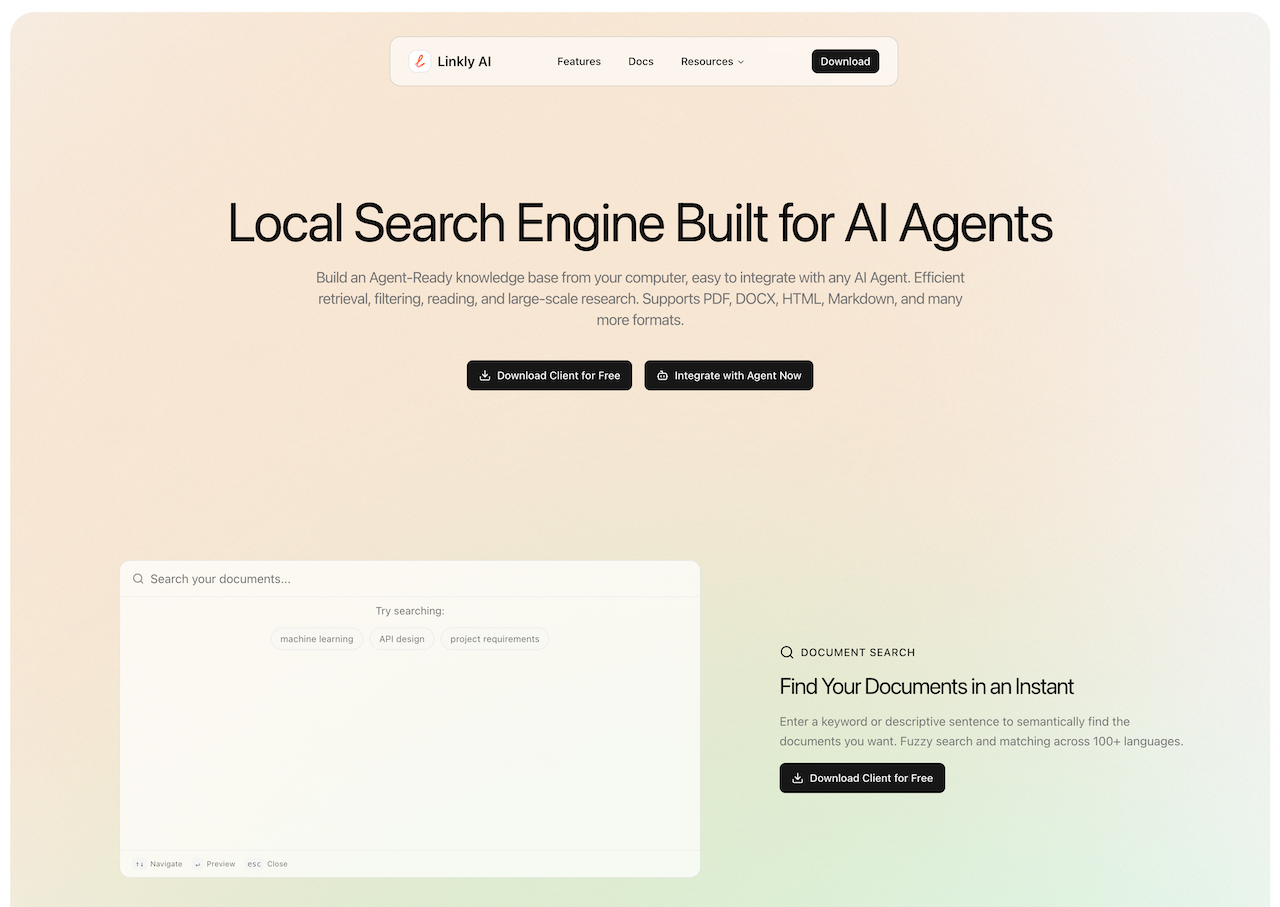
- Keep all your documents private and secure with local-only processing that never uploads files to the cloud, ensuring complete data sovereignty.
- Get answers from your document library in under half a second with lightning-fast indexing and semantic search that understands your intent, not just keywords.
- Connect your AI tools directly to your knowledge base using simple CLI or MCP integrations, turning any AI agent into a personal research assistant.
- Search across hundreds of languages with a local multilingual model, finding relevant content in PDF, DOCX, HTML, and Markdown files regardless of the original language.
- Work without interruption using a fully keyboard-driven interface and a global hotkey that launches searches instantly from anywhere on your desktop.
- Manage large-scale research projects efficiently by having AI read documents with purpose using outline indexes, instead of processing entire files blindly.
- Run a powerful search engine quietly in the background with a minimal 20MB footprint that doesn't slow down your other workflows.
Pros & Cons
Pros
- Local document search engine
- Supports multiple file formats
- Keyword-highlighted previews
- Fuzzy search capabilities
- Semantic search capabilities
- Enables efficient retrieval
- Supports large-scale research
- Operates locally for privacy
- Fast indexing feature
- Lightweight design
- Outline index building
- Cross-language search
- Easy integration
- Minimalist design
- Full keyboard support
- No third-party access
- Optimized resource usage
- Potential for knowledge assistant
- CLI integration
- MCP integration
- 100+ languages matching
- Purposed reading, not blind processing
- Global hotkey for instant search
- Multilingual local model
Cons
- Limited to local documents
- No cloud integration
- Doesn't support mobile devices
- Requires technical know-how for integration
- Limited accessibility features
- Installation may require a lot of storage
- Lacks robust security measures
- No file content editing capabilities
Reviews
Rate this tool
Loading reviews...
❓ Frequently Asked Questions
Linkly AI supports a variety of file formats including PDF, DOCX, HTML, and Markdown.
Keyword-highlighted previews function in Linkly AI works by highlighting the keywords in the search results, providing the users with a sampled context of the document content related to their search query.
Yes, Linkly AI supports semantic search. It means that the search engine can understand the user’s intent and the contextual meaning of terms, therefore providing more relevant results.
Yes, Linkly AI is fully keyboard-driven. This implies that all the functionalities can be accessed using keyboard controls, promoting efficiency and accessibility in usage.
Linkly AI integrates with other AI agents through CLI, MCP, and other such methods. This gives any AI agent access to its document search capabilities, aiding in duties like efficient retrieval, reading, and large-scale research.
Linkly AI is ideally used for tasks like efficient document retrieval, reading, large-scale research, problem analysis, and content summarisation.
Linkly AI allows users to safely expose their document library to AI assistants. This is facilitated through methods such as CLI, MCP, and others that ensure secure and progressive exposure of the document library.
The AI's powerful reasoning and analytical capabilities allow Linkly AI to truly understand content, enabling functionalities like problem analysis, content summarisation, and finding the relevant answers within extensive document libraries.
Linkly AI can help build a personal knowledge assistant by leveraging the AI's capabilities to find answers, analyze problems, and summarize content within the document library.
Yes, Linkly AI runs locally on the users' system. This ensures privacy and security as no documents leave the user's computer. It eliminates the need for uploading files to the cloud and avoids the risk of documents being accessed by third parties.
No, documents are not uploaded to the Cloud or accessed by third parties when using Linkly AI. The tool operates locally on the user's machine, ensuring document privacy and security.
Linkly AI's fast indexing feature allows it to complete indexing in as fast as 5 minutes, with queries returning in under 0.5 seconds. This enables real-time workflows, ensuring efficiency in retrieving the required documents.
Linkly AI features a cross-language search capability which is powered by a local multilingual model. It supports semantic-based cross-language search across hundreds of languages, enabling users to search for documents in multiple different languages.
Linkly AI offers CLI and MCP integration methods, making it easy to connect with existing tools and systems. This includes AI agents, as Linkly AI is designed keeping interactions with AI agents as a top priority.
Yes, you can initiate search instantly in Linkly AI with a global hotkey. This feature provides a quick and efficient way to start a search query.
The minimalist design in Linkly AI entails a clean and beautiful interface with full keyboard support. This design approach focuses on user-friendliness and accessibility, avoiding unnecessary clutter and complexity.
Privacy in Linkly AI is maintained by the fact that it operates locally, which means all user documents stay within the user's computer and are not uploaded to the cloud or accessed by any third party.
The purpose of the outline index building feature in Linkly AI is to create an outline for every document, progressively disclosing relevant sections. This allows the AI to read large documents with purpose, instead of blindly, and quickly find the most relevant sections.
Linkly AI is equipped for large-scale research by integrating with various AI agents and giving them access to its powerful document search capabilities. This, along with its support for various file formats and semantic search, make it a valuable tool for conducting extensive research.
Linkly AI uses a lightweight design, which has a minimal footprint and runs quietly in the background. This dynamically optimized resource usage helps control system resources while Linkly AI is in operation.
Linkly AI supports a wide range of file formats including PDF, DOCX, HTML, and Markdown.
Linkly AI can integrate with existing AI tools through Command Line Interface (CLI) or Message Communication Protocol (MCP) methods, effectively turning any system's documents into AI-ready context.
User privacy in Linkly AI is handled with utmost care. It runs locally, which means all documents remain on the user's computer and are never uploaded to the Cloud or shared with third parties.
Semantic search in Linkly AI enables users to find documents using keywords or descriptive sentences. The tool is capable of matching across more than 100 languages, providing relevance-based search results.
Your document library can be progressively exposed to AI assistants using Linkly AI through methods such as Command Line Interface (CLI) and Message Communication Protocol (MCP).
Yes, Linkly AI supports multilingual document search. It features a cross-language search functionality which is powered by a local multilingual model.
The lightweight design of Linkly AI ensures optimized resource usage. It has a small footprint of approximately 20MB and runs quietly in the background, minimizing impact on system resources.
Yes, leveraging the AI's powerful reasoning and analysis capabilities, Linkly AI can be used to build a personal knowledge assistant capable of finding answers, performing problem analysis, and summarizing content.
In Linkly AI's document search, keywords play a crucial role. Users can enter a keyword or a descriptive sentence to semantically find the relevant documents instantly.
Linkly AI is different from other document search engines in terms of its unique capability to integrate with any AI agent, convert local documents into an AI-ready knowledge base, and provide efficient document retrieval and large-scale research. It also runs locally ensuring user's privacy and is known for its fast indexing, lightweight design, and easy integration.
Linkly AI ensures quick indexing and response to queries by employing a lightning-fast indexing process that completes in as little as five minutes and query returns in under half a second.
Yes, Linkly AI can work fully offline. It is designed to run locally, and as such, does not require any Cloud uploads.
The user-friendly interface of Linkly AI is marked by its clean and beautiful design with full keyboard support. It also provides a global hotkey feature to initiate searches instantly.
The purpose of an outline index in Linkly AI is to progressively disclose relevant document sections to AI. This allows purposeful reading of large documents as opposed to blind processing, enhancing the efficiency and accuracy of results generated by AI.
You can quickly initiate a search on Linkly AI using the global hotkey feature. It allows to summon search and start instantly.
Yes, Linkly AI supports keyboard-driven commands. Its fully keyboard-driven nature allows it to be used without a mouse, making it highly accessible and efficient.
Yes, Linkly AI can facilitate large-scale research. With features such as efficient retrieval, filtering and reading of documents, it's an ideal tool for large-scale AI-driven research.
Yes, Linkly AI can be integrated via CLI (Command Line Interface) or MCP (Message Communication Protocol) methods. Official guidelines are provided for smooth integration.
The concept of fuzzy search in Linkly AI refers to a flexible search feature where the tool does not only fetch exact matches, but also provides results close to the search inquiries to ensure no data is overlooked.
Linkly AI allows the management of local documents by transforming them into an AI-ready knowledge base. The tool enables efficient document retrieval, filtering, and large-scale research which makes managing local documents efficient and effortless.
Pricing
Pricing model
Free
Paid options from
Free