Overview
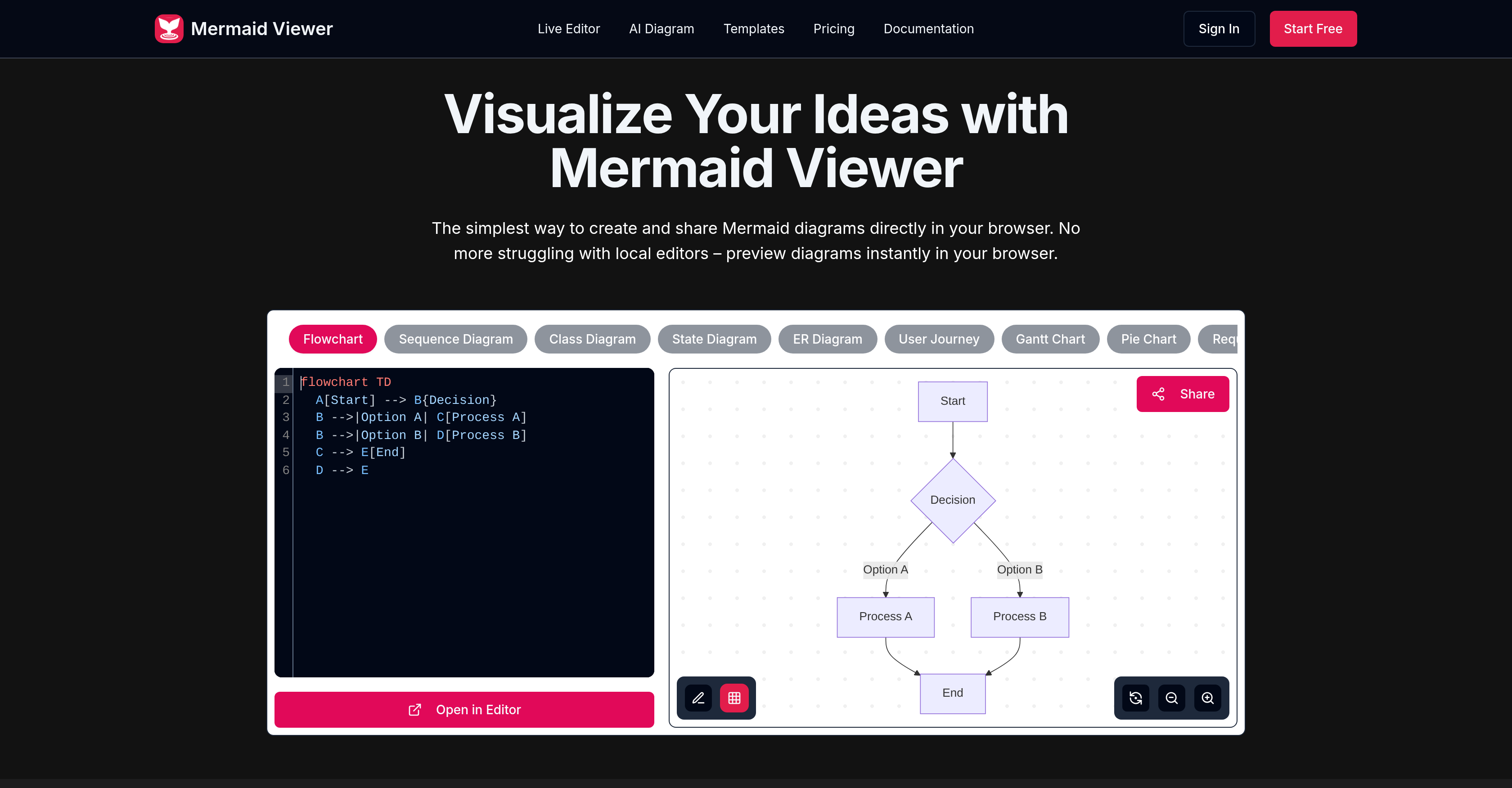
- See diagram changes instantly as you type with the live preview feature, eliminating manual rendering steps
- Generate accurate Mermaid code from plain text descriptions using the GPT-4 powered AI-assisted coding
- Export diagrams in SVG, PNG, or Markdown formats with customizable DPI and dark/light themes for any use case
- Collaborate with team members in real-time using shareable editor links for simultaneous diagram editing
- Start diagramming faster with pre-built templates for governance flows, wireframes, course lifecycles, and timelines
- Keep sensitive data private with in-browser storage and optional Docker private deployment for enterprise security
- Identify and fix coding errors immediately with syntax highlighting and auto-correction suggestions for debugging
- Control team access and permissions securely with role-based access control for business environments
Pros & Cons
Pros
- Browser-based diagram editor
- Live preview capabilities
- Smart export functionality
- Supports SVG, PNG, Markdown
- Customizable DPI for exports
- Light or dark theme options
- Supports Docker private deployment
- Role-based access control
- Syntax error highlighting
- Auto-correction suggestions for errors
- Real-time collaboration feature
- Editor link sharing
- Variety of diagram templates
- Suitable for personal and professional use
- Multiple plan options
- Data remains in browser
- No external server data storage
- GPT-4 assisted coding
- Enterprise-level integration
- No need for 'Render' button
- Instant visualization of changes
- Diagramming use case templates
- Supports real-time co-editing
- No sign-up needed
- Privacy-first approach
Cons
- No offline mode
- No mobile application
- Lacks versioning feature
- Limited free version
- Doesn't support PDF export
- Potential DPI customization limitations
- No personal notes feature on lower plans
- Limited diagram templates
- Translation service absent
- No customer support on free account
Reviews
Rate this tool
Loading reviews...
❓ Frequently Asked Questions
Mermaid Viewer's live preview feature allows users to visualize changes in their diagrams as they type, without the need for a 'Render' button. This feature enhances user experience by providing immediate feedback on edits, helping users see their changes in real time.
The AI-assisted coding in Mermaid Viewer uses machine learning capabilities to convert text descriptions into Mermaid code automatically, simplifying the process of diagram creation. By clicking on the 'Generate with GPT-4' button, users can have their text descriptions swiftly translated into code.
Mermaid Viewer allows users to export their diagrams in several formats. These include SVG, PNG, PDF, and Markdown. This export versatility accommodates a variety of user needs and preferences for different formats in different contexts.
The role of Docker private deployment in Mermaid Viewer supports businesses and teams who need to maintain their data within their own servers for security reasons. This feature allows them to deploy Mermaid Viewer on their private servers, maintaining control over their data while benefiting from the functionalities of the tool.
Mermaid Viewer offers several features making it suitable for businesses. These include Docker private deployment for security purposes, role-based access control for managing team permissions, real-time collaboration for collective editing of diagrams, AI-assisted coding for speed and efficiency, and smart export functions to cater to various needs.
Mermaid Viewer identifies various syntax errors that may occur during the creation of diagrams. The tool does not specify the types of syntax errors it can highlight; however, it does provide users with auto-correction suggestions to aid in debugging and smooth the diagram creation process.
Real-time collaboration in Mermaid Viewer is facilitated by allowing users to share editor links with their team members. With these links, team members can co-edit diagrams in real time, enhancing productivity and cooperation among team members.
Mermaid Viewer offers templates for various types of diagrams. The specific examples provided on their website include Governance Committee Decision Flow and Wireframe Collaboration Flow. These templates cover usage cases such as course lifecycle and semester timeline, providing users with a head start in their diagram creation.
Mermaid Viewer is suitable for both personal and professional use. It offers several subscription plans to cater for different user needs. The free plan is a perfect way for individuals to start creating and sharing diagrams, while the Starter and Pro plans offer advanced features for professional use.
In Mermaid Viewer, the customizable DPI is part of the smart export function. Users are allowed to save their diagrams not only in different formats such as SVG, PNG or Markdown but also with customizable DPI. This function does not detail how the DPI can be adjusted. However, it enables users to decide the level of image resolution suiting their needs.
Yes, Mermaid Viewer supports real-time collaboration, where multiple users can co-edit diagrams. This is achieved by generating shareable links to the editor, allowing team members to concurrently edit and view changes made on diagrams.
Mermaid Viewer allows users to choose between light and dark themes when they are exporting their diagrams. This provides versatility, accommodating different user preferences and the context in which the diagram will be utilized.
Mermaid Viewer facilitates various usage cases. Their website particularly recommends templates for diagrams such as Governance Committee Decision Flow, Semester Timeline, Course Lifecycle, and Wireframe Collaboration Flow. These serve as examples of cases in which the tool can be useful.
Yes, Mermaid Viewer supports role-based access control. This feature is beneficial for businesses, as it enables them to manage permissions among team members, ensuring that only authorized individuals have access to certain diagrams or functionalities.
Mermaid Viewer's smart export function gives users the flexibility to save their diagrams in multiple formats which include SVG, PNG, and Markdown. Additionally, it enables customization of DPI and selection of either light or dark themes according to user preference.
Mermaid Viewer's AI feature can interpret text descriptions and generate relevant Mermaid code automatically. However, their website does not specify the types of diagrams that can be automatically generated from text descriptions using this AI feature.
Mermaid Viewer offers several plans for its users. These include a Free plan, a Starter plan priced at $69.99 per year, and a Pro plan priced at $119.99 per year. Each plan offers a variety of features ranging from a limited to unlimited number of diagrams, AI conversation limits and available export formats.
For creators of flow diagrams, Mermaid Viewer offers features like AI-assisted coding and real-time collaboration. These functionalities allow for speedy creation and sharing of flow diagrams. Furthermore, it provides pre-built templates for quick start including a Governance Committee Decision Flow template.
Wireframe collaboration in Mermaid Viewer is facilitated through sharing editor links for real-time collaboration. There's also a specific template available named 'Wireframe Collaboration Flow' to aid users in creating diagrams for this purpose.
Mermaid Viewer aids in debugging of diagrams by highlighting syntax errors and offering auto-correction suggestions. This helps users easily identify and rectify errors in their diagrams, enhancing the efficiency and accuracy of the diagram creation process.
Mermaid Viewer is an online diagram editor that enables users to design and adjust Mermaid diagrams directly in their browser. The tool offers real-time viewing without the requirement of a 'Render' button, allowing users to visualize their changes as they're made.
Mermaid Viewer boasts an array of features including AI-Assisted Coding, live preview capabilities, smart export functionality, support for Docker private deployment and role-based access control. It also provides syntax error highlighting and auto-correction suggestions for debugging and allows real-time collaboration, enabling users to share edit links for co-editing with teammates. Additionally, it offers multiple templates for quick start.
In Mermaid Viewer, users can export their diagrams using the smart export function. The tool allows for diagrams to be saved as SVG, PNG or Markdown, and users can customize the DPI and choose between dark and light themes.
Yes, Mermaid Viewer does support Docker private deployment. This enables businesses to privately host the tool according to their individual needs.
Mermaid Viewer's syntax error highlighting and auto-correction work to assist users in debugging their work. The tool emphasizes syntax errors and offers suggestions for corrections, simplifying the process of spotting and fixing errors.
Yes, Mermaid Viewer enables users to share their diagrams directly from their browser. This is achieved through the provision of shareable editor links, allowing for real-time collaboration and co-editing of diagrams.
Mermaid Viewer offers a variety of templates to get started quickly. These templates cover various usage cases like Governance Committee Decision Flow, Semester Timeline, Course Lifecycle, and Wireframe Collaboration Flow among others.
Yes, the Mermaid Viewer tool is suitable for both personal and professional use. The website offers various plans for users to choose from, accommodating a wide range of needs.
The 'Generate with GPT-4' feature in Mermaid Viewer is an AI-Assisted Coding function. It transforms text descriptions into Mermaid code, simplifying and automating the coding process.
Real-time collaboration in Mermaid Viewer is facilitated by shareable editor links that users can distribute among their team members. This allows multiple individuals to co-edit diagrams simultaneously and in real-time, promoting efficient teamwork.
Mermaid Viewer prioritizes user data privacy by ensuring that all diagramming data stays in the users' browser and doesn't get saved on an external server. This minimizes the risk of data leaks and enhances privacy.
Yes, in Mermaid Viewer users have the ability to customize the DPI and themes of their diagrams. The smart export feature allows users to adjust the DPI of their diagrams for optimal resolution, and users can select between dark or light themes.
Mermaid Viewer enables users to export their diagrams in several formats including SVG, PNG, and Markdown. This allows users to choose the format that best suits their needs and preferences.
Role-based access control in Mermaid Viewer provides the ability to regulate access to specific features based on the user's role. This offers businesses a secure way of incorporating the tool in their operations, preventing unauthorized access and safeguarding sensitive information.
Yes, there are several plans available for Mermaid Viewer users ranging from a free tier to professional tiers. These plans are designed to cater to the needs of a broad spectrum of users, both for personal and professional use.
Yes, Mermaid Viewer does provide a live preview of diagrams. This feature allows users to visualize changes to their diagrams instantly as they type, eliminating the need for a 'Render' button.
The recommended templates in Mermaid Viewer facilitate faster diagramming by providing users with pre-built charts for various use cases. This allows users to quickly start creating diagrams for specific scenarios without starting from scratch.
Yes, Mermaid Viewer fully supports enterprise integration. This includes features like Docker private deployment and role-based access control, allowing businesses to seamlessly incorporate and securely manage the tool within their infrastructure.
Mermaid Viewer comes equipped with various debugging features. These include syntax error highlighting, which draws attention to coding errors, and auto-correction suggestions, which propose fixes to these identified errors. These features assist in creating error-free and efficient diagrams.
Pricing
Pricing model
Freemium
Paid options from
$6.99/month
Billing frequency
Monthly