Overview
- Ship game-ready weapons, props, and environments in minutes by generating 3D assets from text prompts or uploaded images, with direct export to Blender, Unity, and Unreal Engine
- Turn anime concepts or illustrations into fully textured 3D characters for VTubers and animation projects, preserving original colors and fine details
- Produce custom collectibles, toys, and prototypes for 3D printing without manual modeling, using AI that analyzes depth, lighting, and structure from any JPG, PNG, or WebP image
- Explore dozens of unique design options for a single concept in under 30 seconds, using follow-up prompts to iterate and refine variations without restarting
- Launch commercial projects immediately with no usage restrictions on generated models, whether for games, marketing materials, or product visualizations
- Deliver polished product mockups and concept visualizations for client presentations, starting from a simple text description or reference photo
- Achieve smooth deformations and rendering in professional pipelines through optimized mesh topology and automatic PBR texturing applied by AI
- Integrate 3D generation directly into existing workflows using REST API endpoints for texturing, remeshing, and model creation under pay-as-you-go credits
Pros & Cons
Pros
- Generates 3D from images
- Generates 3D from text
- Multi-format image upload
- Creates production-ready 3D models
- Automatic PBR texturing
- Exports to Unity, Blender, Unreal
- Supports various artistic styles
- Generates varied model types
- Creates variations rapidly
- Realistic texture application
- Optimizes mesh topology
- Preserves original colors, details
- Transforms anime into 3D
- Supports 3D printing models
- For product, concept visualization
- Generates game assets
- Exports to major 3D tools
- Retexturing and remeshing tools
- Produce models in seconds
- Tools for Video Generation
- Works with single, multi-view images
- Generates clean topology and UVs
- Automatic PBR materials
- Trusted by creators worldwide
- Rapid prototyping
- Generates detailed 3D assets
- Exports into common 3D formats
- Models for commercial usage
- Provides programmatic API access
- Offers free tier
- No 3D experience required
- Supports all image formats
- Approved for commercial projects
- Creates unlimited variations
- Suitable for AR experiences
- Supports low-poly styles
- One platform for all 3D workflows
- Ideal for product shots and character art
- Iterative refinement with text prompts
- Exports to GLB, FBX, OBJ, USDZ, STL, DAE, BLEND
- Supports JPG, PNG, WebP formats
- Simplifies 3D workflows
- Highly rated by users
- Supportive customer service
- Clean, intuitive interface
Cons
- Limited input formats
- Dependent on input quality
- Limited artistic styles
- Limited to PBR texturing
- No direct editing features
- Requires follow-up iterations
- Inconsistent output quality
- No instant model customizations
- Visual refinement not offered
Reviews
Rate this tool
Loading reviews...
❓ Frequently Asked Questions
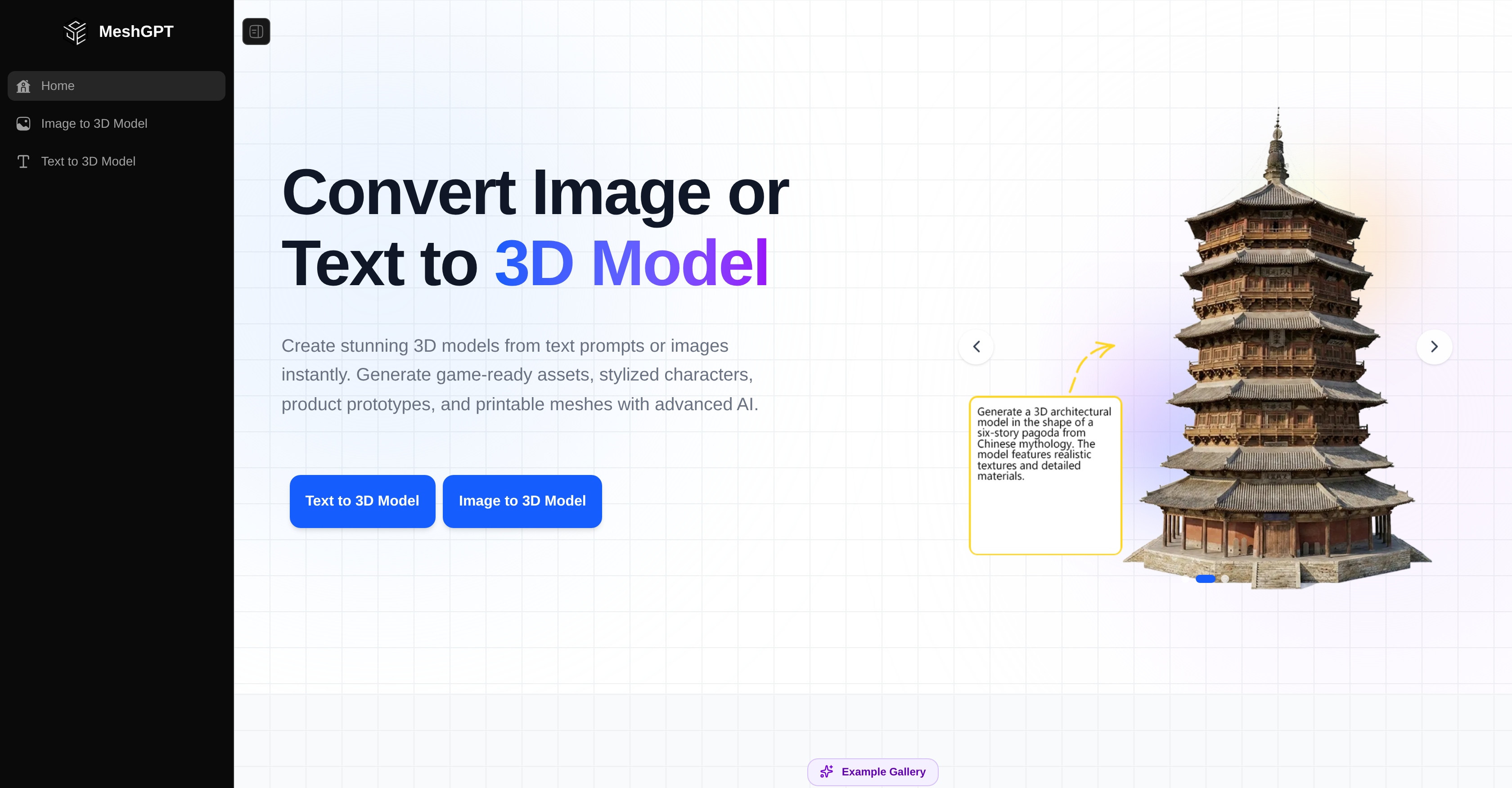
MeshGPT is an AI-powered tool that assists in generating 3D models from both text and image inputs. It simplifies the process of 3D model creation, and it's designed to be easy for users without extensive 3D modeling experience. It offers two methods for generating 3D models – 'Image to 3D Model' and 'Text to 3D Model'. Furthermore, MeshGPT excels in multiple styles including realistic, cartoon, and low-poly models. It's capable of producing multiple variations of models in minutes and has tools for applying realistic textures, optimizing mesh topology, and developing AI image generation.
In the 'Text to 3D Model' method offered by MeshGPT, users can input a description and MeshGPT will produce a fully textured, production-ready 3D model. This way users can create a diverse range of models, from realistic characters to everyday objects. The platform supports a variety of artistic styles and eliminates the necessity for extensive 3D modeling experience.
The 'Image to 3D Model' method in MeshGPT transforms images into 3D models. Users can upload images in JPG, PNG, and WebP formats. MeshGPT then analyzes elements such as depth, lighting, and structure to generate accurate geometry with automatic PBR texturing. The resulting model can be exported directly to popular software like Unity, Unreal, or Blender.
MeshGPT supports JPG, PNG, and WebP formats for the 'Image to 3D Model' method. Best results are obtained using high-resolution images with clear subject visibility.
Yes, MeshGPT is able to generate both realistic and cartoon style 3D models. It offers support for a variety of artistic styles to cater to the diverse needs of its users.
MeshGPT can generate a diverse range of models from realistic characters to everyday objects. It can handle multiple styles like realistic, cartoon, and low-poly models. It's also capable of producing multiple variations in a matter of minutes.
Yes, the 3D models generated by MeshGPT can be exported directly to popular software like Unity, Unreal, or Blender. This makes the tool incredibly flexible and useful for a wide range of 3D modelling tasks.
When stating that MeshGPT can generate multiple variations of models, it means that for any given image or textual input, it can produce different versions or interpretations of the input as separate 3D models. This functionality is essential for creating a plethora of unique design options in a short timeframe.
MeshGPT applies realistic textures to models using AI. The 3D models generated from either text or image inputs are fully textured with PBR materials. This process increases the realism and quality of the generated 3D models.
MeshGPT's optimized mesh topology refers to its ability to create 3D meshes that are well-organized and optimized for further use. This is a crucial aspect of 3D modeling, as good topology provides smoother transitions, better deformations, and improved rendering of 3D models.
MeshGPT supports AI image generation by utilizing advanced AI algorithms to transform images and texts into 3D models. This AI technology is key in analyzing and interpreting input data and subsequently creating high-quality 3D models.
Yes, MeshGPT is optimized for beginners in 3D modeling. Its user-friendly interface and intuitive features enable users with little to no prior 3D modeling experience to generate high-quality, fully-textured 3D models.
Yes, MeshGPT does offer a free tier. It allows users to generate 3D models without having to input any credit card information. This feature enables users to familiarize themselves with the tool and its capabilities before deciding on further engagement.
Yes, the 3D models generated by MeshGPT can be exported in various formats such as GLB, FBX, OBJ, USDZ, and more. This makes the models versatile for use in different platforms or projects.
MeshGPT can generate a 3D model in as little as 20–30 seconds for fast models. However, for more detailed texture and geometry settings that yield higher quality generations, it could take anywhere from 1–3 minutes.
Yes, MeshGPT can generate models in low-poly style. It supports a variety of artistic styles, including realistic, cartoon, and low-poly models, giving users the freedom to choose the style that best fits their needs.
Yes, MeshGPT analyzes depth, lighting, and structure of an image to generate accurate geometry and realistic textures. This functionality contributes to the creation of highly accurate and detailed 3D models.
Provides the capability to refine the 3D models by using follow-up prompts. The user can make changes iteratively as required, obtaining various versions of a model quickly. This feature is perfect for rapid prototyping, game development, and creative exploration.
Yes, MeshGPT is perfectly suited for professional 3D workflows. With its ability to create a wide variety of 3D models, optimized mesh topology, realistic texturing capabilities, and export-ready models for different platforms like Unity, Unreal, and Blender, it serves as a comprehensive platform for 3D modeling workflows.
Yes, MeshGPT does have an API that offers developers programmatic access to its 3D generation capabilities. This API provides easy-to-use REST endpoints for various functionalities including 3D generation, AI texturing, remeshing, and more under pay-as-you-go credits.
MeshGPT utilizes AI to interpret image or text inputs and generate corresponding 3D models. For image inputs, formats like JPG, PNG, and WebP are analysed for depth, lighting, and structure to generate accurate geometry with automatic PBR texturing. For text inputs, the tool interprets descriptions and generates fully textured, production-ready 3D models. MeshGPT's AI allows for the creation of multiple model variations in a short time, with refined results based on follow-up prompts.
MeshGPT offers two distinct methods for generating 3D models: 'Image to 3D Model' and 'Text to 3D Model'. The first method allows users to upload images and transform them into fully textured 3D models. The second method inputs a description and outputs a production-ready 3D model.
Yes, with MeshGPT users can upload images in various formats such as JPG, PNG, and WebP, and transform them into fully-textured 3D models. The tool achieves this by analyzing depth, lighting, and structure from the uploaded image.
MeshGPT accepts several common image formats for creating 3D models. These include JPG, PNG, and WebP.
Yes, MeshGPT has the capability to create 3D models from text. Users can input a simple description, and MeshGPT will return a fully textured, production-ready 3D model in under 30 seconds.
MeshGPT can create a wide range of 3D models, covering realistic characters, stylized props, fantasy creatures, everyday objects, game assets, anime characters, and more. It can also support various artistic styles, including realistic, cartoon, and low-poly models.
Yes, MeshGPT does provide tools for applying realistic textures and optimizing mesh topology. It has features like AI Texturing and Quad Remesh that help apply textures and optimize topology for production-ready 3D assets respectively.
Yes, MeshGPT can be an extremely useful tool for game development and animation. It helps in the production of game assets such as weapons, props, environments, and stylized assets. As for animation, it can transform anime concepts or illustrations into detailed 3D characters that can be paired with animation projects.
MeshGPT is a valuable tool for 3D printing applications because it enables the transformation of text or image inputs into 3D models. These models can then be used to produce physical items like toys, figures, prototypes, and custom collectibles through 3D printing.
Yes, with MeshGPT, users can transform their anime concepts or illustrations into detailed 3D characters. This functionality makes MeshGPT a valuable tool for creating augmented reality VTubers.
MeshGPT can be used for product and concept visualization by creating detailed 3D renderings. This can be done by inputting an image or text description of the concept or product. The 3D models generated can be useful for mockups, presentations, or to support decision-making during product development.
Yes, MeshGPT preserves the original colors and fine details when transforming images into 3D models. This comes as part of the AI's ability to analyze depth, lighting, and structure to generate accurate geometry with automatic PBR texturing.
Yes, MeshGPT supports exporting 3D models directly to popular software like Unity, Unreal, and Blender. This provides seamless integration with these platforms allowing a smoother workflow for users.
The primary use of MeshGPT is for the generation of 3D models from images or texts. This versatility makes it suitable for various applications like game development, animation, 3D printing, and digital content creation.
MeshGPT supports the creation of various artistic styles by having a wide variety of options. The AI can interpret descriptions related to realistic characters, stylized objects, fantasy creatures, and everyday items. It also supports different artistic styles like realistic, cartoon, and low-poly for model creation, catering to a vast range of aesthetic preferences.
Yes, MeshGPT allows users to generate multiple variations of 3D models in minutes. The platform is designed for fast iteration, enabling users to produce different model versions quickly based on follow-up prompts.
Yes, MeshGPT does offer a free tier, making it accessible to a wider range of users looking to create 3D models.
Yes, MeshGPT is capable of working with 3D Printing Applications. It can create models suitable for 3D printing, ranging from toys and custom collectibles to prototypes.
No, there is no commercial use limit on models generated by MeshGPT. All models generated by users can be used commercially in games, apps, marketing materials, product visualizations or any other commercial projects.
Pricing
Pricing model
Free
Paid options from
Free