Meshy Character Animation
Overview
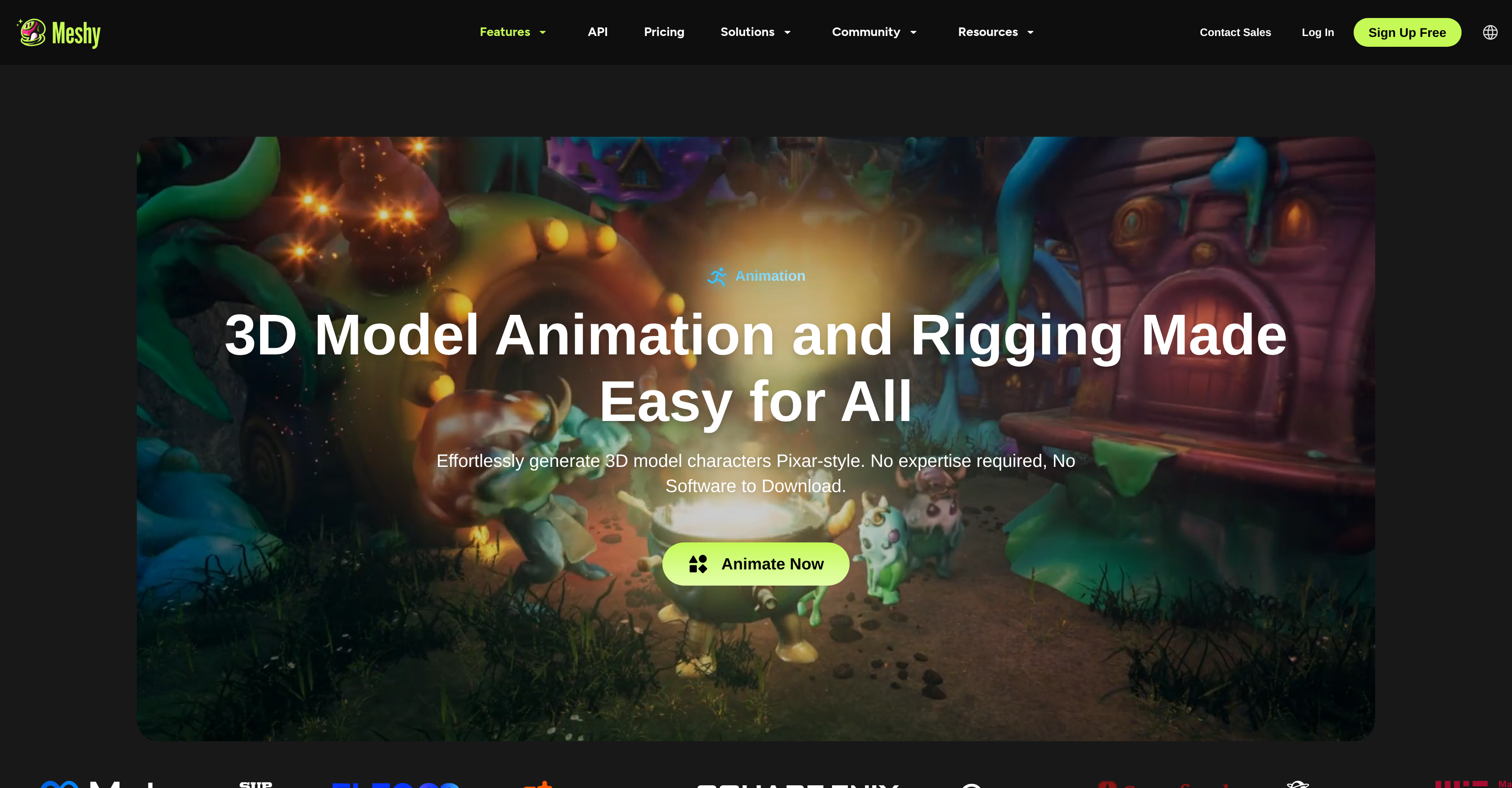
- Create production-ready 3D characters from a simple text prompt or image in seconds, eliminating weeks of manual modeling work.
- Animate any character instantly with AI auto-rigging and a library of preset motion clips, skipping complex skeleton setup.
- Apply realistic PBR textures automatically to any 3D model, achieving professional visual quality without manual texturing.
- Export animated models directly to your pipeline in FBX or GLB format for immediate use in Unity, Unreal Engine, or Blender.
- Prototype film scenes or game characters rapidly with Pixar-style animations, accelerating previsualization and decision-making.
- Operate entirely in your browser with no software to install, starting 3D creation from any device instantly.
Pros & Cons
Pros
- Instant 3D models generation
- Auto-textures 3D models
- Automatic rigging and animation
- API Integration capabilities
- Can create 3D print models
- Facilitates quick prototyping
- Hassle-free Pixar-style animation
- Library of preset animations
- Exports in FBX and GLB
- No expert knowledge required
- No extra software downloads
- Optimized for Unity, Unreal Engine, Blender and Godot
- Text to 3D model conversion
- Multi-view images generation
- Time and cost efficient
- Useful for diverse industries
- Generates 3D models from images
- Realistic PBR texturing
- Animation and rigging made easy
- Supports FBX, OBJ, GLB file formats
- Preview feature in 3D viewer
- 100+ preset motion clips
- Capabilities for both bipeds and quadrupeds
- Generates animation-ready characters
- Large animation library
- Industry-standard bone hierarchies
- Adaptable for all character types
- Supports rapid prototyping and previz
- Reduces manual weight painting
- Clean animation looping and blending
- Eliminates need for intermediate conversion tools
- Adaptable for XR experiences
- Streamlines game development process
- Facilitates faster 3D model creation
- Humanoid and quadruped character rigging
- End-to-end modelling in one platform
- Streamlines previz and VFX pipelines
- Automatic bone placement
- Game-engine ready output
- FBX or GLB export
- Seamless blend with existing motion data
- Extensive style range for characters
- Lightweight outputs optimal for VR/AR
- Rapid preview creation for storyboarding
- Embed animations for WebXR and Apple ARKit
- Optimized rigging for smooth frame rates
- No file format juggling required
Cons
- Limited to humanoid/quadruped characters
- Requires high quality input
- Doesn't support custom bone structures
- No live preview of animations
- Limited preset motion clips
- No advanced texturing controls
- Automatic rigging may be inaccurate
- No option for manual rigging
- No support for non-standard formats
- Dependent on quality of input images
Reviews
Rate this tool
Loading reviews...
❓ Frequently Asked Questions
Meshy Character Animation AI is a tool used to generate and animate 3D model characters. It is used by a range of people including game developers, film artists, and XR developers, among others. This tool is capable of transforming any image or text prompt into a 3D model and then can automatically add realistic PBR textures to these models. It is also equipped with auto-rigging and animation features enabling any 3D character to be animated quickly. Moreover, users have the option to integrate Meshy's 3D AI into their own applications or workflows through APIs.
Meshy has advanced AI technology that can transform images and text prompts into 3D models in just seconds. However, the exact process of how it does this is not disclosed on their website. It's likely that Meshy uses complex algorithms to analyze and interpret the image or text input and then translate that into a 3D model.
Meshy has AI texturing technology that allows it to auto-generate and apply realistic PBR (Physically Based Rendering) textures to any 3D model. It can analyze the 3D model and determine the appropriate textures to apply, thereby making the 3D models look realistic.
The auto-rigging and animation feature of Meshy allows any 3D character to be animated quickly. The tool uses AI technology to auto-rig the 3D models, meaning it automatically creates and places a skeleton or bone structure within the 3D model that can be used for animation. Once rigging is done, animations can be applied using a library of pre-set motion clips.
Meshy has provided APIs (Application Programming Interfaces) for users to integrate its 3D AI tool into their respective apps or workflows. However, specific details of the API usage are not provided on their website. The APIs would typically allow the users to leverage the capabilities of Meshy by integrating it with their applications or pipelines.
Yes, Meshy can be used for 3D printing. Users can generate and download 3D models using Meshy that can directly be used for 3D printing purposes.
Meshy expedites the 3D modeling process in game development by generating 3D characters and animations quickly from any image or text prompt. This not only saves time but likely reduces costs associated with 3D modeling as well. Features such as auto-rigging and the choice of animations from pre-set motion clips can also contribute to substantial time savings.
Meshy can be used to offer faster 3D model creation for prototyping and previsualization in film production. This can provide quicker insights into what the final product will look like, facilitating faster decision making and potentially cutting down on production time.
Yes, Meshy can animate Pixar-style 3D model characters. It doesn't require any extra software downloads or expert knowledge to do this. The animation can be done easily and quickly using the tool's pre-set motion clips.
Users can select their desired animation from a library of pre-set motion clips available within Meshy. While specific interface details are not provided, often, this involves simply browsing through the library and selecting or clicking on the desired animation clip.
Meshy allows users to download and export the animated model once the animation is complete. The specifics of the download and export process are not detailed on their website, but usually this involves straightforward operations such as clicking a download or export button and following any subsequent prompts.
Meshy supports FBX and GLB formats for model export. These are standard formats commonly used in 3D modeling and animation.
Yes, the 3D models created and animated in Meshy can be directly imported into major tools like Unity, Unreal Engine, Blender, and Godot. The exported models are in FBX or GLB format which are compatible with these tools.
Meshy has an AI Image Generator feature that produces optimized multi-view images for 3D creation. The AI models and renders the 3D models from different viewpoints, resulting in images that capture the models from multiple angles, aiding in the 3D creation process.
Meshy can be utilized for XR (Extended Reality) development to create lifelike, animated 3D characters and models. However, specific use-cases or examples in XR Development are not provided on their website.
'Auto-rigging' in Meshy refers to the automated process of creating a skeleton or bone structure for a 3D model. Auto-rigging is a critical process in animation as it enables a static 3D model to be animated. In Meshy, the auto-rigging process is done by AI quickly and efficiently.
Yes, you can generate and download 3D models in Meshy for personal use. It is designed to produce 3D models that can be downloaded for various purposes including 3D printing, game development, film production, design processes in various industries, etc.
Meshy offers several key features beneficial for game development. This includes rapidly generating and animating 3D model characters from an image or text prompt. It also includes automatic PBR texturing, auto-rigging, and a library of preset animations to choose from. These enhancements can significantly reduce the time and cost involved in 3D modeling for game development.
Meshy uses AI to streamline the design process in various industries by providing rapid 3D model generation and animation from image or text prompts. This allows for quick prototyping and visualization of ideas. Meshy's ability to generate Pixar-style 3D model characters and animate them without requiring expert knowledge or additional software can also speed up the design process.
Meshy is designed to operate fully in a browser, without the need for downloading or installing any other software or plugins. All the features described, including generating 3D characters from images or text, auto-rigging and animation, and the ability to export 3D models, can be done using a web browser.
Pricing
Pricing model
Freemium
Paid options from
$20/month
Billing frequency
Monthly