
Overview
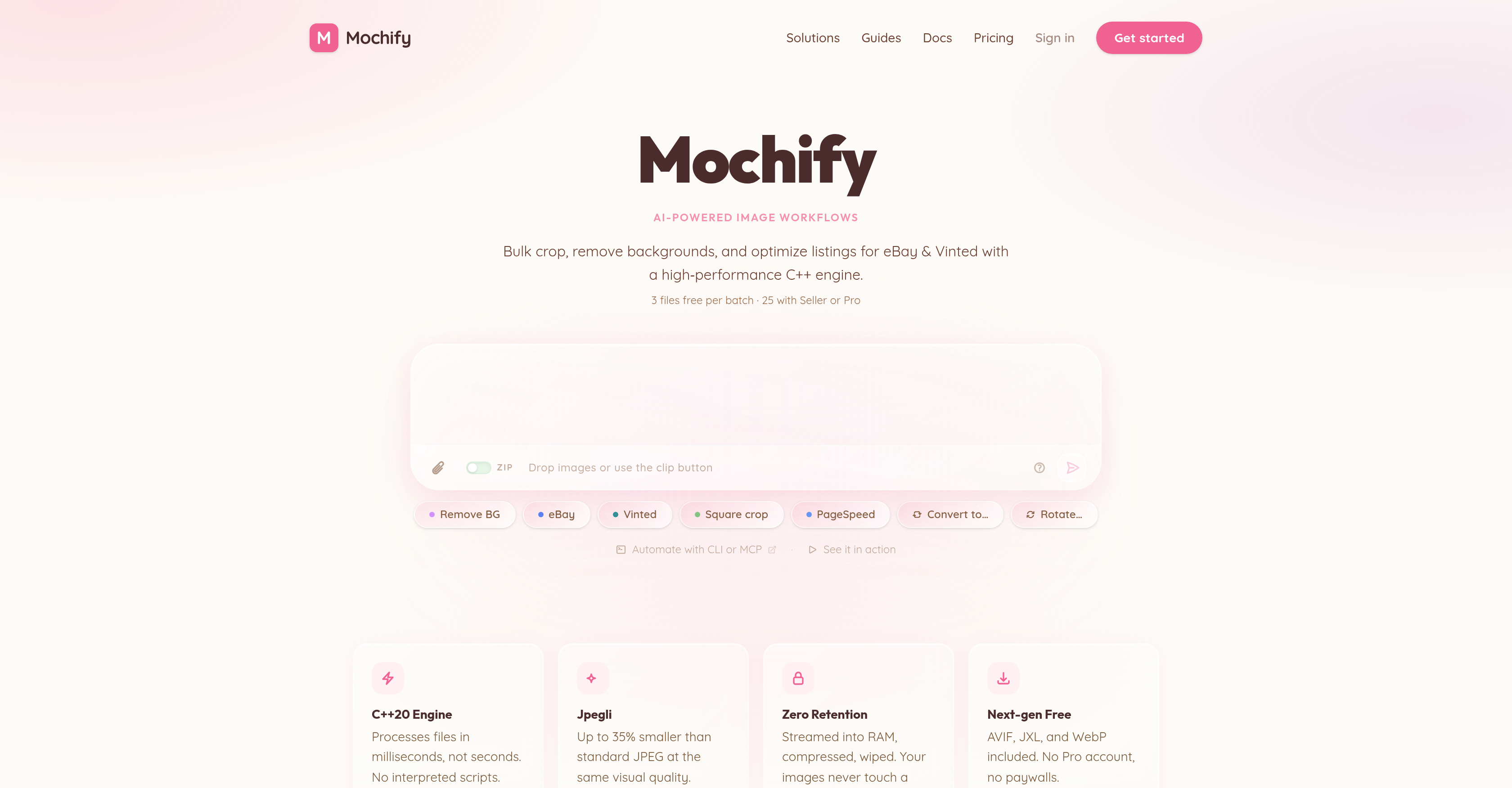
- Boost your site's SEO ranking and conversion rates by slashing Largest Contentful Paint (LCP) times with intelligent image compression that reduces file sizes up to 50% using next-gen formats like AVIF and WebP—enabled by a high-performance C++20 engine.
- Process hundreds of images in a single batch without manual settings by describing changes in natural language, and let Magic Flow automatically crop, remove backgrounds, or convert formats for each file—powered by an NLP pipeline and C++ execution.
- Improve e-commerce listing performance on platforms like eBay, Vinted, and Shopify with automated background removal and cropping that optimizes images for each marketplace—delivered through a zero-retention processing pipeline.
- Automate high-volume image workflows directly from your terminal or integrate into existing systems using the REST API, CLI, or MCP server for AI agents—without ever storing images on disk or touching third-party servers.
- Protect your image data with absolute privacy as every file streams into server RAM, gets compressed instantly, and is erased right after processing—ensuring no logs or disk storage ever hold your content.
- Convert entire image libraries to AVIF, JPEG XL, or WebP in one go with no perceptible quality loss, achieving faster page loads and better user experience—using a native C++ engine that processes files directly in memory.
- Scale your image processing from a free tier handling 25 images per month to a Pro plan unlocking 1,200 images monthly, dedicated API keys, and MCP server support for AI agents—matching your workflow volume exactly.
Pros & Cons
Pros
- Bulk processing of images
- Intelligent image compression
- Automates image workflow
- Crop and background removal
- eBay and Vinted optimization
- High-performance C++ engine
- Natural language description
- Supports new image formats
- Improves site performance metrics
- Helps in SEO Ranking
- Enhances conversion rates
- Ensures data privacy
- CLI and MCP automation
- REST API integration
- Free and paid plans
- High volume image processing
- Dedicated API key
- Images never stored
- Fast processing with C++20
- Cropping for Shopify
- Next-gen compression free
- No long-term storage
- Zero image retention
- Magic Flow NLP feature
- Applicable for sensitive content
- NLP-based instructions
- API and CLI automation
- No professional account needed
- Secure processing environment
- Supports AVIF, JXL, WebP
- Direct file streaming into RAM
- Comprehensive pricing options
- Respects user data privacy
- No per-credit paywalls
- Improves user experience
- Chat-based customer support
- Images never touch a disk
- Immediate image compression
- Cloud storage not required
- Seller or Pro plans
Cons
- Limited free monthly processing
- No long-term image storage
- No third-party server interactions
- No professional accounts support
- High-volume processing cost
- Extra charge for dedicated API
- Costs for larger processing volume
- No image retention option
- Complexity with natural language descriptions
Reviews
Rate this tool
Loading reviews...
❓ Frequently Asked Questions
Mochify is an AI-driven tool designed for optimizing image workflows. It specializes in bulk processing of images and intelligent image compression. The solution provides tools for image cropping, background removal, and listing optimization for e-commerce platforms. A standout feature of Mochify is its ability to accept natural language descriptions of desired image changes, which it then interprets and executes accurately. Mochify also supports next-generation image formats and allows conversion to these formats, which can significantly cut down file sizes without perceptible loss in visual quality.
Mochify implements natural language processing through its Magic Flow feature - an NLP-driven upload interface. Instead of manually selecting a format and quality setting, users describe what they want in plain language; for instance, "convert to AVIF and strip location data" or "make these web-ready, max 1600px wide". Mochify then interprets the intention and applies the right parameters to each file automatically by using a two-step pipeline: a language model to parse the prompt and a C++ engine to execute the compression.
Mochify provides support and improves listings for e-commerce platforms such as eBay and Vinted. Also, it's particularly beneficial for eCommerce platforms like Shopify, where the tool's optimization capabilities help improve site speed and overall user experience.
Mochify aids in improving SEO ranking by streamlining site performance metrics like Google's Largest Contentful Paint (LCP). By converting images to next-generation formats like AVIF or WebP, Mochify can cut file sizes by up to 50% with no visible loss of quality, resulting in faster page loading times. This not only improves the user experience but also positively affects a website's search ranking and conversion rates.
Mochify supports a variety of image formats. These include input formats such as JPEG, PNG, WebP, AVIF, HEIC/HEIF, and JPEG XL. As for output formats, it supports JPEG (via Jpegli), PNG, WebP, AVIF, and JPEG XL.
Mochify maintains the privacy of processed images through a zero-retention policy. Images processed via Mochify are streamed into the server's RAM, compressed, and then instantly erased. They are never stored on a disk or processed on third-party servers. There's no long-term storage, and they have no logs containing your image data.
The C++20 engine in Mochify plays a pivotal role in ensuring rapid and efficient processing. The files are streamed directly into the RAM for immediate compression and consequent erasure, guaranteeing quick turnaround times and user privacy.
Mochify offers a range of account options to suit various user needs. There's a Free Tier available that allows processing a limited number of images per month. Besides this, there are paid plans offering more extensive processing capabilities. The Seller plan offers 300 images per month and a dedicated API key, while the Pro plan unlocks 1,200 images per month, CLI access, and MCP server support for AI agents.
Yes, Mochify does offer a free usage option. The Free Tier allows processing of up to three images per batch without an account and 25 images per month with a free account. All next-generation formats are included at no cost.
Mochify provides automation via a Command Line Interface (CLI) or Mochify Control Protocol (MCP), along with a robust REST API for further integration. These tools allow developers and technical users to streamline and automate their workflows, making high-volume processing and integration into existing systems easier.
Mochify helps improve site performance metrics by offering intelligent image compression and conversion to next-generation image formats such as AVIF, JXL, and WebP. By reducing file sizes significantly with no perceptible loss of visual quality, Mochify can help improve metrics like Google's Largest Contentful Paint (LCP), which in turn enhances a website's search ranking and conversion rates.
Mochify's image compression feature works by reducing the size of image files significantly without affecting the visual quality. It achieves this by supporting the next-generation AVIF, JXL, and WebP image formats and allowing conversion to these formats. Furthermore, Mochify implements this feature for both individual and bulk image processing.
Mochify handles high volume image processing through its robust C++20 engine and support for automation via CLI or MCP. These features allow Mochify to quickly compress large numbers of files directly in RAM, providing efficient processing, especially for users dealing with high volume image processing.
No, images are not stored after processing on Mochify. As part of Mochify's zero-retention policy, each file is streamed directly into server RAM, compressed with a native C++ engine, and the result returned. The files are then wiped from memory immediately after processing.
Yes, Mochify does offer support for AI agents. It offers native support for AI agents and even includes MCP server support for AI agents in its Pro plan.
The Magic Flow feature in Mochify delivers a unique and effective way to handle image processing. Instead of manually selecting a format and quality setting, users can describe their requirements in natural language, and Mochify interprets the intent and applies the right parameters to each file automatically. A language model is used to parse the prompt, and the C++ engine helps in executing the compression.
It is very secure to process images through Mochify. The platform maintains user privacy through a strict zero-retention policy. Once processed, images are immediately erased from the server's RAM and never stored on a disk, ensuring no third-party server ever handles user data.
Yes, Mochify does provide automation via a Command Line Interface (CLI) or Mochify Control Protocol (MCP). These features enable users to automate their workflows and process images in bulk more efficiently.
For eCommerce platforms, Mochify offers significant improvements such as optimized listings and better user experience. By providing tools for image cropping, background removal, and intelligent compression, Mochify helps improve site speed. As a result, it dramatically impacts SEO ranking and conversion rates.
Yes, you can integrate Mochify into other platforms using its robust REST API. The API allows automated bulk processing and integration into existing workflows, accommodating higher-volume automation with an API key offered in Seller and Pro plans.
Pricing
Pricing model
Freemium
Paid options from
Free tier available
Billing frequency
Monthly