
Overview
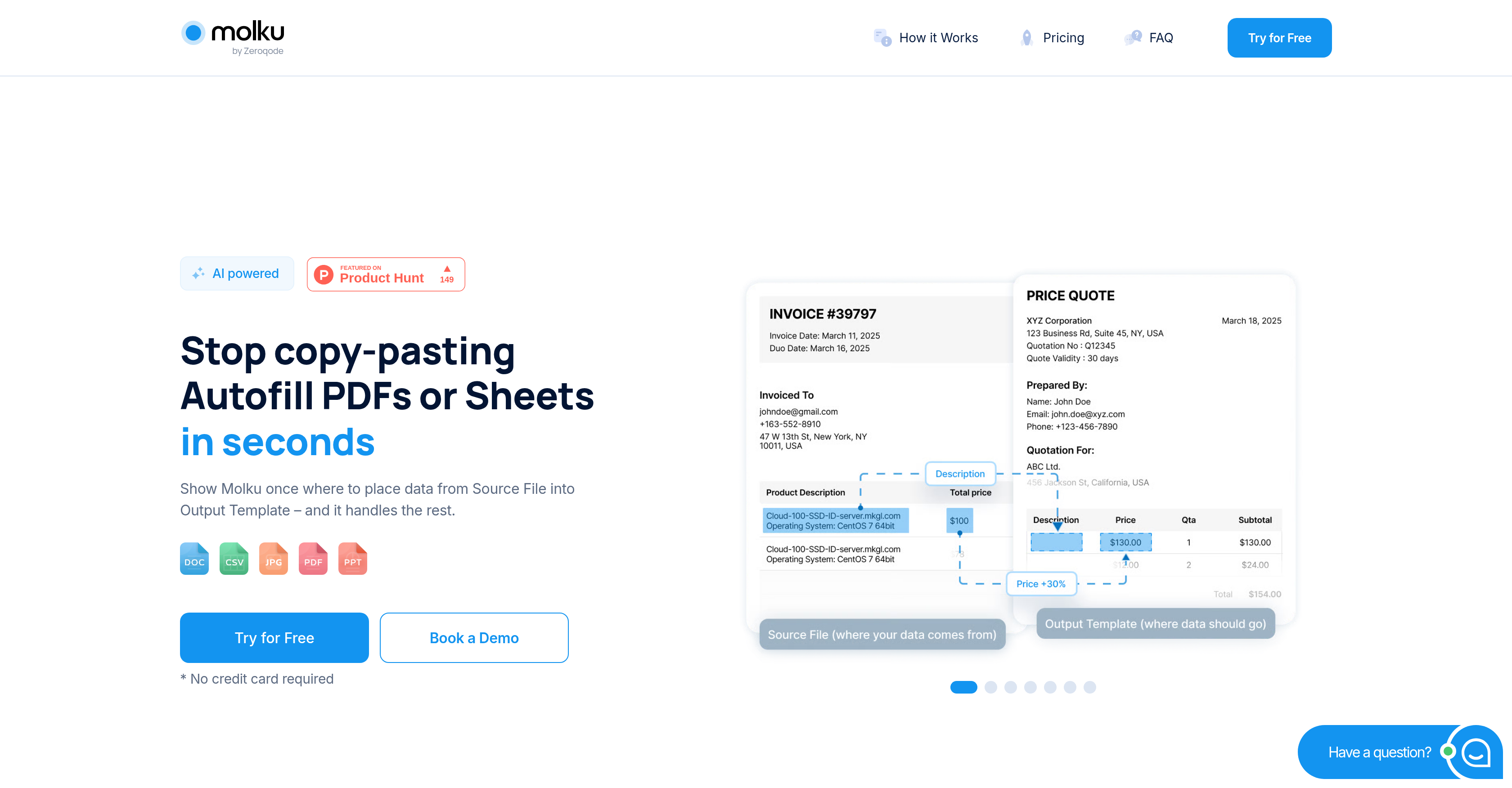
- Eliminate hours of manual copy-pasting by automatically transferring data from any document directly into your PDF and Google Sheets templates
- Ensure perfect accuracy in every form by removing human error from repetitive data entry tasks with automated transfers
- Process high volumes of complex documents effortlessly with versatile data handling that accepts input from various document formats
- Integrate automation immediately into your existing workflow with an intuitive interface designed for non-technical users
- Complete data transfers in seconds instead of minutes, accelerating your entire document processing workflow regardless of volume
Pros & Cons
Pros
- Automates PDF filling
- Instant Google Sheets autofill
- Quick data transfer
- Significant time-saving
- Eliminates manual copy-pasting
- Integrates into existing workflows
- Various document format compatibility
- Intuitive user interface
- Ideal for non-technical users
- Speeds up data entry
- Improves data accuracy
- Reduces human error
- Supports high document volumes
- Supports complex documents
- Versatile and flexible
- Improves business efficiency
- Potentially improves productivity
- Template autofill feature
- Document processing capability
- User-friendly design
- Quick automation process
- High reliability
Cons
- Limited to PDFs & Sheets
- Lacks multi-language support
- No offline functionality
- No custom template creation
- Dependent on document quality
- No version control
- No data backup features
- No API for integrations
- Lacks statistical data analysis
- Not suited for image-based data
Reviews
Rate this tool
Loading reviews...
❓ Frequently Asked Questions
Molku is an intelligent automation tool that simplifies filling out PDFs and Google Sheets by automating data transfers from various documents directly into your templates.
Molku accepts input data from various document formats and auto-fills PDFs and Google Sheets instantly. The data is transferred directly into the templates, eliminating the need for manual copy-pasting.
Molku can accept input data from various document formats, for versatile and flexible data handling.
Yes, Molku has an intuitive user interface making it an ideal choice for non-technical users. It aims to seamlessly integrate into existing workflows.
Molku reduces human error by automating the process of filling out PDFs and Google Sheets, eliminating manual copy-pasting, which is a common source of mistakes.
Molku enhances data accuracy through its automated data entry process which reduces the chances for human errors, a common issue with manual data entry.
Molku can transfer data between different documents and templates in a matter of seconds, vastly increasing efficiency compared to manual processes.
Yes, Molku seamlessly integrates into existing workflows, proving to be beneficial for both technical and non-technical users.
Yes, Molku is designed to handle high document volumes and complex data entry processes, regardless of their volume or complexity.
Molku improves business efficiency by automating data transfers and reducing chances for human error. This saves time and resources, contributing to overall business efficiency.
Yes, Molku is a significant time-saving tool as it automates the process of data transfer and filling of PDFs and Google Sheets, thereby saving considerable time that would be spent on manual data entry.
The main functionality of Molku is to automate and simplify the process of filling out PDFs and Google Sheets. It does this by transferring data from any document directly into templates, eliminating the need for manual copy-pasting.
Yes, Molku eliminates the need for manual copy-pasting by automating the process of data transfer from any document into PDFs and Google Sheets.
Molku optimizes workflow by automating data transfers, reducing the chances for human errors, and marrying this with an easy-to-use interface. This streamlines the data entry process and seamlessly integrates into existing workflows.
Yes, Molku can be used to enhance productivity by automating and accelerating the data entry process, thereby saving time and reducing the chances for human error.
Molku's user-friendly interface simplifies its use. It's intuitive and designed to integrate with your existing workflows, allowing non-technical users to leverage its capabilities effectively.
Yes, Molku is versatile and flexible when it comes to handling input data. It can accept data input from various document formats, making it a reliable tool for diverse documentation needs.
Molku can be used to automate and simplify the process of filling out documents by transferring data from any document directly into your templates. This instantly autofills PDFs and Google Sheets, eliminating the need for manual intervention.
Molku would be ideal to use in scenarios where there is a need for frequent data transfers between different documents and templates, and also in situations where a large volume of documents need data entry or varied document formats are involved.
Pricing
Pricing model
Free Trial
Paid options from
$19/month
Billing frequency
Monthly
Related Videos
Autofill PDFs & Google Sheets in Seconds by Moving Data from Any Documents
Molku•131 views•Jul 2, 2025