Overview
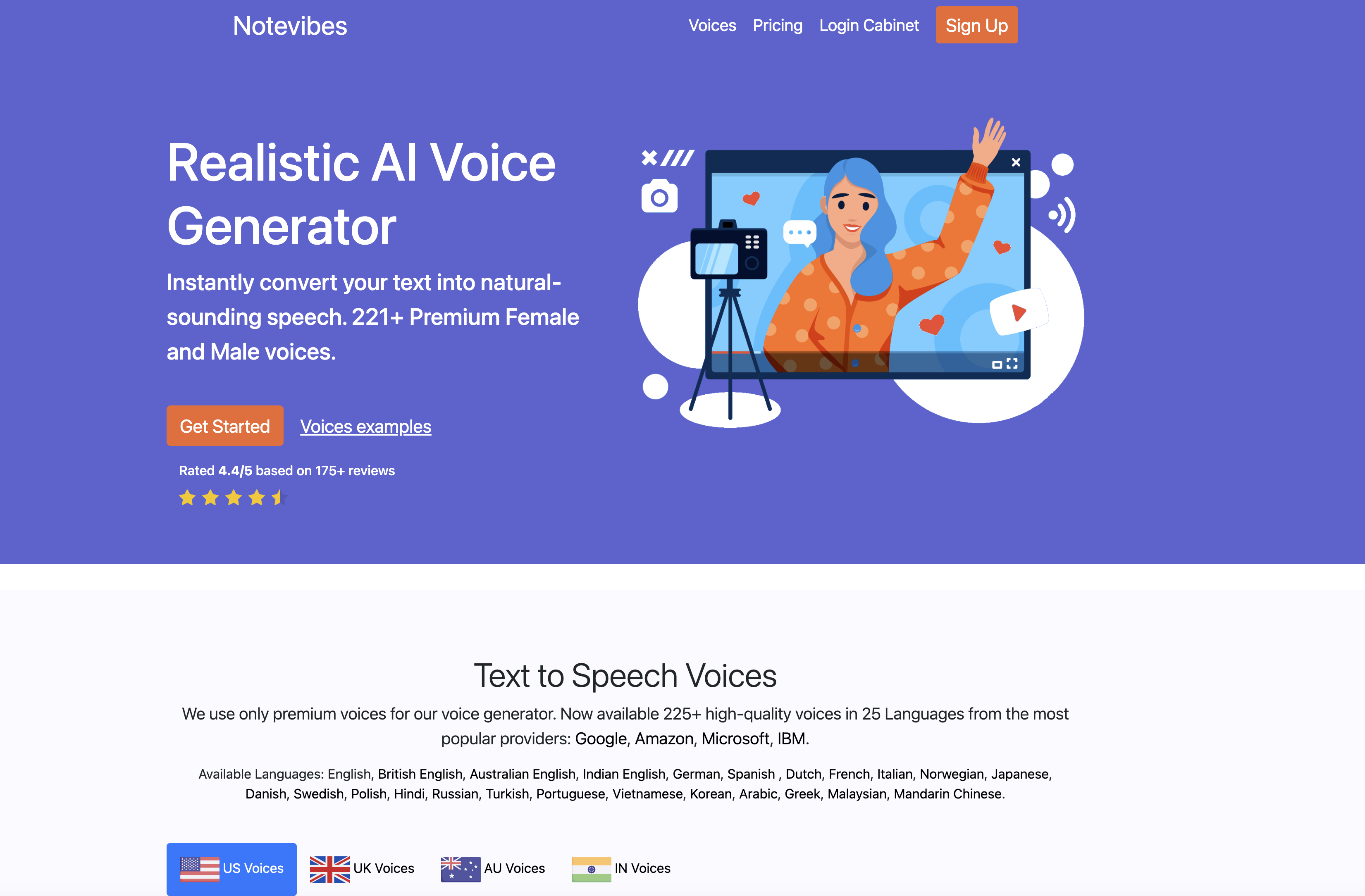
- Produce studio-quality voiceovers instantly without hiring voice actors, using premium voices from Google, Amazon, Microsoft, and IBM.
- Engage global audiences with natural-sounding speech in 25+ languages and accents including US, UK, Australian, and Indian English.
- Own every audio file you generate outright for commercial use in videos, games, and broadcasts, with full intellectual rights.
- Customize every narration precisely with advanced controls for speed, pitch, emphasis, pauses, and volume to match your project's tone.
- Save production time by converting text to MP3 or WAV files in seconds through a clean, intuitive editor.
- Equip your multi-language team with a master account system that streamlines voiceover creation across departments.
- Deliver consistent brand messaging in sales and training materials with male, female, and children's voice options.
- Protect your data and content with secure handling protocols that prevent leaks during every conversion.
Pros & Cons
Pros
- Converts text to speech
- Generates human-like voiceovers
- Time and cost-effective
- Superior quality voices
- Over 25 language support
- Voices from Google, Amazon, Microsoft, and IBM
- Male, female, children voices
- Different accents available
- Customizable speech output
- Advanced editor features
- Saved as MP3 or WAV
- Applicable across various sectors
- Secure data handling
- Multi-language team accommodation
- Manageable master account system
- Intellectual rights of audio files belongs to user
- 225+ premium voices
- Supports education, sales, broadcasting industries
- US, UK, Australian, Indian English voices
- Change speed & pitch
- Emphasis and volume control
- Save audio as WAV
- Trusted by 25,000+ customers
- Voicemail greeting creation
- Realistic IVR voice maker
- YouTube video voiceover service
- eLearning industry applicable
- DJ voice creation
- B2B broadcasting service
Cons
- No offline usage
- Limited to mp3, WAV formats
- Needs internet for conversion
- Can't handle very large texts
- Dependent on third-party voices
- No direct integration with software
- No proprietary voices
- Limited voice customization features
- Advanced features might be complex
- Depends on third-party service availability
Reviews
Rate this tool
Loading reviews...
❓ Frequently Asked Questions
Notevibes makes use of cutting-edge text-to-speech technology to convert text into lifelike speech. Users can enter their text, select from one of the many voice options provided, make adjustments to speed, pitch and volume if required and then save the resulting speech as an mp3 file directly.
Notevibes features superior quality voices sourced from leading companies namely Google, Amazon, Microsoft, and IBM. This ensures that the speech output is rich, natural and of the highest standard for all kinds of applications.
Absolutely, Notevibes allows users to fully customize their speech output. This includes features like speed and pitch adjustments, adding emphasis where necessary, controlling volume, and inserting pauses with the advanced editor.
Notevibes supports a variety of accents including US, UK, Australian, and Indian English among others. This wide range of accents allows your text-to-speech conversions to cater to global audiences.
Notevibes can be extensively leveraged in sectors like sales, education, and broadcasting. Sales teams can generate human-like voiceovers for sales videos, education sectors can utilize it to create comprehensive educational materials, and broadcasters can use it to generate professional quality voiceovers for the broadcasting materials, all without the need for professional voiceover artists.
The intellectual rights of all audio files generated through Notevibes belong solely to the user. Users enjoy full ownership of their created files, maximizing their flexibility and creativity.
Data security is a priority for Notevibes. It implements modern secure approaches in its software, thereby ensuring that there are no data leaks and the user's data is adequately protected.
Notevibes provides a manageable master account system designed for efficient team operations. Team members can be added and managed conveniently through this master account.
Notevibes can be instrumental for multi-language teams due to its multi-language support. The text-to-speech service supports 25 languages, making it easy for teams to generate speech in multiple languages, and improve their communications with global audiences.
In addition to MP3, Notevibes allows you to save your audio files as WAV. This gives users flexibility in selecting the format based on their specific requirements.
Yes, Notevibes's extensive voice collection includes children's voices. This broad collection ensures that users can find the most suitable voiceovers for their projects.
Yes, Notevibes's advanced editor allows for enhanced customization in audio generation. It includes features like pausing, speed and pitch adjustment, emphasis and volume control which enable users to precisely shape their speech output.
To adjust speech speed and pitch on Notevibes, users can utilize the advanced editor. It provides easy-to-use controls for speed, pitch, and volume, allowing users to fine-tune their speech output.
Notevibes is a cost-effective alternative to professional voiceover artists as it essentially eliminates their need. By generating human-like voiceovers from text, it helps save the time and money that would otherwise be spent in hiring and recording professional voice artists.
Notevibes supports over 25 languages. A few among them are English, British English, Australian English, Indian English, German, Spanish, Dutch, French, Italian, Norwegian, Japanese, Danish, Swedish, Polish, Hindi, Russian, Turkish, Portuguese, Vietnamese, Korean, Arabic, Greek, Malaysian, and Mandarin Chinese.
Yes, Notevibes can certainly be utilized to create sales and educational videos. Its text-to-speech services can be used to make videos with natural sounding voices, providing excellent audio experiences for your audience.
The text to audio editor in Notevibes is user-friendly. It possesses a simple and clean interface and permits conversions from text to speech within seconds. Its advanced features for customization are also very straightforward and easy to use.
Using Notevibes for commercial purposes offers several benefits. It can help save time by creating audio books or video presentations swiftly. Furthermore, it can enhance customer service quality by providing customers a way to hear voice messages without wait.
Yes, you can create voiceovers for your YouTube videos using Notevibes. The high quality, natural-sounding voices provided by Notevibes can enliven your video content, enrich viewer engagement, and increase video quality.
Absolutely, Notevibes can be utilized to create voices for games. With over 225 natural-sounding voices, you can enrich your gaming experience with engaging audio that aligns perfectly with your characters and game ambience.
Pricing
Pricing model
Paid
Paid options from
$8/month
Billing frequency
Monthly
Related Videos
THIS IS IT Studios Website Reviews - Notevibes.com
THIS IS IT STUDIOS - TAMIL•912 views•Apr 6, 2020